Wow, that’s a fantastic reward. That should get the creative juices flowing!
Thanks for the update @Elena
10 Likes
Amazing update @Elena. We are getting closer and closer each day! That is so fantastic! I know I will be doing my part and continuing to share!
10 Likes
Wow what a great unlock. Can’t wait. 
9 Likes
That’s wonderful. Here goes due question @Elena … only USA?
8 Likes
I feel pretty dumb but I cannot figure out how to join this project or what I’m suppose to share, graphic, project, jpg of project and where to share but most importantly 1st how to enter/register. Sorry I’m a bit ADHD & am constantly interrupted by my husband and spec needs son which is why I have to read everything at least twice.
8 Likes
No need to feel that way @Nancy_Sierchio. This is an ongoing challenge in the community. You enter the challenge by publicly sharing your projects in the LOKLiK App. You will go into the area called “My Zone” in the app. This is where all of your saved projects go after they are created if you choose the save them. Once there they are labeled as for your eyes only. You will want to “Publish” your project, which will make it visible to everyone. You will have to provide pictures of your created project, make sure it has a title, and provide a description, and can even include which machine you used to create the project. Once you click “Publish” it will be visible for everyone to see in the “Inspiration” section of the app as well as appear here in the community. Once we as a group reach the set milestone, the administrators in the community will randomly pick a winner from the projects that have been submitted. Hope this helps. Please let us know if you have any other questions or need some screenshots.
8 Likes
It does. Thank you. Is there no way to add a picture of a project I didn’t save initially?
7 Likes
There is @Nancy_Sierchio. After you click the “Publish” button it will take you to the screen that allows you to make changes to the title, description, and more. You will also find an option at the top that allows you to add several pictures of your project to share as well.
6 Likes
What I was trying to say is. I made a project but didn’t save it. Can I take a picture of it with my phone and add it to my projects?
8 Likes
You can but I don’t think it will work very well. If you want to try, you can open a new canvas and press the upload button. Upload your screen shot. Then you can save your canvas.
9 Likes
Great idea! Thank you!!!
9 Likes
Hi Cory,
I’m just now finding time to try this but when I click on my zone, my projects show up but they are not labeled for your eyes only & there is no publish option that I can find.
7 Likes
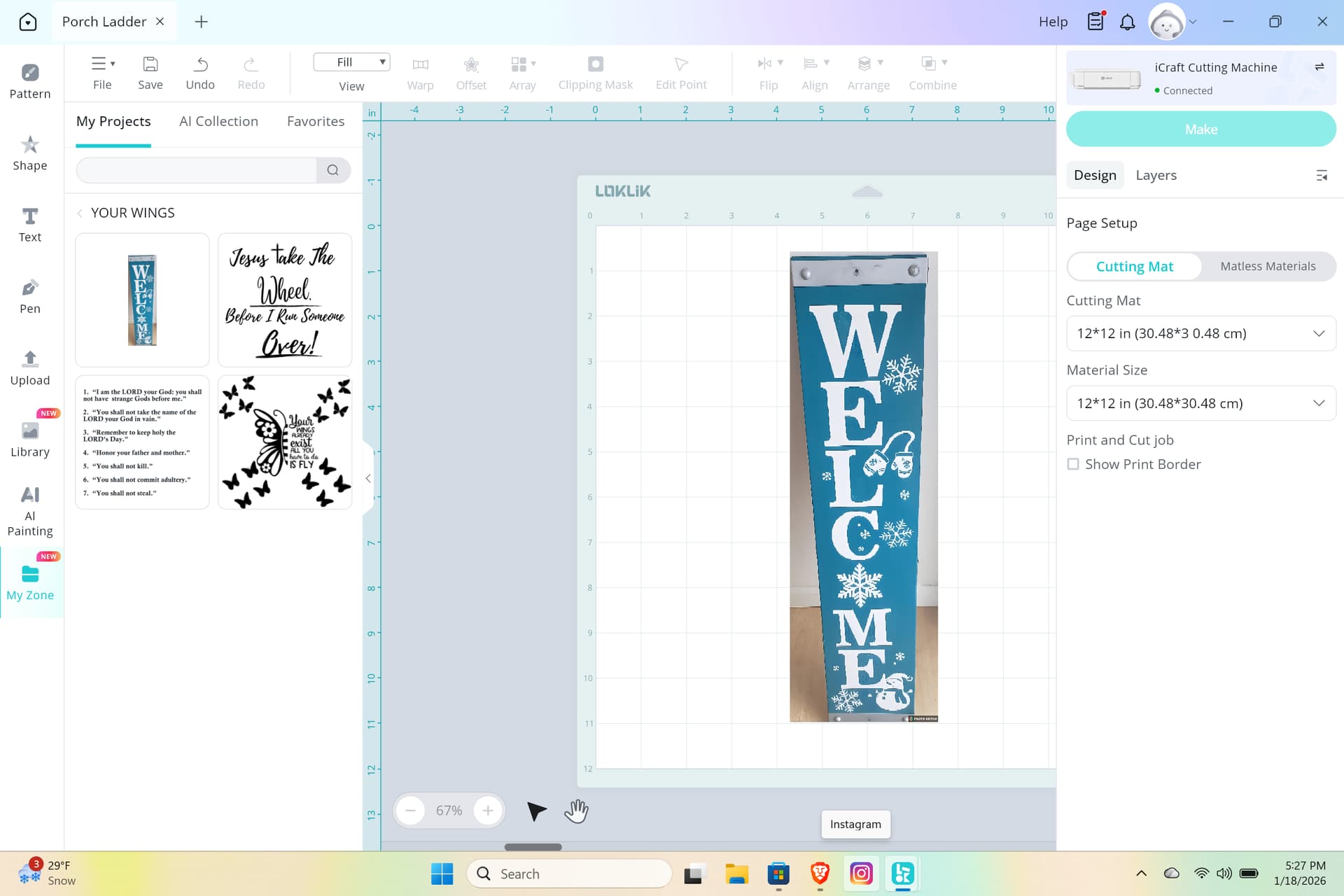
You can’t actually share a project to the library from your canvas screen unfortunately at the moment.
So here’s what you can do. Make sure your canvas is saved first.
Then click the little home button

Now we are back on the home screen.
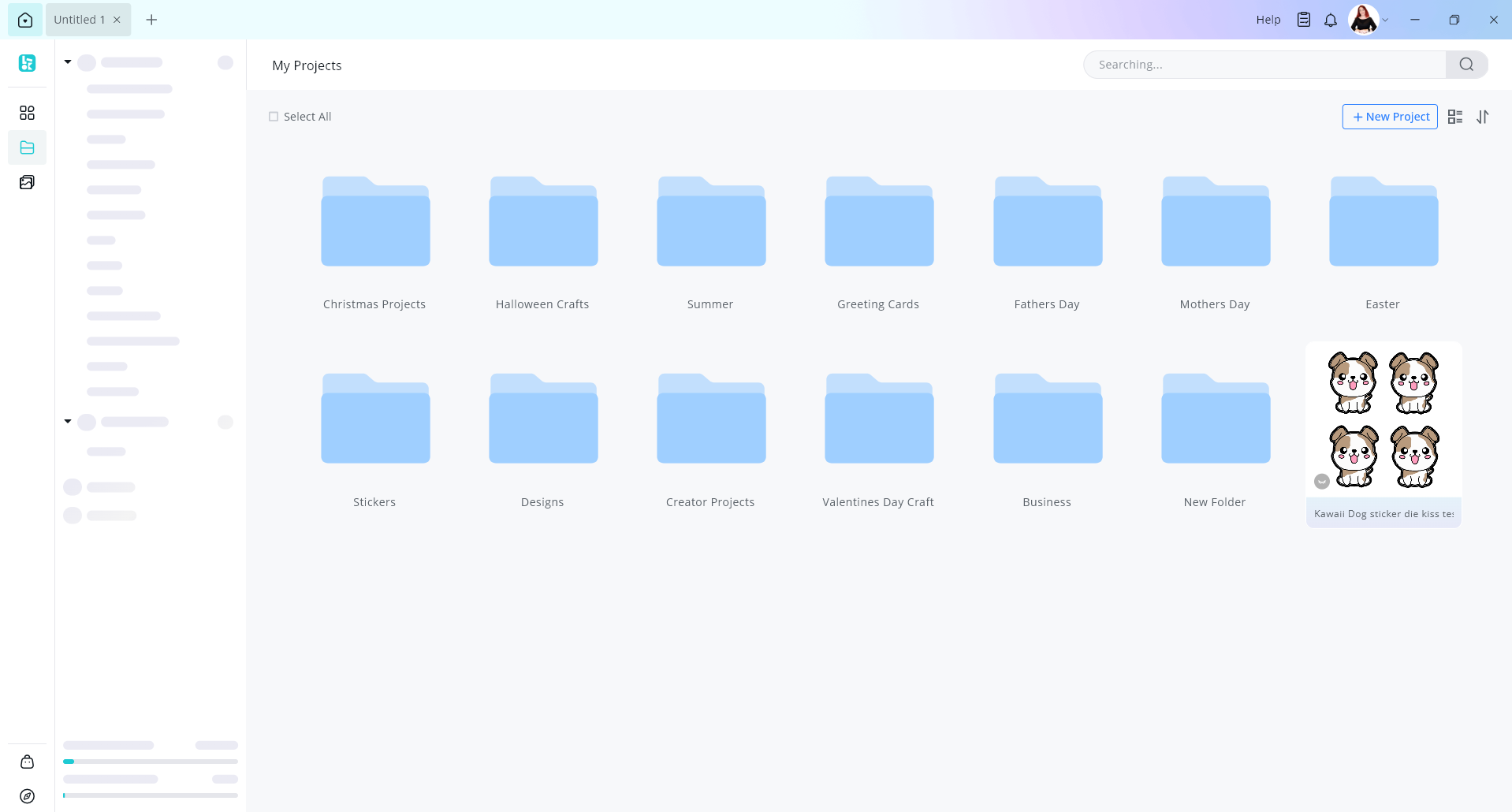
If your not in my zone just click the my zone button here
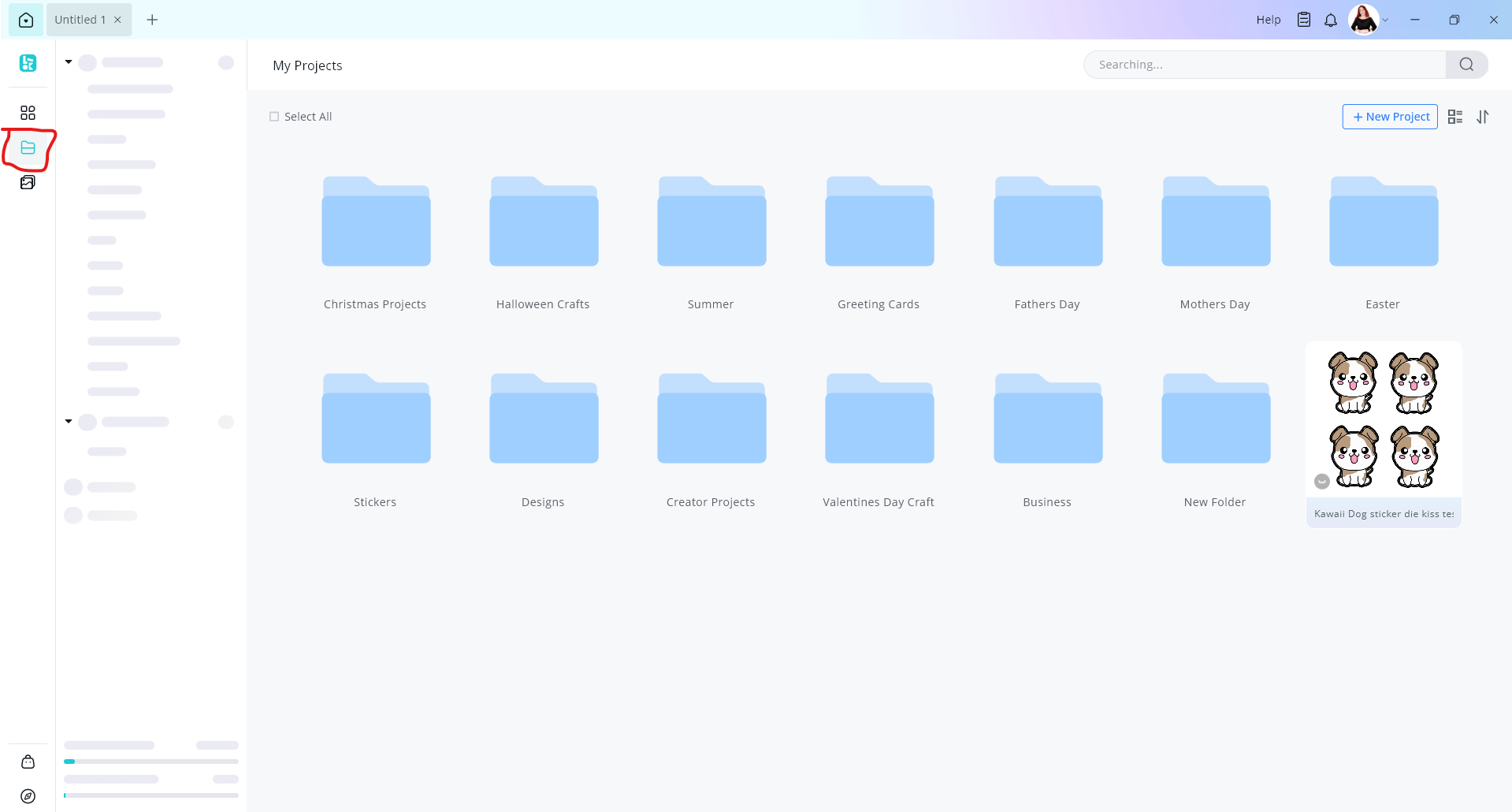
Find you project that you want to share
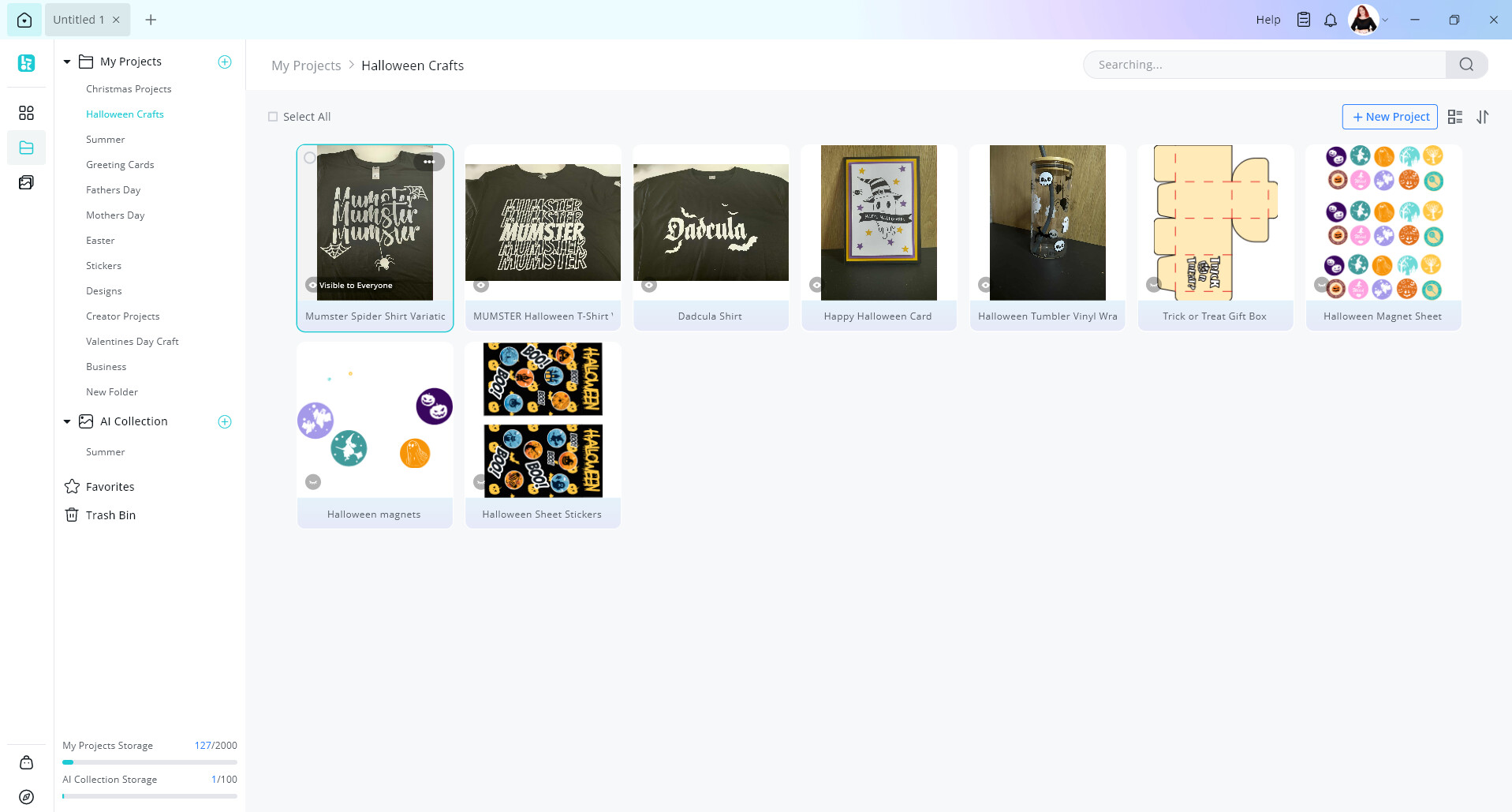
Hover over the project with your mouse. You can see this project is only visible to myself.
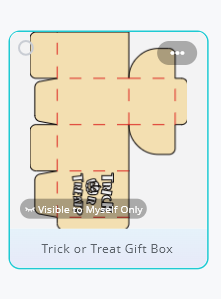
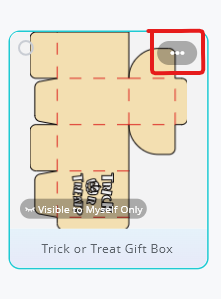
Click on the 3 dots on the top right corner of your design
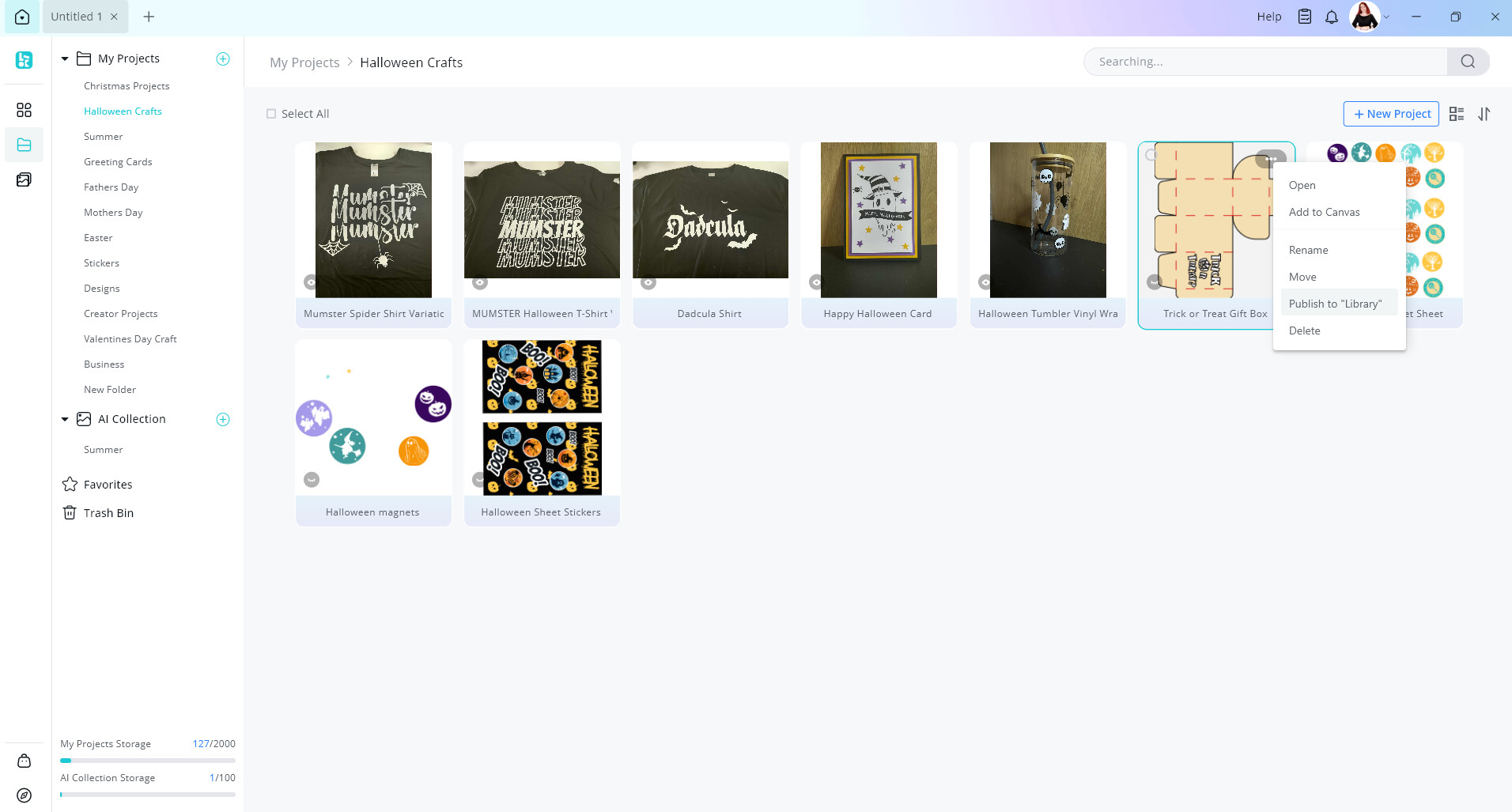
Then click, publish to library
Now fill out your details like your title and description. Don’t forget to add photos of your project.
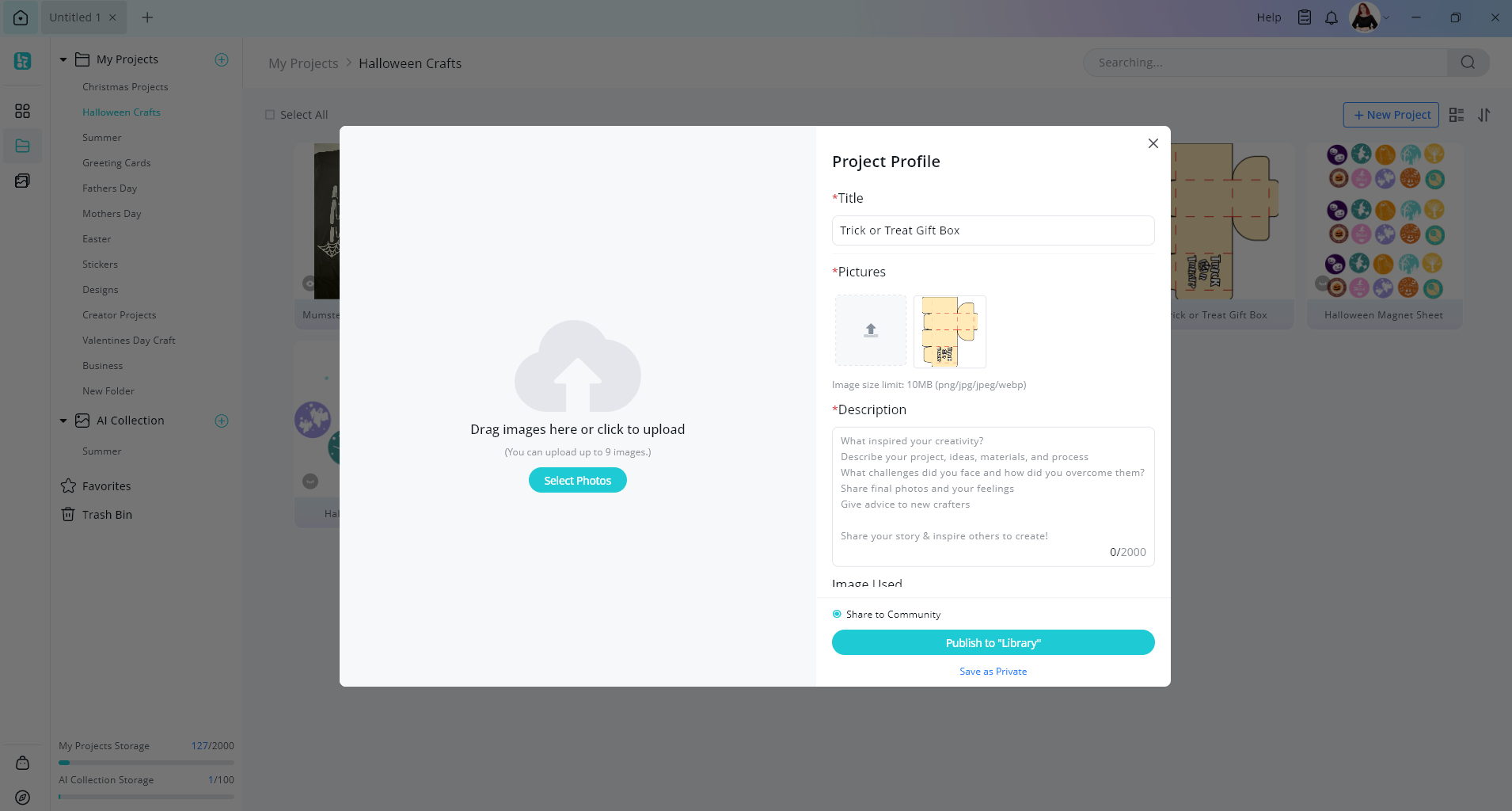
You can scroll down and also add what machine you used to create your project
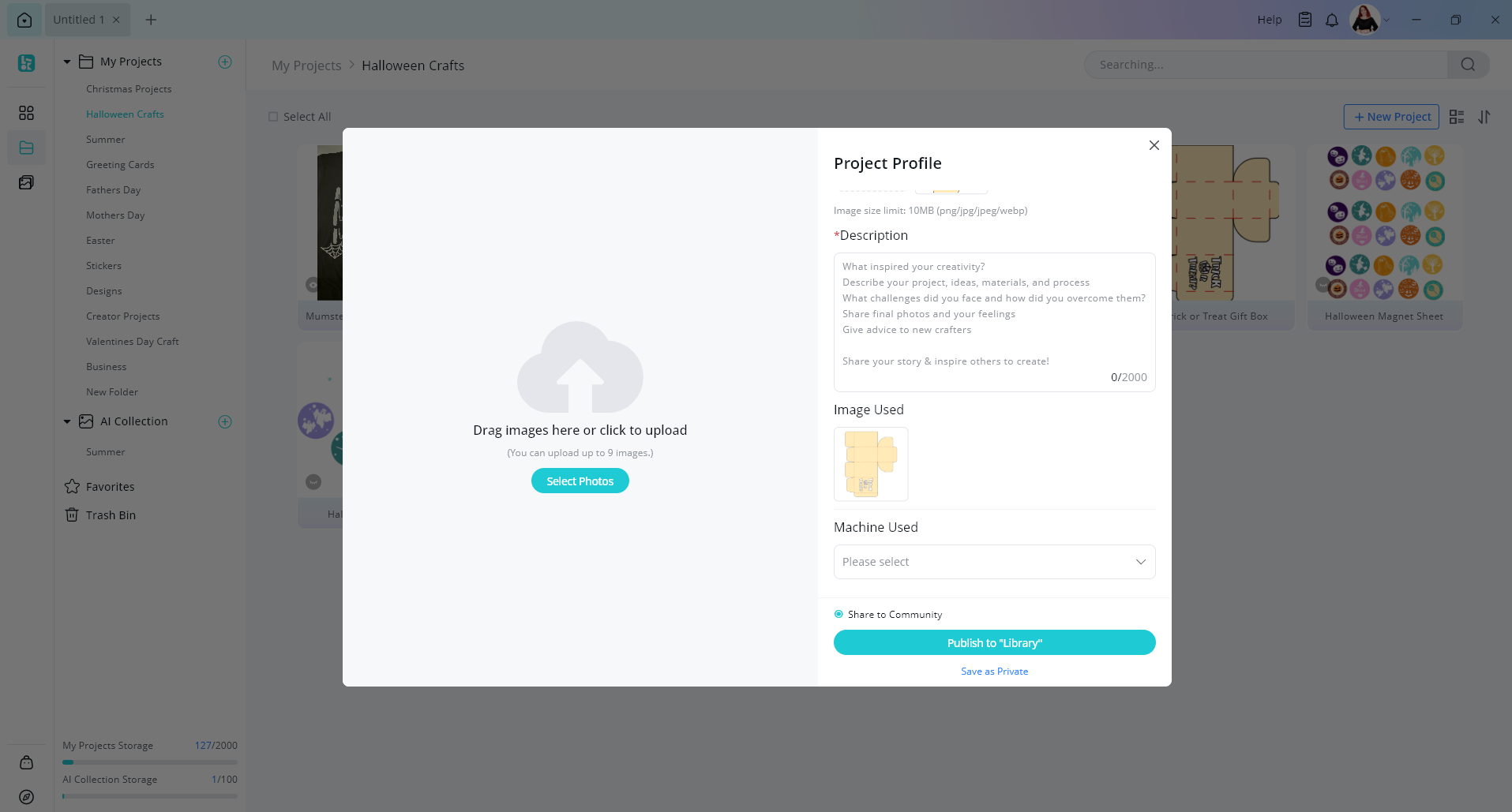
Then hit publish to Library when you are all done
8 Likes
I was trying to share the project I did but didn’t save because I didn’t know I could do all of that LOL.
There’s a lot of steps, for me that is difficult. My brain just doesn’t process multi step instructions well so it takes me a bit longer to get used to it by doing the task over and over. I’m still not sure how to get the picture of the actual finished project in my zone.
Also I want to thank you. I ordered HTV vinyl & it arrived to day. It is so easy to work with and I love the heavy duty plastic envelope they send them in.
5 Likes
You, my lovely are not alone. My brain doesn’t work so well either, hahaha  . Sometimes it’s a real struggle.
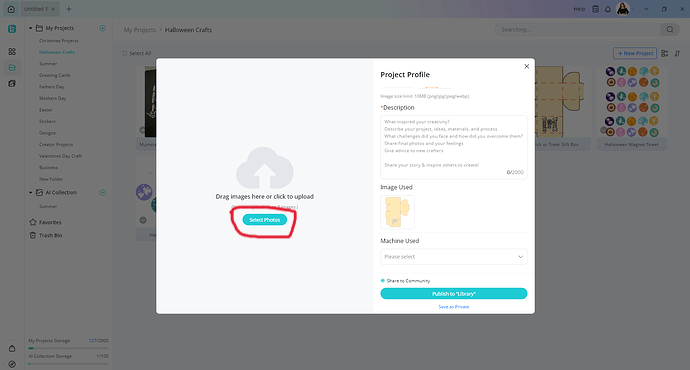
To upload your images for your project just click here after following the steps above.
9 Likes
Thank you again. It is so hard sometimes. Anything with more than two steps is a challenge. Oh well, it’s probably why we all love to create.
9 Likes
Hello and happy new year! Thank you for this visual very helpful @Nancy_Sierchio @Cory_Barger @BellethehowtoGuru 
10 Likes
No worries at all. I’m hoping to get out a community tutorial out soon explaining all there is in the community. Theres heaps of threads with answers from other community members to help out too.
7 Likes