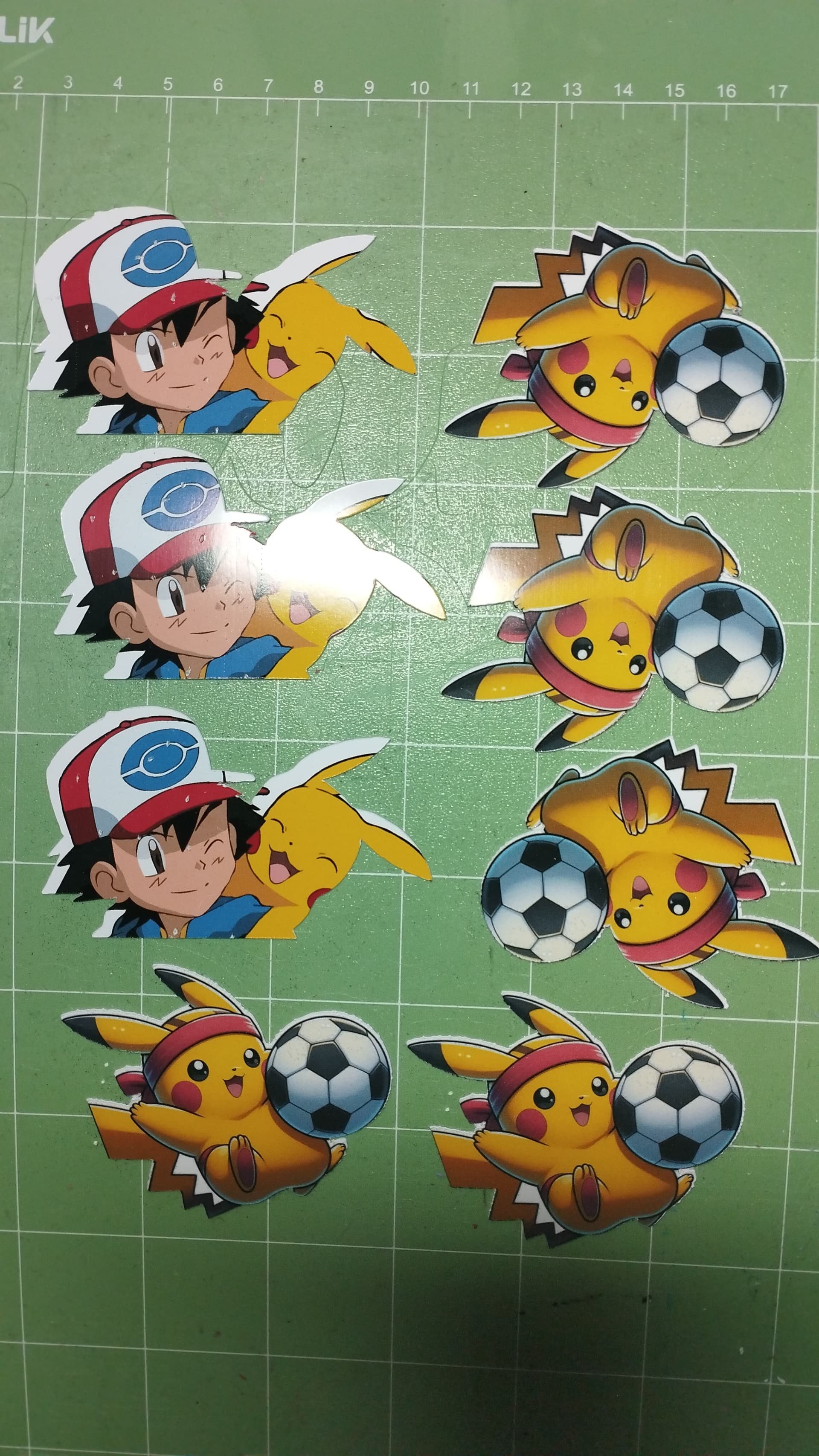
Day 39 My patience is still being tested, this time with print and cut—it did whatever it wanted even after I calibrated it twice before cutting. I’ll keep trying using the tips from various posts around here. 
9 Likes
To get the most accurate alignment, you should print from the IS. You can adjust the settings from the Print Settings option after you click print on the Make screen. It will bring up your printer’s dialog box. If you use another app to print it, it won’t register all of the layers, and you won’t be able to select only the offset layer to cut, which is explained in my video.
8 Likes
Yay, well done Sam. It’s a great start. 
6 Likes
Looks great! I love that color. It looks like the same color I painted my dining room. 

7 Likes
Thanks so much! It’s taken awhile to get there, but I only started being consistent the last 6 months or so. It’s definitely giving me more motivation to continue that consistency. 
6 Likes
Did you get 0s across the board on your calibrations? If not, I would continue the calibration process until getting all 0s.
6 Likes
Thank you! Great minds think alike!  I’m obsessed with greens — the main bathroom, kitchen, craft room, and laundry room are all rocking their own shades. And the guest room? Yep… you guessed it. Another green is coming!
9 Likes
Awesome! Great minds do think alike for sure. I love green too! It’s my favorite color! 

9 Likes
Plans today to consult with a potential client on a bulk order and getting some training. I’m trying to learn how to create freebies to drive client to my website. I’ll be doing other behind the sceens updates. Wish me luck.
10 Likes
What a difference a lick of paint makes and I love the colour.
You can’t beat that freshly painted smell. I bet the royal family think that’s how the world smells! 
8 Likes
Oh, ok. I thought you sent it as a PDF.
TBF, I’ll try anything that works!
6 Likes
Wahoo the sun is out!
10 Likes
Yeah, I think that works fine if you’re doing sublimation wraps and don’t want the registration marks, or if you just want to save your design outside of the IS, but to do stickers, it will need to be done directly in the IS. Otherwise, you’ll have to remove the background, create a whole new offset, etc. It will be treated just like a regular JPG or PNG when you upload it to the IS to be cut.
7 Likes
Have a great weekend 
9 Likes
I got 1, -1, 0, and 2. The program said that values between -2 and 2 were acceptable, but only in some cases. I’ll keep testing and calibrating with all the materials I plan to use. I’ve saved the cake topper for which I needed the images.
8 Likes
Yeah, mine didn’t do a perfect cut with the “between -2 & 2” values. I only achieved it when I hit all 0s. It took about 4 or 5 calibrations, but I did achieve it with both of my iCrafts, and they both will perform perfect PTCs using the process I use.
8 Likes
April 10th…… my head and I are waring a not so fun headache day. What I would not give for a painless day but nope body disagrees. Slowly getting my space reclaimed to craft in peace……
10 Likes
Day 39: I need to come up with a new project. I’m working thru a couple orders but there’s something about creating from nothing that charges my spirit. I tried a new chiropractor this morning and I hurt but pushing thru and staying optimistic.
10 Likes
Thank you so much, Rinsky!  Cheers back!
8 Likes
Another day of not crafting. The puppy is demanding my attention by getting into everything possible. When does the puppy phase end?
12 Likes