
As more members start creating with the D2, a lot of practical experiences and small tips have also been shared along the way 
Many daily printing situations are actually related to setup details, environmental conditions, or small parameter adjustments. Once these are checked, the D2 can usually return to stable and smooth printing very quickly.
So here’s a small roundup of some commonly discussed situations in the community recently, together with a few practical tips that may help during everyday use.
Seeing a white outline around the design?
There are two settings worth checking in IdeaStudio:

- If the original image itself already contains a shadow edge or soft border, try adjusting the White Border Scale setting to
-1or another smaller value, so the printed white layer matches the design more closely. - If the original image itself does not contain any edge or shadow, make sure the White Border Scale setting is set to
0.
White areas look slightly yellow at the beginning of printing?
Right after a cleaning cycle, the first section of printing may occasionally contain a small amount of mixed ink from the wiping process.
Usually, printing a short section first and restarting the print job once the mixed color disappears is enough to return to normal output.
Printhead movement looks unusual during startup?
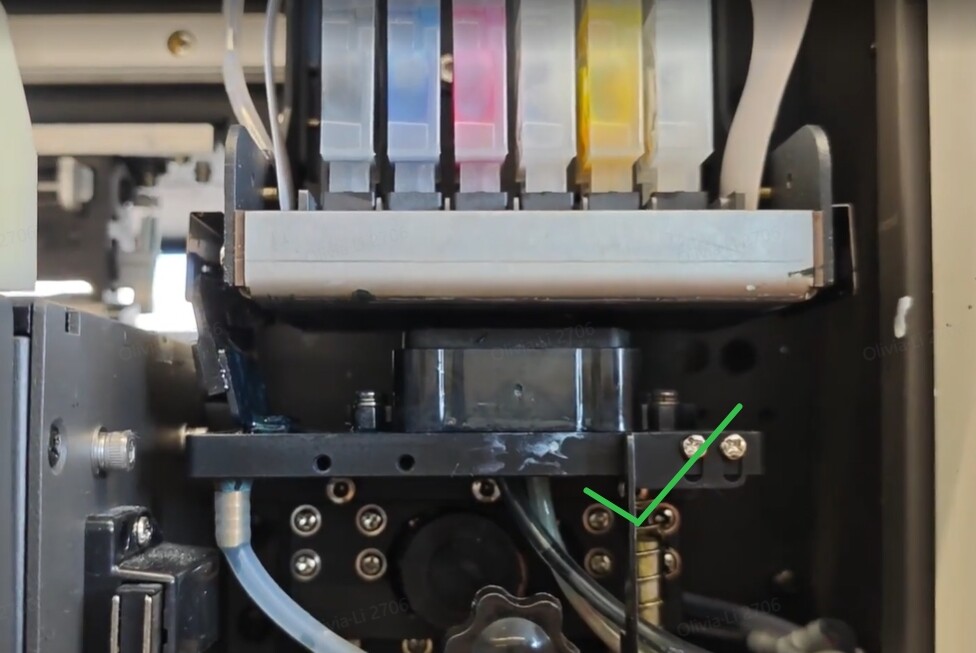
If the printhead movement during startup looks unusual or doesn’t return normally, it’s recommended to first do a quick startup homing check:
One thing especially worth checking is the encoder strip shown near the end of the video.
If it looks slightly shifted, gently move it back into place manually, then check the startup process again.
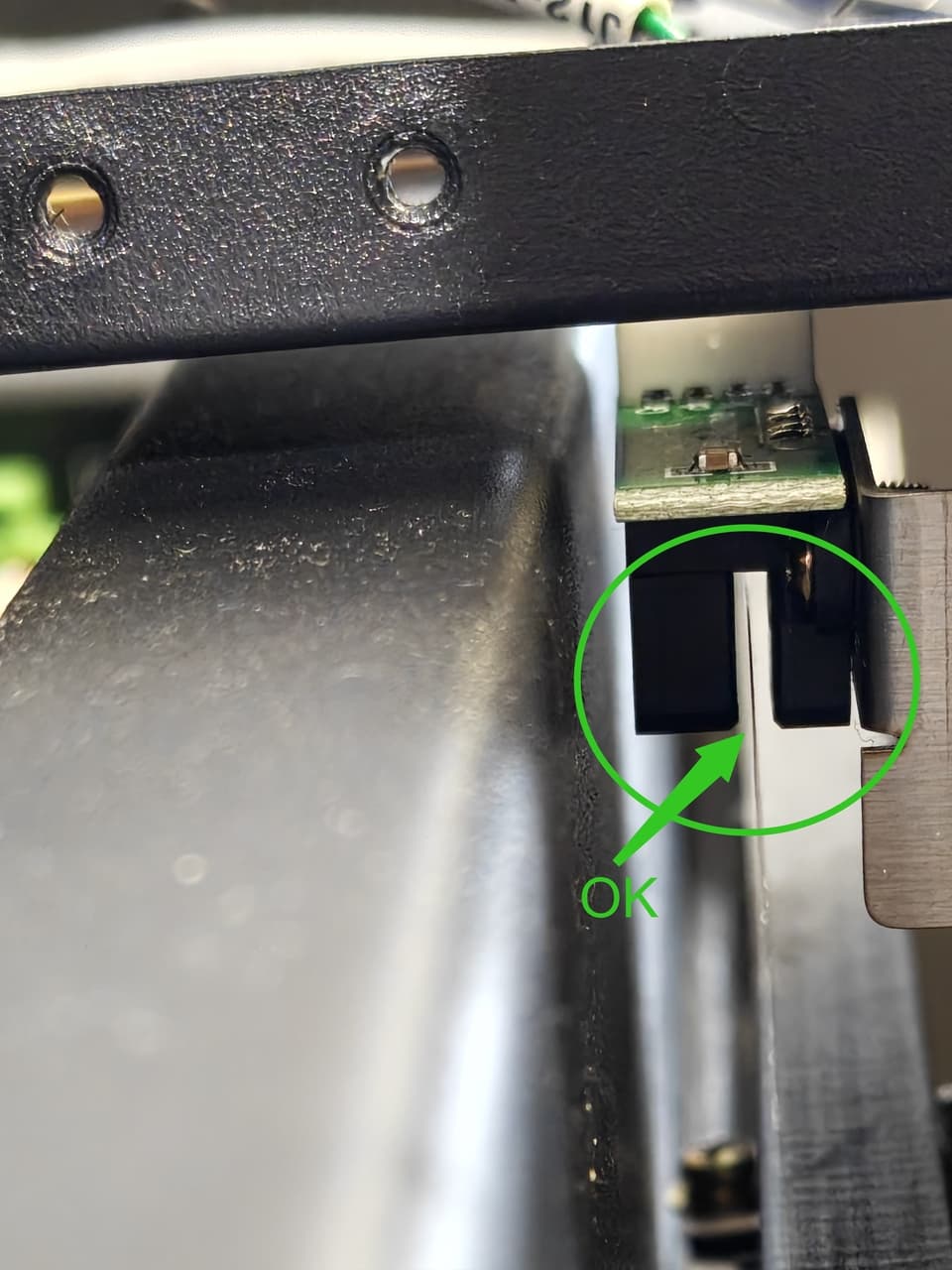

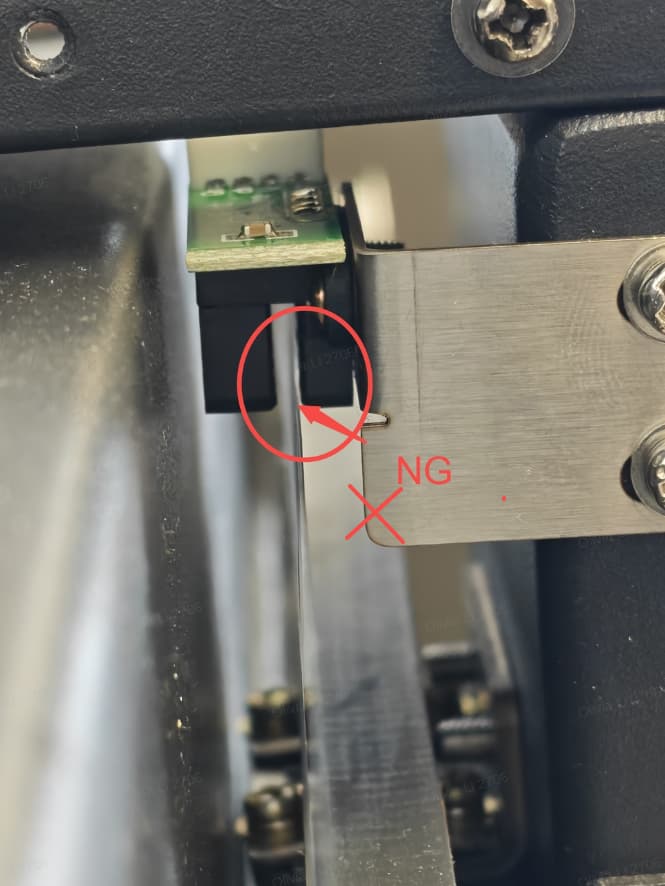
- Turn the machine off, then power it on again and observe whether the printhead automatically returns to the home position correctly.
Speckling or small areas peeling off after DTF oven baking?
It is recommended to allow the ink to dry completely and try lowering the oven temperature.
The drying speed of printed film can vary quite a bit depending on room humidity and temperature, as well as the amount of dark ink used in the design. For darker prints or more humid environments, drying may sometimes take over an hour before the surface fully stabilizes. You can also use a fan or air conditioner to help speed up drying, but be sure to control the airflow strength and secure the film properly to avoid smudging the printed design.
A helpful way to judge it:
look at the ink surface from the side. Once the surface becomes matte and no longer reflective, it’s usually ready for powder shaking and baking.
 If there are other tips or printing situations everyone would like to learn about, feel free to leave a comment — and of course, you’re also welcome to share your own useful D2 experiences and tricks with the community

 There is one user who is/was having an issue of the ink smearing, as if the printhead is too close to the film when printing. Can you explain how to fix this issue? I suggested adjusting/lifting the printhead a bit, but it appears to be no way of adjusting it.