Thank you rinsky 
11 Likes
Amen to that! 
 I’m so happy you joined us. Each day you comment, you receive 3 cheers. We have 16 days left in this check-in event. If you check-in for 14 consecutive days, here, you’ll receive 50 cheers! Cheers can be redeemed in the
  Mini Awards Store#7 | Oops, I May Have Gone Overboard with Christmas Decor…. You can check out the post to see what your points can be redeemed for, and there’s a link to inform you what actions will give you cheers and how many you’ll receive for those actions. So, be sure to check that out while you’re there. The more you interact in the community, the quicker you can accumulate cheers. You can check your cheers total by clicking on your own name in any post or comment. Again, thanks for joining us! I’m happy you’re doing well! God bless, and see ya tomorrow!
14 Likes
Woohoo! I’m so happy you received your engraver! Can’t wait to see what you do with it! 

12 Likes
Thank you Samantha
10 Likes
Today’s mood is grateful that my tooth extractions went well!
14 Likes
Good afternoon! Today my mood is “frustrated”, just when you think things are going well, somehow a curve ball slips in. This too shall pass! Hope everyone has a great day! Hugs
14 Likes
I felt that! Hope it all gets sorted soon!
10 Likes
You’re most welcome!
8 Likes
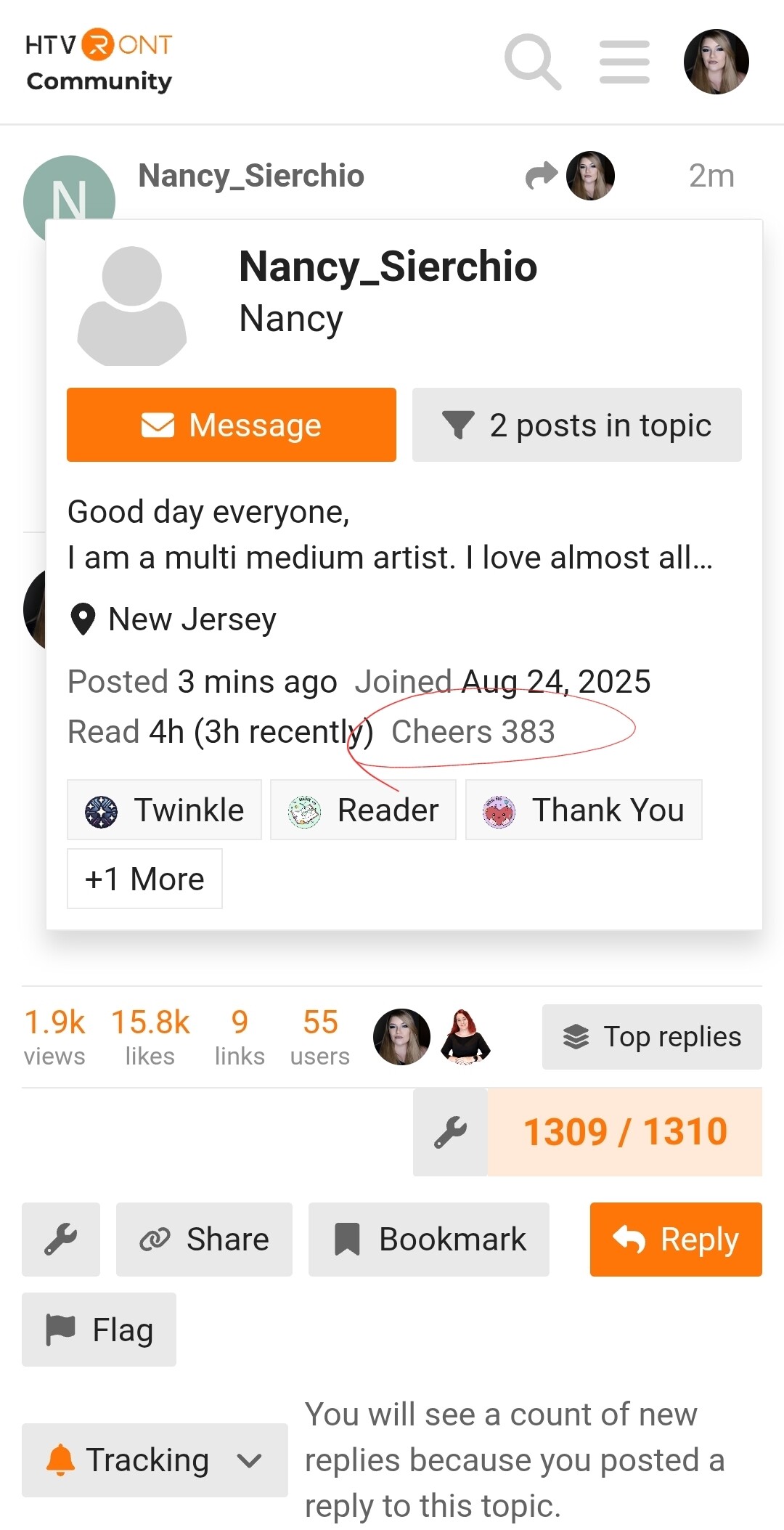
Where can I see how many cheers I have amassed?
8 Likes
Just click on your name, in your comment to me, and you will see your total right above your badges.
7 Likes
Day 34? 35? Mood annoyed my back hurts and really wish I knew why.
13 Likes
Thank you again…
7 Likes
If you can purchase Arnica salve from a health food store or your local farm stands with mini stores usually carry artisan things like that. Arnica is amazing for inflammation which is why we feel pain. Once you get rid of the inflammation your body can heal.
7 Likes
Hi again,
Sam how do I register for these events/contests? I’m not seeing the option anywhere.
7 Likes
Hi! You don’t need to register. You just enter your project, making sure to follow the rules in the event post. Typically, you just create a project in the IdeaStudio, using Loklik assets, i.e. library images, fonts, shapes, etc., then when you’ve finished your project, take pictures of it. Go into the saved project, and click Publish. Once there, you will add your project photos and a description. Then, you just publish it publicly, making sure the “Share To Community” option is toggled. Then, you will come over to the community website, look under the Inspiration topic for your post. You will click the edit button, and add whatever tag the post requires to the tags section and save the edit. Then, you copy the link to your project, and share it in the specific event post, using the format the event requires. The instructions and format are always included in the event post.
To share your project publicly, you will click the 3 dots in the top right corner of your saved project file, and click Publish, this will bring up the description and add photos options.
10 Likes
How can I remove the red border that appears when I click MAKE?
8 Likes
You can’t. That’s the cutting area lines. It leaves enough space on the sides so that it doesn’t cut off any of your design. You place the design inside the cutting area, but make sure your material is touching the top and side lines of the measurement area on your mat. That way it ensures you get the whole design. All cutting machines’ software have the cutting area marked with a red (or other color) line.
8 Likes
 I’ve popped-up again lol: todays mood happy to be busy, i do my best work when i have a longgggg list
14 Likes
Got it. Thank you
8 Likes
You’re very welcome.
8 Likes