HI all, wondering if anyone has come across this same issue? My machine cuts perfectly on everything except for laminated sticker paper. When the sticker paper is unlaminated it follows the cut lines precisely but when It is laminated its slightly off, I avoid laminating the registration marks so I’m not sure why its doing this :<
For reference I am using Matte laminate and Print & cut!
Are you changing your pressure settings when cutting with the laminate? The machine has to work harder to cut through it and if you are using the same settings as your sticker paper it could be the reason why your cuts are a little off when cutting the laminate?
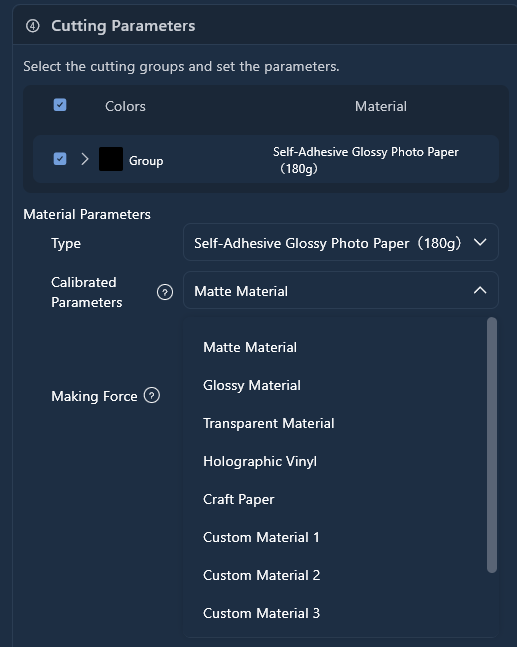
Hi belle, yes I change the settings to 620 pressure to fully cut through, it cuts through fine but its the actual cut alignment, it just cuts higher up than where the cutline is :< Calibration doesn’t fix it as its only happening when I use laminated sticker paper compared (avoiding the reg marks) compared to regular
I feel like maybe the blade is slipping on the glossy material. ??? Just thinking here but how old is your blade? Also have you cleaned it? Sometimes it can get sticky residue from the vinyl on it. I clean mine with a ball of aluminum and just poke the blade in and out. You could also use a spray of iso alcohol on it as well if you wish. Just make sure it’s completely dry before use. Also check if the blade has a notch in it, it might be snagging on something. I’ll cut a sticker sheet tomorrow and see if mine does the same or if I can reproduce what you’re experiencing. It’s a bit odd.
If you could send a video of it cutting paper and then the laminate would be great for trouble shooting.
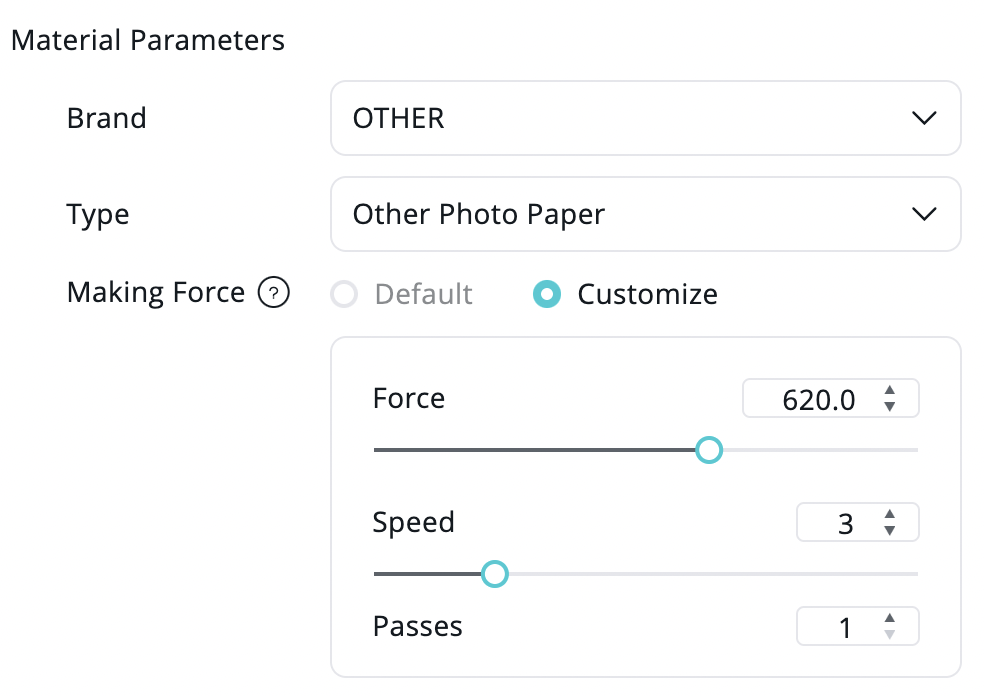
I did some cuts today for examples, sorry for the delay! Heres the cut difference between non-laminated sticker paper vs laminated sticker paper, big difference! They’re cut with the same settings shown below and with a new blade. They’re also cut with the exact same print and size so I’m really confused And since I don’t laminate the registration marks I feel they should register the exact same?
It started with only cutting a little off on the first 3 stickers as shown in the video for the Laminated sticker paper but as seen in the result photo its… REALLY off :')
Wow this is really off, do you have the crafter or iCraft?
Have you tried cutting with the exact same settings as the paper version but just upping the passes to 3 or maybe even 4. With the latest update you may want to do a separate calibration for that material? I will still think on this and give my machine a go and see if I can get your results.
that seems to have fixed it! I changed the speed from 4 to 1 and its cutting perfectly now, thank you all so much I really appreciate it Happy Halloweeen!
 And since I don’t laminate the registration marks I feel they should register the exact same?


 Happy Halloweeen!