Hello Crafters!
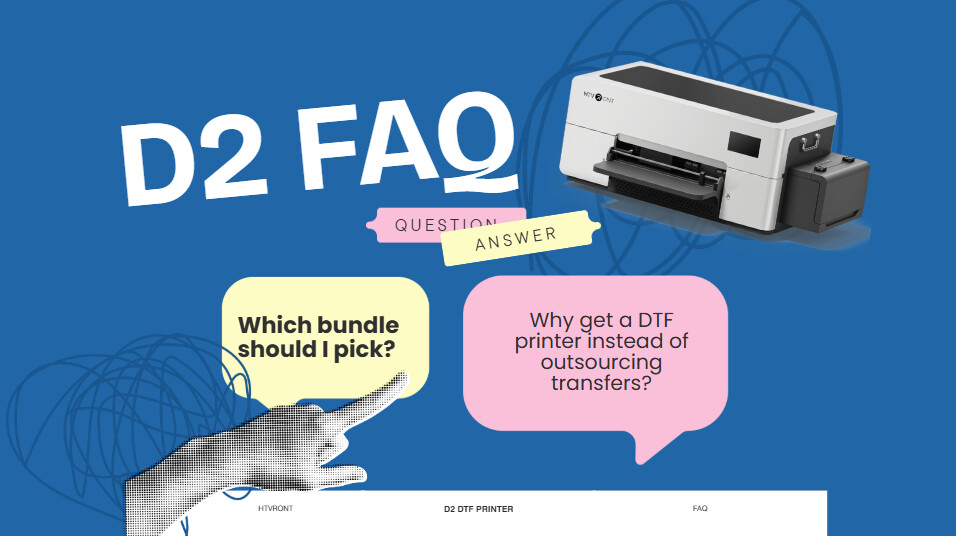
If you’ve been looking into the D2 DTF Printer recently, or still deciding whether it’s the right fit, you’ve probably run into a few of the same questions many people have at this stage.
Things like how it ships, what’s actually included, whether it’s beginner-friendly, or how it compares to the D1.
So we pulled together some of the most common questions that come up before purchasing, hoping this can give you a clearer picture and make the decision a bit easier.
If I order the D2 now, will it ship right away or is it pre-order?
The D2 is currently in stock and available for immediate shipping. It’s not a pre-order item.
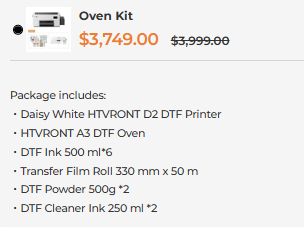
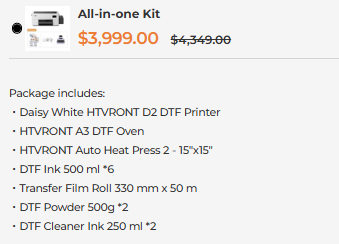
What’s included in the bundles? Which one should I pick?
The bundles are designed to let you start at your own pace, depending on how far you want to go.
- Standard Bundle
Comes with the essentials needed for printing, including the printer, ink, powder, and film.
A good option if you want to try DTF with a lower upfront cost. - Oven Bundle
Adds an A3 DTF oven.
Since DTF requires three steps, printing, powdering, and curing, the oven is necessary for solidifying the adhesive powder.
If you’re new to DTF, this is usually the more practical starting point. - All-in-One Bundle
Includes both the oven and a heat press.
This setup lets you go from design to finished product directly, which works better for ongoing or batch production.
The 2-in-1 software sounds convenient. Is it free to use?
Yes, it’s free.
The software combines RIP and image processing into one workflow, so you can handle layout, printing, and output in one place without needing extra tools.
What does the warranty coverage look like?
Here’s a quick breakdown:
- Printhead and motherboard: 6 months
- Other machine parts: 12 months
- Return window: 15 days
I’m a bit worried about the learning curve. Are there tutorials available?
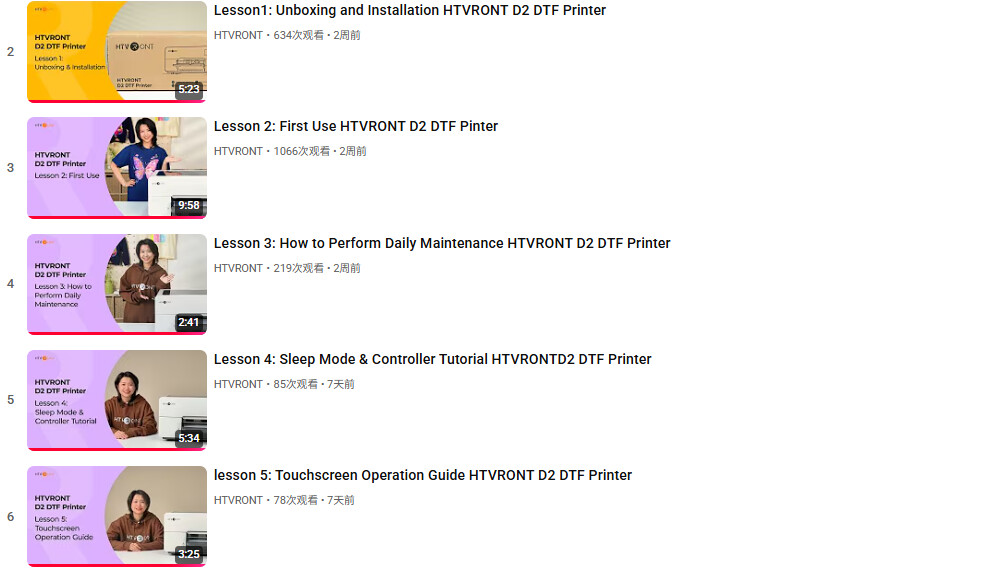
Yes, there’s a full set of beginner guides and troubleshooting videos here:
HTVRONT D2 DTF Printer
It walks through the process step by step, so it’s easier to get familiar with how everything works.
What’s the difference between D1 and D2?
Both are solid options for getting into DTF, but they’re designed for slightly different needs.
- D1
More entry-level, with a lower price point and stable performance.
Works well if you’re just starting out. - D2
More suitable if you’re planning to scale or run more consistently.
It focuses more on efficiency, ease of use, and stability.
Some of the key upgrades on D2:
- No USB dongle needed
- Sleep care mode that runs with just power, no computer required
- Ink shortage alerts
- Larger 300 ml ink tanks, so fewer refills
Why get a DTF printer instead of outsourcing transfers?
Outsourcing can feel easier at first, but over time it comes with trade-offs.
- Costs add up with each order
- Turnaround time depends on someone else
- Quality consistency can vary
Having your own DTF printer means:
- More control over production and quality
- More predictable costs per print
- Faster turnaround when handling orders
The D2 is designed to keep both the entry cost and ongoing costs manageable, so it’s easier to build a more stable and sustainable workflow.
 Been seeing these questions a lot, so figured it made sense to gather them in one place. A lot of it really comes down to how you plan to use it and what kind of workflow you want. Curious how you’re all looking at the D2 right now.

 This printer would be a game changer for me. Will definitely be saving up to get it — even though it may take awhile.