Hello Community!
After the launch yesterday, we’ve been seeing a lot of curiosity around the D2 DTF Printer 
what it actually looks like, how the setup goes, and how it performs from the start.
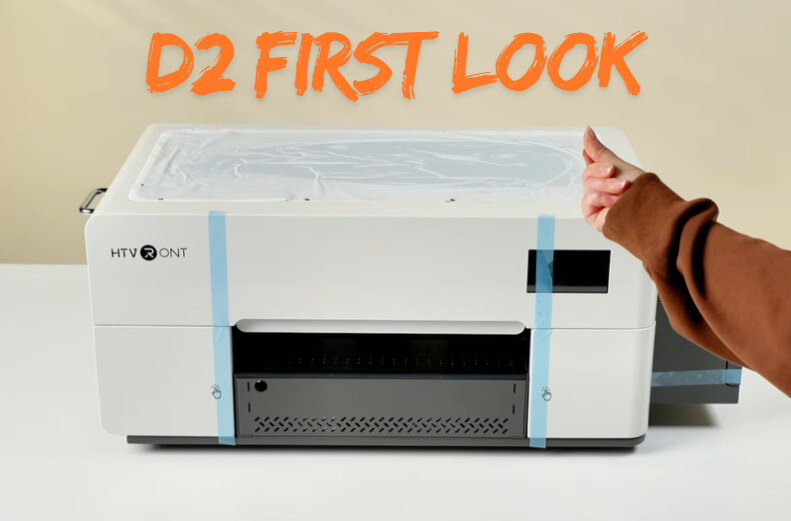
So what does it really look like out of the box?
Let’s take a closer look, from unboxing to those first prints.
 First impressions from creators
If you’ve followed @Crafting with Delonda, you probably know she’s been working with DTF for a while and shares a lot of real setup and production content.
In this video, she walks through her full setup process with the D2 and shares her first impressions after testing it.
From unboxing to first prints, it gives a clear look at what getting started actually feels like.
A few things she pointed out:
• Setup feels quick and straightforward
• No dongle needed, everything runs through IdeaStudio
• Built-in alerts for ink and maintenance
• Strong color right from the first prints
 Official unboxing and setup
If you’re curious what comes with the D2 and how setup actually works, this official walkthrough covers it step by step.
It goes through everything from what’s included in the box, to a simple 3-step setup, and a quick look at the key parts of the machine like the touchscreen, ink system, and overall workflow.
Everything you need is included, so you can go from unboxing to your first print without extra prep.
 What do you think?
Did anything stand out to you from the unboxing or first prints?
Or is there something you’d want to know before getting into DTF?
Drop your thoughts below, curious to hear what everyone’s looking for.
