Can someone help me find the FOB01 Oven user manual? The temperature setting aren’t working properly. How can i change from Farenheit to Celsius?
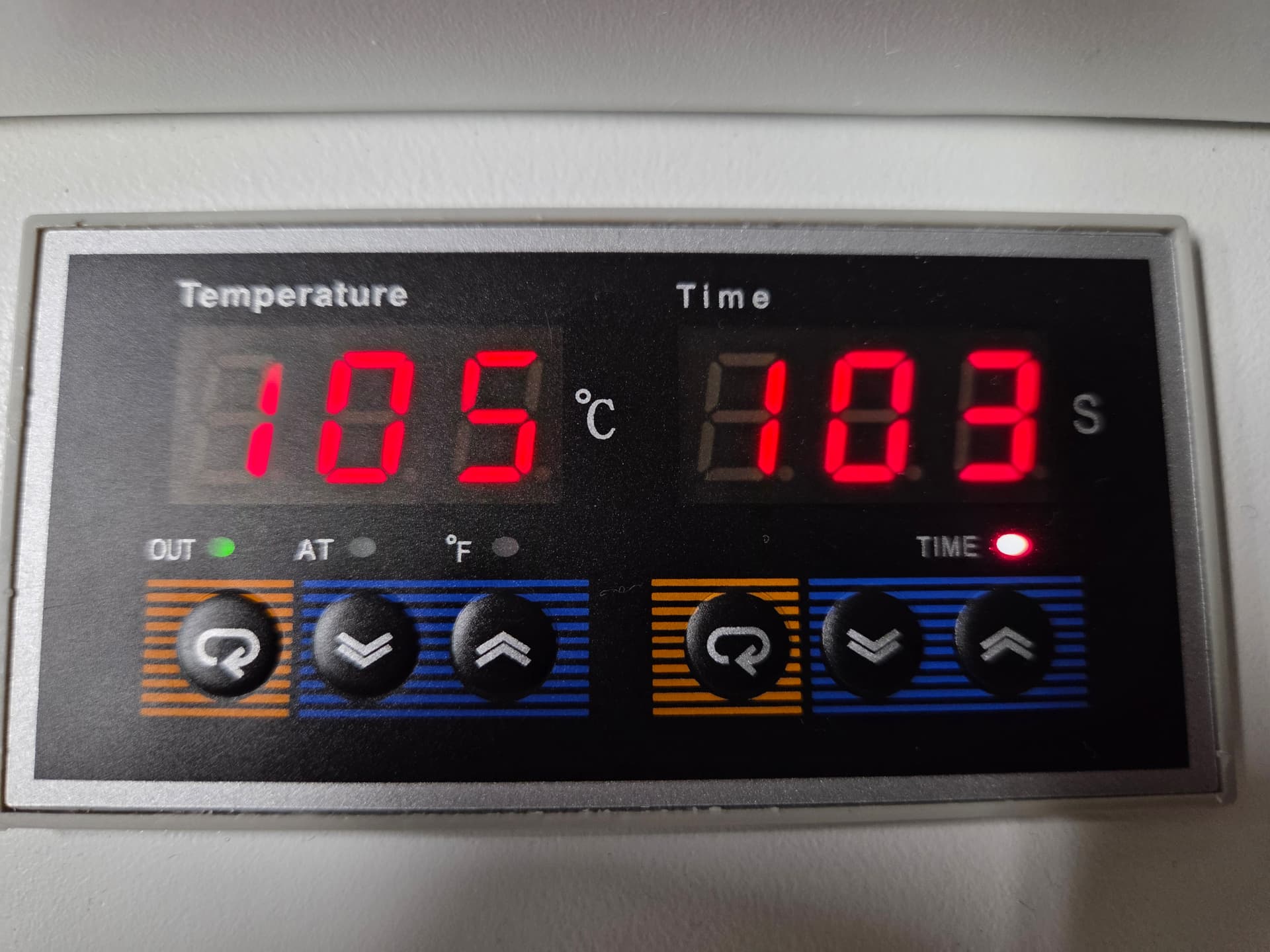
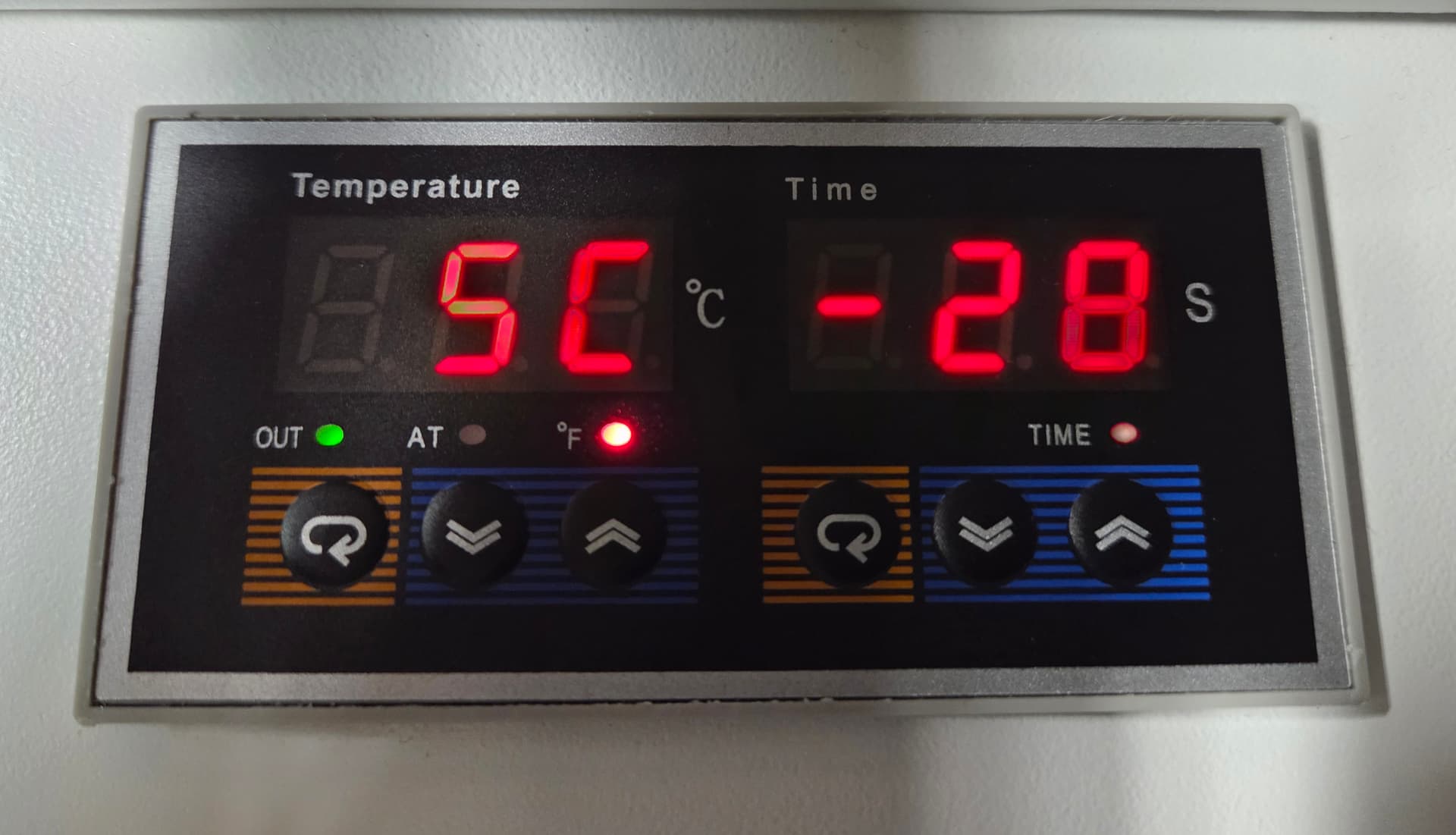
I need to know how can i use this panel display
4 Likes
Hi and Welcome to the Community @Br1Pa! Please see below. Hope, I answered your inquiry. Please let us know if this works for you otherwise, try searching the model number (FOB01) on the brand’s official website. They often have downloadable manuals in the support section.
Customer support: If all else fails, reaching out to the manufacturer directly can get you the exact steps for your model. 
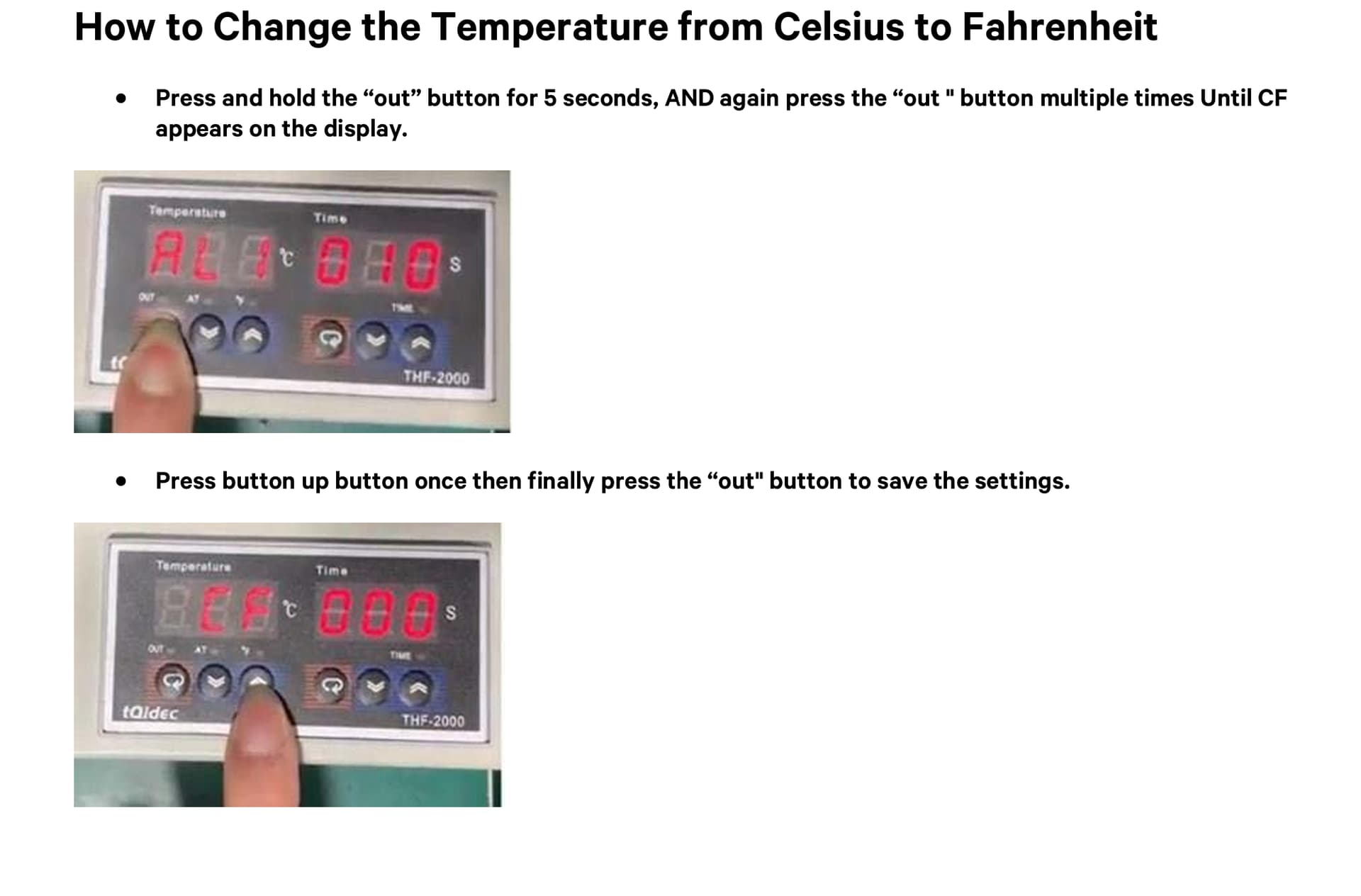
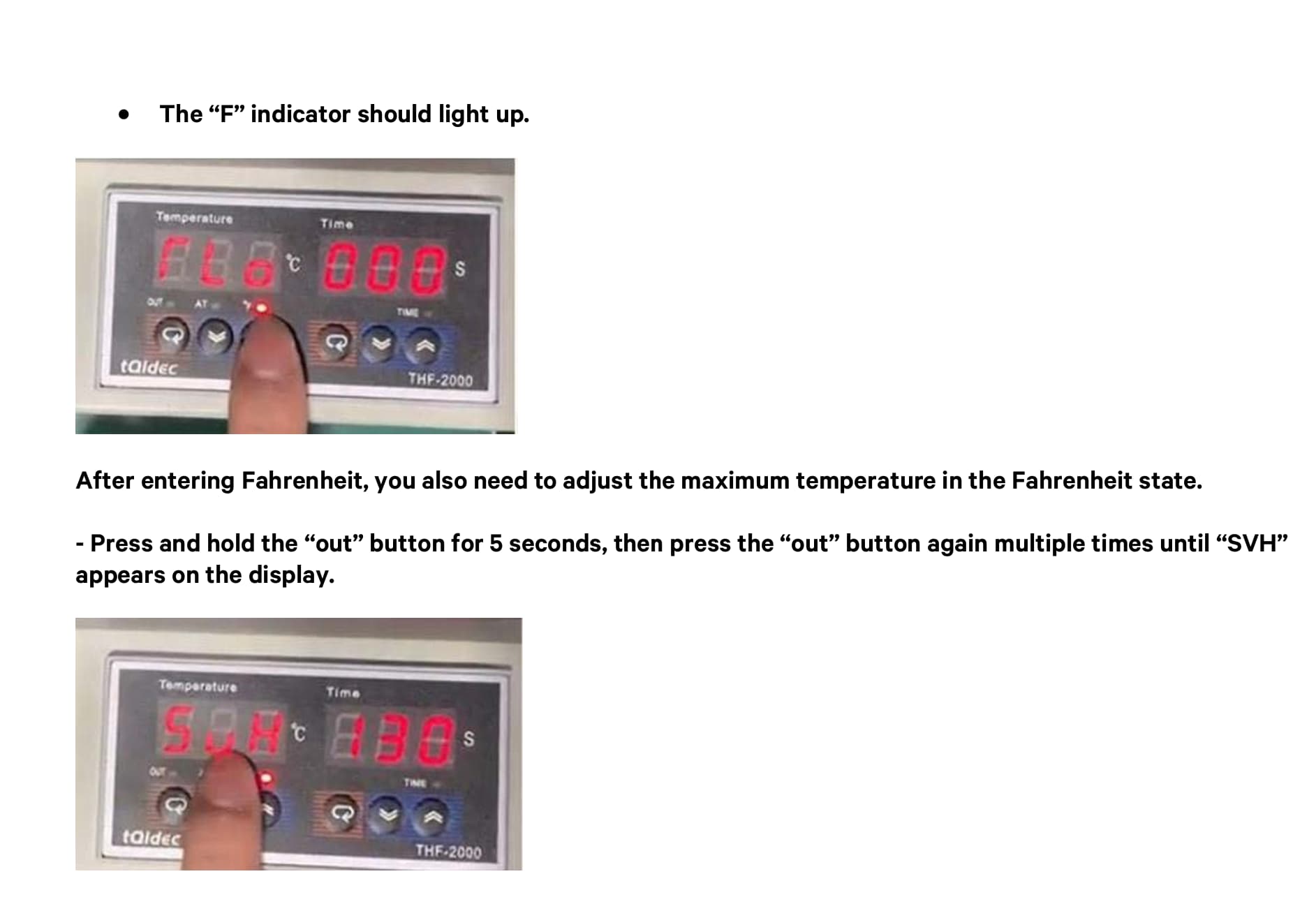
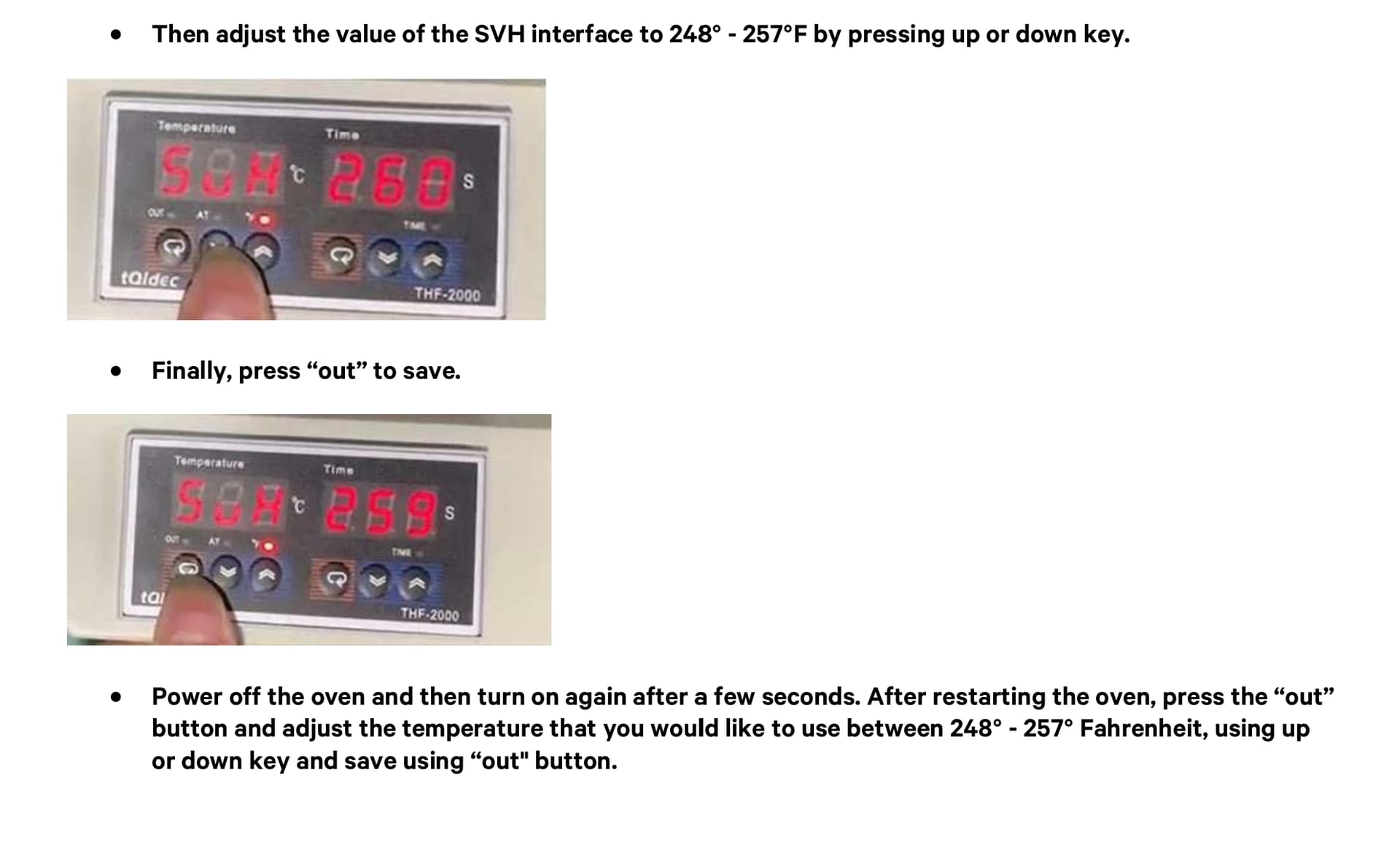
4 Likes

I’m glad it worked out for you! Next step is:
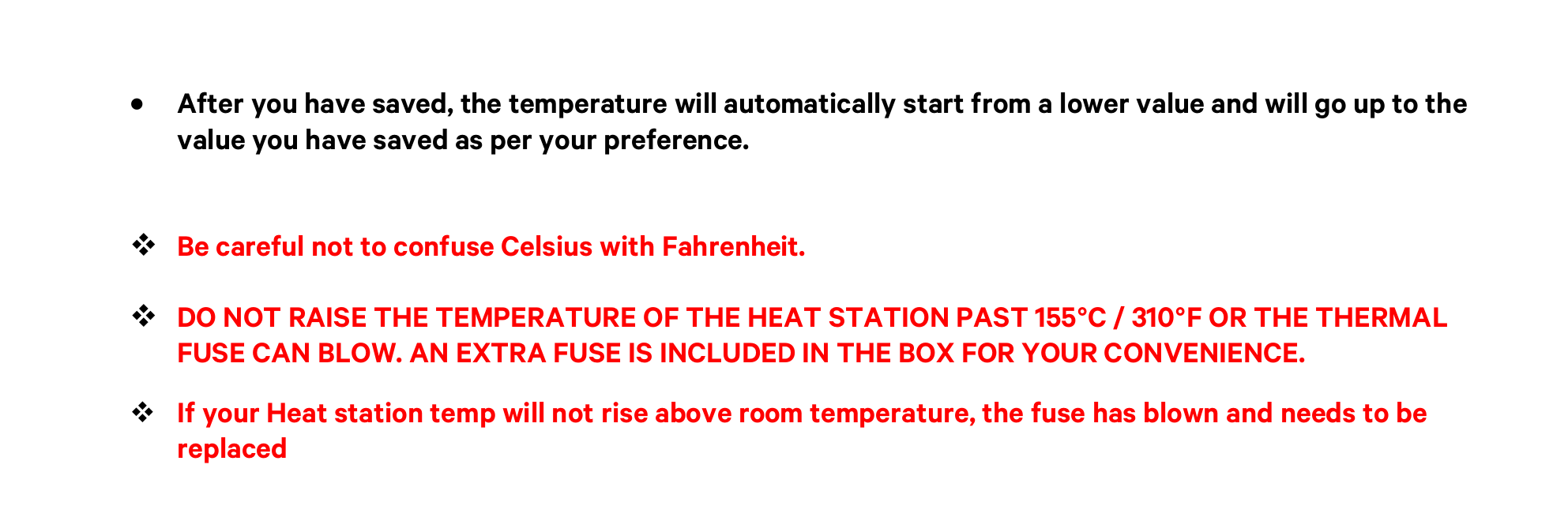
Power off the oven and then turn on again after a few seconds. After restarting the oven, press the “out” button and adjust the temperature that you would like to use between 248° - 257° Fahrenheit, using up or down key and save using “out" button. (NOTE: This is for your reference only! Please follow the manufacturer’s recommendation’s curing temperature and time for your film.)
1 Like
Hi
i Have a Loklik DTF Oven Model FOB-01 and i need the full user Manual. I specifically need to understand what each of the internal parameters mean in the setting menu.
the parameters are: AL1, AL2, SC, P, I, d, CF, Flo, CHO, SUL, Ety,LCH, could someone please provide the manual or send me the document where these are explained?
thank you very much
1 Like
Hi @Br1Pa, I am wondering if your oven came with user manual or a QR code for downloading it (if any?) Did you try to contact the support and ask for a copy of user manual?