Hello all! I just got my printer all set up. I had to download the software needed from the HTVRONT website because a U Disk was not in my package. I had followed the manuals, yes plural because I have seen at least 2 different but similar ones… I have looked all over the website, Google, and YouTube, and I cannot find anything to explain to me why, and how to fix it, it is putting out black ink where it should be white. I have clicked on everything possible in both of the software and cannot find where changing to order is an option, like when I used C*dlink.
I am so very upset that I cannot figure this out. I figured I would reach out here and see if anyone could point me in the direction I need to go.
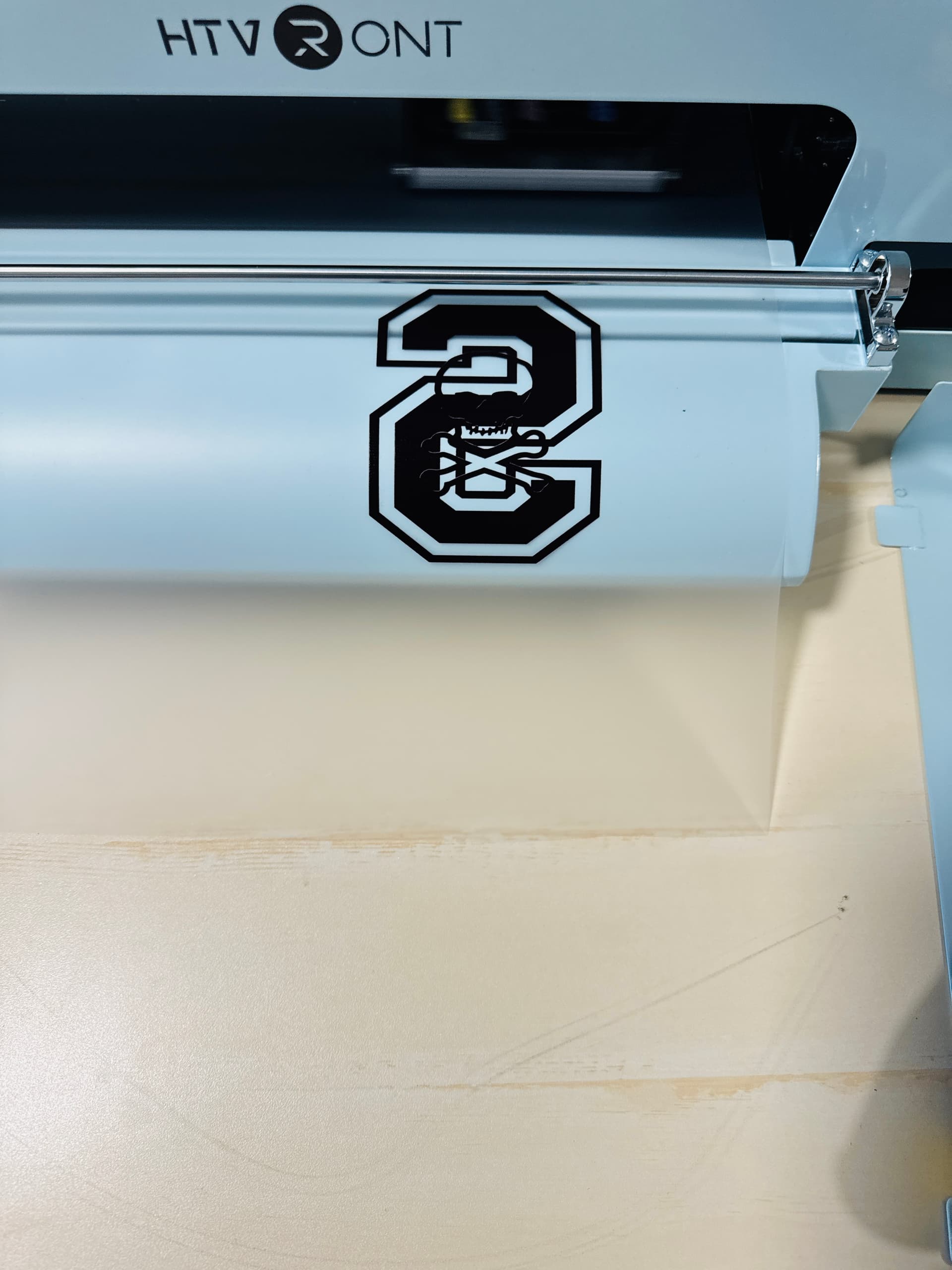
6 Likes
Hello, @Stephani_Benjamin. Could you please send me your email via direct message? I’ll forward this issue to our support team so they can follow up on this situation directly
6 Likes
Thank you @Jodie! Message sent
5 Likes
Hi @Stephani_Benjamin! First off—thank you for sharing all that. You’re absolutely not alone in feeling overwhelmed by the setup process, especially with the HTVRONT DTF1. The missing U Disk and conflicting manuals? That’s a rough start, and I totally get why you’re frustrated. 
Now, about the black ink showing up where white should be—this is a common hiccup with DTF printers, and it usually comes down to one of these:
 White Ink Settings: Double-check that your print mode isn’t set to grayscale or CMYK without white. Some software defaults to skipping white unless you manually enable it.
 Maintenance Checks: Make sure the white ink lines are primed and flowing. Air bubbles, clogs, or sediment in the white ink channel can cause it to misfire or not print at all.
 Software Limitations: Unlike Cadlink, HTVRONT’s software doesn’t always offer intuitive control over ink layering or channel order. You might need to adjust the color profile or check for a “white underbase” toggle—sometimes buried in the advanced settings.
 Ink Agitation: White ink settles fast. If you haven’t already, gently shake the white ink cartridge and run a nozzle check to confirm it’s firing correctly.
If you’ve tried all that and it’s still printing black instead of white, HTVRONT has a troubleshooting guide for white ink issues that walks through setup, maintenance, and software tips. It’s worth a peek!
You’re doing everything right by reaching out. This community is full of folks who’ve been in your shoes, and we’re here to help you get that beautiful white ink flowing. You’ve got this! 
5 Likes
@rinsky, Thank you for all that! However, I cannot figure out on this software how to check the white ink setting.
I have done multiple print checks to make sure that it is not clogged. So that part is good to go.
I guess my frustration really boils down to is how not really user friendly it is and lack of direction on how to check normal things like the ink settings.
CAN this machine be run with Cadlink? At this point, I’d just rather do that. 
5 Likes
Totally hear you on that, @Stephani_Benjamin—this software can feel like a maze when you’re just trying to check something as basic as ink settings.  You’re doing all the right things by running print checks and staying persistent, and I know how exhausting it gets when the interface doesn’t cooperate.
As for Cadlink: officially, HTVRONT hasn’t confirmed full compatibility with Cadlink for the DTF1, but some users have experimented with workarounds. If you’re leaning that way, I’d recommend checking with Cadlink support directly to see if they’ve had success with this model—or if there’s a recommended driver setup that could bridge the gap.
However, if you’ve already tried locating the white ink toggle or layering options (sometimes buried under “Advanced” or “Color Management” tabs, depending on the version) and it didn’t resolve the issue, I suggest waiting to hear back from support to see what solutions they recommend.
4 Likes
No, I have not been able to find the white ink toggle or layering options. I have no idea where to look, or which app to look at, because there has to be 2 apps to use this machine.
Is this what this screen is supposed to look like? All of the videos and stuff I have seen, it looks different on theirs.
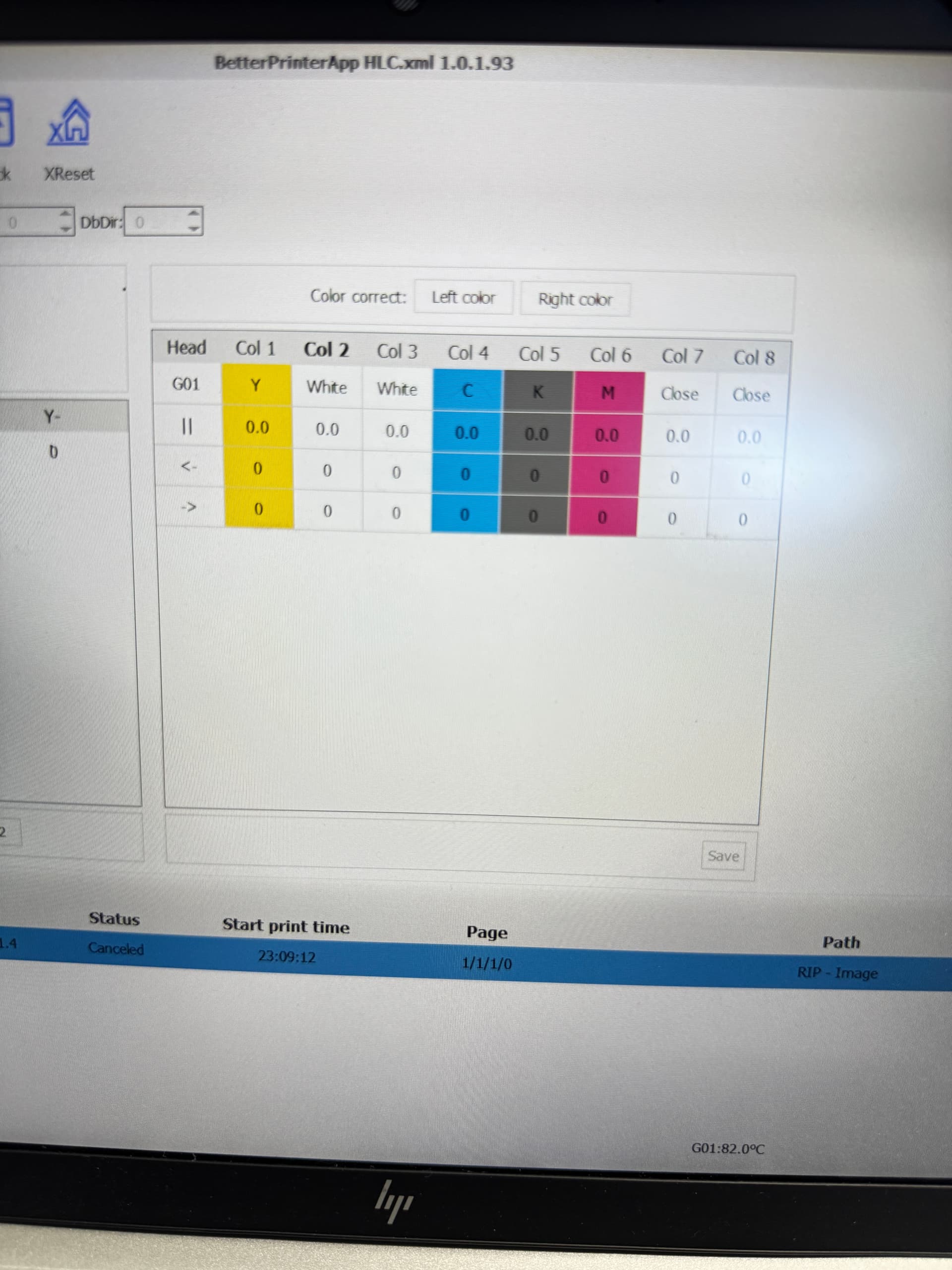
1 Like
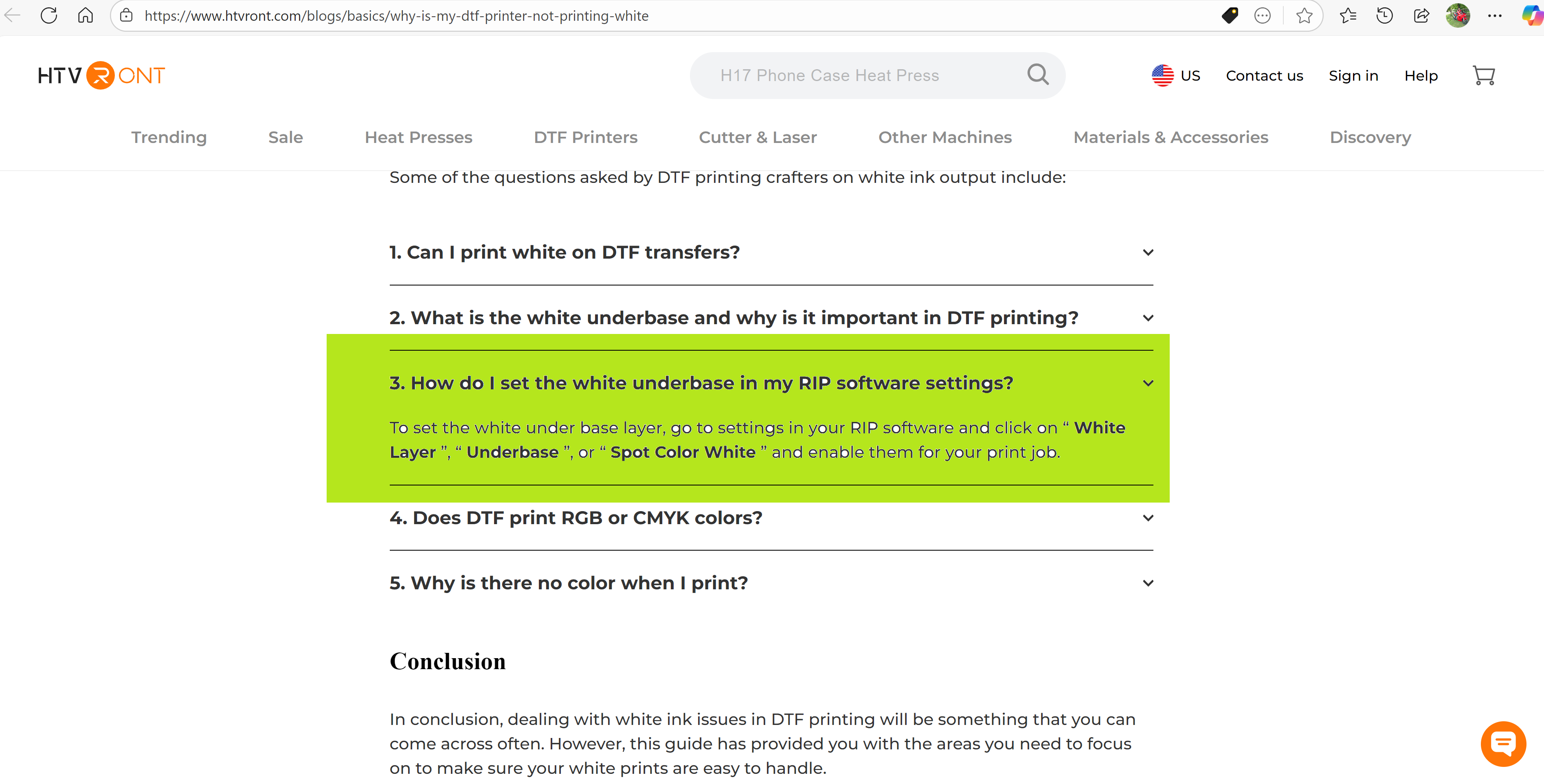
I have tried and tried… nothing is working
I am really sorry for your DTF printer. I hope the support@htvront.com will get back at you for the resolution soon.
1 Like
I am going through the same exact thing. iI have tried live chat all hours of the day and night and its always human service off time!  So been having to email back and forth, when i email, reply email doesnt come back until the next day. I am 12 days in trying to get this resolved with no luck. So frustrated and disappointed. i have emailed several times asking how I can speak to a live person with no response
1 Like
ok so i am new, what is the RIP software? I have downloaded the Better Printer & RIIN
Hi and welcome @ROBBIE_BABINEAUX! Ugh, I feel you so hard on this  —it’s beyond frustrating when you’re doing everything right and still hitting a wall.
You’re not alone in this, and I’m really hoping you will get some resolution soon.
Hi! RIP stands for Raster Image Processor software. To better understand it, I’ll share you the link below and maybe it will help you somehow.
UPDATE: Support told me to change a certain setting, I had already done that, and started getting yellow instead of black. They have informed me that I need to send the machine in for repair.
I am NOT happy about this! But it is sitting on my porch waiting for UPS to pick it up.
Here’s to hoping it doesn’t take forever to get it fixed and sent back to me!!! 
2 Likes
Wanted to update…
The printer was sent for repair on October 8th.
Just received notice on November 14th that a new printhead is needed, and it could take up to 30 days for them to receive the replacement printhead.
2 Likes
Thanks so much for the update—I know this has been a long process, and I really appreciate you keeping us informed. Fingers crossed the replacement printhead arrives sooner than expected! Hoping everything goes smoothly from here and that your printer is back up and running soon. You’ve got this!
2 Likes