Tip Tuesday One thing I wish I’d done from the start of my crafting and sublimating journey is keep a heat press journal. Recording settings like time, temperature, and pressure for each substrate and brand makes it easier to achieve perfect results faster and avoid repeating mistakes.
8 Likes
I have made a google sheet I really need to finish it lol.
6 Likes
wonderful idea @Katrina_Moore 
4 Likes
True, this is such a helpful tip! I use iCraft and add each material to my list with my preferred settings for the best cuts, then save them under “My Favorites” for easy access whenever I need them. 
4 Likes
I write all that info on sticky notes but I hadn’t thought of marking them in a journal, that’s definitely a more solid idea than sticky notes
2 Likes
I’ve had the same idea! I want to create my own notebook, but the process is daunting. I have to design and create it before I can start using it. That’s why I’m planning to just create a digital journal.

2 Likes
Make sure to use the daily mission 2 tag otherwise this wont count
1 Like
I’ve made one of these ages ago. It comes in handy all the time especially for sublimation. I have a template of it on my site thats free. I print out a page for each material for example HTV page and Sublimation page etc. The new LOKLiK Auto Heat Press 2 can save your most used settings for you which is cool and handy.
1 Like
Hey @bellethehowtoGuru daily mission#2 was not an option
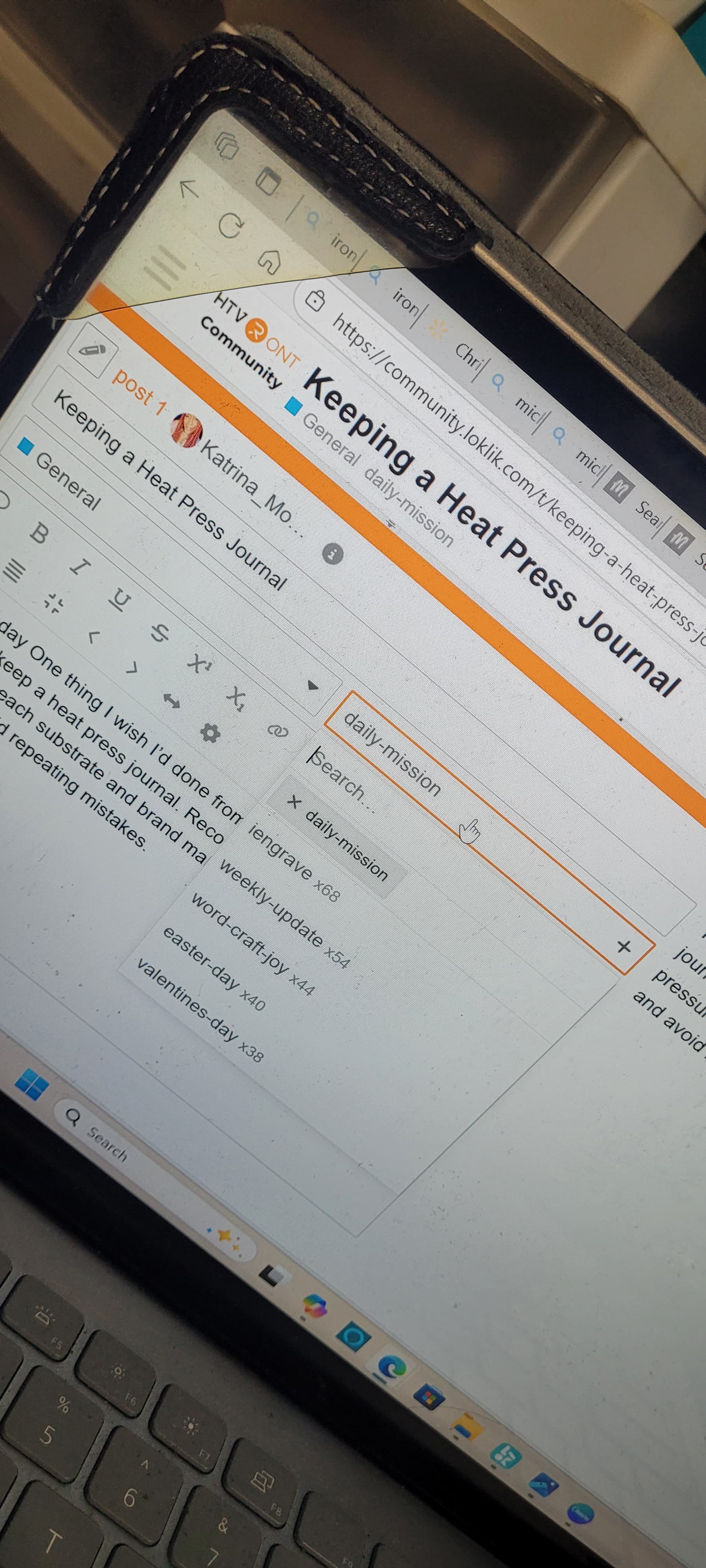
It’s just daily mission2 you may have to type it in for it to show up
1 Like
I tried that and that option was not available those were the only options I had believe me I tried typing it in
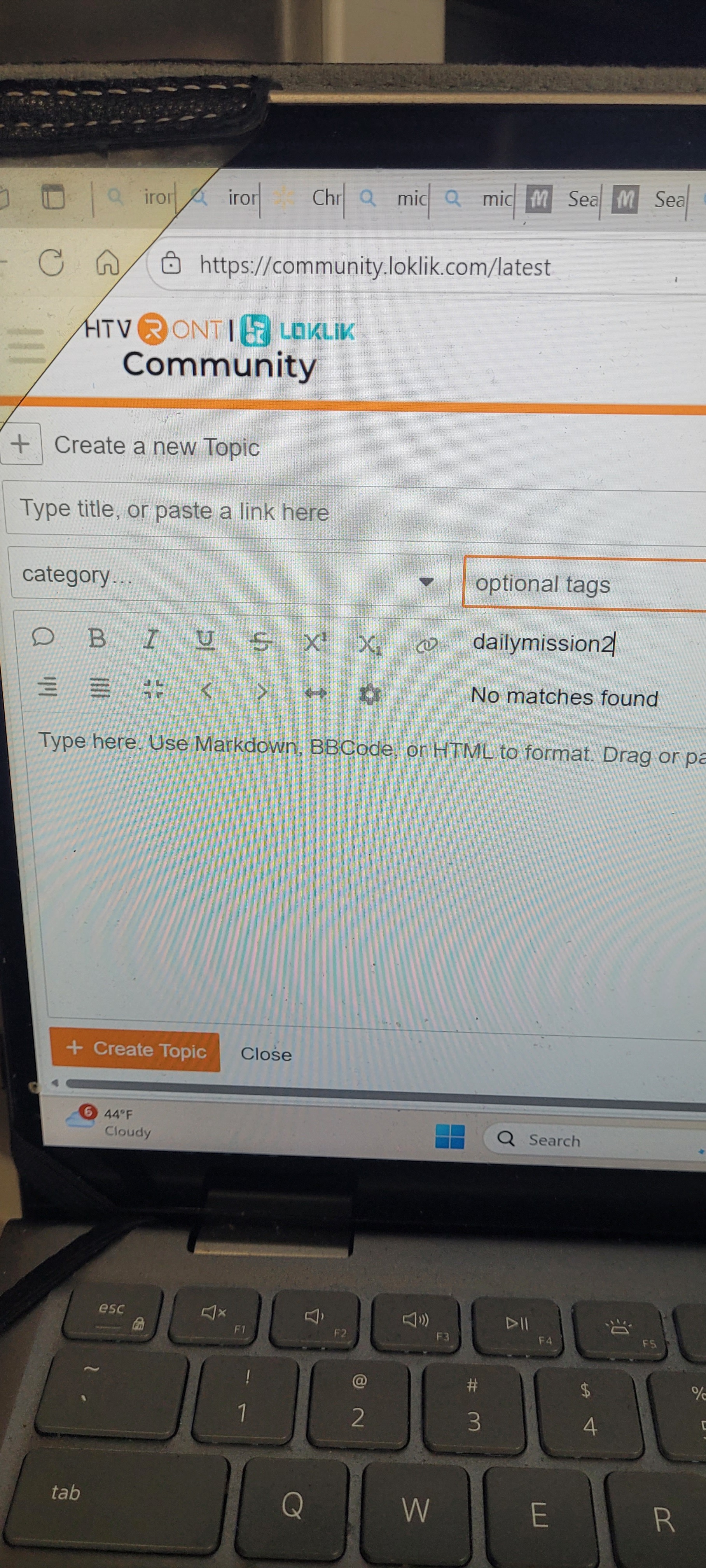
@Elena can you help me with this please and thanks
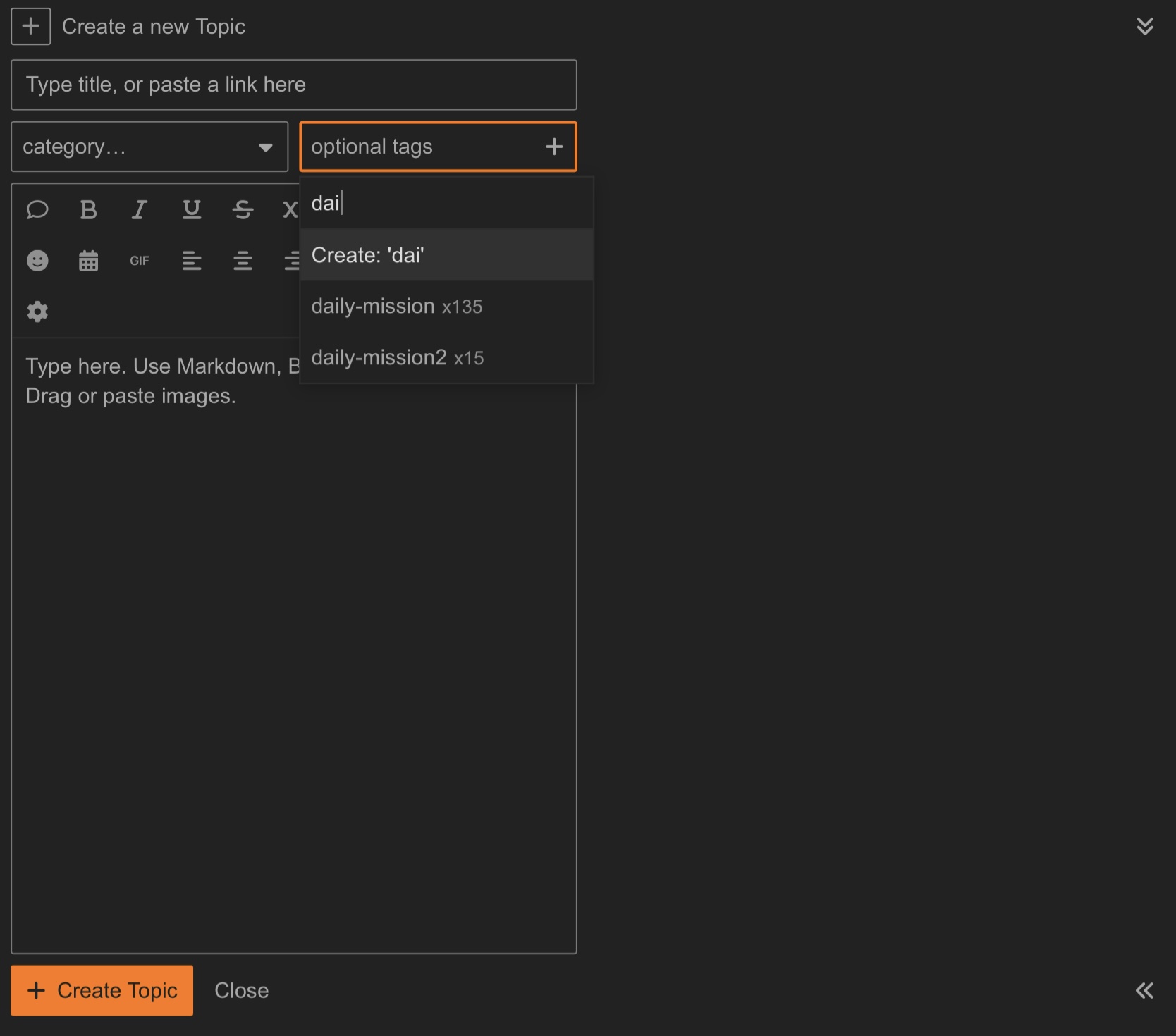
no problem  In the search bar, try copying and pasting ‘daily-misson2’ directly to see if you can find the tag name.
1 Like
Sorry, got caught up. Did you find it?
Should be able to just copy daily mission2.
Space between daily and mission and no space for 2.
3 Likes