New Updates to the Project Features | Let’s Make It Smoother for You!

Hey everyone! :wave:

We’ve got some exciting updates for you! Based on your feedback, we’ve been working behind the scenes to make your project experience smoother, faster, and more flexible. Let’s dive into the cool new changes you’ll see:

:rocket: Upload Limit Raised

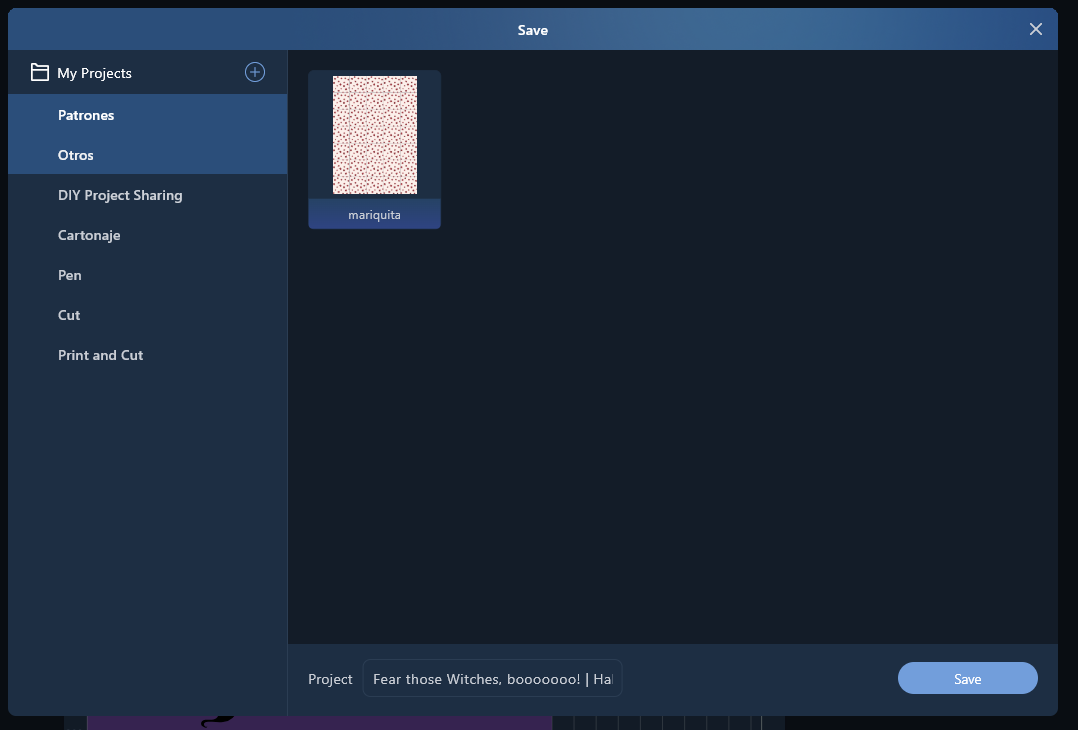
First up, we’ve increased the file upload limit from 5MB to over 10MB! This is huge for those of you working with larger files—no more worrying about hitting that file size cap. We heard your requests and made this upgrade so you can upload bigger files without the hiccups. All of this is to make sure your project save process is as smooth as possible.

:bulb:Project Module Optimization

Now, let’s talk about the small tweaks we’ve made to the project modules:

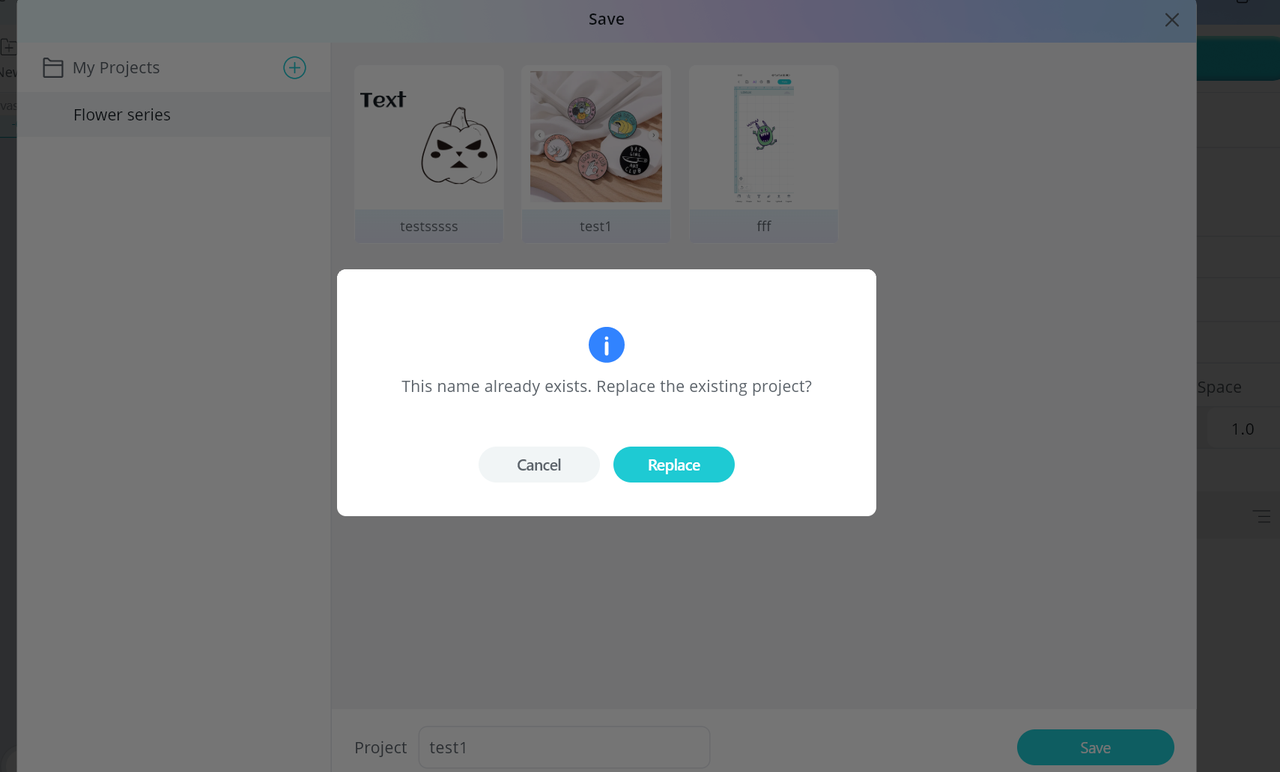
  • Allowing Project Name Overwrites – No more stress if you need to update or replace a project with the same name. Just go ahead and overwrite it!
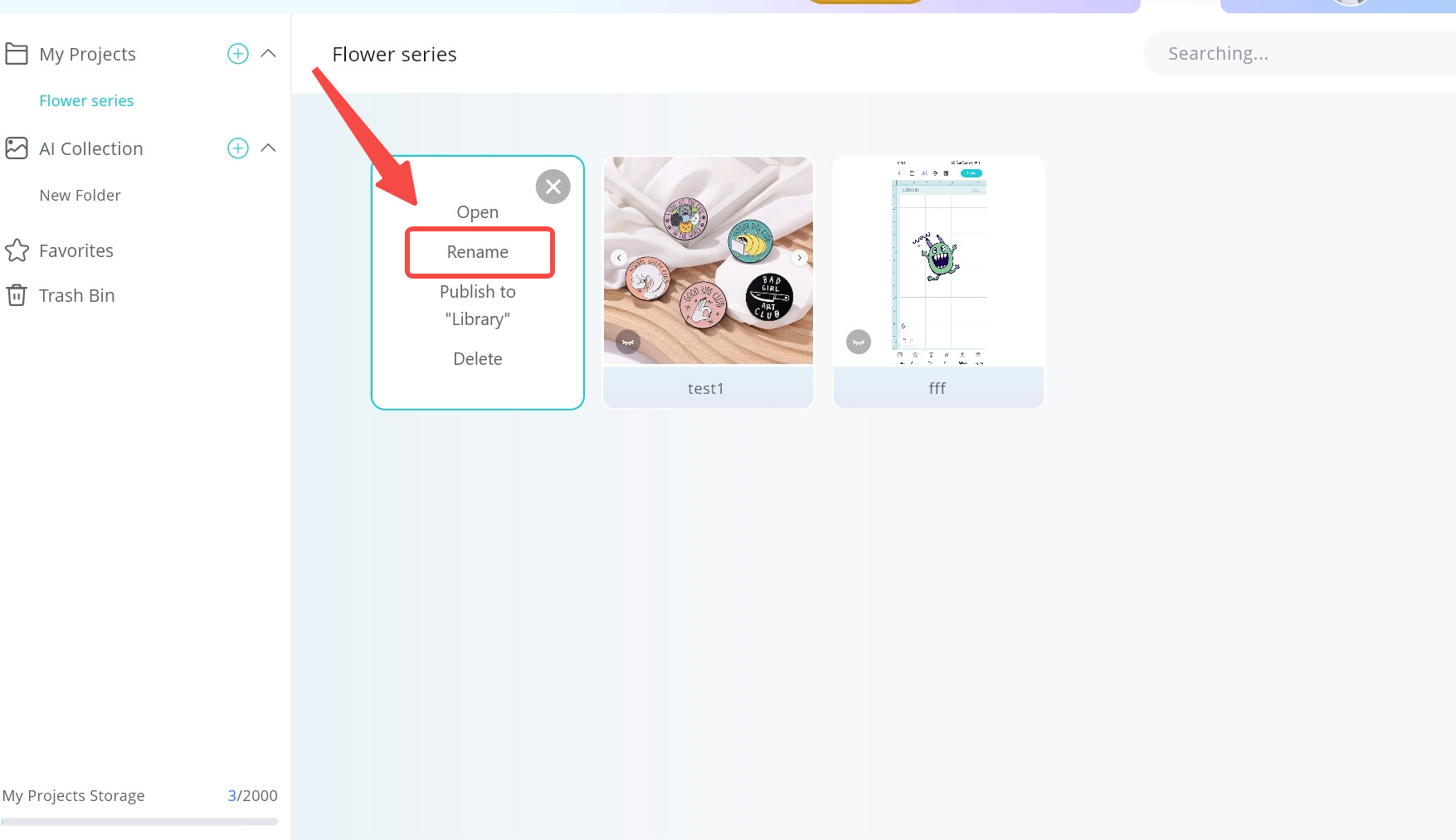
  • Project Renaming Support – We know sometimes ideas evolve, so now you can rename your projects whenever you want. Keep it fresh!
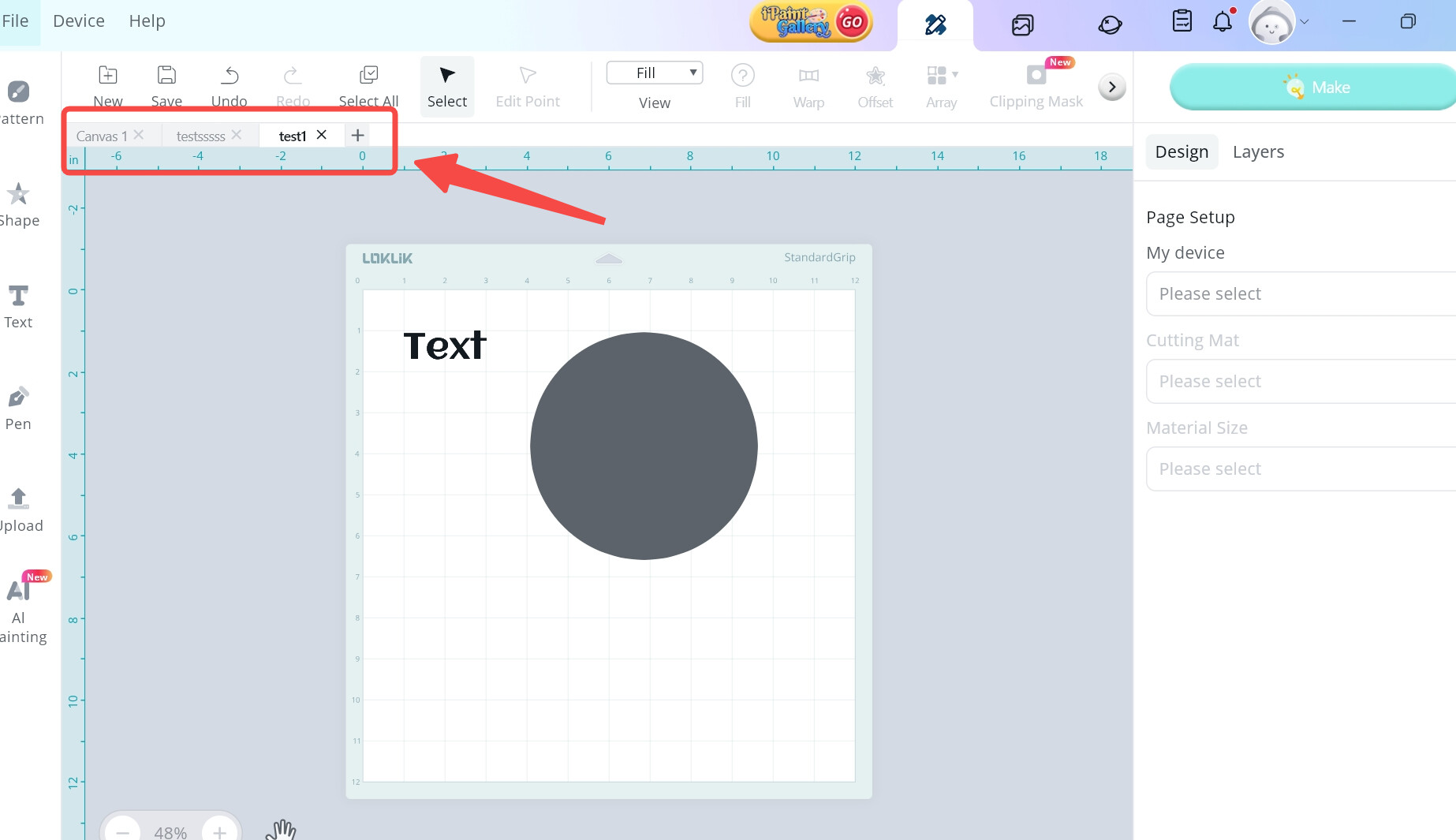
  • Multiple Projects Open at Once – That’s right! You can now open multiple projects at the same time and switch between them effortlessly. Perfect for multitaskers!
:star2: Enhanced Project Launch Process

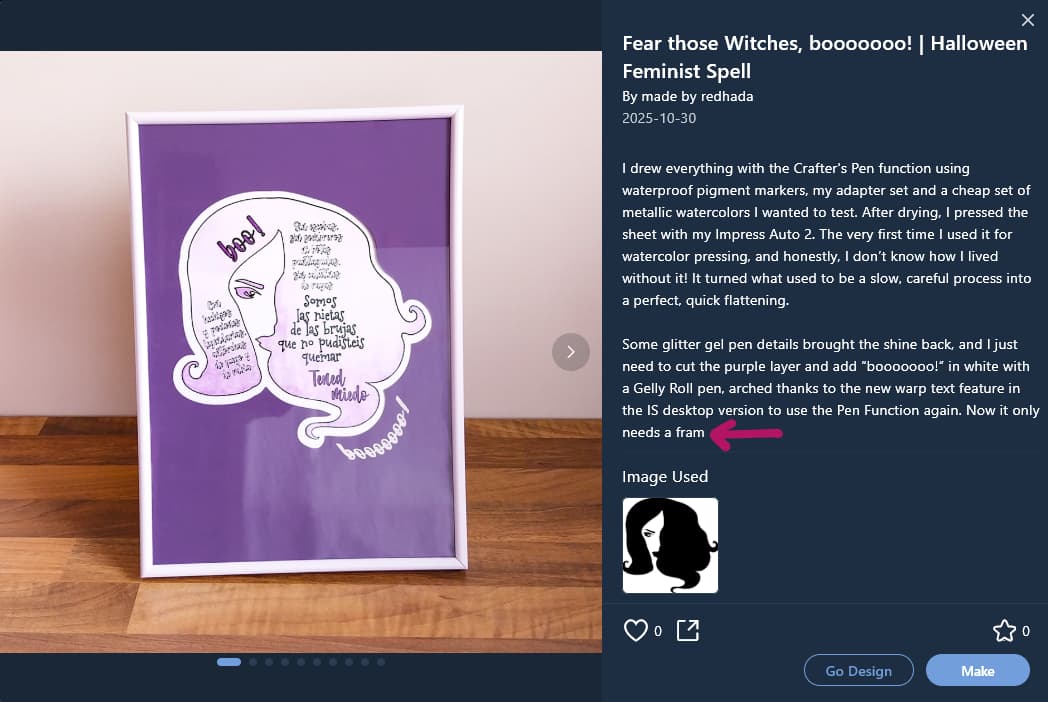
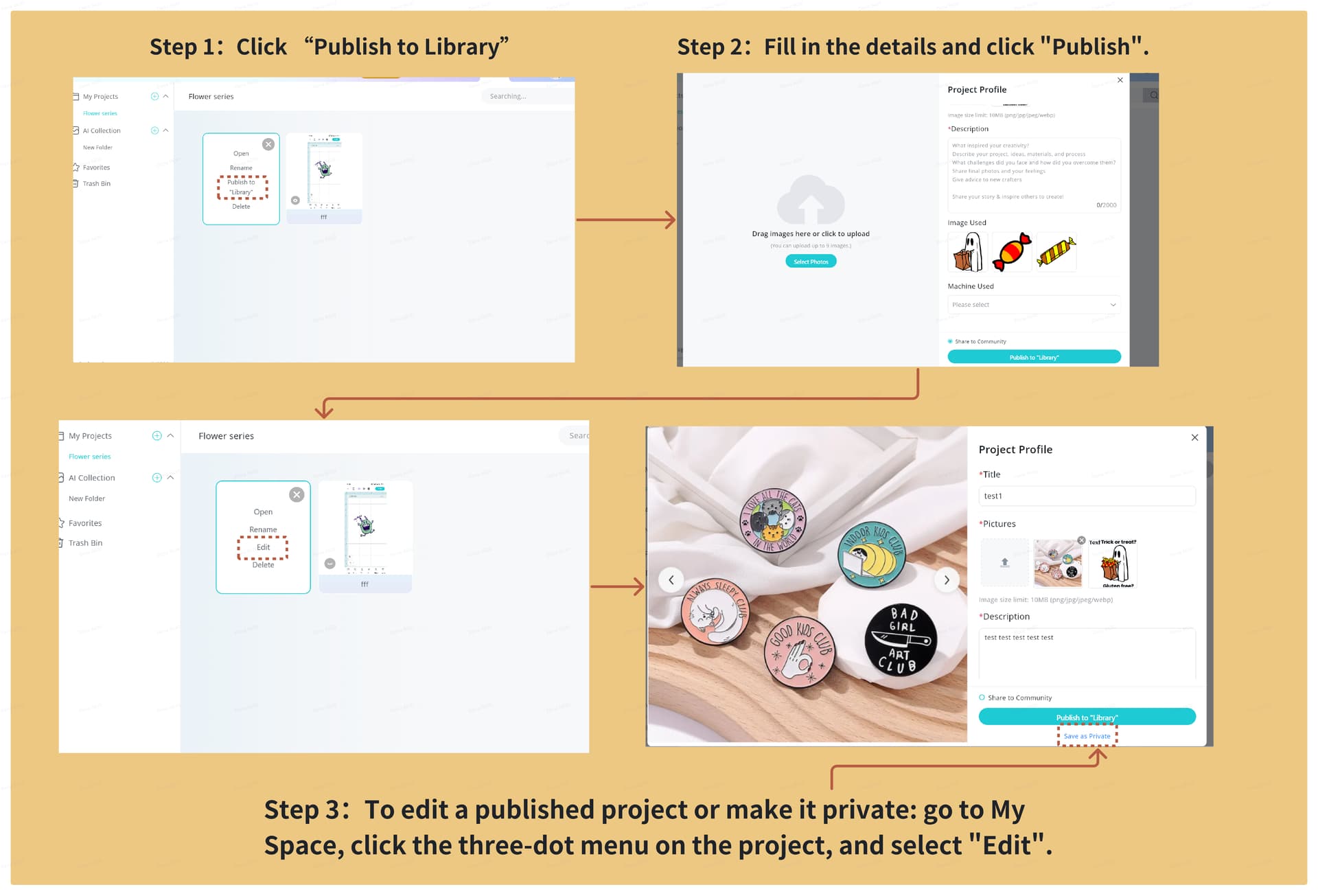
We’ve fine-tuned the project publishing flow to boost the visibility of your shared projects! The goal is simple: when you publish a project, we want to make sure it reaches as many eyes as possible. By increasing the exposure of the project-sharing feature, more users will discover your work, and the community will grow stronger as a result.

This update isn’t just about visibility—it’s designed to encourage even more of you to share your creations, which in turn sparks fresh ideas and inspiration for everyone. The more users know about this feature, the more your projects will be seen, and the more you’ll benefit from the creativity and feedback of others. It’s a win-win for both creators and the community!

And that’s not all—if you’ve got more ideas on how we can improve the project features or anything else, we’re all ears! Drop your suggestions anytime, and we’ll keep improving to make your experience even better. Thanks for being awesome and for helping us make the software work for YOU! :raised_hands:

Stay creative!

14 Likes

thank you for the update!

2 Likes

Thank you for the updates!!! :star_struck:

3 Likes

Thank you :clap:t2::clap:t2::clap:t2:

1 Like

This quick improvement over the last update 2 days ago is huge and it brings some comfort for us.

I’ve just tried editing an already shared project. I was afraid it would share it duplicated on the forum or even in the Library, but no, it worked just great. It’s going to be very useful to make some sharing retouches and improvements. What I don´t see right is that the edited project bumps as if it was new. I think it is not fair for the visibility of real just shared projects.

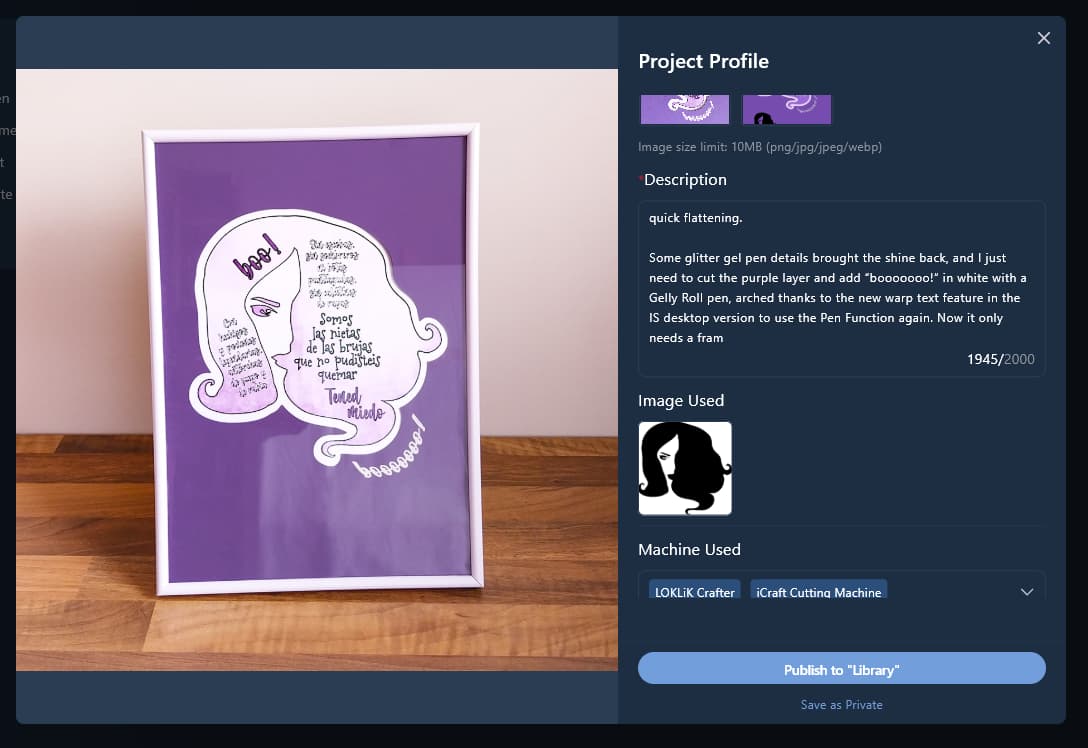
I’ve also noticed the character count in the description area is not counting the line breaks, which is great as I spend many time abbreviating it to fit. A bit more of characters would be wonderful, though.

The Replace saved project was sooo needed! So thank you! :two_hearts:

I don´t get the “Multiple Projects Open at Once” thing… I was already there. I mean I could start multiple projects at once before, what am I loosing here? Are we talking about opening multiple saved projects? That is possible, as before you could only “Send to canvas” and now you can “Open” them, so I asume it will open it as a new canvas.

I still don´t like the “Publish to Library” label on that button. Although I see the Edit label appears now once a project is been saved, that button is not allowing you to publish to library, as that´s something you do later on after editing it, which is what the button is really taking you to and it would be clearer. As it is now, people can miss that you can Edit saved projects details clicking there, wether you share it or save as private. I see this insistence as a way to drive us to share and I don´t like it at all. First, I don´t like to be driven and those who share are still sharing anyways; second, the choice of public to library as default option causes lots of unintentional sharings, as we all can see, and third, as I explainned it is not for the best user experience.

I hope the “Move to Folder” can be soon implemented, as I had all my DIY Project Sharings in a folder and I have the last one stuck in another Folder due to the trasient 2 days long last update.


Now I can only Save it as new (when I could move it to another folder but i would have it duplicated) or Republish (which would keep it in the same folder)

BTW, I got stuck in that pop up, as there’s no way to exit from there if you’re not going to do one or the other option. Besides exiting the program, the savest way to exit is clicking Save as New, and then you find a close buttón that should already be there in the previous step (or a Cancel button).

Besides, we should be able to move projects between folders without having to open them, save as new in the right folder and then delete the wrongly placed…

Those are fabulous features that need further detailed testing to find the nooks and crannies, but this is my first contact feedback, I know you appreciate it and listen.

4 Likes

Oh but this is very confussing. I added the text that it previously cut and it still the same

When I saw this I thought the character limit had been expander but no, it wasn´t, what it seems to happen is that the app counts the line breaks to cut it but not while showing you the character count… so confussing because we don´t know where the text is going to be cut.

I know the saving was done, as I made other changes in the text that are reflected, but no doubt there’s a problem with the character count (character 1945? I guess it depends also in the line breaks used :neutral_face:)

2 Likes

These updates are amazing!! I am especially excited for the increased file size as I have hit the cap a couple of times on laser projects that I wanted to share. The other updates are great as well and will certainly make the user experience smoother and more streamlined. Thanks for the great update!

2 Likes

Ok, I’m still playing with this features and I found some problems. This situation will only occur when you open a new canvas and try to save it with a name that already exist.

As it is not a Save as, you cannot create new versions or progress versions from a canvas you’re working on (we lose that possibility), as once it is open, it only rewrites (saves, not saves as). So we still need to copy and paste in a new canvas to get a version saved. We still need a Save as feature.

3 Likes

Oh, this is really exciting, can’t wait to test all the changes for myself tomorrow. Thanks @redhada for feedback already. This software is going to be great someday :smiling_face_with_three_hearts:

3 Likes

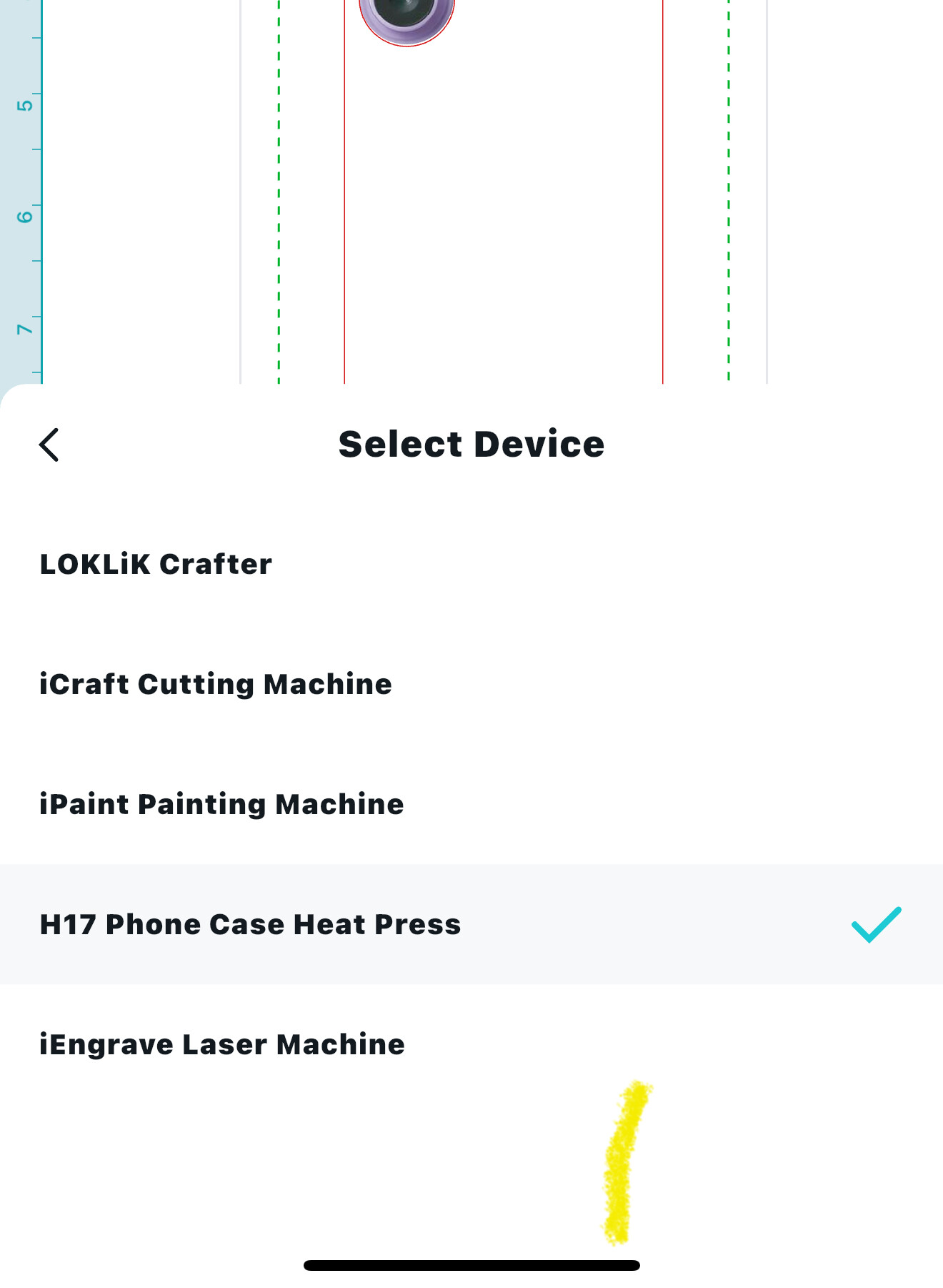
With this update on my mobile phone I’m no longer able to select the device for the tumbler press? Is anyone having this issue?

4 Likes

Thankyou for the new updates

3 Likes

Exciting update! I know when I was working on a phone case design I had to brake up what I saved and just have backing part saved then add on the top part after this will make it so the full project can be saved!

2 Likes

Thank you for always listening to our concerns this was a very welcome update :sparkling_heart:

3 Likes

I keep thinking releasing this versions should go as beta as give us the change to choose between beta and stable versions. The new features are pretty good, but the updates also create bugs and problems like this that may avoid using the app at all, so stopping our work. This is a high risk that should be taken very seriously, as it can cut someone’s job.

3 Likes

Awesome! Great update features.

2 Likes

wow! Excited to try all the new updates! Specially the multiple projects open at once!

4 Likes