I am completely new at the iengrave. I need help with getting my rotary attachment set up through the loklik app and not lightburn. Is this even possible? If so, how do I do that?
1 Like
I have only used the LOKLiK idea studio app. What machine are you using cover or non cover one? When you attach rotary engraver make sure it’s parallel to top bar. Then when you have design I turned it sideways so it would be on cup same direction as you cup. You choose rotary not flat when you send it to make.
I have the htront iengrave. I unplugged the Y cable and plugged in the rotary cable. I chose the rotary but when i try to frame it out it says failed and then when I try to just cut it wont move
1 Like
Can you send a photo of set up?
I sent via email due to file being too large
were you able to see?
It doesn’t need to be a video just an image of set up. I am just trying to see how you have set up to try and help I am just another crafter that helps were I can and so if you emailed it to htvront I can5 see it and files on here can only be so large.
i dont know how to get the pic to go through
The symbols with a up arrow is to add a photo
It says its too large to upload…i have the machine that was on the htvront site
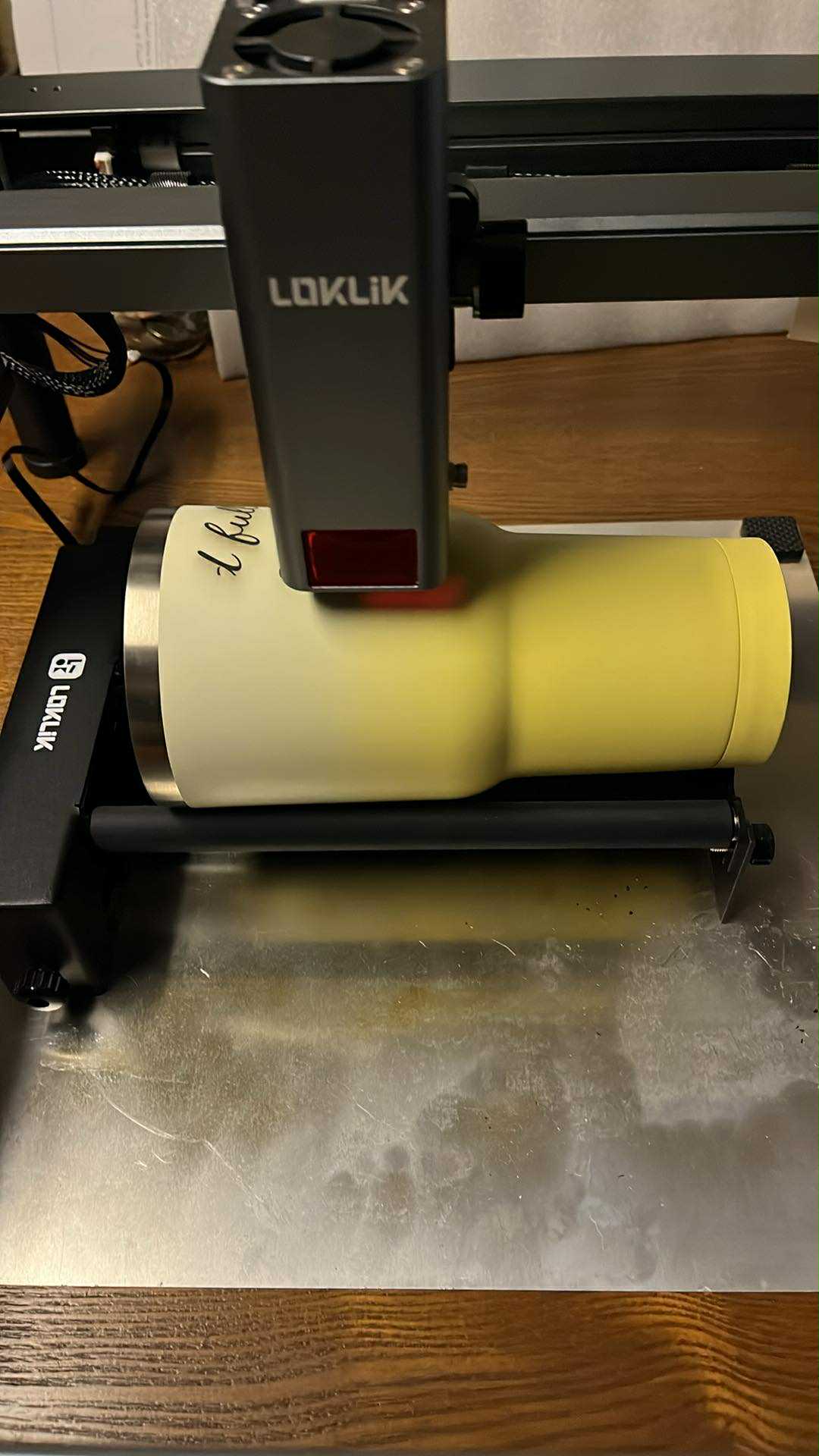
I’m new and trying to figure this all out too. I have the cover machine. Does this mean I need to remove the cover somehow to use the rotary tool?
No but with the cover one you will need to take the bottom off for there to be room for rotary engraver tool. I was just showing how the non cover one is set up. You can see the rotary tool is horizontal and to the base and you would then move the bar with engraver over ti were tumbler is the laser head won’t move like it does when rotary tool is not attached.
1 Like
Thanks.