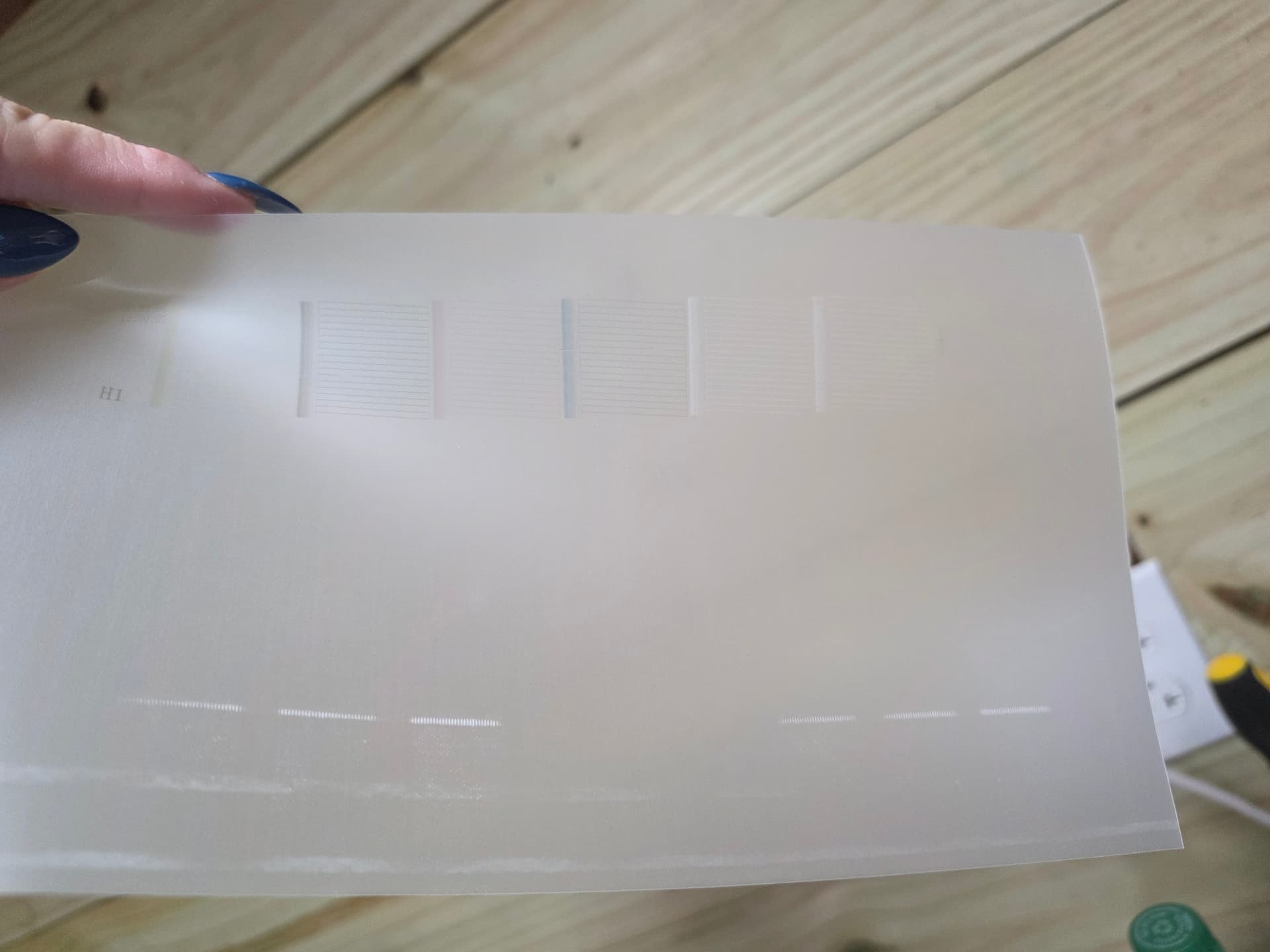
Ok so my printer is printing …both my white ink lines are flowing …the white isnt pure white and while its printing the white covera the whole image but then does this …is it normal if not how do i fix it ?

2 Likes
I was getting ready to tell you to check this comment: Problems with white ink - #3 by Lizzie_Golob1 
If it’s not fixed, I’d give her advice a try. 

3 Likes
No its finally printing right !!!
4 Likes
Awesome! Do you mind telling us what you did to fix it? Just so others who may run into this issue may know what to do.
3 Likes
I may have spoke to soon… the small designs came out great… i pulled the white ink through the dampers again and then made sure each one was secured in place and printes the small design …but when i went to do the large image …it started to print correctly then the white slowly stopped …

1 Like
Ok, Kimberly, I want to try to help you narrow this down because your two posts show two different white‑ink behaviors — first too much white, then not enough — and that usually means the white channel isn’t fully stable yet. A few quick questions will help us pinpoint the exact cause:
1. When the white stopped printing on the larger design, did it fade gradually or did it cut out all at once?
Gradual fading usually points to a clog forming. A sudden stop usually means an air bubble in the white line.
2. Did you shake your white ink bottle right before printing the bigger design?
If the pigment settled again, the white can start strong and then weaken mid‑print.
3. What does your RIP preview look like?
I want to make sure the software is only putting white where it belongs and not flooding the whole image.
4. After the white dropped out, did you run a nozzle check?
This tells us instantly whether the white channel is missing nozzles or if it’s a flow issue.
5. When you primed the dampers earlier, did you notice any air pockets in the white line afterward?
Even a tiny bubble can cause small prints to look fine but make the white disappear on a large, continuous underbase.
Once we know these answers, we can tell whether you’re dealing with a clog, air in the line, or a RIP setting issue. We’ll get you sorted!
1 Like
The white gradually faded and then stopped … i did not notice any air bubbles …and im nor sure about the settings in the program
2 Likes
Thanks for the update! Since you said the white gradually faded and then stopped, that tells us the white channel is starting to clog rather than having air in the line. Air bubbles cause the white to cut out instantly, but a slow fade is almost always a pigment or nozzle issue.
A couple things will help us move forward:
1. Can you run a fresh nozzle check and share what the white pattern looks like?
This will confirm whether the white nozzles are partially blocked.
2. Did your white ink bottle get shaken right before the big print?
If the pigment settled, the printer starts strong but loses white as the thicker pigment tries to move through the head.
3. In your RIP, do you know what your white underbase density is set to?
If it’s too high, it can overload the head and make clogs form faster.
Once we see the nozzle check, we’ll know whether you need a light cleaning, a damper reprime, or just a settings adjustment. We’re close! 
1 Like
I did not shake the white ink …i wont be able to check until tomorrow but whenni pulled ink from the damper i made sure to clean everything as well …hopefully i can figure it out …i have an event saturday and i wanted to make a shirt for it
2 Likes
Thanks for the update, Kimberly! What you described actually helps narrow this down a lot. Since your white gradually faded and then stopped, that tells us the white channel is starting to clog rather than having air in the line. Air bubbles make the white cut out instantly, but a slow fade is almost always a pigment or nozzle issue.
And not shaking the white ink is probably the main reason this happened. White DTF ink is very heavy, so the pigment settles fast. When it isn’t shaken, the printer pulls the thin liquid first (which makes the white look weak or washed out), and then the thick pigment tries to move through the head and causes the white to fade and eventually stop. That’s also why you saw too much white earlier — settled pigment can cause flooding first, then clogging later.
A couple quick things will help us figure out the exact next step:
1. When you can tomorrow, run a fresh nozzle check and let us know what the white pattern looks like.
This will show whether the white nozzles are partially blocked.
2. Since the ink wasn’t shaken before the big print, give the white bottle a really good shake before your next test.
The D1 needs the white pigment fully suspended or it will clog quickly.
3. If you know your white underbase density in the RIP, share that too.
If it’s set too high, it can overload the head and make clogs form faster.
Once we see the nozzle check, we’ll know whether you need a light cleaning, a damper reprime, or just a settings adjustment. We’ll get you back up and running so you can make that shirt for Saturday!
2 Likes
Thank you so much for your help …im still trying to learn the programs its all a guessing game for me ans i didnt touch any of the settings …because i didn’t know what to set them too …once i get my kids to school ill shake the wint ink do a ink check and take a picture
2 Likes
You’re very welcome! I’m happy to help. Yes, please do send a pic of those settings. That should help us get it all sorted and back up and running.
As for shaking the white ink, it should be shaken 1-2 times daily, as it contains titanium dioxide, a very heavy pigment that settles quickly. When it separates, the top becomes watery and the bottom becomes sludge. That leads to:
- weak, grayish white
- flooding or over‑white
- gradual fading
- clogs in the dampers and printhead
- white stopping mid‑print
This is why shaking is considered essential. Industry guidance recommends shaking white ink every day, and more often if printing heavily.
What about CMYK inks?
CMYK pigments are much lighter and don’t settle nearly as fast. They can be shaken, but they don’t require daily agitation. Most DTF operators shake CMYK:
- when first opening the bottle
- after long periods of inactivity
- occasionally during routine maintenance
White is the only ink that needs consistent, daily shaking.
You don’t have to shake all the inks daily, but the white ink is mandatory because of how quickly the pigment separates. A quick daily shake keeps the pigment suspended and prevents clogs, fading, and underbase problems. It’s one of those things a lot of people don’t realize at first, so you’re definitely not alone if this is new information.
2 Likes
Your a life saver !!! Love this community dont know what id do with out you all !!
3 Likes
That truly makes my day. I’m grateful you’re here with us, and I’m glad we can help you keep creating with confidence.
3 Likes
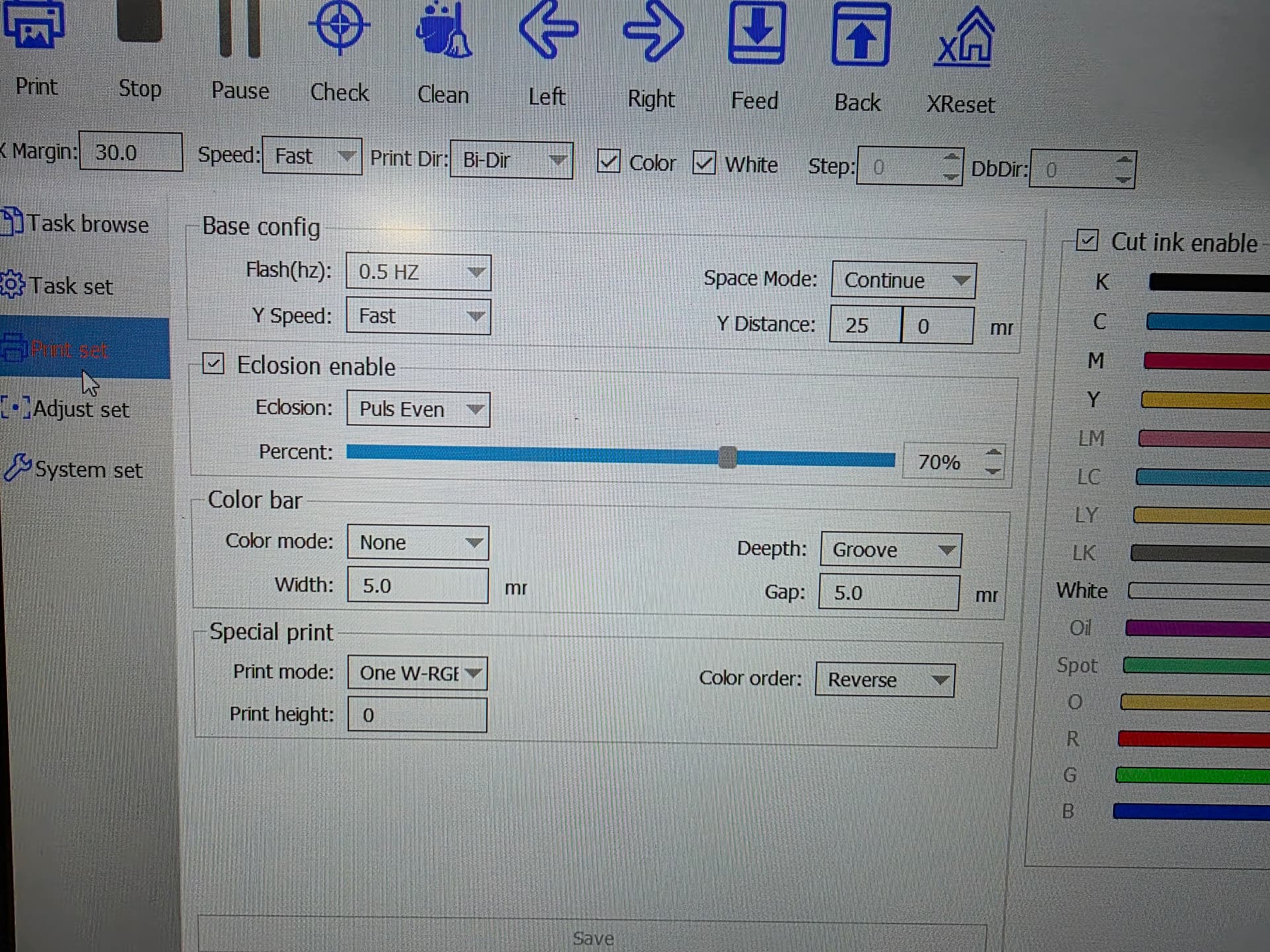
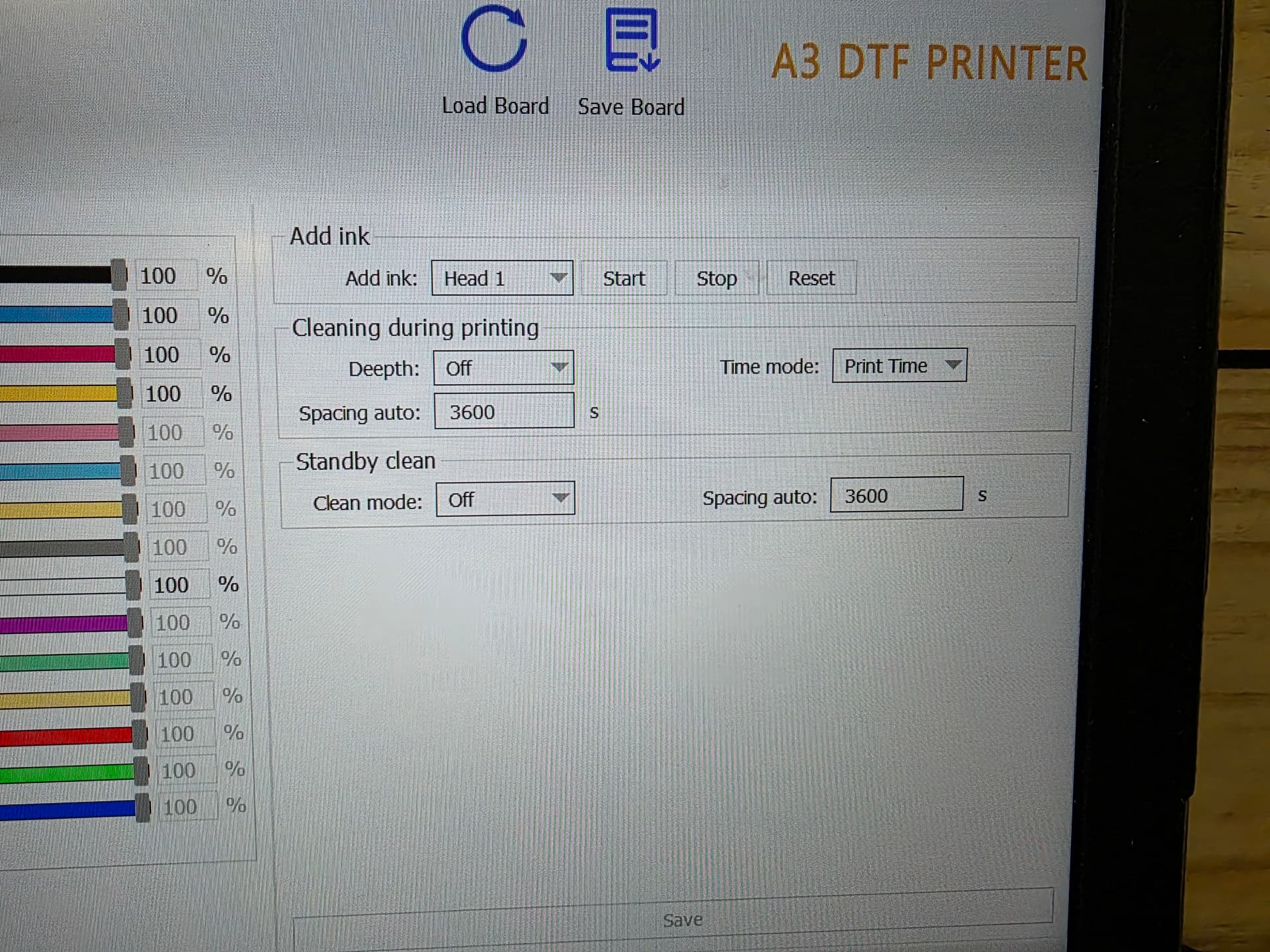
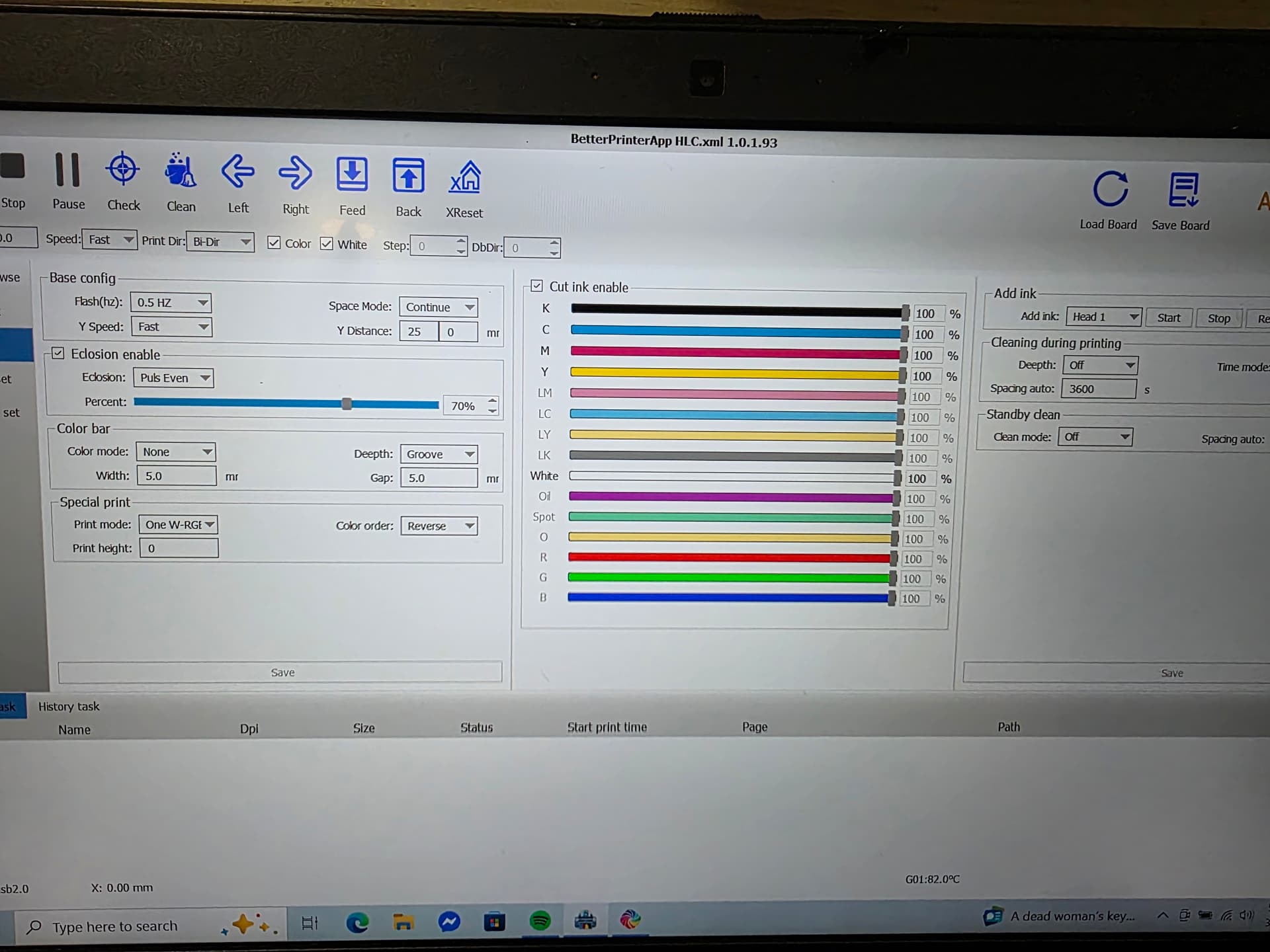
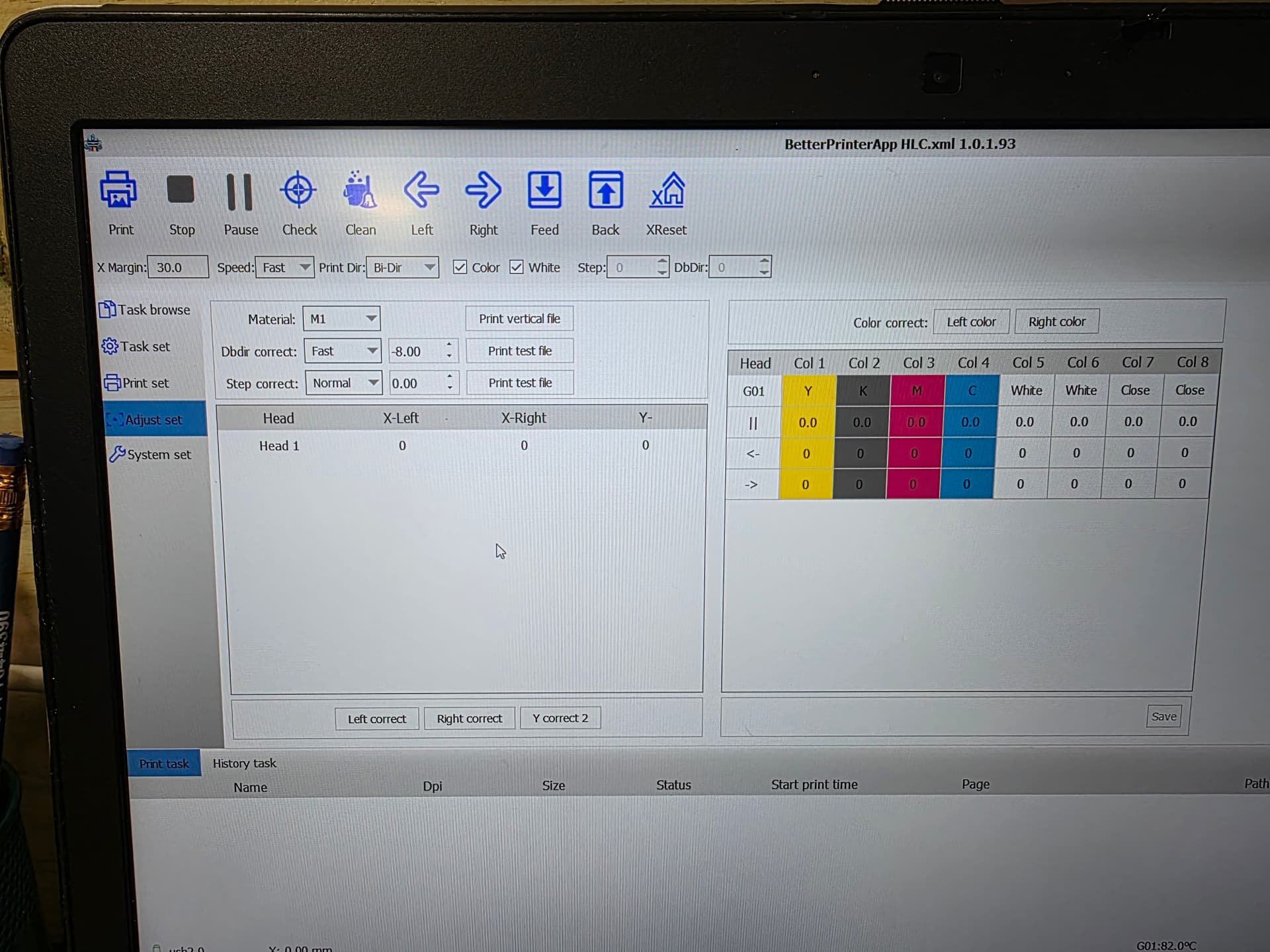
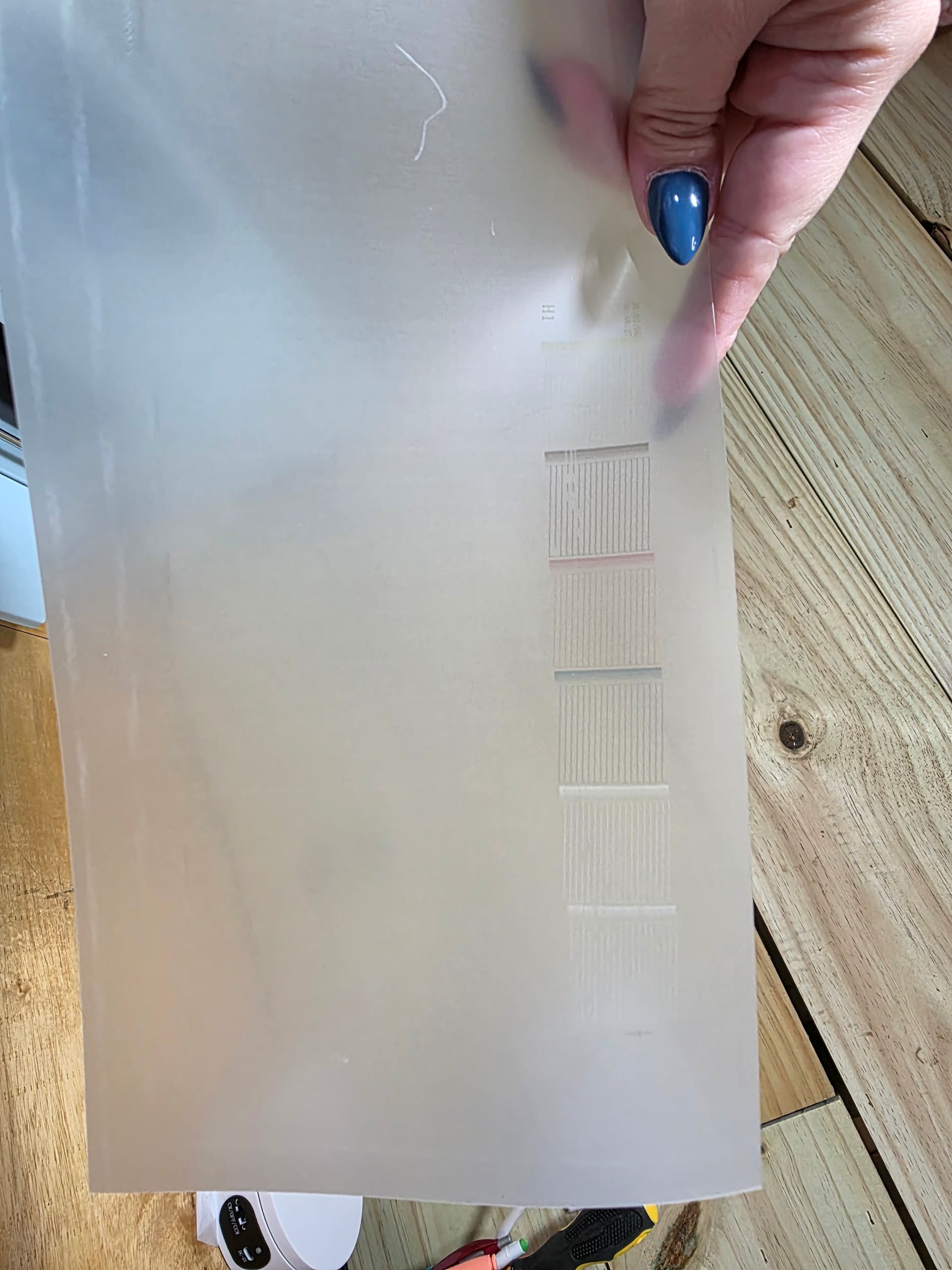
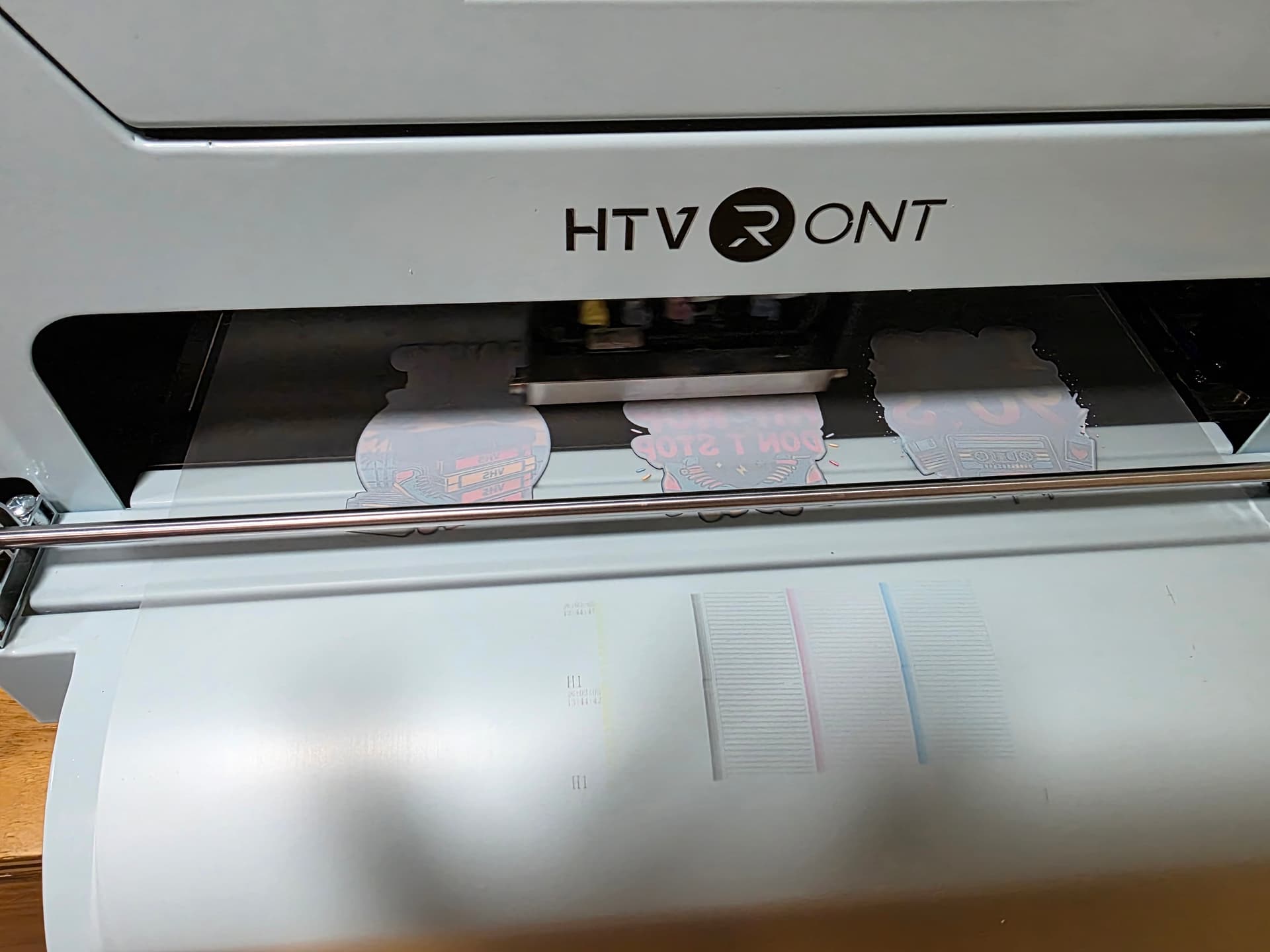
Thanks for sharing your settings and the nozzle test! The good news is your settings look totally normal — nothing in the software is causing the issue. The nozzle test does show that your white channel is missing nozzles, which lines up perfectly with what you described yesterday.
Since the white ink wasn’t shaken before printing, the pigment settled and created a partial clog. That’s why your white started strong, faded gradually, and then stopped. The printer can still do small prints because they don’t require continuous white flow, but a big design exposes the clog immediately.
Once you shake the white ink really well and run a cleaning, we should see those white nozzles come back. After that, your prints should stabilize again.
Here’s what to do next:
- Shake your white ink bottle really well.
- Run one normal cleaning.
- Do another nozzle check.
- If the white improves but isn’t perfect, run one more normal cleaning.
- If the white doesn’t improve at all, then you’ll want to reprime the white damper to pull the thicker pigment through.
You’re super close to getting a clean white again! Let me know how it goes.
2 Likes
I upped my curve to 80% in better printer. I also looked at the manual to make sure all my settings were same. I think I did about 15 head cleans and it started working again 
3 Likes
Hi @Kimberly_Leonardo make sure you have the printer on clean mode and space it at 14400 and your computer does not turn off. This runs the clean cycle when not in use to prevent clogs. It’s in the printer software under print set on right side.
2 Likes