Building Shapes with the Combine Tool
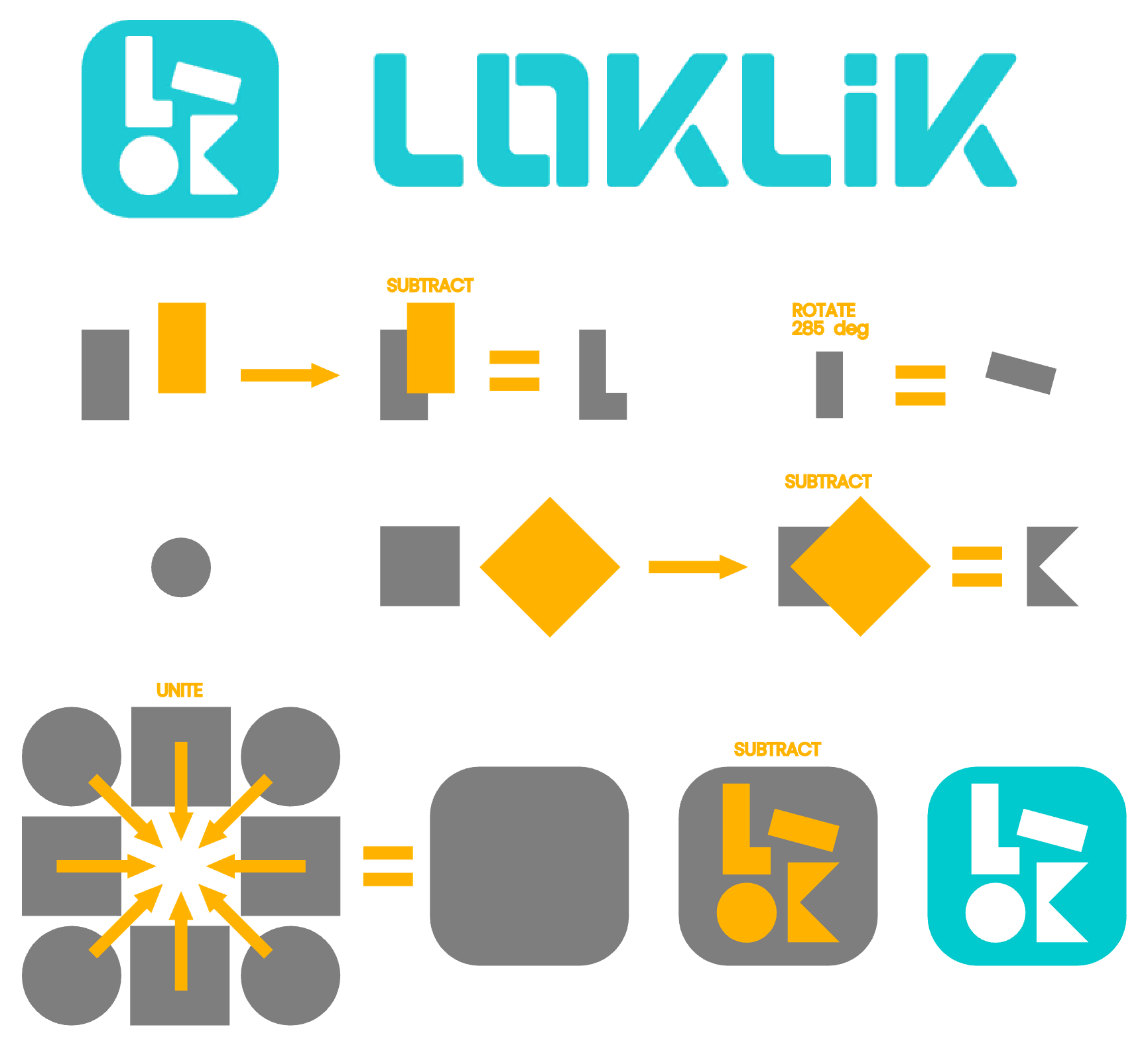
The LOKLiK software’s powerful Combine tool (often referred to as Boolean tools) enables us to create quite complex shapes by simply adding parts to and subtracting areas from the shapes already available in the software.
Using the LOKLiK logo as an example, I demonstrate what can be achieved with some very simple steps. The project is fully interactive and can be opened and edited, allowing you to follow the steps yourself. It will help you become more familiar with some very powerful, yet simple, functions of the Combine tool.
With the Align tool, we can achieve a high degree of accuracy by aligning to the outer edges (top, bottom, left, and right) or centre of our shapes. The Align tool’s functions can be combined, for example, to align to the bottom left of a shape. Alternative positioning that does not meet at the edges or centre line of a shape can be achieved accurately with the Position tool by entering the coordinates in the boxes. The highest degree of accuracy can be achieved by setting your Units to mm, which allows precision to one hundredth of a millimetre. If you wish to align and combine shapes at certain positions, for example, a quarter of the way in from the left edge, you can simply set your shape’s dimensions to key sizes, such as 1”, by entering this in the Size tool’s boxes. Then align the other object to the shape’s position plus 0.25”.
With such powerful tools at your disposal, you can build very complex and intricate shapes to incorporate into your own designs.
Try the project for yourself and let me know how you get on.