I have a silly question—when I browse Inspirations, I see everyone’s designs except my own. Did I do something wrong? I tagged my first design under Home Decor, but when I check Inspirations, the candle I posted earlier doesn’t appear. For context, I uploaded them from my phone.
2 Likes
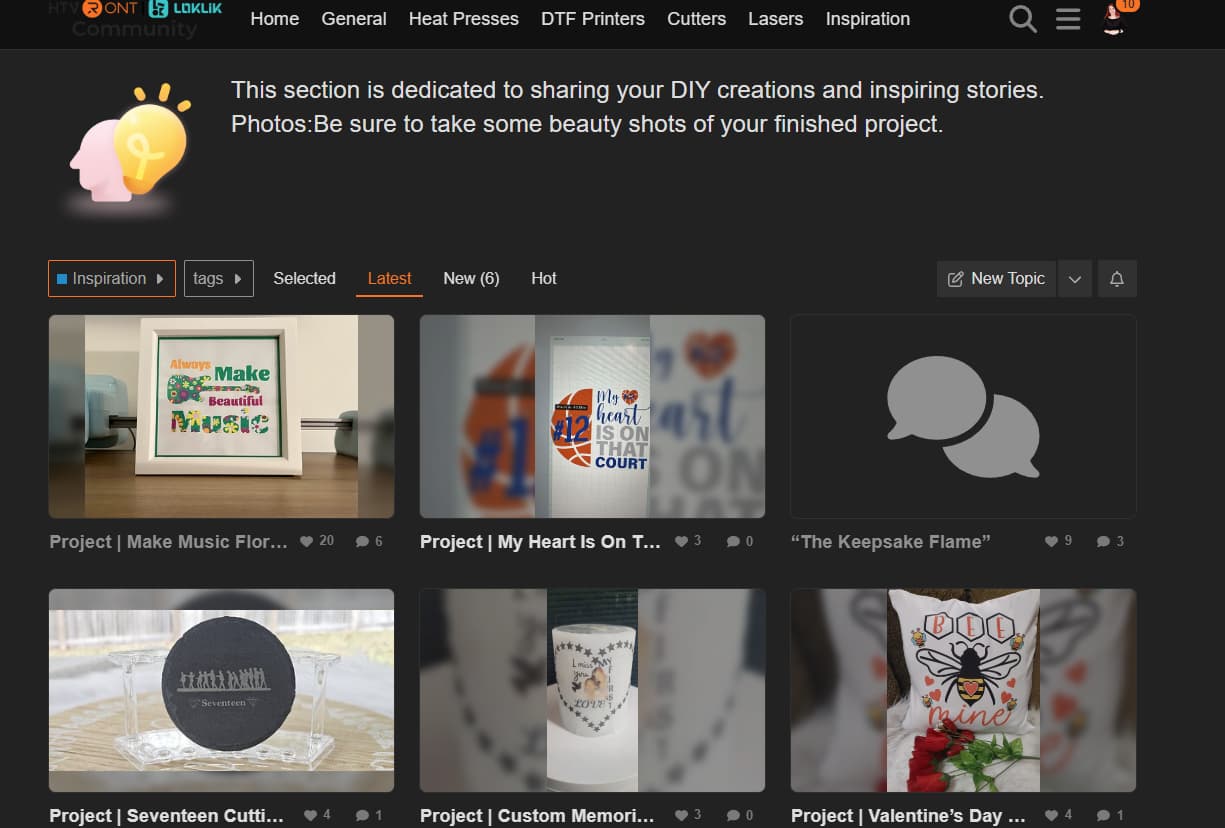
Is this the post you are referring to? “The Keepsake Flame” - Inspiration - HTVRONT | LOKLiK Community
I found it under the community inspiration tag, but it didn’t have a photo attached to it, It was blank. Maybe thats why you couldn’t find it? I’m not sure why there is no photo. Did you share a Idea Studio project or was this a stand alone post?
Edit- I think the photo not showing up is because the photo needs to be at the top of the post.
Photo or the inspiration page
2 Likes
Hey Queen how do I do that?
2 Likes
Sorry, had a phone call.
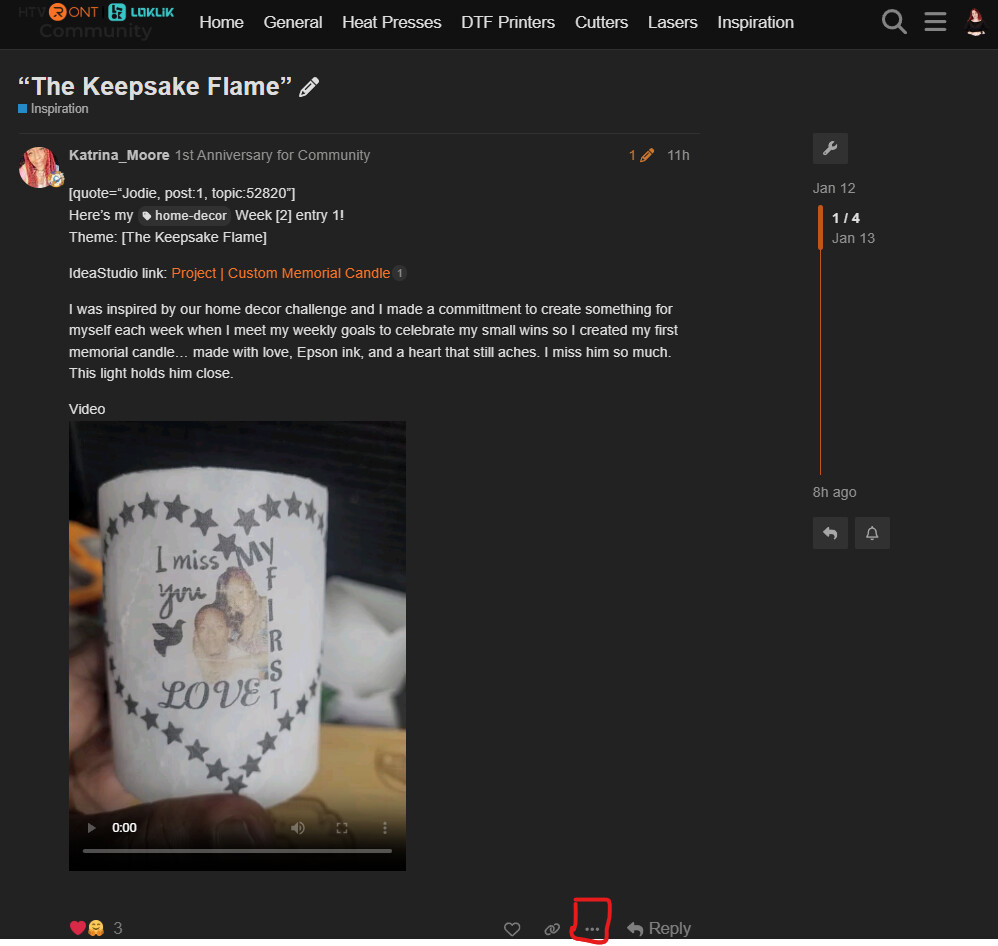
You can go to your post then click the 3 dots here
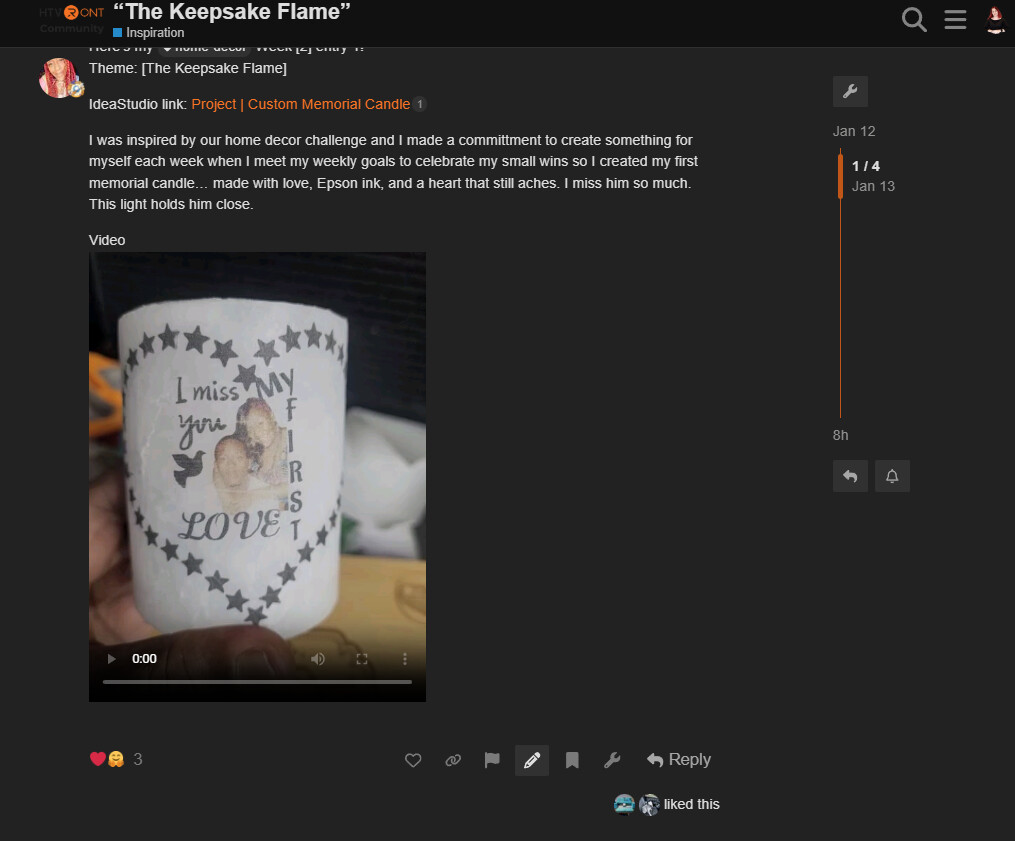
You can then click this pencil to edit your post
Add your photo to the top of the post using the upload button
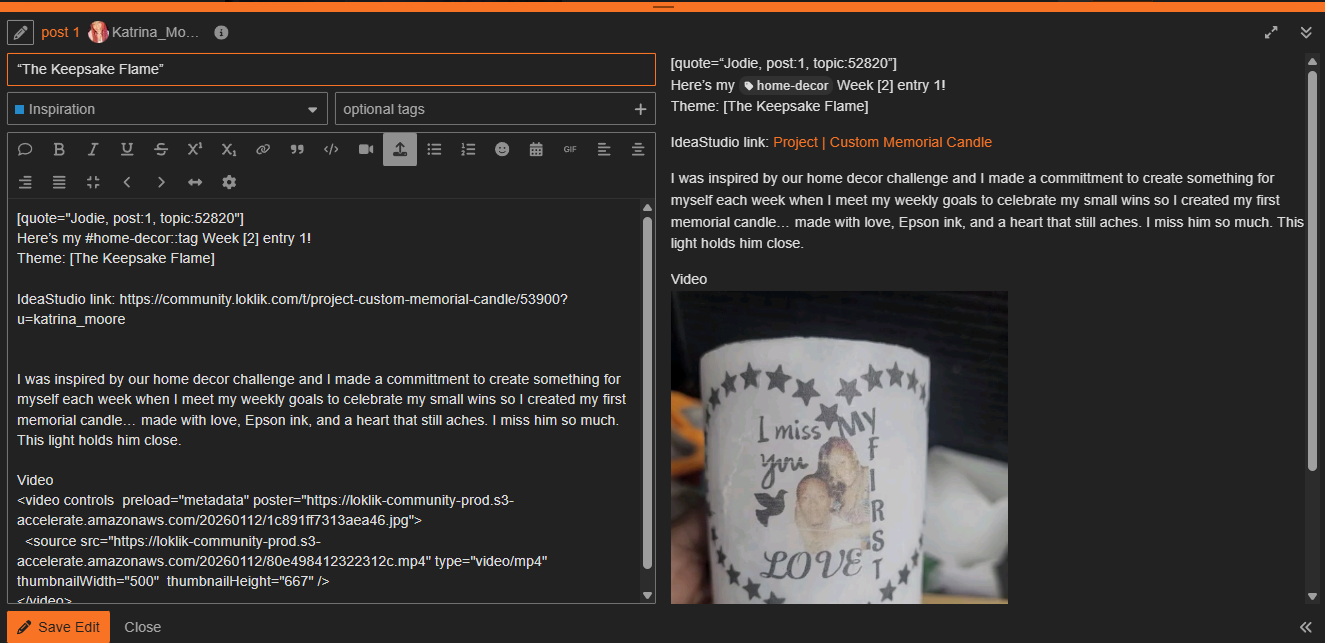
Don’t forget to save and exit.
2 Likes
No, it should still post the photo, even if it’s at the bottom. Mine have done this before and it happened to be a glitch on their side. I tagged an @admin to help. They said they were working on the site and somehow it got marked to where it didn’t get approved or something. I can’t remember exactly, but they fixed it and I was able to see my posts and photos again.
2 Likes
Thanks a lot, I knew something was off and I really appreciate it.
2 Likes
You’re welcome, always. 
1 Like
Yeah, the above post, only had a video uploaded with it. Which I thought was a photo, so I suggested moving it to the top. There are actually two posts now and I have merge them together for you. @Katrina_Moore
2 Likes
Oh, I didn’t realize it was just a video, either.  Yeah, that’s probably the problem then. I just know that I always post my photos at the bottom and it always shows the image, except a couple of times when they were working on the backend and made the wrong setting somewhere. Good catch.

2 Likes