At the moment the LOKLiK IdeaStudio doesn’t have a rhinestone template feature like Siser’s Leonardo Software or Silhouette Studio. I really hope this feature comes to the software soon. The LOKLiK Software gets regular updates and this feature has been requested.
At the moment what I do, is create a circle shape and resize it to the correct size for my rhinestones. I use s10 so I do a 2.8mm circle
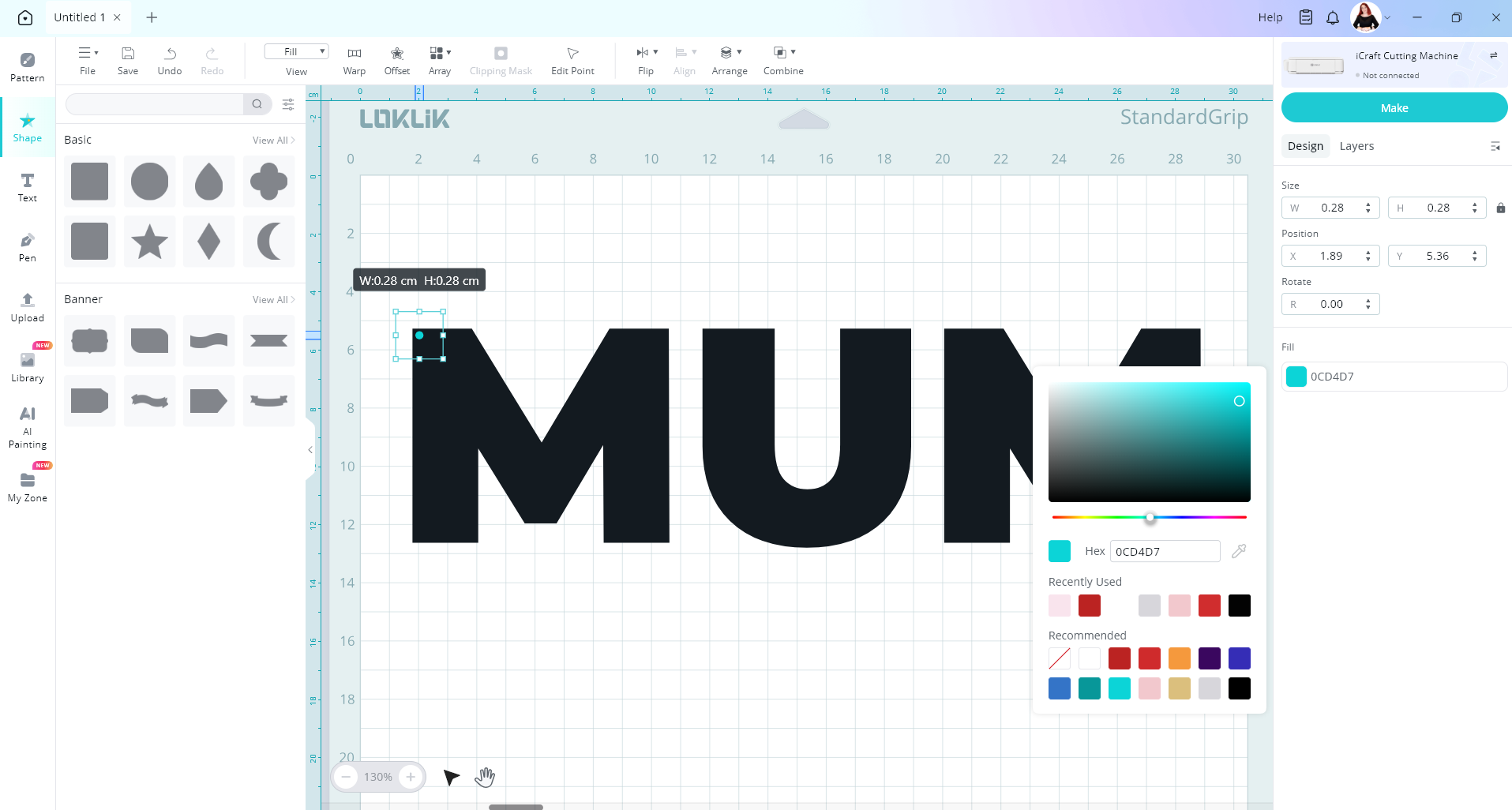
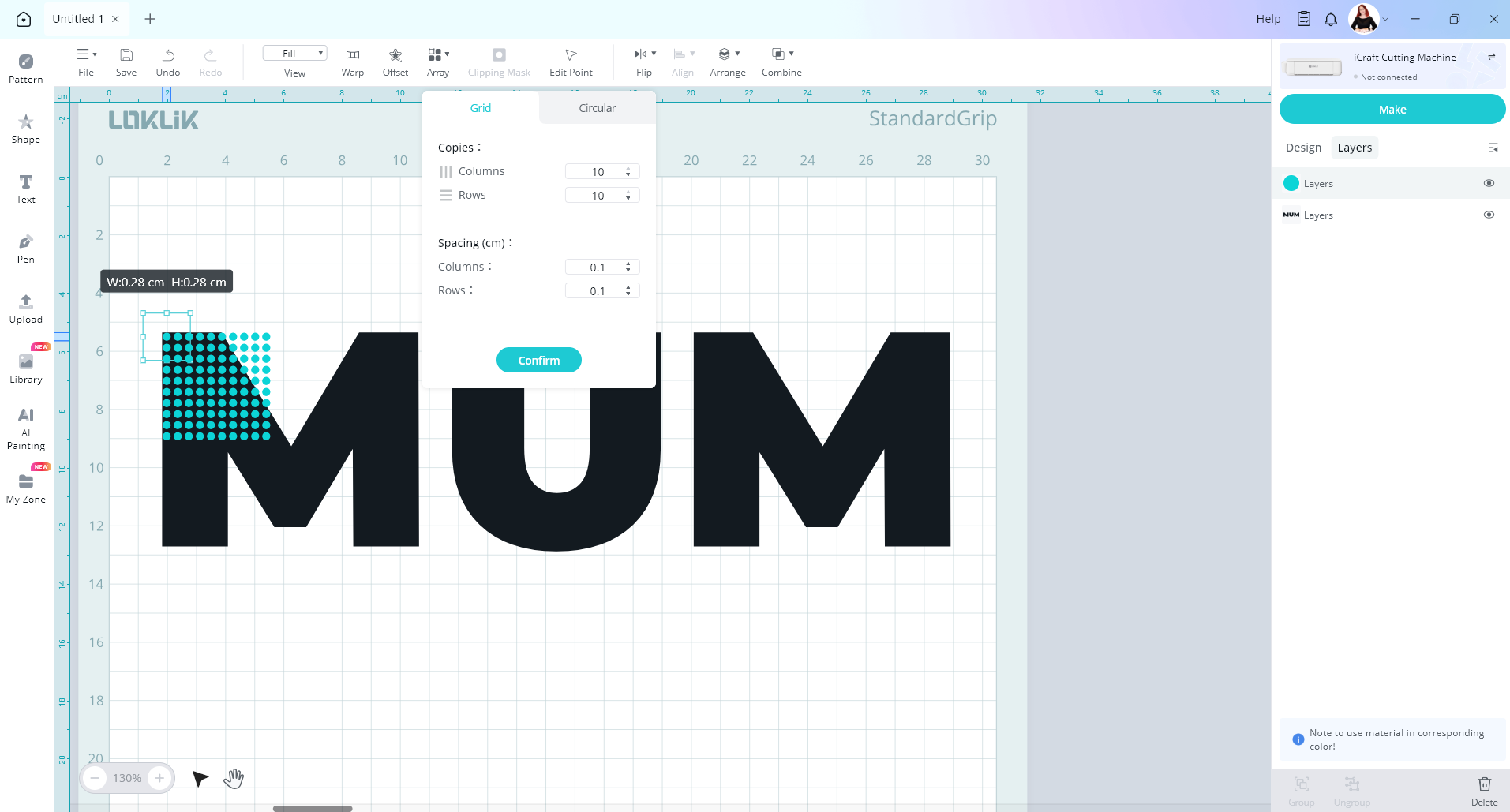
Then I place my first one in the top left corner of my design. I then use the array feature to create multiple copies of my circle with even spaceing.
Then I copy and paste these dots until my design is covered
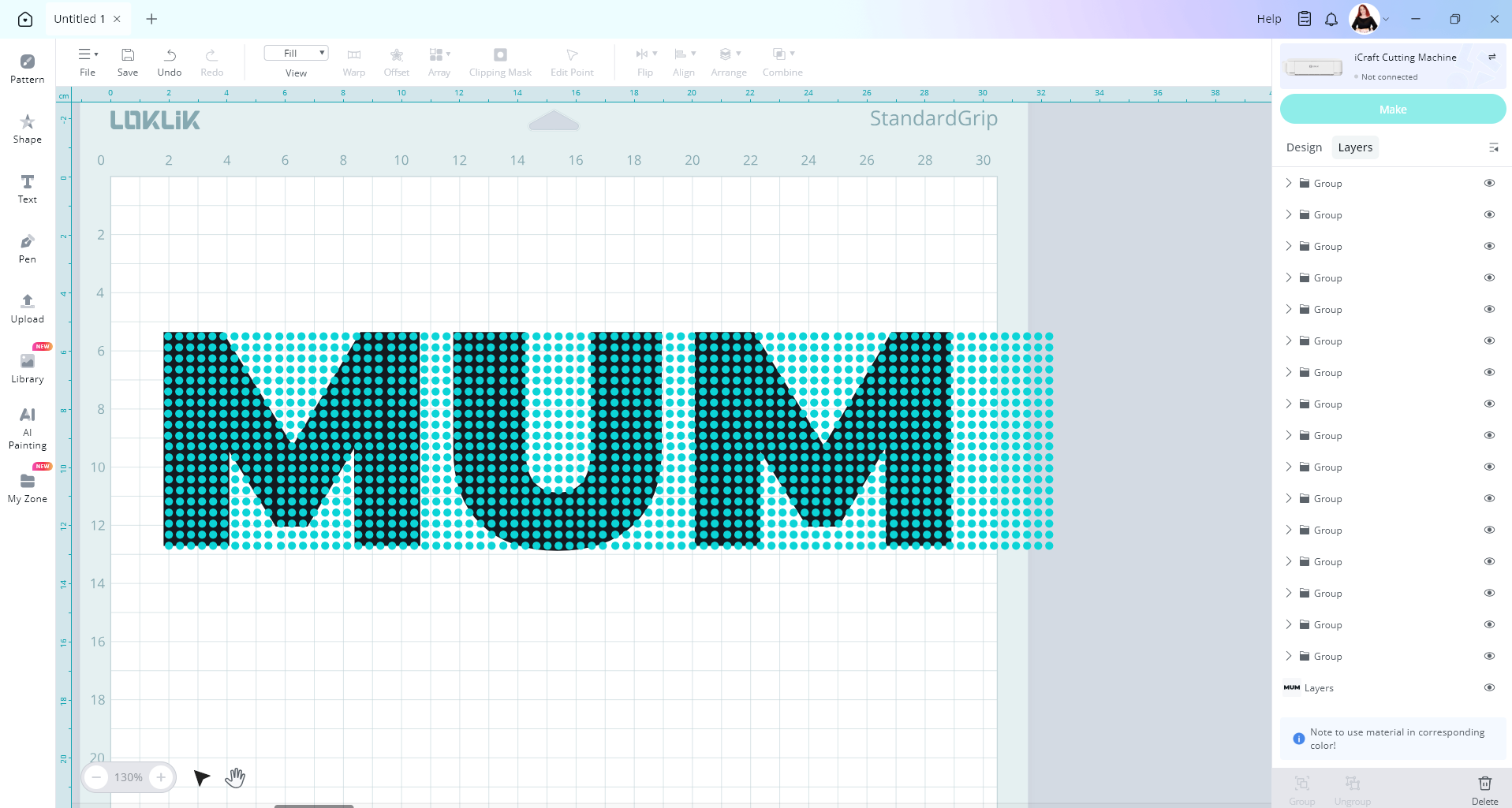
Then I delete the unwanted circles and you can add and takeaway some circles around the edges to tidy it up.
