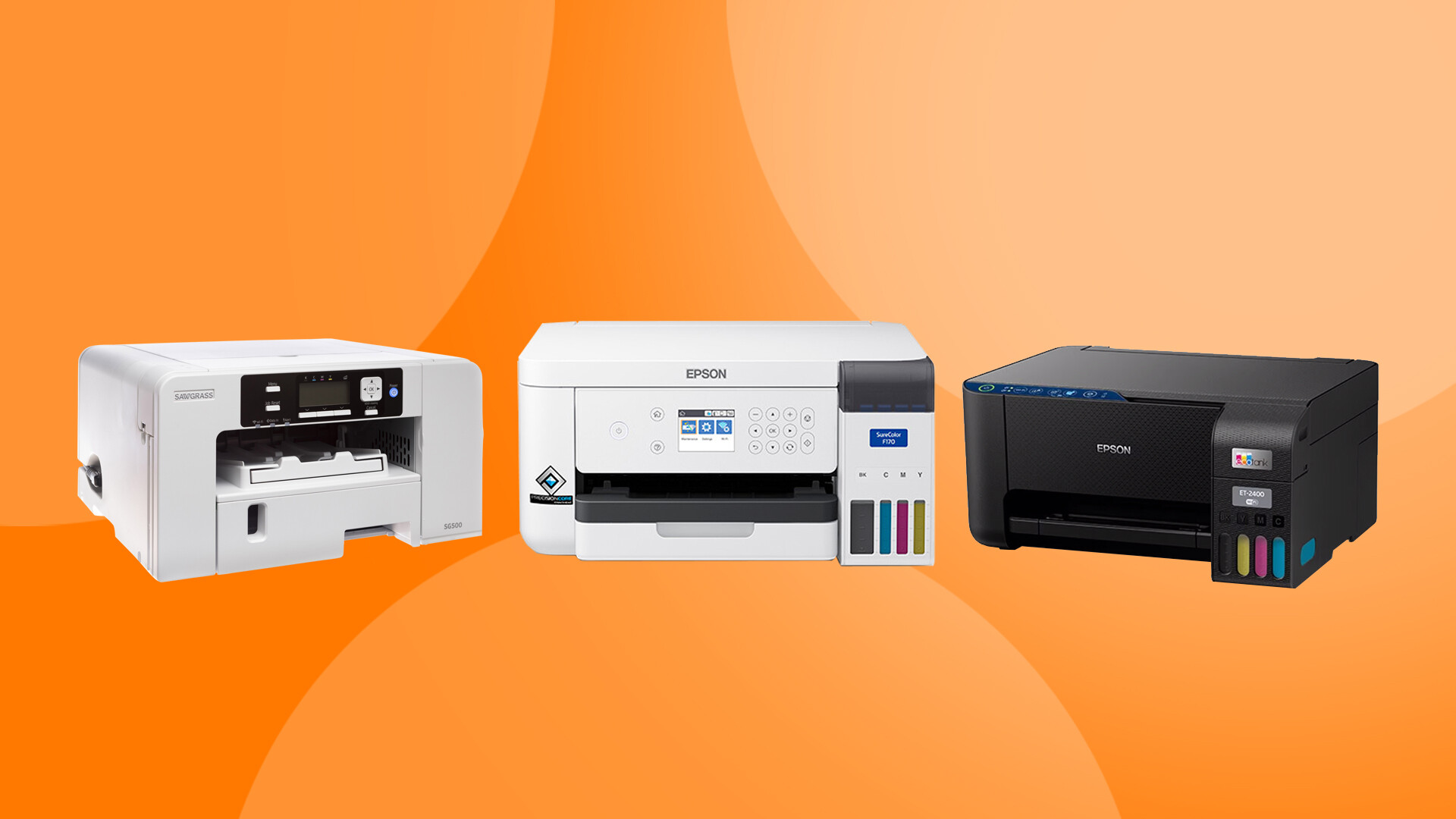
Sublimation printing has grown tremendously in the crafting and small business space because of its ability to produce vibrant, permanent, and professional quality designs on polyester fabrics and coated hard surfaces. If you are considering adding sublimation to your creative setup, one of the first and most important decisions you will make is choosing the right printer. This guide will walk through sublimation specific printers, printers that can be converted, printers that cannot be converted, and best practices for maintaining your equipment for long term success.
Understanding Sublimation Printing
Sublimation is a heat driven process. Special sublimation ink is printed onto transfer paper and then applied to a compatible blank using heat and pressure. When heated, the ink turns into a gas and bonds with polyester fibers or polymer coatings. Because the ink becomes part of the material, the results are permanent and do not peel or crack like vinyl.
Sublimation works best on light colored polyester fabrics or polymer coated substrates. Cotton materials are not naturally compatible unless treated with a special coating or blended with a high polyester percentage.
Sublimation Specific Printers
Sublimation specific printers are manufactured and sold to work exclusively with sublimation ink. They come pre filled with sublimation ink and are ready to use out of the box. Using manufacturer ink maintains warranty coverage and ensures color consistency.
Here are some of the most popular sublimation specific printers.
Epson SureColor F170
Pros
Compact and designed specifically for sublimation
Excellent color management when used with Epson ink
Reliable and consistent performance
Manufacturer support and warranty coverage
Cons
Higher upfront cost compared to converted printers
Limited to letter and legal size printing
Requires Epson branded sublimation ink to maintain warranty
Epson SureColor F570
Pros
Large format capability up to 24 inches wide
Professional level output
Built in cutter and roll media support
Excellent for growing businesses
Cons
Significantly higher investment
Requires more workspace
Ink and maintenance costs are higher than entry level systems
Sawgrass SG500
Pros
Designed exclusively for sublimation
Includes Sawgrass Creative Studio software
Reliable color profiles
Good support and education resources
Cons
Ink cartridges can be more expensive
Limited to smaller print sizes
Locked into Sawgrass ink system
Sawgrass SG1000
Pros
Supports larger media sizes
Professional quality output
Great for scaling production
Cons
Higher cost of entry
Ink costs can add up quickly
Larger footprint than entry level printers
Convertible Printers for Sublimation
Some inkjet printers can be converted to sublimation by filling them with sublimation ink instead of regular ink. Once converted, they must only ever use sublimation ink. You cannot switch back and forth.
The most commonly converted printers are Epson EcoTank models because they use refillable ink tanks rather than cartridges.
Popular Epson EcoTank models for conversion include:
Epson EcoTank ET 2720
Epson EcoTank ET 2800
Epson EcoTank ET 15000
Pros of Converting an EcoTank Printer
Lower upfront cost compared to sublimation specific printers
Refillable tanks make ink replacement simple
Widely available in retail stores
Excellent print quality when properly profiled
Cons of Conversion
Voids manufacturer warranty once sublimation ink is installed
Requires third party ICC color profiles for best results
More trial and error during setup
Not officially supported for sublimation use
It is important to convert the printer brand new and never fill it with regular ink first. Once regular ink has been used, it is extremely difficult to fully clear the system for sublimation.
Printers That Cannot Be Converted to Sublimation
Not all printers are suitable for sublimation. The key requirement is that the printer must use piezo printhead technology. Epson printers use piezo printheads, which can handle sublimation ink.
Many printers that cannot be converted include:
Most HP inkjet printers
Most Canon inkjet printers
Laser printers of any brand
HP and Canon printers typically use thermal printhead technology. Thermal printheads rely on heat to eject ink droplets. Sublimation ink requires a piezo printhead system and does not function properly in thermal systems. Attempting to use sublimation ink in a thermal printer can permanently damage the printhead.
Laser printers cannot be converted because they use toner, not liquid ink. Sublimation requires liquid dye based ink that turns to gas under heat. Toner based systems operate on an entirely different process involving fused powder.
Best Practices for Printer Longevity
Whether you use a sublimation specific printer or a converted EcoTank, proper maintenance is critical.
Print regularly
Sublimation ink can settle if left unused. Print a small color test page at least once a week to keep ink flowing.
Keep the printer powered on
Many printers perform automatic maintenance cycles when powered on. Turning it off frequently can prevent this and increase the risk of clogs.
Use quality sublimation ink
Low quality ink can cause clogging, color inconsistency, and premature wear on components.
Maintain a clean environment
Dust and debris can affect print quality. Keep your printer covered when not in use and avoid placing it near open windows or heavy traffic areas.
Perform nozzle checks
If you notice banding or color shifts, run a nozzle check before printing important projects.
Use correct paper
High quality sublimation paper helps ensure proper ink release and reduces residue buildup inside the printer.
Do not let ink run dry
Running tanks empty can introduce air into the system and cause clogs.
Choosing the Right Path
If you want plug and play reliability with manufacturer support, a sublimation specific printer like the Epson SureColor F170 or Sawgrass SG500 may be the best fit. If you are budget conscious and comfortable learning about ICC profiles and color management, converting an Epson EcoTank can be a cost effective entry point.
Your choice should reflect your budget, production goals, available space, and comfort level with troubleshooting.
Sublimation is an incredible addition to any creative space. With the right printer and proper maintenance, you can produce vibrant, professional results for years to come. If you have experience with any of these models, feel free to share what has worked best for you and your workflow.