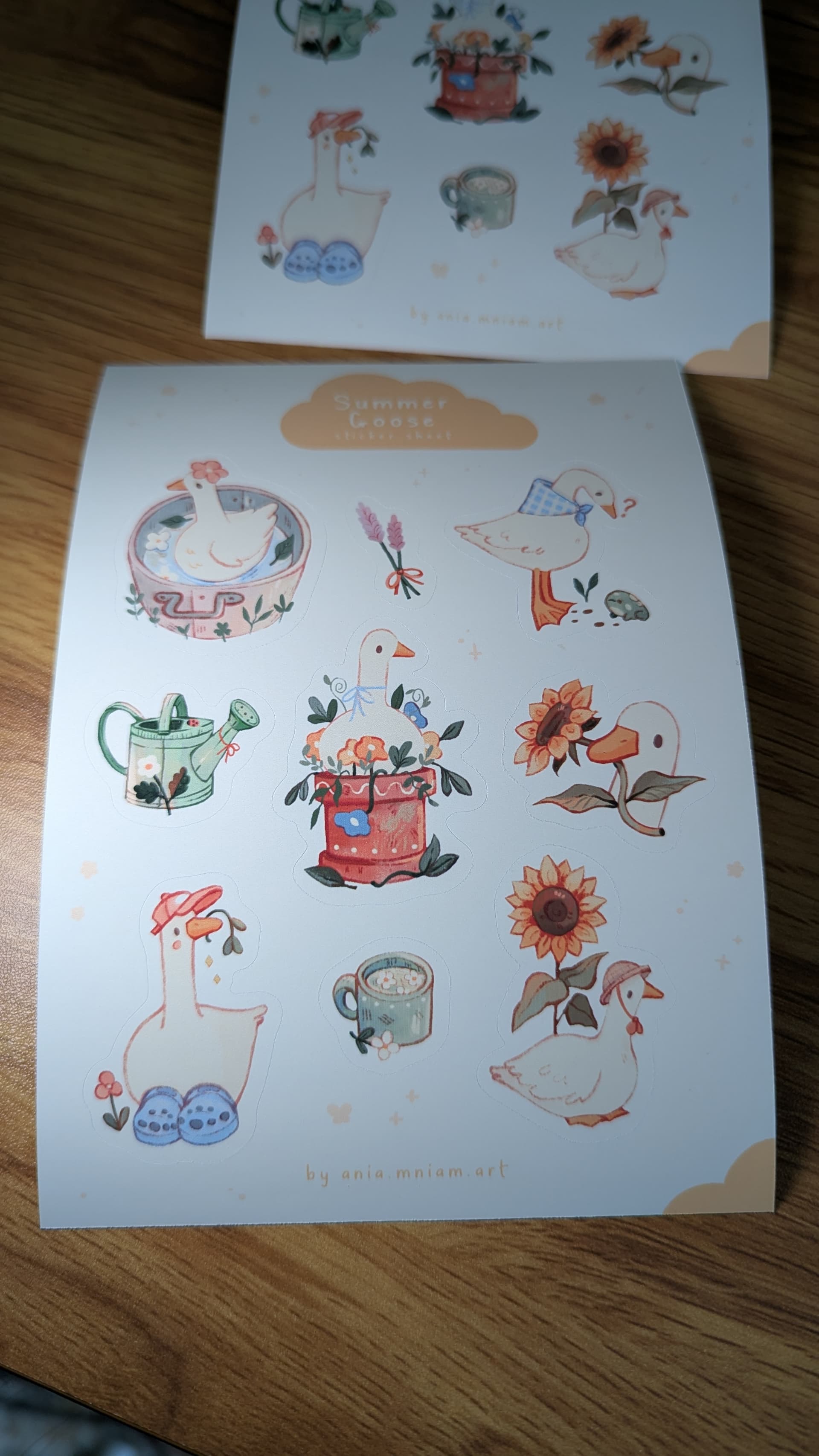
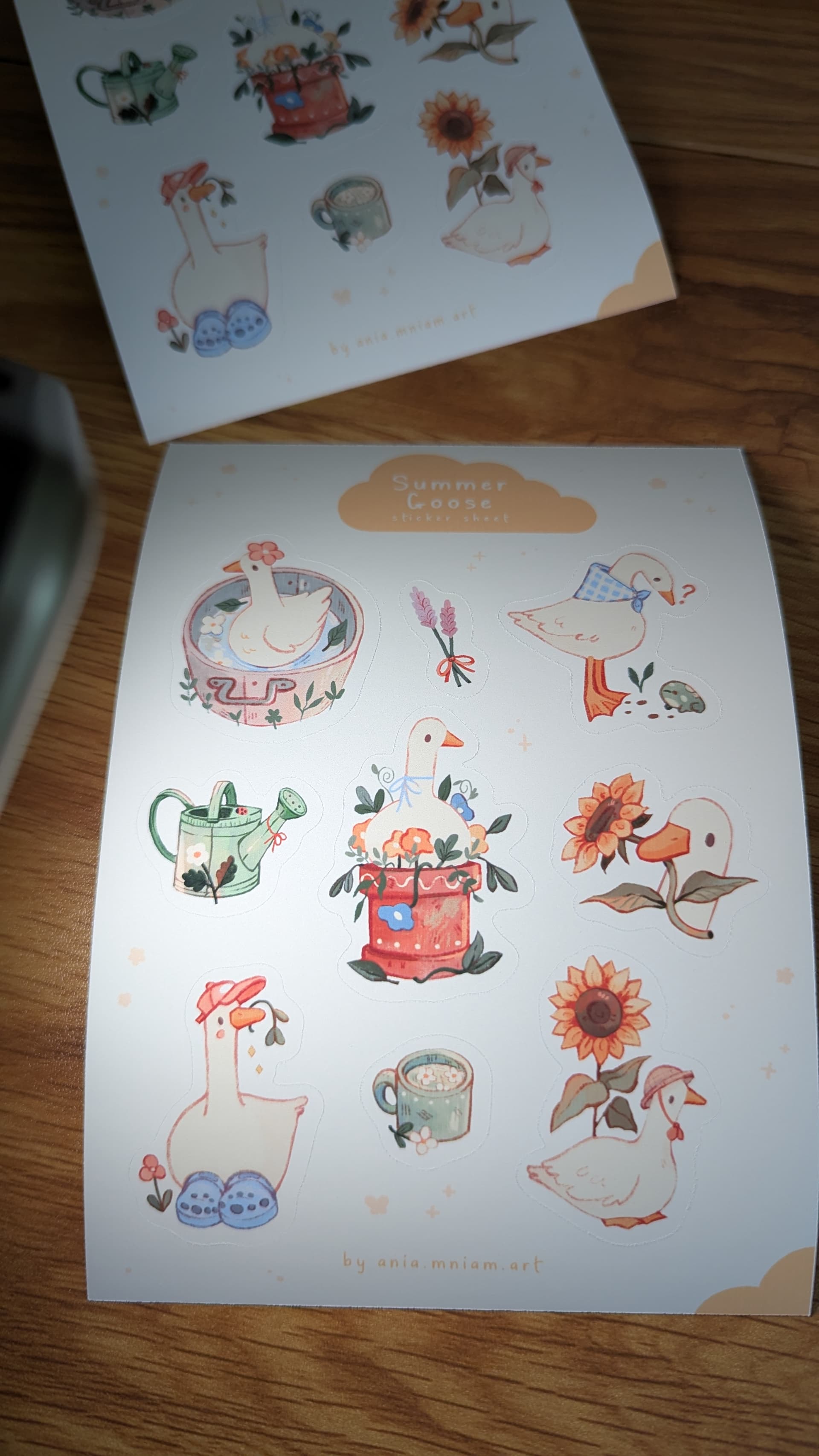
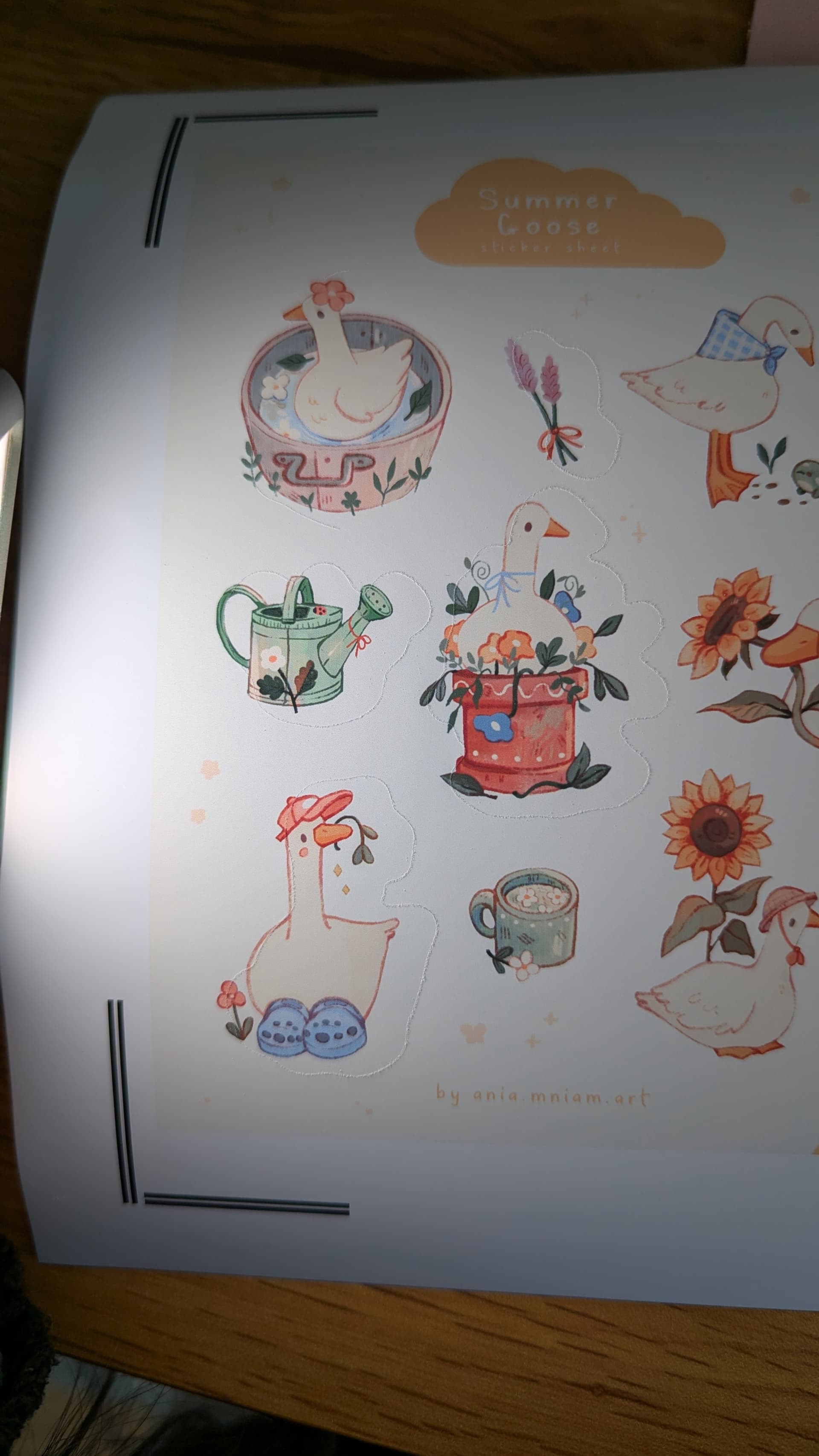
Hello community, Im coming with yet another problem but you guys are always so helpful
I updated my software version to 08 today and it was cutting all wrong so I reset settings and calibrated a few times. Then I printed and cut a few sheets of paper, I cut 4 of them perfectly and then bang…what you so on the photo - calibration went all over the place
I started callibrating again and again and the numbers just keep going all over the place - (I use new calibration method). One try it will cut numbers like 2, -2, 0,0 and then I callibratr it right after it gives me numbers like 7,-7,6,5. It keeps jumping like that
Its not a new issue either I always had to calibrate the machine literally every 2-3 sheets of paper because it just changes settings and cuts wrong constantly:( its so frustrating and I dread using it. Not to mention all the paper wasted on miscuts and calibration ugh. Before anyone asks, yes I do print on 100% calibration sheets (I mean I dont zoom them in or out ).
Anyhow - my main issue is - why does the machine cuts perfectly a few sheets of paper and then misaligns? Despite printing and cutting exactly the same design bunch of times help
Hello! I truly don’t know. There are so many problems with PTC. Maybe, it’s just a new bug in the latest update. Have you sent an Errors and Feedback report from the Help menu? They’ll probably send back a reply asking for a video of the problem. Maybe, they can get the bugs worked out in the next update. So many people have problems with the PTC. I honestly believe it’s because there is no Flatten option. Some people will say that’s not it, but I think it is. I suggested it in a previous post.
Maybe, take a look at this thread and see if the instructions I gave can help you?
I also suggest trying to create an offset for your offset and actually changing the offset colors to the background color of your printed image. Then, print your image. Then, cut using the smaller offset, rather than the offset you made for it. Just to combat any small misalignments you may get, if you get it back to cutting closer to your desired cut. Hope it helps. Let me know if it does. I know it’s frustrating. My Crafter never did get a good cut, but my iCraft has. Although, I’ve only done PTC with it the day after I received it, and haven’t done it since.
Oh, another question: Did you reset your calibration after 8-10 cals? If not, try resetting before you calibrate again.
Also, are you using images from the Loklik library or your own files?
Edit: This video from @InkiteeWorkshop just popped up on my feed. She suggests using the USB for calibration. Idk if this will change anything, but you can try.
I have never sent error feedback so ill try to do that.
I do use my own images, not the library and my machine is connected trough usb.
I did watch that video also and I do know exactly how to calibrate - my issue is…i wilp callibrate it perfectly and get exact cuts for 4-6 sheets of paper and then it starts miss cuting. I dont think its due to update either bc it always did it. I just became frustrated enough yesterday when i spend 3 hours callibrating and 1 hour actually cutting
Yeah, I completely understand the frustration. I just got my iCraft after using the Crafter for 2 years. The Crafter never could make a perfect cut. I could hardly get it to calibrate, either. I was ready to toss it out the window a few times. Compared to the Crafter, my iCraft is 10000% better at PTC.
Ok, so we know it’s not because of the USB connection. I only shared the video link just as a resource to inform you of where I got the USB suggestion. I trust that you know how to calibrate.
I’ve found that it cuts better using the images from the library. My own files, however, are always misaligned.
If you haven’t had your machine over a year, and it’s continuing to make you calibrate, they may offer you a new machine. You shouldn’t have to recalibrate over and over. While we do have many posts about the PTC function, this is the first time, I think, your situation has popped up. This particular problem could just be your machine. So, I highly suggest contacting them by using the Feedback and Errors option, and see what they tell you. Be sure to click the Log Upload option so it will send an application log to them with the report. It may help them pinpoint what’s wrong. I hope you can get it worked out and get your machine working properly.
Yeah, you have a 1 year warranty on your machine. There have been several people who have received new machines, or they send them in to be fixed. I’ve seen it mainly with the iEngrave, though, but I’m sure it’s the same with the cutters. If they can’t find a fix, they’ll probably offer you a new one.
I see. I never even knew it should stay callibrated the same way because mine always changed cut aligment after a few cuts, I thought it just how it works…
No, I don’t think you should have to re-calibrate, especially after only a few cuts. Most people calibrate once, and it stays calibrated, unless they reset the calibration by accident, or something. That’s definitely something that should be checked out by support.
They will want a video of the problem when they respond. I suggest saving it to a cloud like Microsoft OneDrive, and sending them a share link to it, when you do send it, because most of the time the email won’t accept the actual video due to the file being too large. So, I would get a video ready for when they ask.
Im back again I did record videos for support and Im waiting for an answer. Just wanna show what machine does if someone ever stumbled on this thread…So I have my machine updated to version 8 and program updated to version 3 do uts all up to date. i completely reset the calibration to start fresh and calibrated it total of 4 times- until the numbers were 0,-1,0,-1. Here is how my first sheet of paper cut:
Yes, I can see the cuts perfectly. Just wondering, sometimes I accidentally move the offset layer to the left or right of the images. Have you checked to see if the offset layer is perfectly lined up behind the images? That could be the problem. Maybe, try changing the color of the offset layer, just so you can see it better and to adjust the alignment, then you can change the color back to white before printing.
The offset layer sat perfectly, I checked it. Besides I print and cut from task list - once task finishes I restart exact same one, so I wouldnt even have a chance to move the offset
Yeah, me too, but there have been times when I’ve returned to the canvas — after cutting — to find my offset was sitting to the left or the right of my images before I clicked Make. So, I either moved them accidentally, or the software glitched, which it does quite often. I’ve hidden layers, then unhid them, and they’ve come back larger than the whole canvas. So, I try to make sure, now, that my offset is actually aligned properly before I click Make.
Ah I definitely moved the offset by accident too, I always make sure its a all good before going to cutting!!
I do hope I get my issue resolved since I recorded whole process for support, I kind of regret not going with silhouette brand i have had so many issues with loklik ugh!
Ok, well, if the offset is aligned properly, and you’ve tried everything else, I definitely think it’s the machine. I’m sure they’ll help you. It may be a back and forth with them, but if they can’t give you a proper fix, I’m sure they’ll be willing to offer a replacement until you have a machine that works properly.
Loklik is still young, so I expected there would be some problems when I first bought mine. However, I have a Cricut and experience misaligned PTCs with it, too. Their software has glitches, as well. I think Loklik is more affordable, though, and I’m happy I have my iCraft, now. My Crafter gave me a headache, but it was their first machine, so I can’t be too mad. 1st generation machines will always have bugs. The iCraft is already a million times better than the first machine, so I think the brand will only get better with time. The other brands have been making machines for many years, even decades, so they’ve had time to learn the ins and outs and perfect the machines. They just have a very high price tag attached to the machine, their tools, and you have to pay a monthly subscription for their software. I love that Loklik IdeaStudio is free. It’s one of the main reasons I decided to go through with purchasing the Loklik instead of the Silhouette or Cricut.

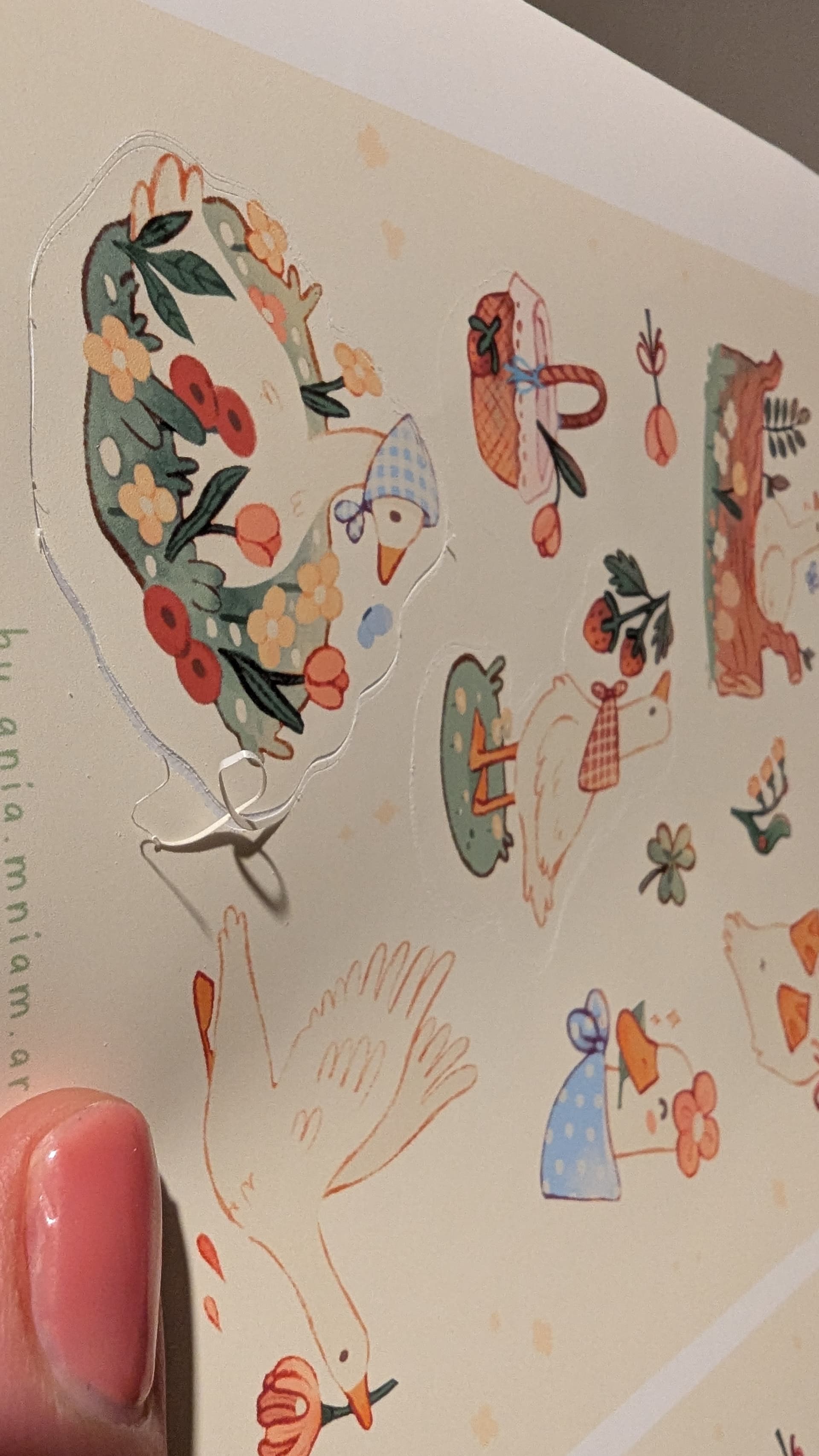


 Compared to the Crafter, my iCraft is 10000% better at PTC.