Hello community, probably you can help be as a beginner in working with iCraft. Dimensions modelled in Inkscape (exported as SVG file) do not fit in printed result. I modelled a pad with length 50mm but cutted result has length 65mm. Any idea what is wrong there?
4 Likes
Hi @Thomas_Kaller and have a warm welcome to the community. Your question has been recently and thorowly discussed in this topic. Although it is mostly in Spanish, you might translate it to English.
Anyway, I translate here my answer there:
Hi, I design in Illustrator and have a template that includes registration marks.
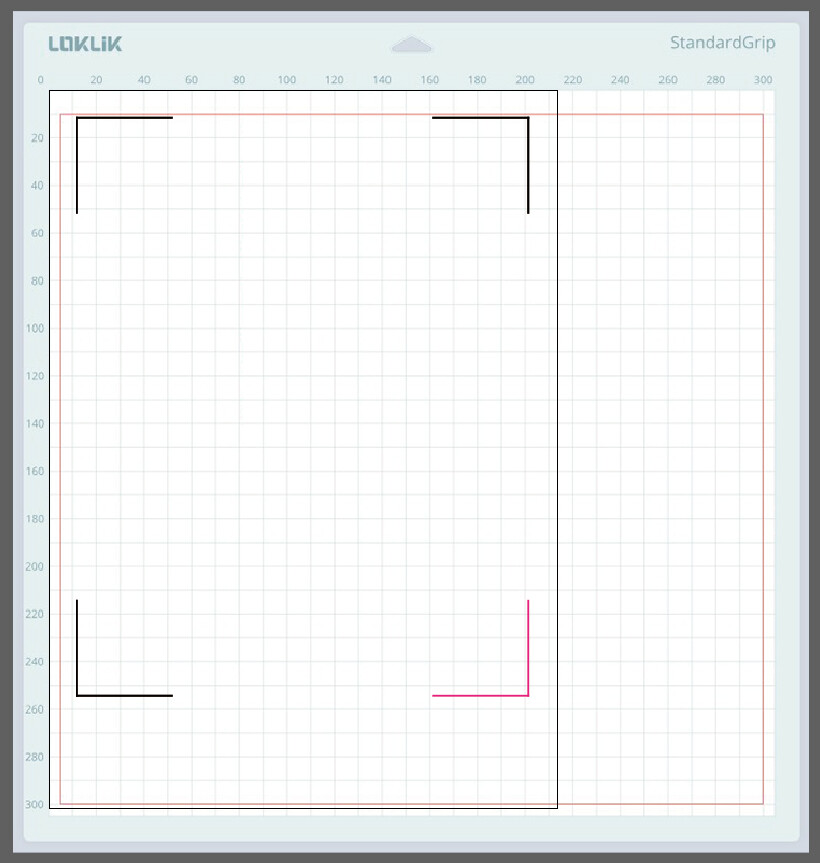
(Remember that the magenta mark isn’t necessary for anything right now; you can skip printing it and use that space)
You can make them yourself or get them from the app’s own files at this location:
C:\Users\your-user\AppData\Roaming\LOKLiK IdeaStudio\data\flutter_assets\assets\svg

Here are the coordinates to place them
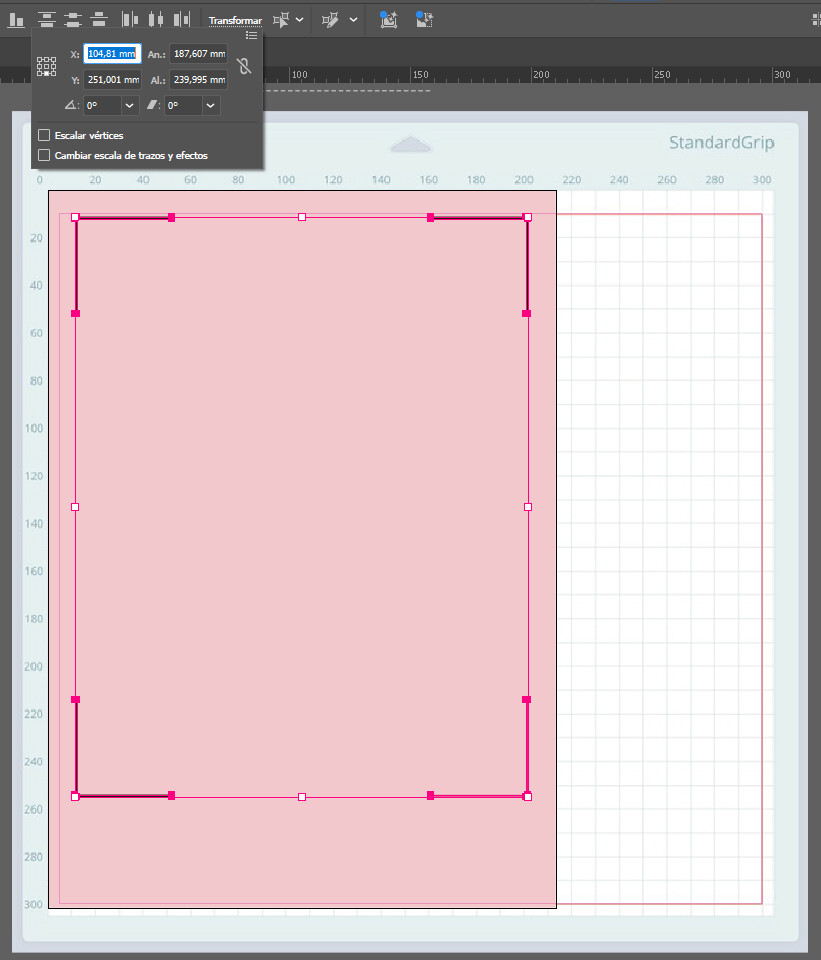
And here are the coordinates for the cutting area

When you export the SVG, enable “Flexible,” which is how the app handles it, and set a decimal point between 3 and 5 so that the SVG is saved in detail.

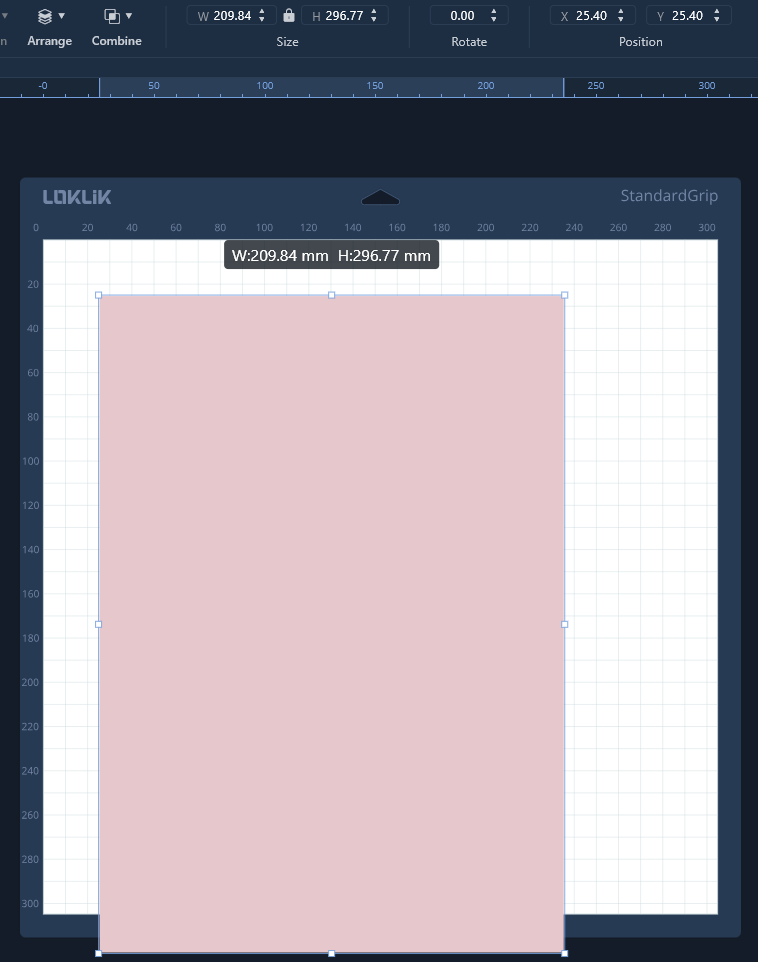
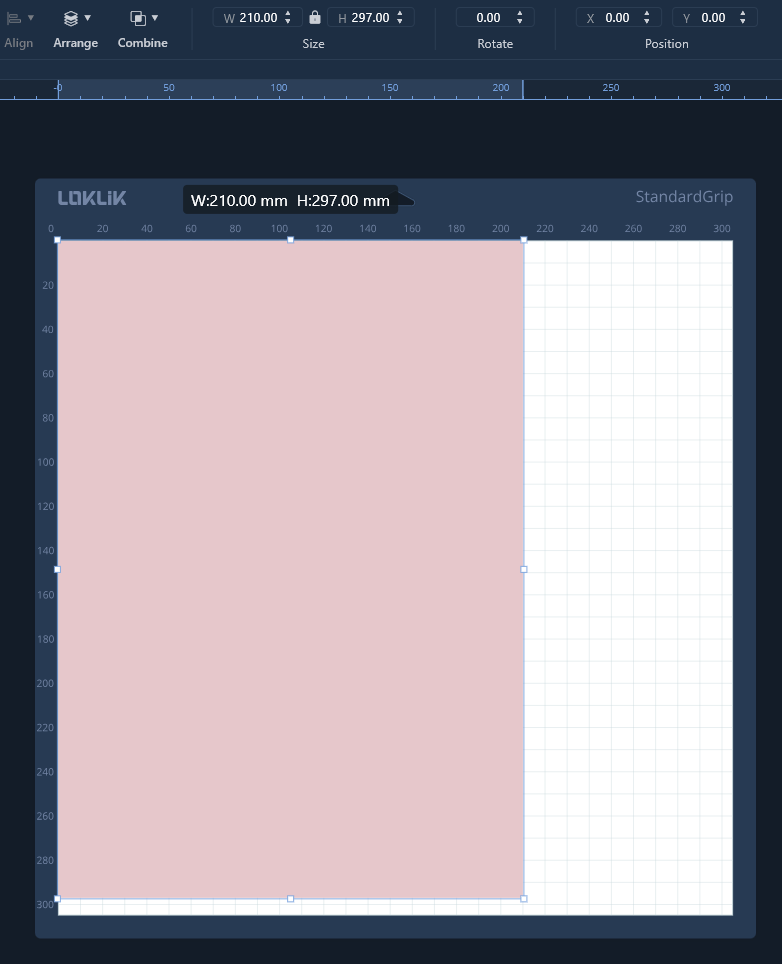
I always include an A4 background in the SVG so I can tell IS to set it to 210x297 at the 0-0 coordinate, because Idea Studio, with that flexible one, lowers it a bit to 209.84x296.77 and places it at the 25.4x25.4 coordinate. These are details that should be corrected in the app…
Designing and editing in an external editor gives you flexibility in tools and precision in printing (IS prints in SVG and therefore in RGB instead of CMYK).
I hope this helps, no matter which external editor you use.
2 Likes
Welcome, please let us know how you go with @redhada excellent guidance
1 Like
Hello community, thank you for your help and the hints. I do not use Illustrator because the monthly subscription is too high for a beginner. But meanwhile Affinity Studio is free of charge (affinity.studio)
In Affinity it is possible to generate a SVG export (reduced SVG) where in the extended settings the DPI can be set to 72. With this setting the dimensions are correct in LOKLiKIdeaStudio.
This now works for me.
3 Likes
Great, I’m glad you solved it for your Affinity projects. It is very important to know every nook and crannie of your program export parameters.
It is very weird as svg is a vector extension, so it doesn’t have any dpi, maybe it is a way to save export 100% scale.
2 Likes
Yeah I was thinking the same. @Thomas_Kaller Little bit weird but if it works it works, don’t question it.
2 Likes