I cannot get the iengrave to connect to my phone (android) AT ALL. And on the desktop app there is no option to add the iEngrave. I’m at my wits end. I’m frustrated and started to feel like I got scammed! No one has been available at Loklik or Htvront customer support, all day.
Hi and welcome to the community @Martha_Piper. Did you turn ON the bluetooth for your android and bluetooth for your desktop? Please make sure all these settings are on and your iEngrave machine is ON as well. I am not sure if the customer support are available weekends but I’m sure someone will help you out soon! Please let me know if this helps and give us an updates.
5 Likes
Thank you for responding so fast. We were finally able to connect it to my husbands iphone but still no luck on my phone, tablet or laptop. Have you heard of anyone not having the engraver as a device option to connect? if I can connect my laptop, there is no need to connect to anything else.
6 Likes
The iEngave machine works with the phone LokLik app ONLY and not desktop or laptop app version. The company provided an SD for the customer to download a free 30-day trial version like Light Burn app for desktop/Laptop.
5 Likes
i wish I’d known that before I purchased it… oh boy!
5 Likes
Hopefully, they will add the iEngave machine at desktop/laptop version 'coz it would be so nice to work within the app with bigger screen and Free editing software 
5 Likes
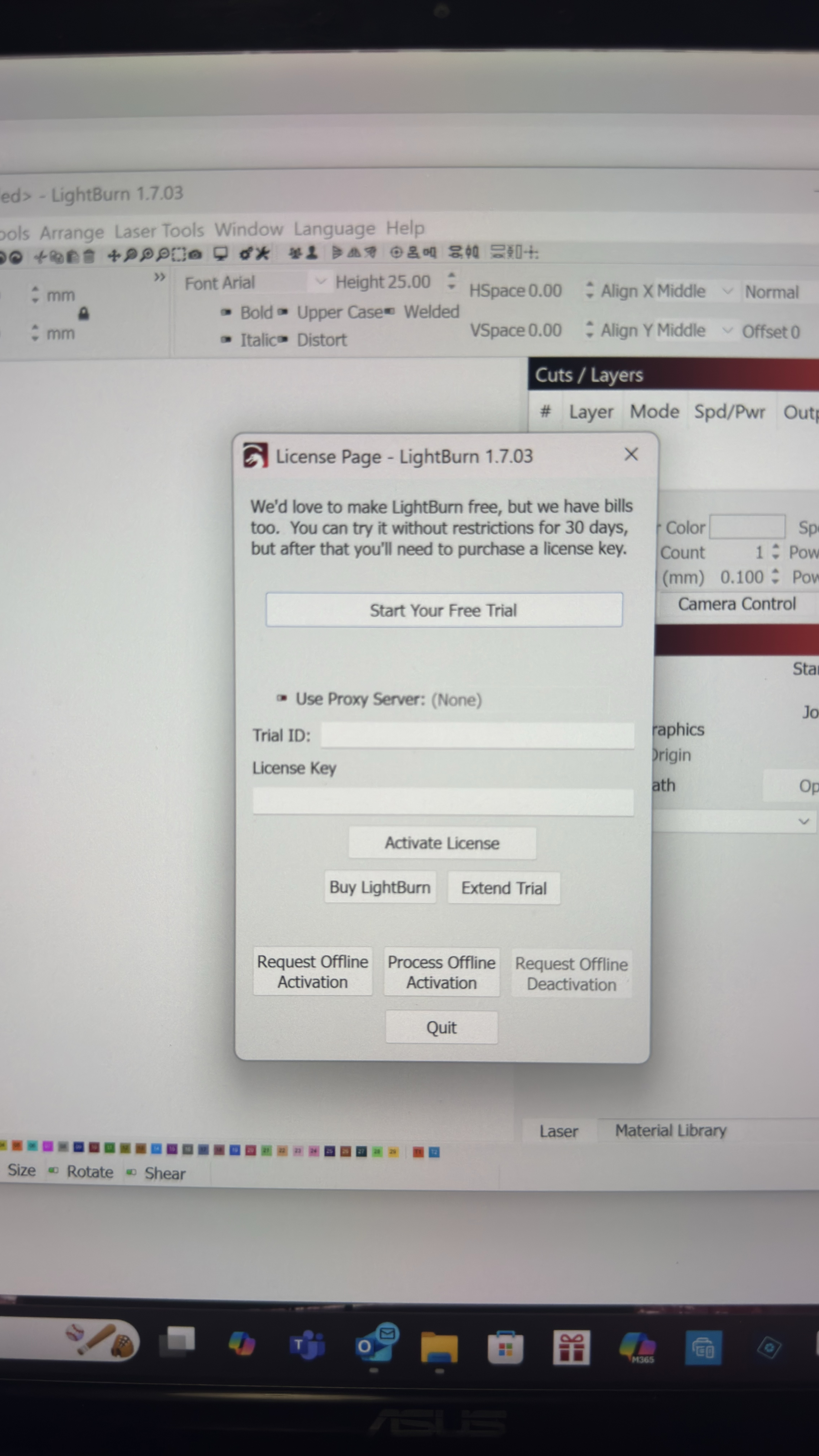
I was finally able to connect my tablet to the engraver. Now I have a new problem… Someone gave me a license code for Lightburn but I have no idea what I’m doing or how to download it… 
2 Likes
Hi! You need to use TF card that LOKLiK provided. Insert the card to your laptop and download the software, they will give you 30-day trial period if you want to otherwise, enter your license key code.
3 Likes
Hi Martha, thanks for bringing this up—and welcome to the community!
The desktop connection for iEngrave is currently still in development. It’s expected to be available in August, so stay tuned for updates. 
5 Likes
Hi @Martha_Piper! Just want to check in with you if you successfully installed your Lightburn software in your desktop? Also, the IS dekstop version for iEngrave is available now. Hope you are currently enjoying the software and create beautiful projects with your iEngrave. Please keep us updated, thanks!
1 Like
Having a heck of a time getting anything done on this machine. I have not been able to connect to Lightburn, I was able to do one engravie with USB and the Loklik desktop app, but when I try again it disconects the machine. The app on my phone wont connect either. I have watched so many videos that do not really deep dive into connecting, read the manual several times. I am ready to throw in the towel and send it back. It seems really clunky for connecting…
2 Likes
@doggydetailers, I’m so sorry you’re dealing with all of that. Connection issues can make the whole machine feel impossible to use. You’ve clearly tried everything you can, so your frustration is completely valid. If you want, I can help you troubleshoot step‑by‑step—sometimes it’s just one tiny setting hiding somewhere. You don’t have to figure it out alone. But before we dive into troubleshooting, have you had a chance to check out my video tutorials on connecting your iEngrave through the mobile app, the desktop version, and LightBurn? Given that, you successfully installed the right drivers to your computer. connecting to Lightburn is easy. I’ve linked them below for you.
https://youtube.com/shorts/c5m2rW0po_s
NOTE: The desktop version recently added a one‑go engrave‑and‑cut feature that the iEngrave can now read. I highly recommend giving that a try and using a USB connection between your desktop and the machine for a more stable, reliable connection.
1 Like
I will run through the videos and try and connect again tonight and let you know. Thanks for your reply. It is sad becuase it seems like they gave out a bunch of these machines to influencers, who seemingly made one or two videos, and that was it. Its obvious they are not really using the machine because many just go on to show videos of the next machine they get for free. I even saw one that was selling on Facebook marketplace and said, we only used this for the video of unboxing UGH. They should really vet the influencers!
2 Likes
Thanks for the update! I hope the videos give you a clearer path and definitely let me know how it goes when you try again tonight.
And yes, I totally get what you mean. It’s disappointing to see machines handed out to influencers who only make a quick unboxing video and then move on to the next free product. You can always tell when someone isn’t actually using the machine long‑term.
You’re absolutely in the right place! We have lots of helpful members here. I know you just joined recently, so I want to give you a warm welcome to the community. When you have a moment, feel free to browse the Machine section—especially the iEngrave Help Hub. You might find that some of the questions on your mind have already been discussed or solved there.
1 Like
I got the mobile to connect. Do I need to have my internet on the 2.4 all the time when I use that? I had to temorarily turn off the 5G to do this, but its only for like 30 minutes on my router
3 Likes
Hi! I’m so glad you got it connected! And yes — that setting is only needed for mobile connections. When you’re using the IS Desktop version with a USB cable, you don’t need it because your computer and the laser are communicating directly through the cable, which is a much more stable setup.
2 Likes