Hi Community! 
This round of updates brings a cleaner workflow, new shapes, smarter calibration, and a few highly requested features many of you have been waiting for.
 Quick look at what’s new
 IdeaStudio Desktop
Smarter Printable Calibration
A new calibration scheme lets you use one sheet for up to three calibrations, saving materials and cutting time.
We also reduced the cutting lines as well, making calibration quicker and easier.
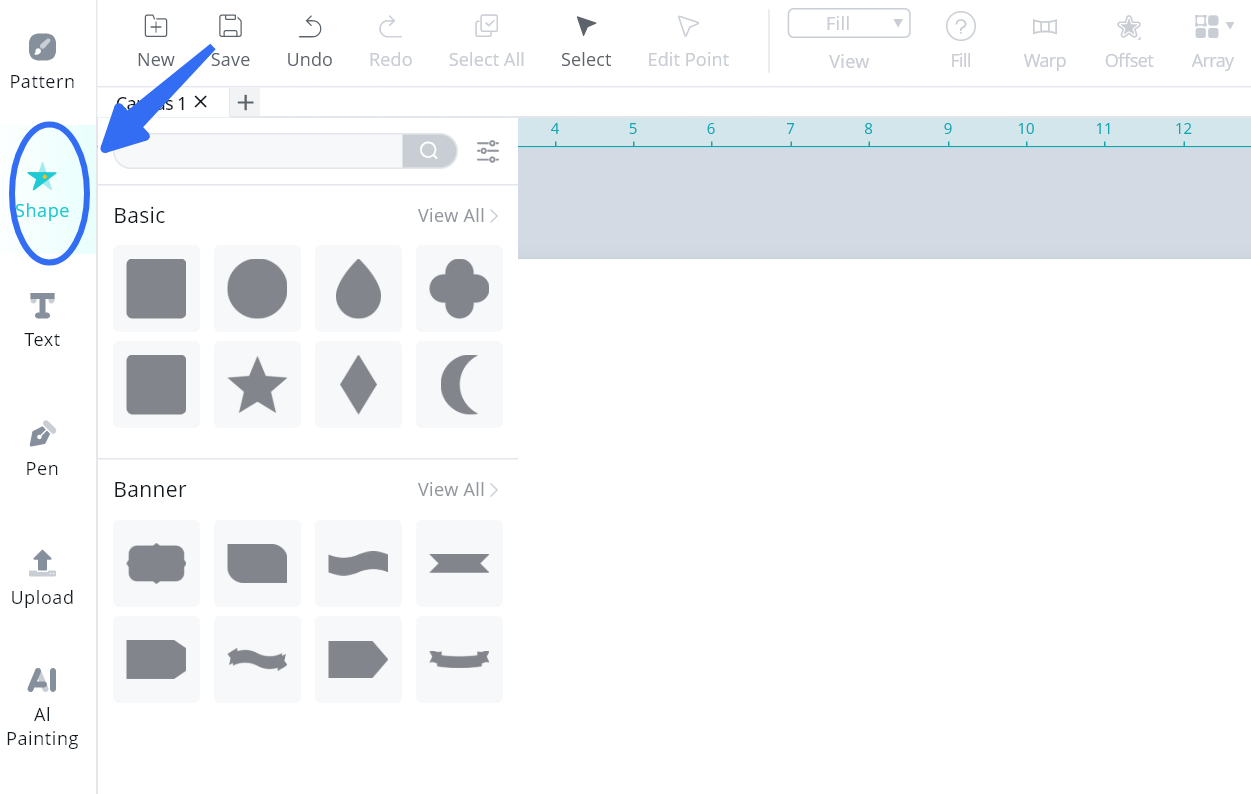
Shape Tool Upgrade
New shapes like teardrop, moon, four-pointed star, flag, and more.
Plus a search and filter bar for quicker browsing.
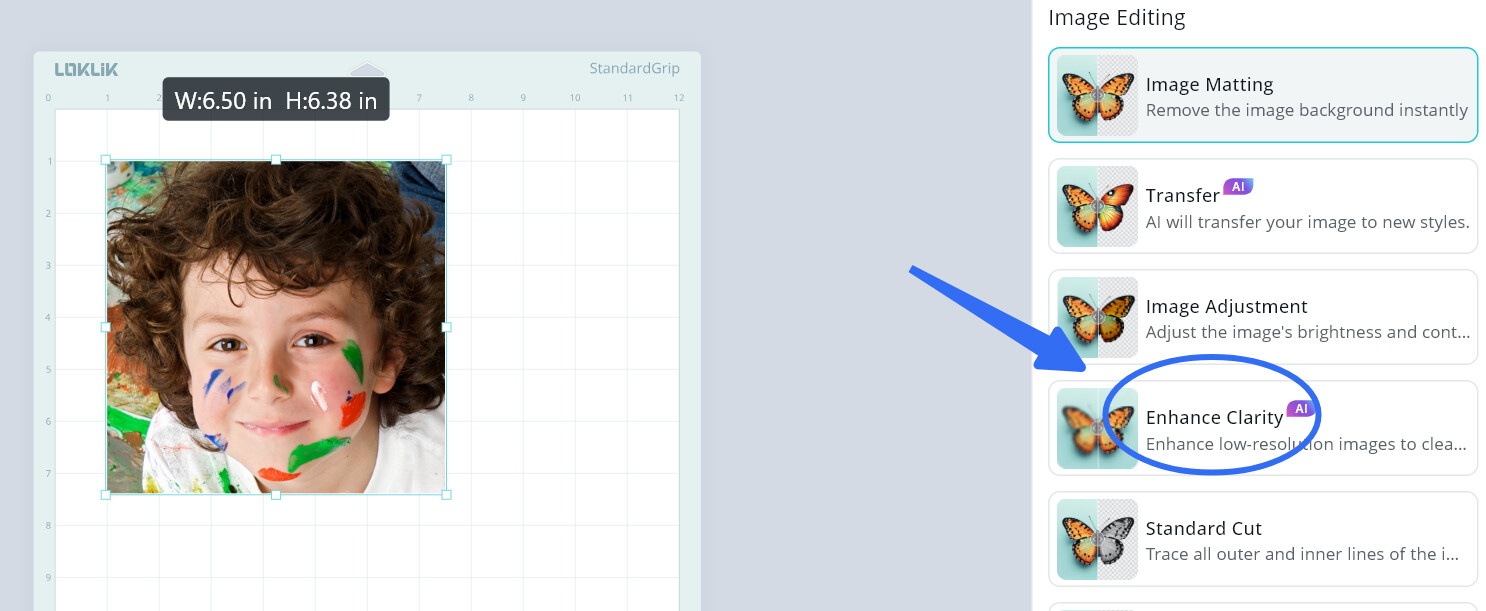
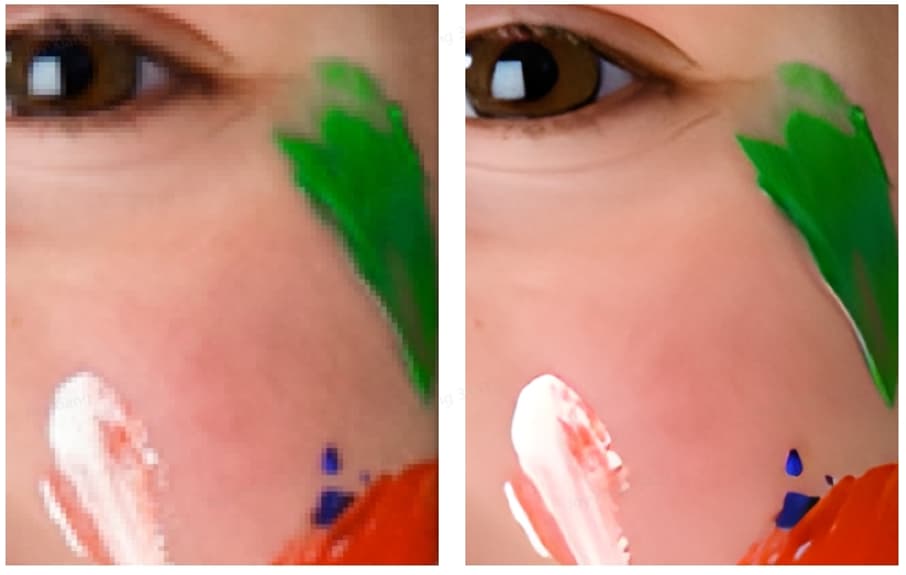
One-Click Clarity
Turn blurry images into clear, high-resolution graphics instantly.
Save Reminder
If you try to quit without saving, the software will give you a gentle heads-up.
More Flexible Project Options
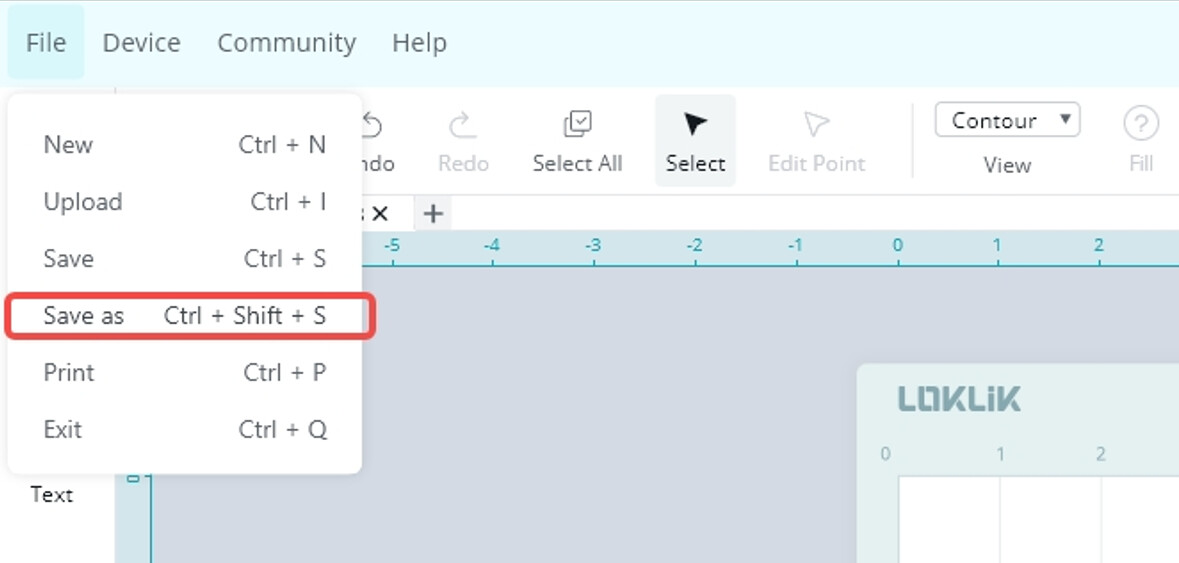
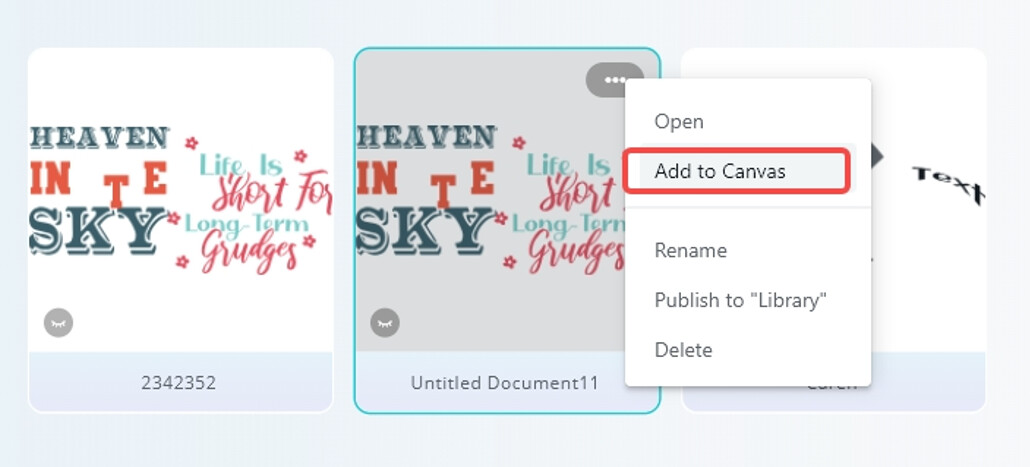
You can now Save As or add a project directly to your current canvas.
 LOKLiK App
The updates below match the desktop version:
- Smarter printable calibration
- Shape tool upgrade
- One-click clarity
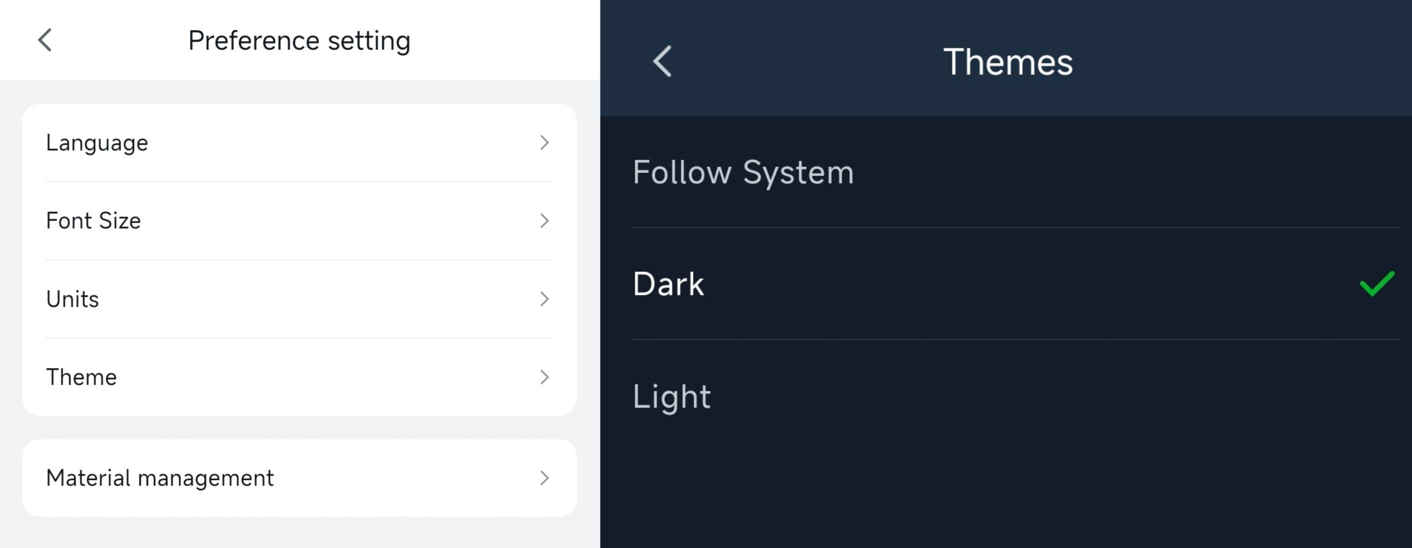
New Theme Options
Dark mode is finally here. Switch between light and dark anytime in Settings.
Custom Parameter Naming for Auto Heat Press 2
You can now rename custom parameters for Auto Heat Press 2.
 What’s Next
The tech team hinted that there might be some UI tweaks coming up, just to make navigation smoother and the overall experience a bit cleaner. We’ll see how it goes. 
 We’ll keep sharing updates as they roll out.
If you spot anything new or have thoughts to share, feel free to drop them in the comments anytime.
 Also, I couldn’t even print the sheet from my desktop. It keeps saying my printer is not connected to the Internet, but it is. I KNOW it is. The Android mobile app allowed me to print it, but the machine won’t read the lines. Still wasted paper.
 , or place a sheet of paper or cardstock in front of the opening to cast a shadow over the marks. I lay the paper on top of the lid, and tilt it downward, so as to cast the shadow. The machine will read the marks! I thought it needed more light, but it needs less! Now, I just have to get it to calibrate and cut accurately.
 And do the squares and rectangle have to have rounded corners? Where is the sharp corner one? Oh, I just looked and my phone has a sharp corner square pictured in the selection, but my desktop has 2 rounded corner squares pictured. When I click the first square, it adds a sharp corner one. Also, it would be nice if I could change just the height of the square to make it a rectangle, instead of it adjusting the whole square when I use the side adjusters. Why are the side adjusters even there if you can’t adjust the sides? We have corner adjusters for that. I’m pretty sure I use to be able to adjust the individual width and height of the square, but it went away a long time ago, and never came back. I appreciate all the work you all do, and the new features, but there are still some kinks that need to be worked out before I can be happy about this update, which I was happy, until I tried it out.
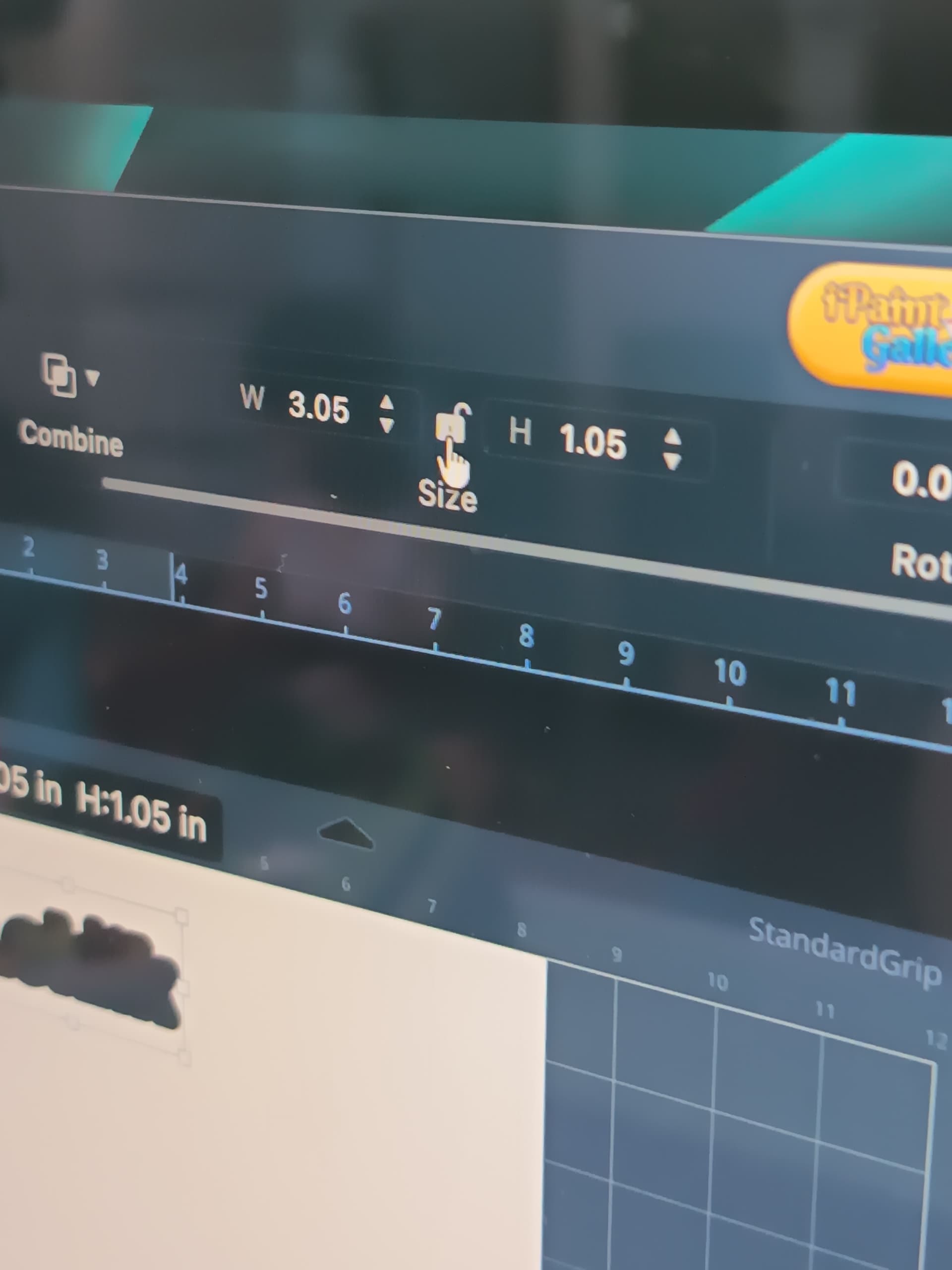

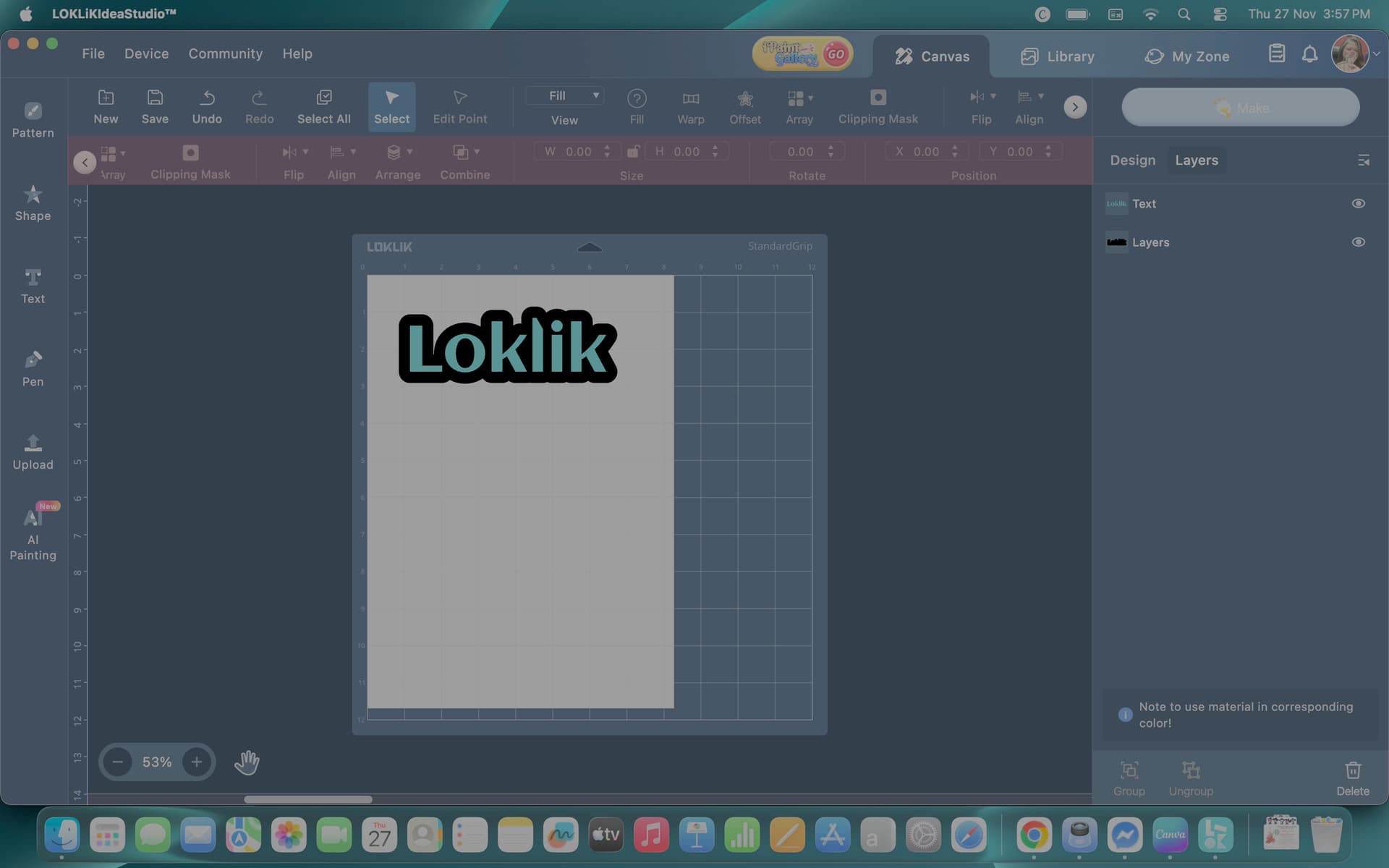


 And I’ll definitely try using the lock button. Thank you for the tip.

