I updated my previous reply. In case you missed it, please read it again.
6 Likes
A couple of weeks??? Will I get an email alerting me or any notification at all?
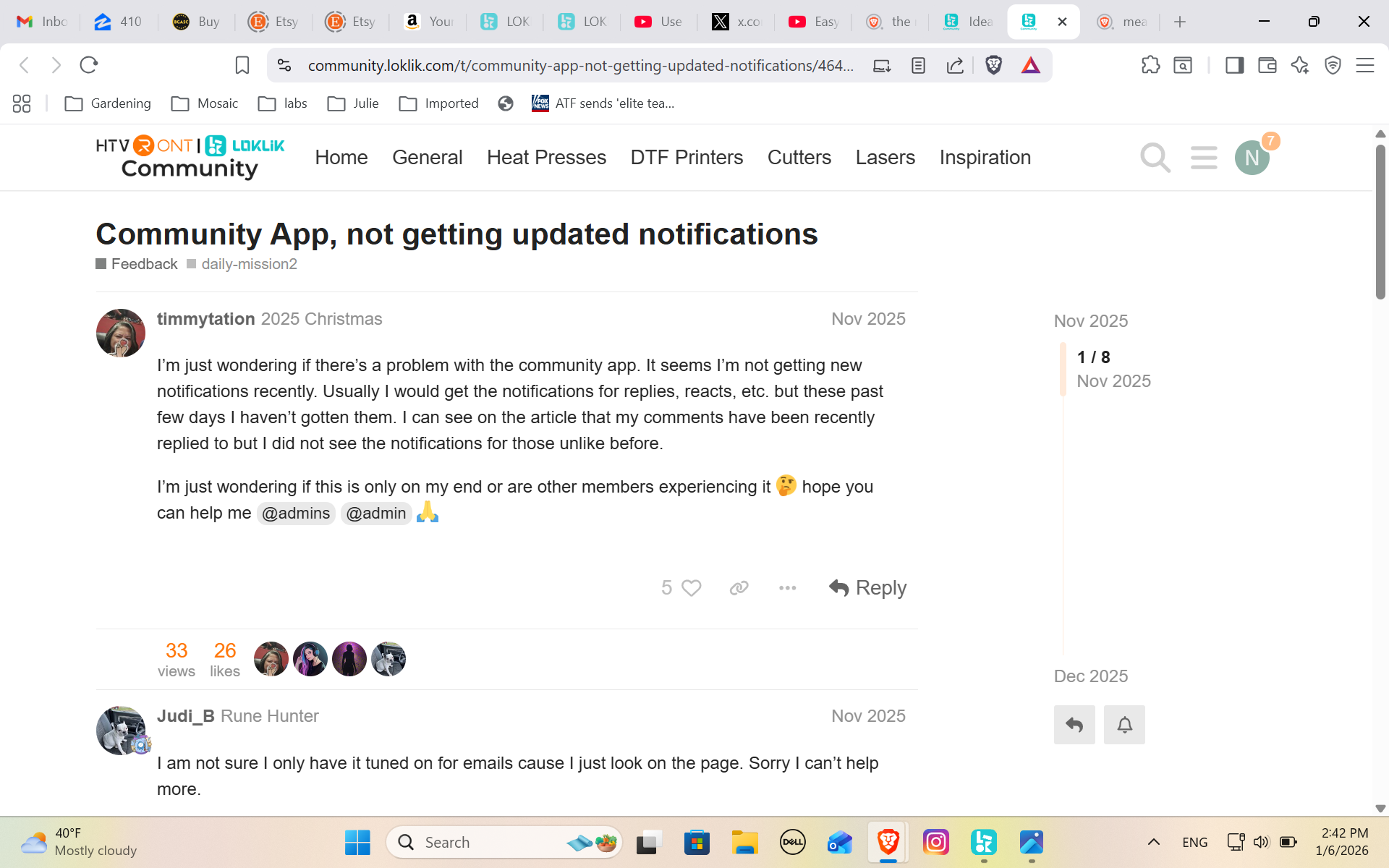
This also just popped up. Appears I’m not the only one.
8 Likes
Link to screenshot: Community App, not getting updated notifications - #3 by timmytation
7 Likes
You should definitely get a notification in the software/app when the update is available to you. It CAN take a couple of weeks, but I’m sure it will happen sooner. As for her post, it is about not receiving the community notifications from the website, not the actual software notifications. Please, just be patient until the update reaches you. You can still use your machine and do everything you always could, you just don’t have the new look yet. If you don’t receive the notification within 2 weeks, I would contact support.
Let’s make sure I’m correct about the delayed rollout, though. I’ll ask @OliviaZzz. Olivia, can it take a little while for all users to receive the software updates? If not, do you know why she isn’t able to update her software?
It may take her a little while to respond, as she’s in a very different time zone. 
6 Likes
One more question. Is the new version the one with the shadow option? Fine text tears the vinyl no matter what setting are set but I saw someone use a shadow option that fixed the issue. I don’t appear to have that option.
7 Likes
Umm, you may be talking about the offset tool, which is included in the old version. I don’t have a shadow option either, but if text is too small, it can be difficult to cut. That’s why it’s best to use fonts that are kind of thick if you’re going to cut very small letters. I know the Loklik fonts are limited, and we’re hoping they’ll eventually get more. If you want to install more fonts, you can visit 1001fonts.com, fontspace.com, or other font websites to download free fonts. Once you’ve downloaded them, open the file, click the OpenType font file to open it, if available, if not TrueType will work. Then, click install. If your software was opened while installing the fonts, you will need to restart the app, then you’ll find the fonts in the System Fonts section.
8 Likes
I tried the offset but it worked opposite. The video I saw was someone using the same vinyl cutter but it showed both offset and shadow options. She used the shadow and it worked beautifully. I’ll try to find it and post the link so you can see what I saw.
7 Likes
Yeah, I have no idea what a shadow tool is. I’ve been using the app for over 2 years, and have never seen a shadow tool.  I only have an offset for external, internal & round corner, sharp corner. I will definitely check out the link, if you find it. I just don’t see how that would make the cutter cut letters better, though.
7 Likes
LOL I found it but it was Cricut. I’ll keep trying to get the offset one to work. Thank you for your time. Have a great night,
9 Likes
It creates a shadow around the thin letters so when you weed you’re weeding the shadow/offset and the letters remain.
8 Likes
Ahhh, I see. Yeah, you can try it, I hope it works well for you, and I hope that update gets to you very soon. You’re very welcome. Anytime you have a question, feel free to ask. I, and many others, are always happy to help. You have a good night, too!
7 Likes
Thank you for the font ideas too!
9 Likes
You’re very welcome!
7 Likes
Thanks for letting us know about the latest updates @OliviaZzz. Look forward to trying them out  .
.
One thing I’d like to see in the future is the ability to change the colour of the mat. If you could change it to the colour of what you are working on, you’d be able to try different colours and see what works best on the end product.
9 Likes
Yeah, that would be cool. Now, I just place the square shape behind my design, and change the color of it to whatever color my blank is, and that allows me to see how well the design’s colors play with the blank color.
11 Likes
Me again…please help
I don’t see the True Type or Open Type options. I downloaded a few. Unzipped the files but I don’t see how to install the fonts. I’m using a Windows laptop.
9 Likes
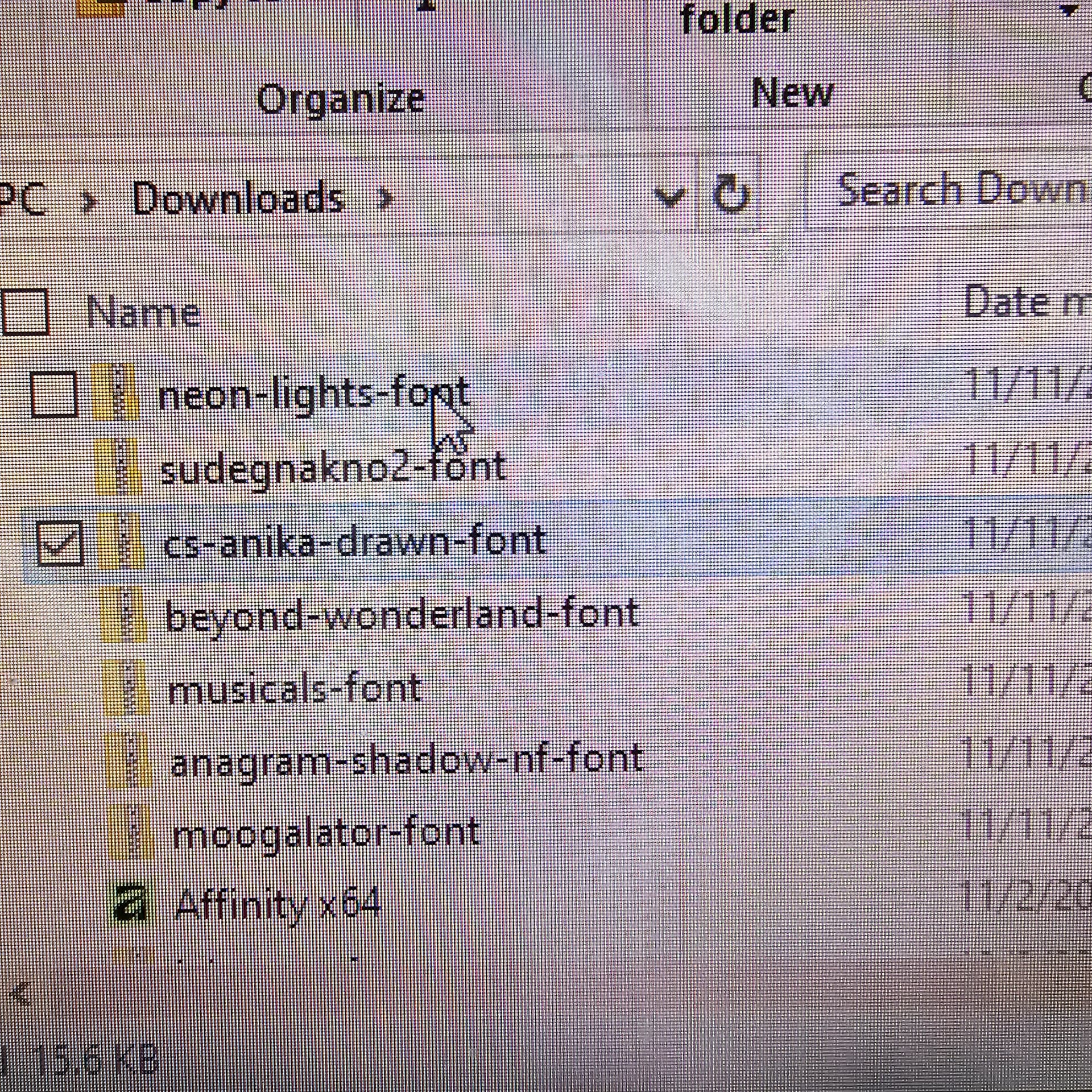
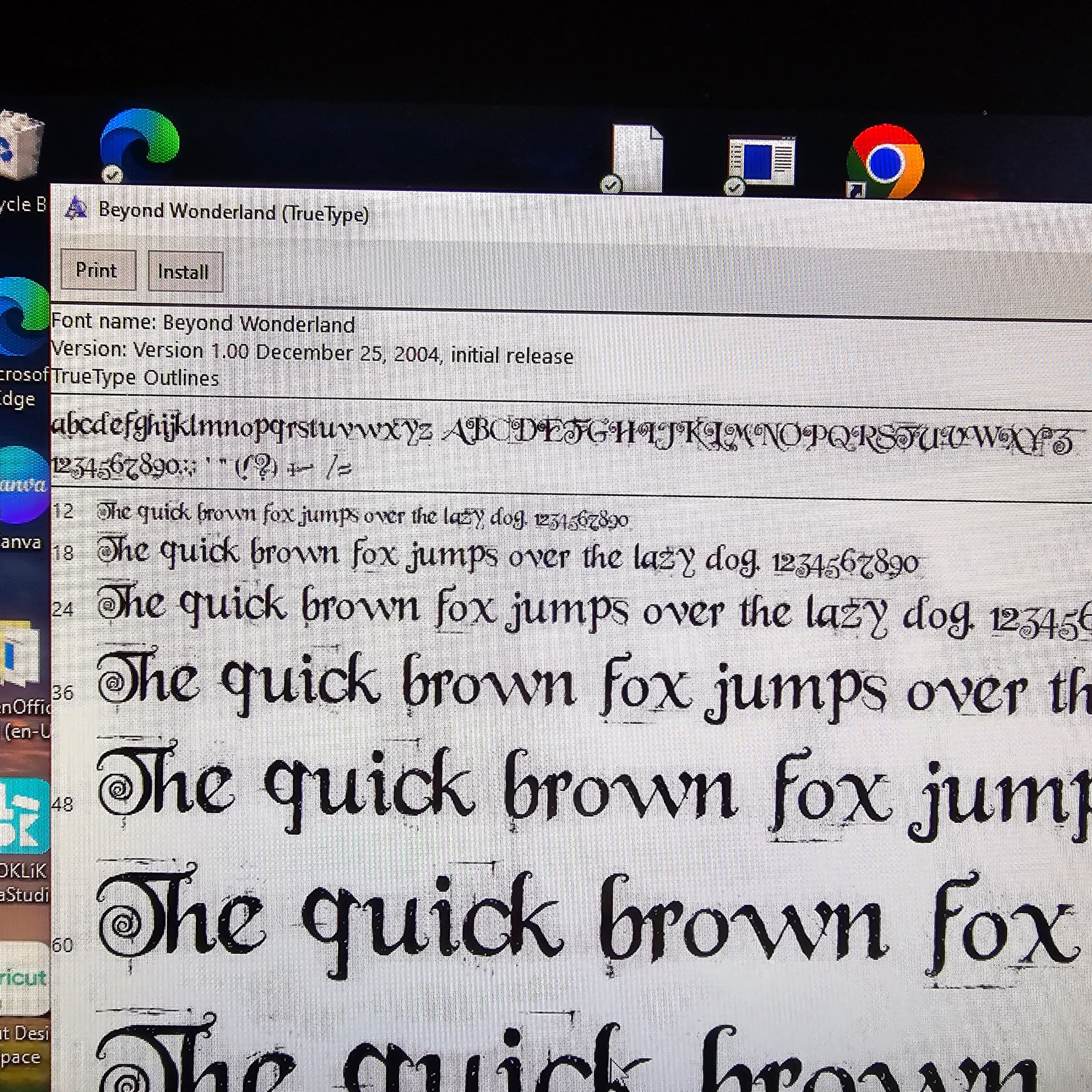
Ok, I don’t think you have to unzip the file, I just click the zipped folder and it brings up all the files. It will show the name of the font, and in the Type it will say TrueType or OpenType. If both are available, choose the OpenType as that’s the best quality one, if only the TrueType is available, click and install that one. Once you double click to open the file, it will open a window in which you will click the Install button. This will install the font onto your computer.

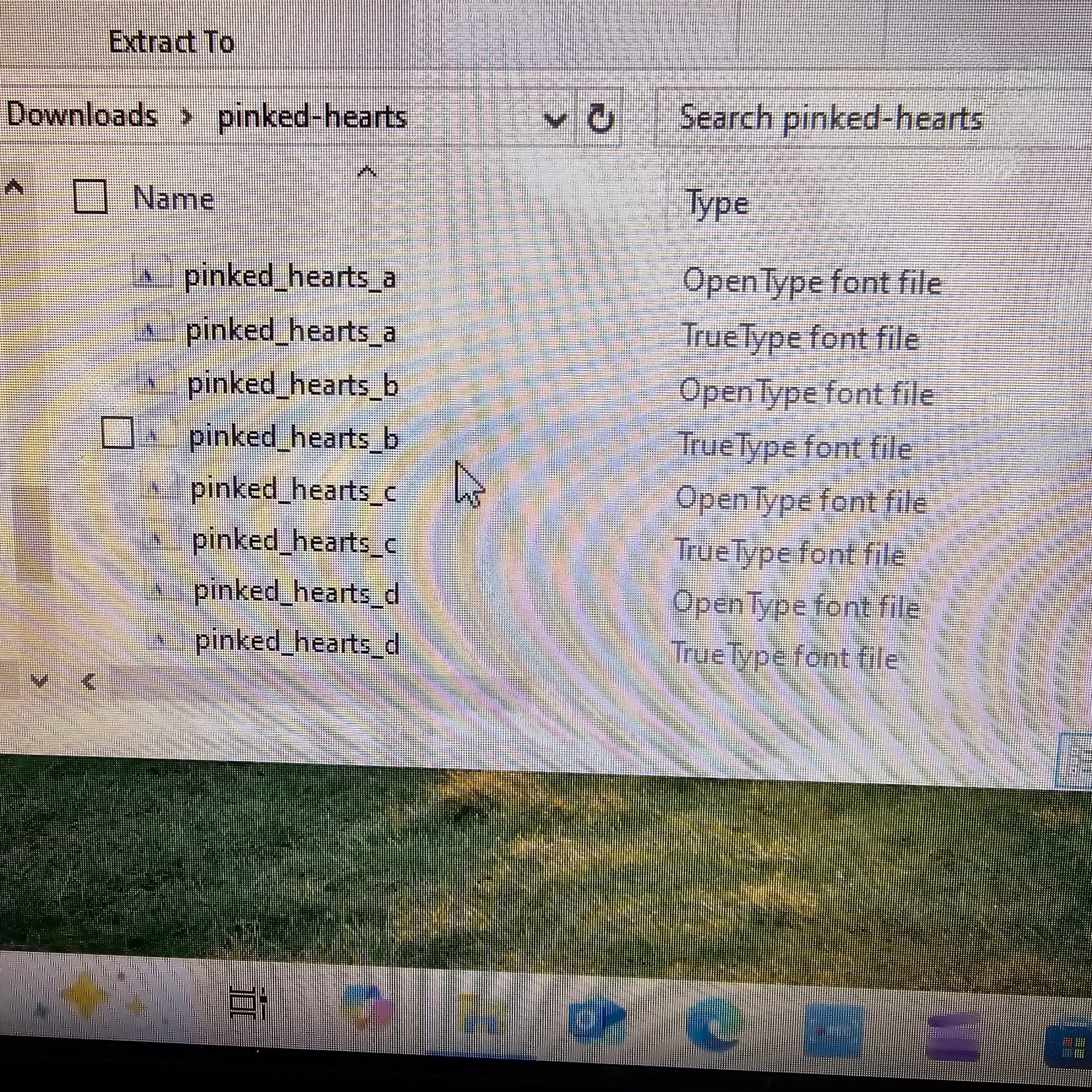
Some fonts may have many different versions to choose from, like this one. Install the ones you want, if not all.
10 Likes
THANK YOU THANK YOU THANK YOU SOOOOOO MUCH! That was easy and pain free.
9 Likes
You’re very welcome! Yes, it’s really easy, and if you’re like me, you’re going to be addicted to installing fonts.
8 Likes
Thanks for the update. I will surely check this out later
8 Likes