I did not receive an sd card with my Loklik engraver. How do I get the driver, LEF01.lbdev so I can connect my machine to Lightburn? I can’t find a download site,
3 Likes
Hi there, you can contact support@htvront.com and they can send you the files from the SD card.
3 Likes
Thank you. I can’t even get the Liklok software to connect to my computer. I can’t use wi-fi, and the USB doesn’t seem to be working either
2 Likes
Welcome to the community @sharllp. Thanks for reaching out for help, support will certainly try to get you up and running. It will require some patience as they are in a different country and emails are typically back and forth with one communication per 24 hour period. But, they will certainly get you going! 
I did have a question for you, you mentioned the USB not working, there isn’t a micro SD Card in the USB by any chance is there? As far as the Wi-Fi goes, you will need a 2.4 GHz WiFi connection. Many new setups with providers are actually 5 GHz. I have ATT Fiber and I have an option for both but had to activate my 2.4 GHz by going in to the settings and giving it a separate password. Hope they get you up and running soon.
One of the moderators will likely circle back around in a few days to see if your concern has been resolved.
2 Likes
I have Frontier internet but can’t seem to find how to set up the eero for 2.4. I’m reading that it doesn’t support 2.4
The USB that came with it is Type B. It’s just a cable, and nothing more. I was supposed to get a TF card and reader but that is no where to be found.
Thanks for the help
2 Likes
Thanks for providing that information @sharllp. Without the thumb drive USB that has the Micro SD card you will be missing the driver for the laser and without that it will be almost impossible to get connected. It does look like @OliviaZzz mentioned to you about reaching out to support. They will certainly get you on the right path to the laser working. When I received my laser I had the wrong plug and they were able to take care of it for me. I am not sure about the internet capabilities for Frontier. I would certainly reach out to their support and see if they can provide you any additional information about a 2.4 GHz option. There are many of us here if you have any more questions or need additional support.
4 Likes
Hi and welcome to the community @sharllp! Sorry to hear you’re missing the thumb‑drive SD card/reader. Sometimes it ends up packaged with the safety keys, but if it’s not there, reaching out to support is definitely the best next step, just like @OliviaZzz mentioned. In the meantime, you can take a look at this link: LOKLik iEngrave Help Hub for reference. If you need anything else, feel free to ask — and please keep us updated!
1 Like
Thank you but the card and its reader were not in the package, not even in the keys. Why can’t I just download the file? I have a Falcon Laser and was able to download the info from the web site.
1 Like
Different laser brands handle their firmware and drivers in their own way, and for the iEngrave, those files aren’t available for public download, which is why the SD card and reader are required. Let’s hope there will be changes in terms of downloading the driver through their website soon but for now, let’s have support take a look so you can get everything you need.
2 Likes
Support did send me the .lbdev file I needed to install Lightburn and it’s working great. They are supposed to send the card and card reader but so far, I have not gotten notice that it has been shipped.
My issue now is I can not connect to LOKlik idea studio no matter what I try. My windows laptop won’t connect with the usb, though Lightburn did, and it won’t connect wireless even though I am connecting to 2.4 ghz. Neither my iPhone or iPad will connect wirelessly. I’ve gone through all the help posts on this fourm but gosh it all, I still can’t use the software.
Other than connection issues, I am enjoying the iEngrave and love the machine as long as I’m using lightburn. Thanks for all the help.
2 Likes
That so great @sharllp that you were able to get it up and running with LightBurn. I don’t believe you will be able to get it running with the IdeaStudio until you get the SD card. There is a TF slot on the front of the iEngrave that you will need to put the SD card in which provide the iEngrave with the needed connection information. @rinsky should be able to verify that I am saying this correctly. Please share some things you have made, everyone always loves seeing what people are designing and cutting with their iEngrave.
2 Likes
@sharllp, I’m so glad to hear you’re enjoying your new iEngrave with LightBurn. As long as you’re on a 2.4 GHz Wi‑Fi network, you should be able to connect wirelessly through the LOKLiK mobile app. I also have a wireless‑connection tutorial from last year—if you haven’t watched it yet, it may help make the setup even easier. I’ll link it below for you:
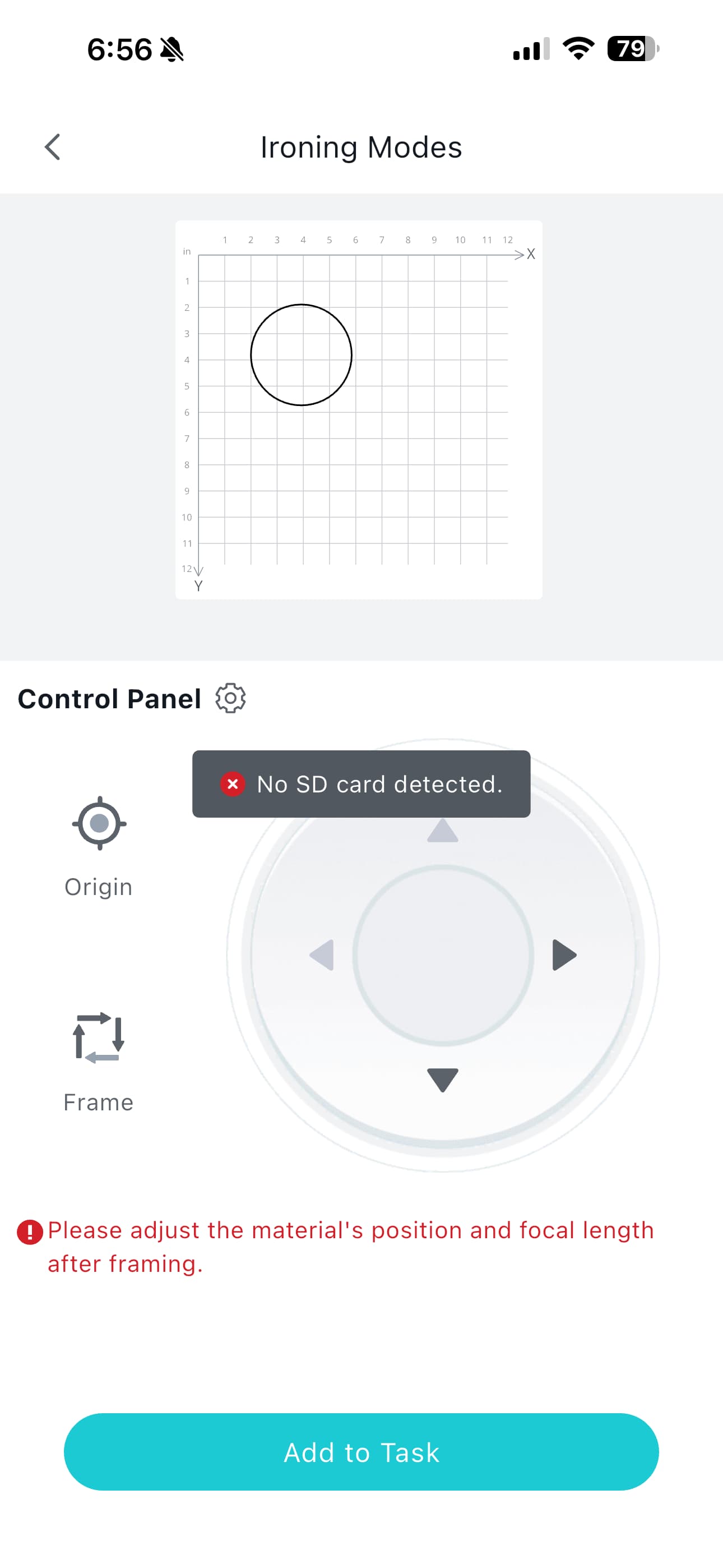
@Cory_Barger, yes—you can connect wirelessly even without an SD card in the TF slot. However, the iEngrave won’t be able to run the project directly from the machine without an SD card inserted, since it needs that card to store and load the task. Below is a screenshot showing the interface without the SD card:
1 Like
I have followed your tutorial more than once with no success. At the beginning, you say, “Insert the tf card”. I can’t do that because I haven’t got a tf card and am waiting for support to send one to me.
Today the message that came back at 22% progress is that there is no sn number. Is it looking for a serial number? Is that on the card?
1 Like
Do you mind sharing a screenshot of the steps you’re taking when you try to connect your iEngrave through the mobile app? I haven’t personally come across the “no SN number” message, so seeing your process will help us pinpoint what’s happening. Just a quick reminder that even if the connection goes through, the iEngrave still needs an SD card inserted to actually run any projects using LOKLiK app. Waiting for your replacement SD card is likely the best path forward, but in the meantime you can absolutely keep enjoying the machine through LightBurn.
1 Like
I’ll try for screen shoots when I have time to go through the connection process again.
I’m not sure I am ever going to get the sd card, they keep telling me that I have to wait for logistics to process the shipment. Also the help I get from technical support includes options for updating my firmware through the app. I don’t have the option, or even the same screen they are sending me.
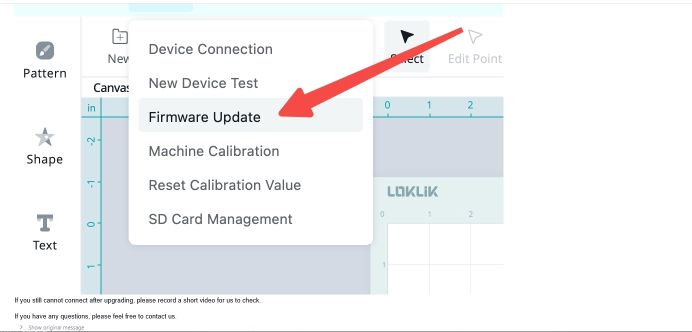
Is this an older version of the software? Or a newer one? I have 3.00
Thanks!
1 Like
Yes, you have the current version.
2 Likes
Where is the firmware update option? Of course since I can’t connect it to my compute, getting the upgrade from Loklik studio isn’t an option anyway/
1 Like
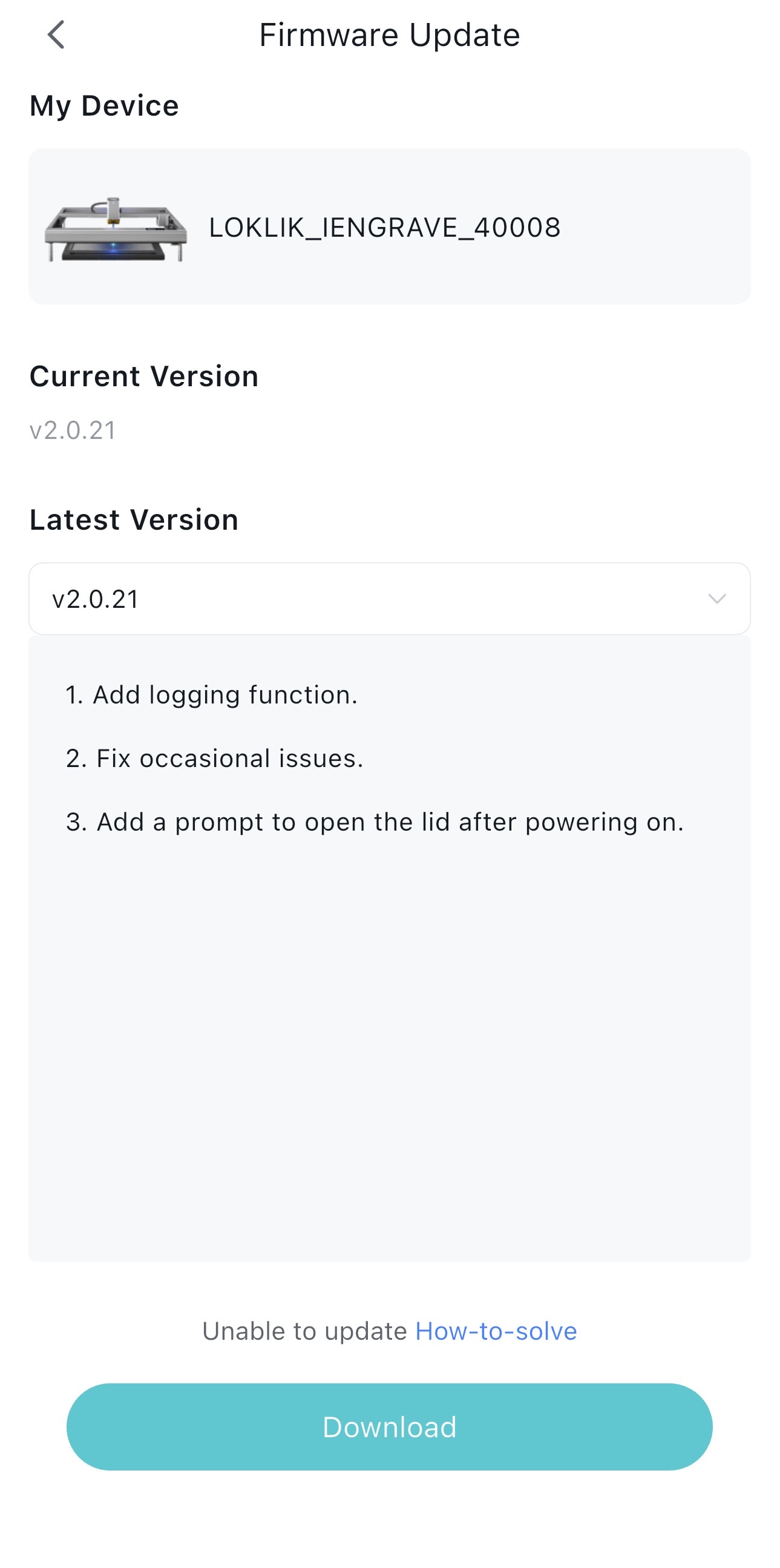
You’re absolutely right. The only way to update the firmware is by connecting your iEngrave through the mobile app or via USB. My own machine is currently on V2.0.21 (mobile software), and I’m sharing that below just as a reference point.
I’ve hardly used the mobile app for my iEngrave projects since the desktop version came out last year. The desktop software has been much more user‑friendly for me, and the connection is far more stable than the mobile app. So, when I tried connecting through the mobile app this morning, it failed right away.
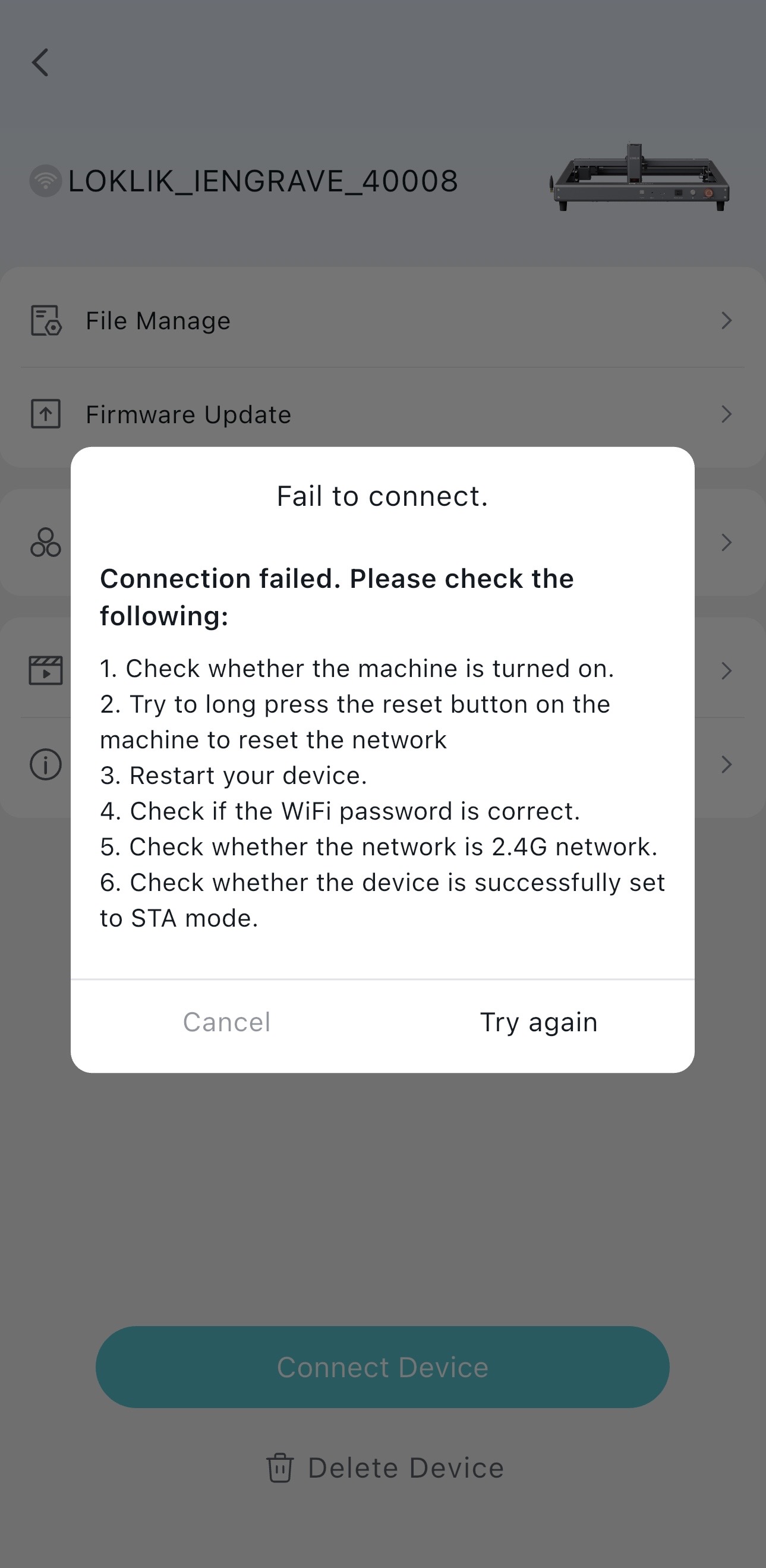
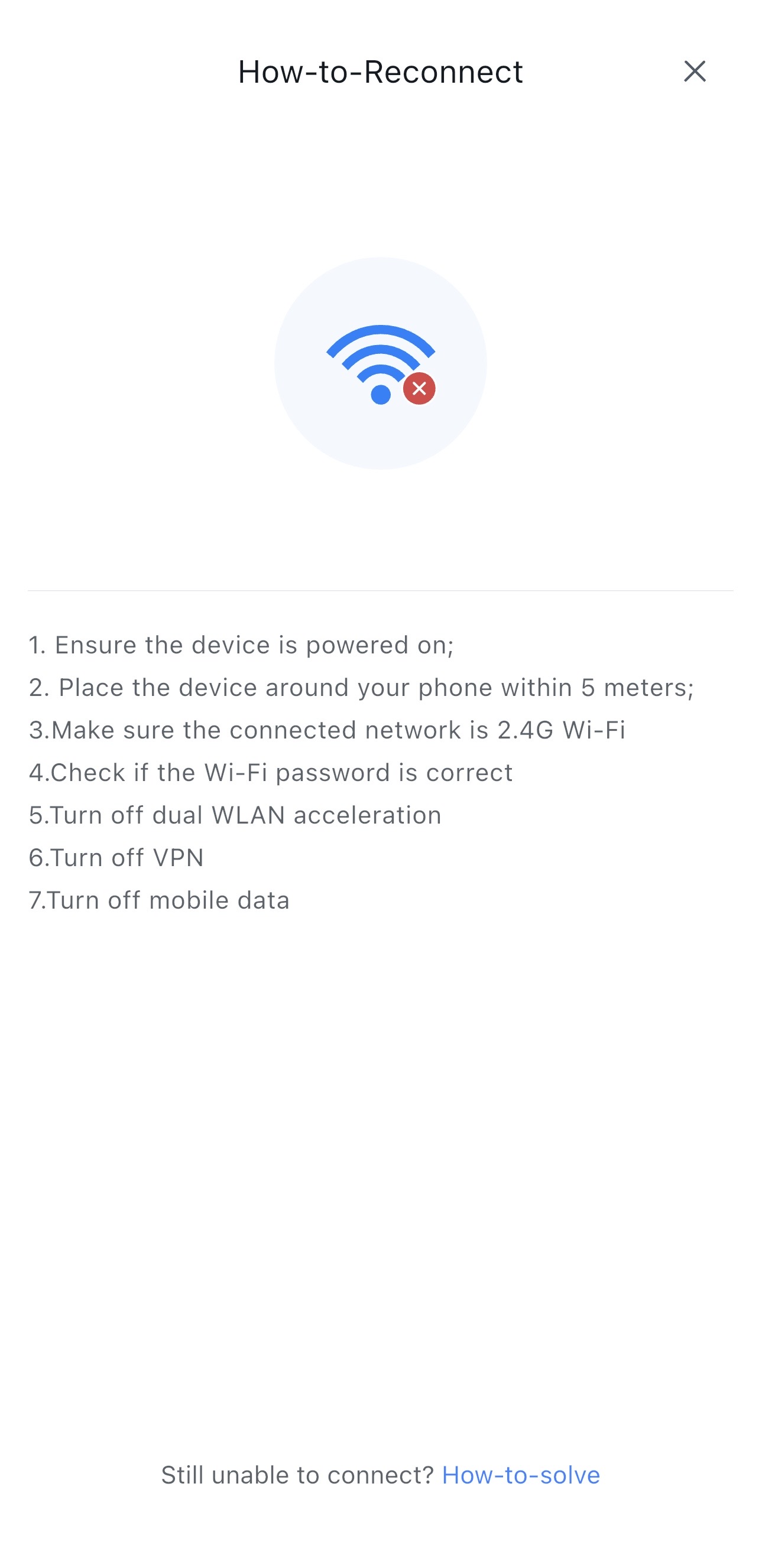
I followed my own video tutorial step‑by‑step, and I noticed several things are now missing from the process when I originally recorded it. This may be due to the recent firmware update, but I kept troubleshooting. As you can see below, step seven ended up being the key. I turned OFF my mobile data, reconnected the laser, and it connected successfully. Hopefully this helps with your mobile‑to‑laser connection as well.
2 Likes
Do you think using an older version of the app could benefit me? And where can I find previous versions. I mainly want the USB connection from my laptop to work.
1 Like
Honestly, I’m not sure an older version of the app would help. If the LOKLiK desktop app can’t connect through USB, rolling back won’t change that behavior. At this point, it’s best to let support know that both your USB and wireless connections fail specifically when using the app.
It’s especially odd since the USB connection works perfectly in LightBurn, and you’re not even on a Mac—where some users previously had connectivity issues.
I’m sorry I can’t take you any further on this one. Hopefully support can dig into it and get you a solid answer.
3 Likes