Loklik Engraver not working

I don’t believe it will affect your engraving or cutting using the original nozzle or the air pump nozzle. However, when using the nozzle with an air assist, you should replace the power adapter that came with the air assist accessories. The 60 W adapter cannot handle the power if you are operating your iEngrave with an air assist. You may need to contact support to send you the appropriate adapter with your air assist.

On the other hand, have you tried operating your laser using the IdeaStudio on your desktop? You might want to try it first to determine if this is a software issue or the unit itself. In addition, the SD card should be inserted in the SD slot in your machine all the time.

2 Likes

You mentioned “update to the current version…” update what to the current version? I just set mine up two days ago (Saturday before Easter 2026), and it has also only ever beeped 3 times from the first time I turned the power on. It’s frustrating, to say the least. Thank you in advance for your help.

2 Likes

How do we ensure this? Where are the specs to make an exact match?

2 Likes

Hi and welcome to the community @NiNi!

When I first got my iEngrave and powered it on, it always gave me 3 beeps. That went on for months, and it turns out that’s completely normal for the cover edition. HTVRONT/LOKLiK never mentioned this anywhere, so I shared it with the community based on my own hands‑on experience.

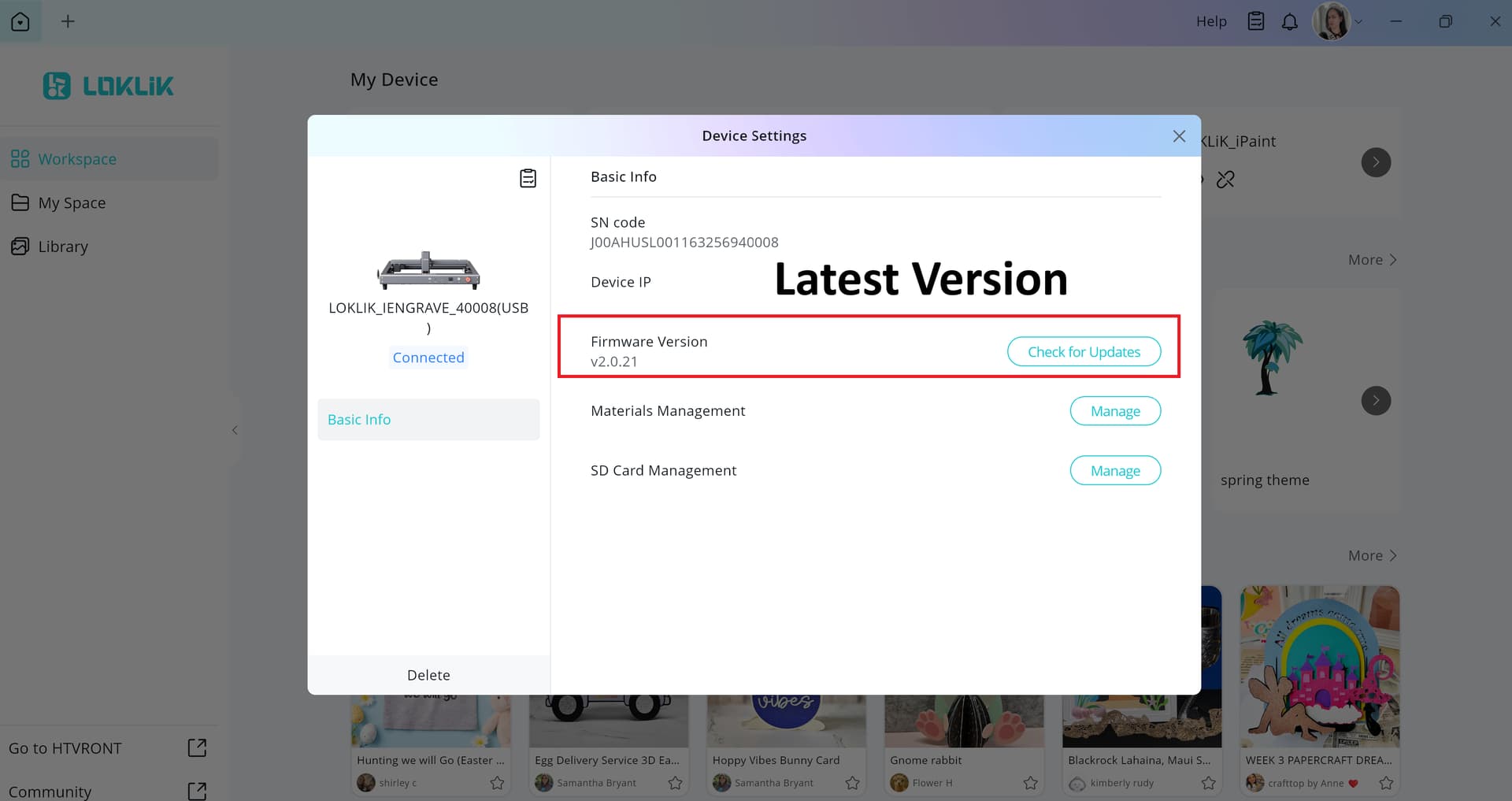
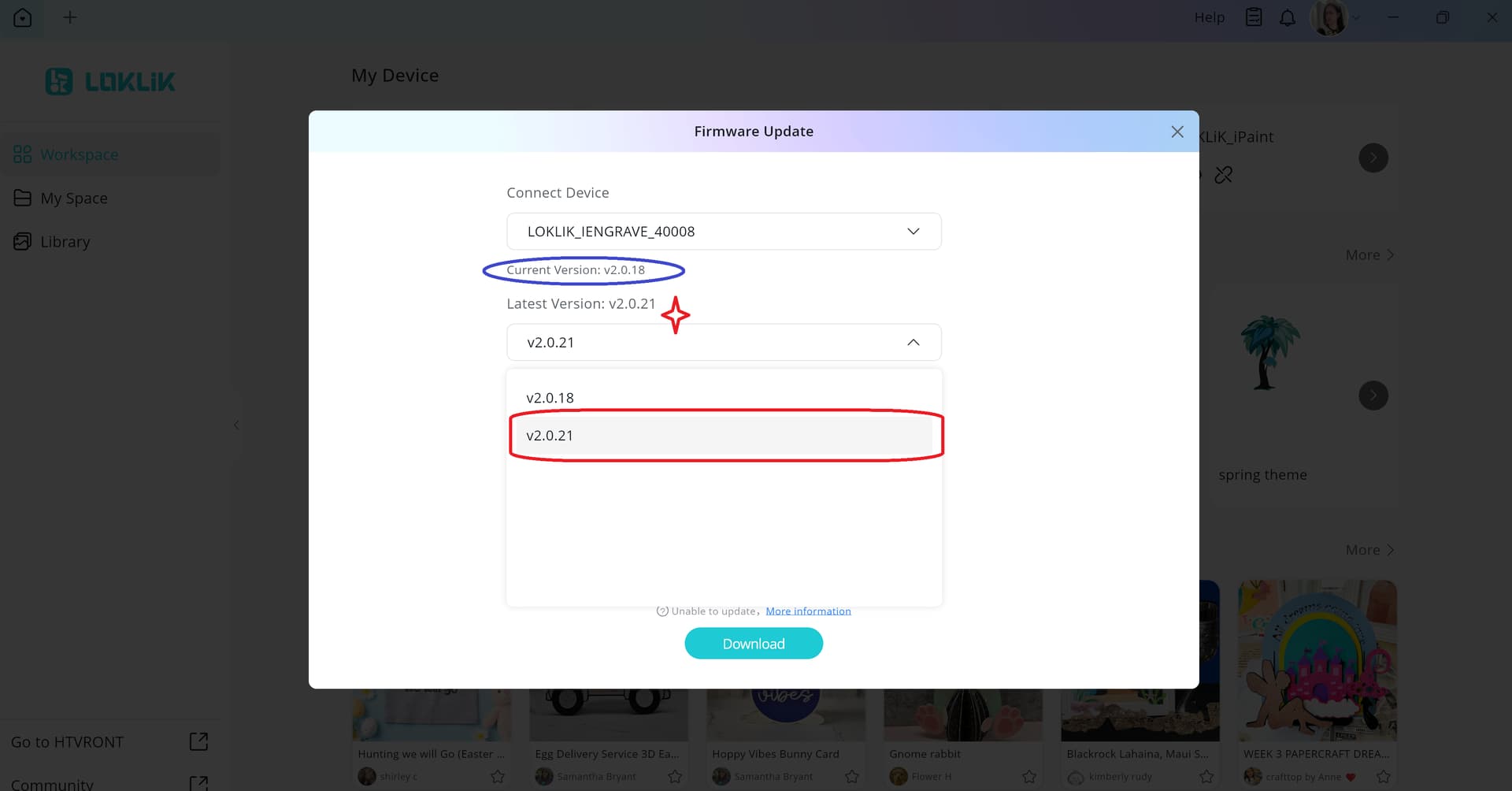
After updating to the latest firmware, my machine now gives only 1 beep when turning on (which I stated earlier on this thread). If you want to check whether you’re on the current firmware version, just go to Device Settings and tap it—like in the screenshot below.

On the other hand, if you’re using LightBurn, make sure your unit settings match the ones in the LOKLiK IS app. For example, your speed should be set to mm/min so everything lines up correctly.

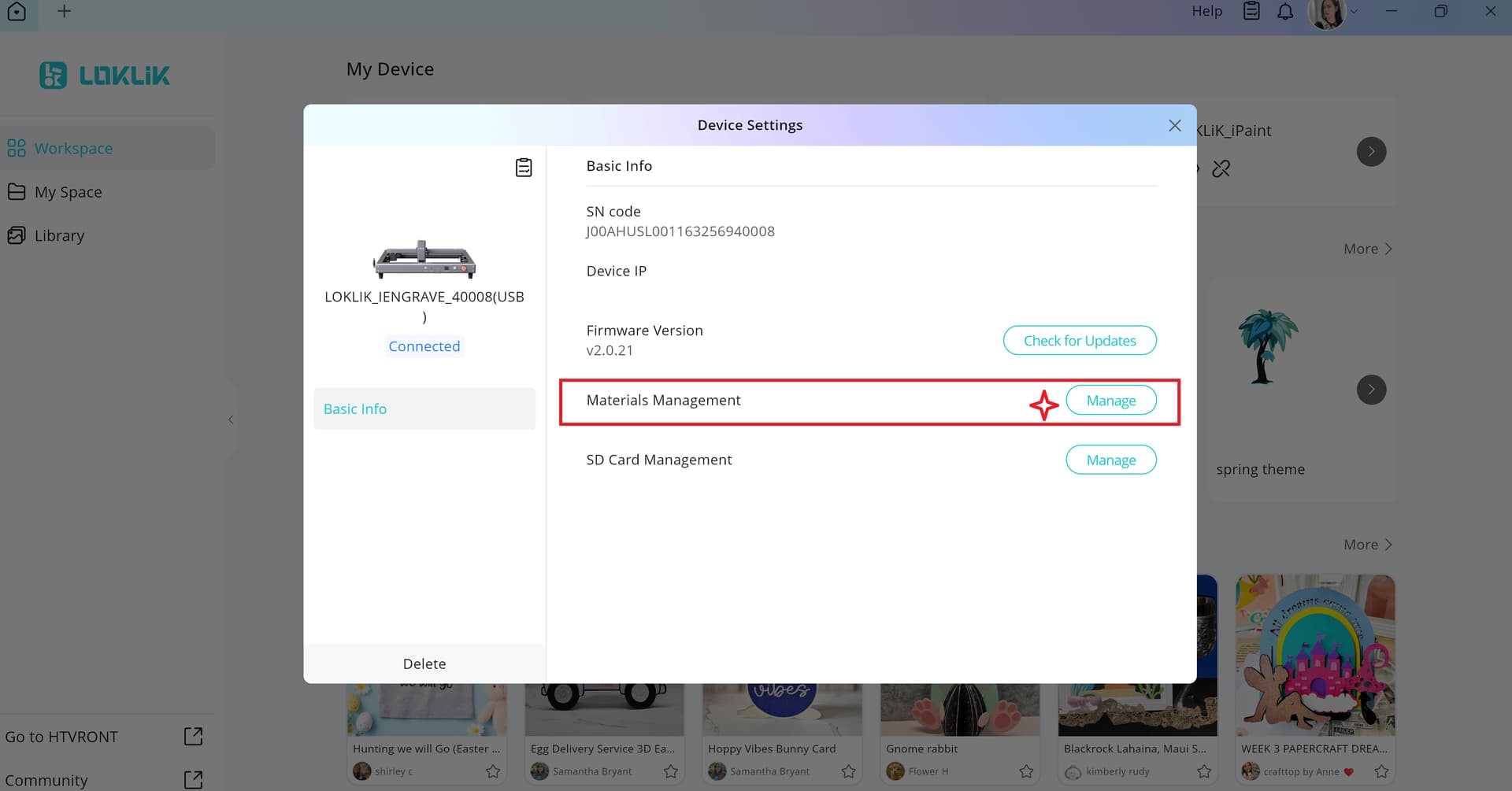
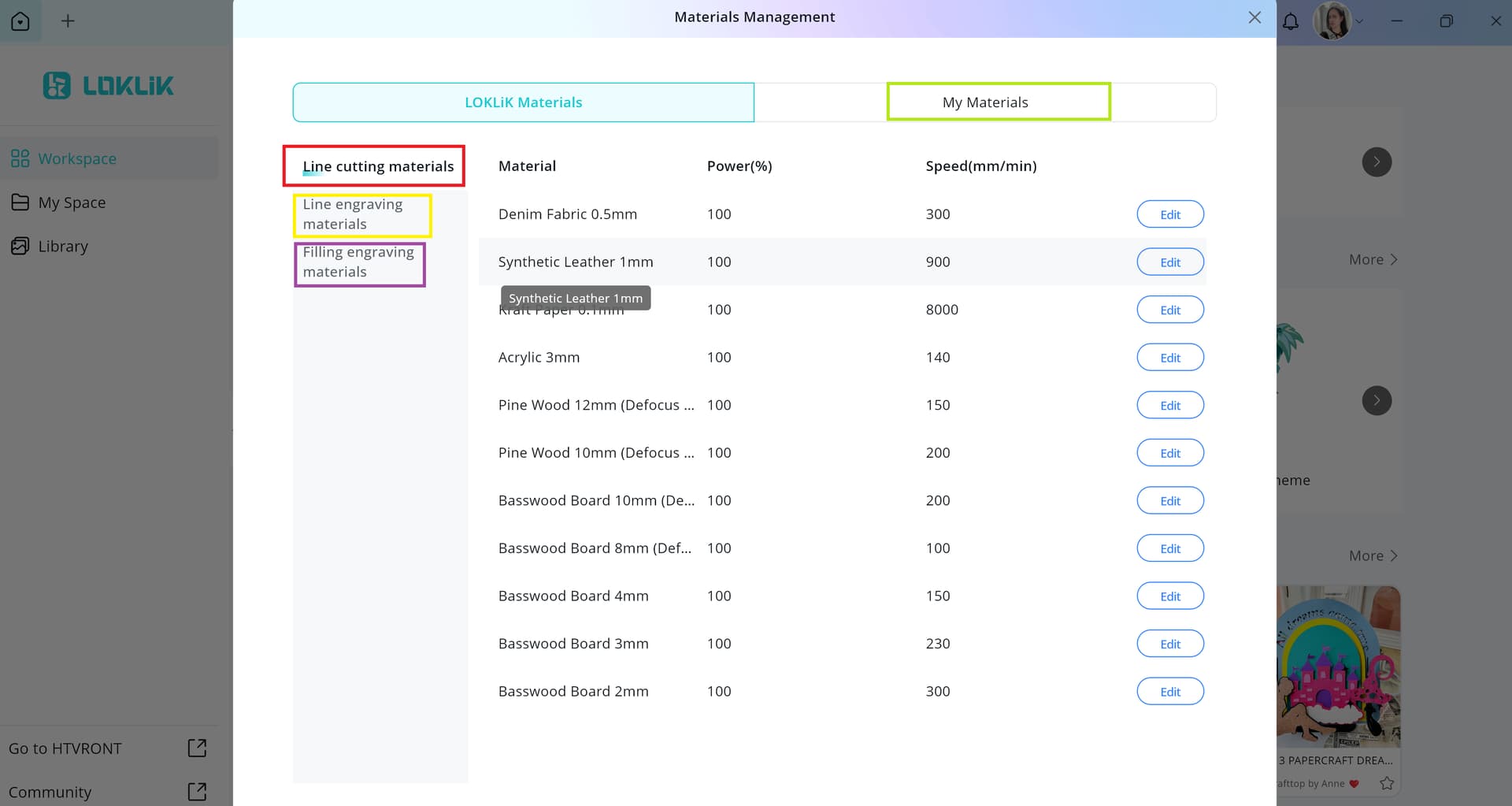
NOTE: You only need to enter the same parameters shown in the Material Settings section under Material Management.

More details here: LOKLiK iEngrave™, LOKLiK iEngrave Help Hub, 🌟 Beginner’s Guide: 10 Things to Know When Starting with the LOKLiK iEngrave

2 Likes

I’m getting the same thing. Have you figured how to fix it yet?

3 Likes

Hi @Jesislv71. Welcome to the community. Are you getting the 3 beeps? Did you try what @rinsky said in her previous replies?

It sounds like you’re running into the same cluster of issues a few of us have seen with the lid‑less Loklik engravers. When you get things like motion sensor triggered, framing failed, can’t find origin, or it beeps once and says interrupt, it usually points to either the motion sensor being overly sensitive or the homing switch not registering.

A couple things you can try that have helped others:

• Make sure the machine is on a really solid surface and nothing is touching or tugging on it — the motion sensor trips very easily.
• Power cycle it with the USB unplugged, then reconnect.
• Slide the laser head to the center before turning it on so it can home properly.
• Check that the little limit switches are clicking.
• If you’re using LightBurn, make sure the device is set to plain GRBL and that your firmware is up to date through Loklik IdeaStudio.

If none of that changes the behavior, it may be a faulty sensor or switch, which has happened on some units. In that case, support has been replacing or recalibrating them.

Let us know what yours is doing and we can help narrow it down.

Edit: To check if the limit switches are clicking:

1. Slide the laser head gently to the far left
While the machine is off, move the head all the way left.
You should feel a soft stop, not a hard slam.
That soft stop is the head pressing the internal switch.

2. Slide the head all the way to the back/top
Same thing — a soft stop means the back switch is being contacted.

3. Watch what happens when you power it on
If the switches are working, the machine should:

  • Move left
  • Move up
  • Stop cleanly in the top‑left corner
  • Then move slightly away from the corner

If it grinds, keeps pushing, or never reaches the corner, then one of the switches isn’t being detected.


Why this matters:

If either switch fails to register, the engraver:

  • Can’t find home
  • Throws “origin not found”
  • Fails framing
  • Beeps and interrupts
  • Shows LightBurn alarms
  • Acts like how the OP’s did
3 Likes