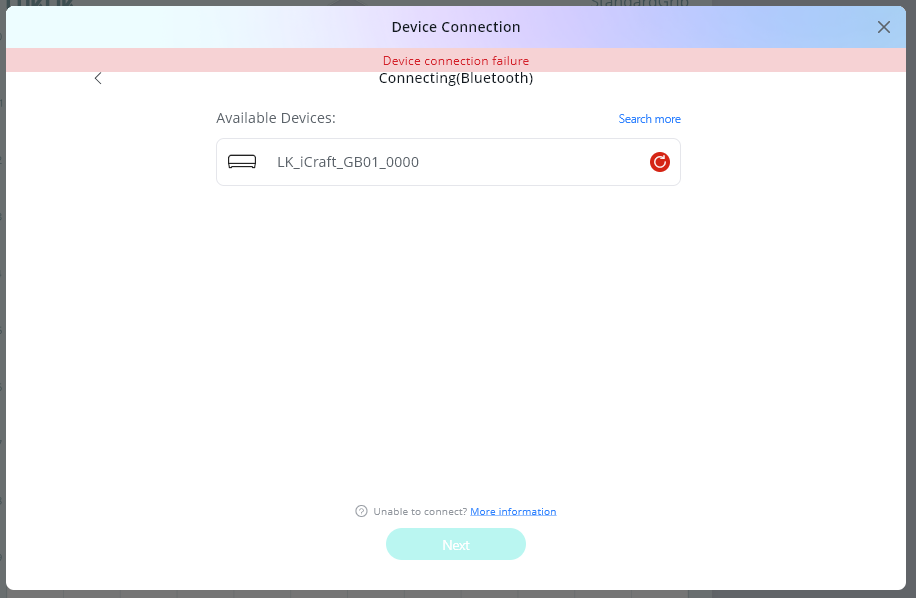
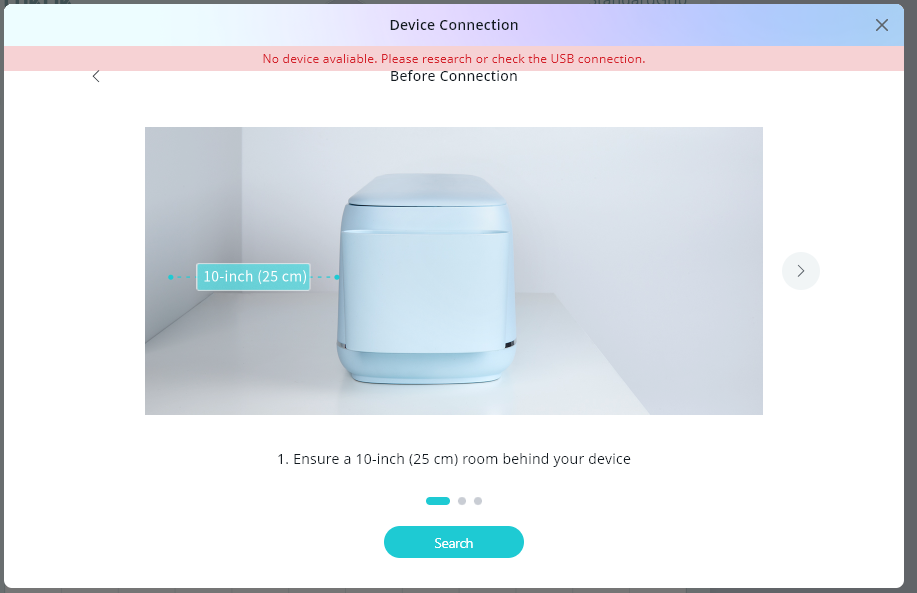
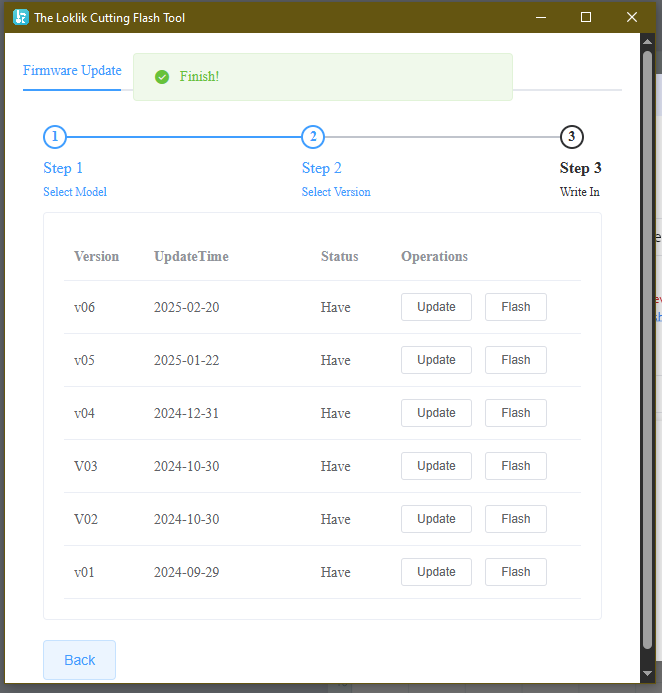
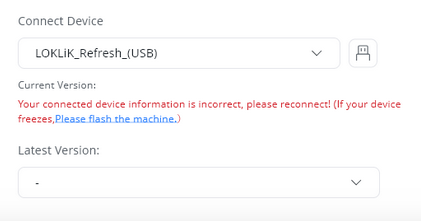
Hi, I just got my Loklik iCraft today and I cannot connect the device neither via USB nor Bluetooth. I tired all possible troubleshooting steps described in the FAQ, user manual, community forum or youtube videos available.
Screenshots of all errors are attached.
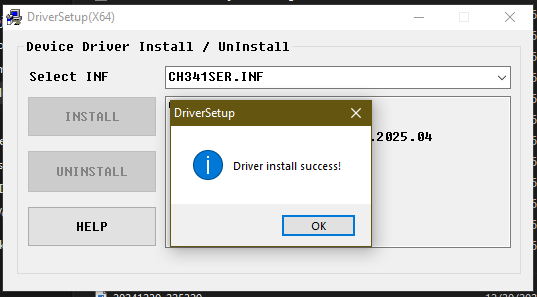
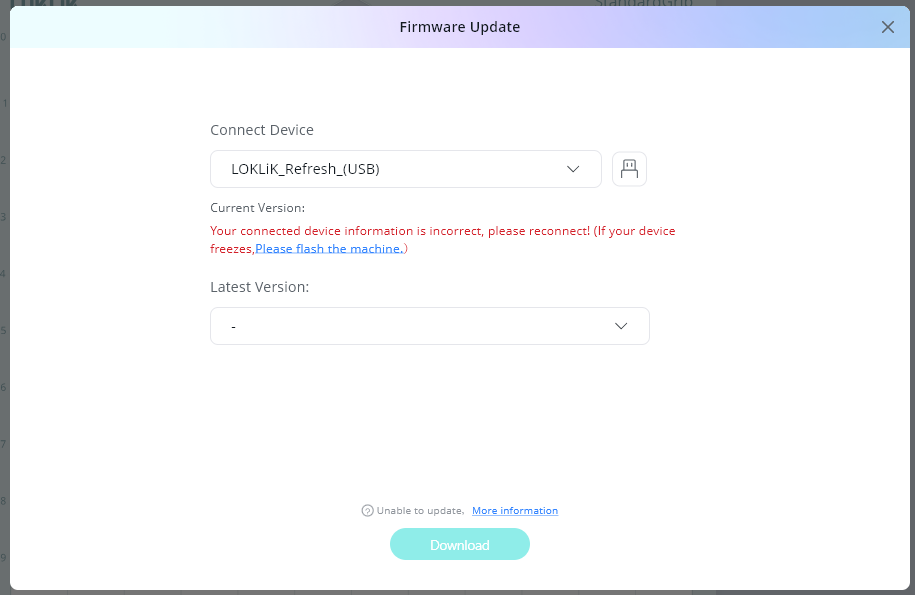
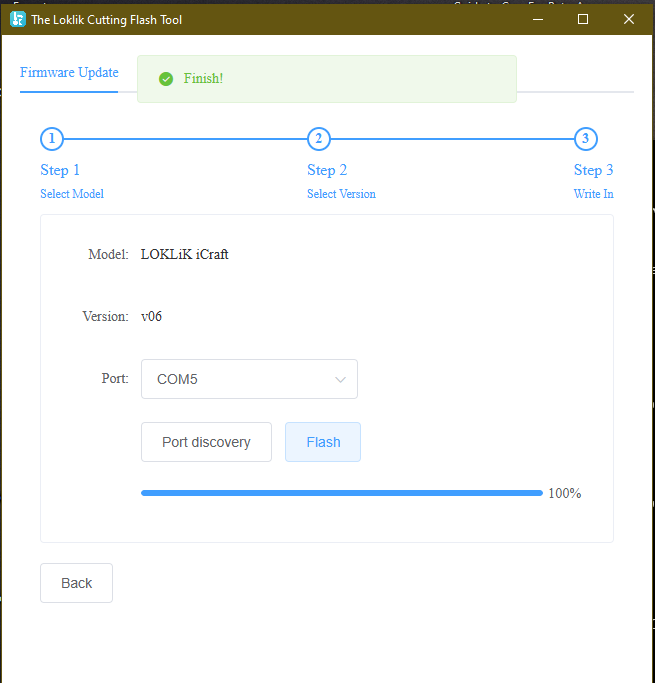
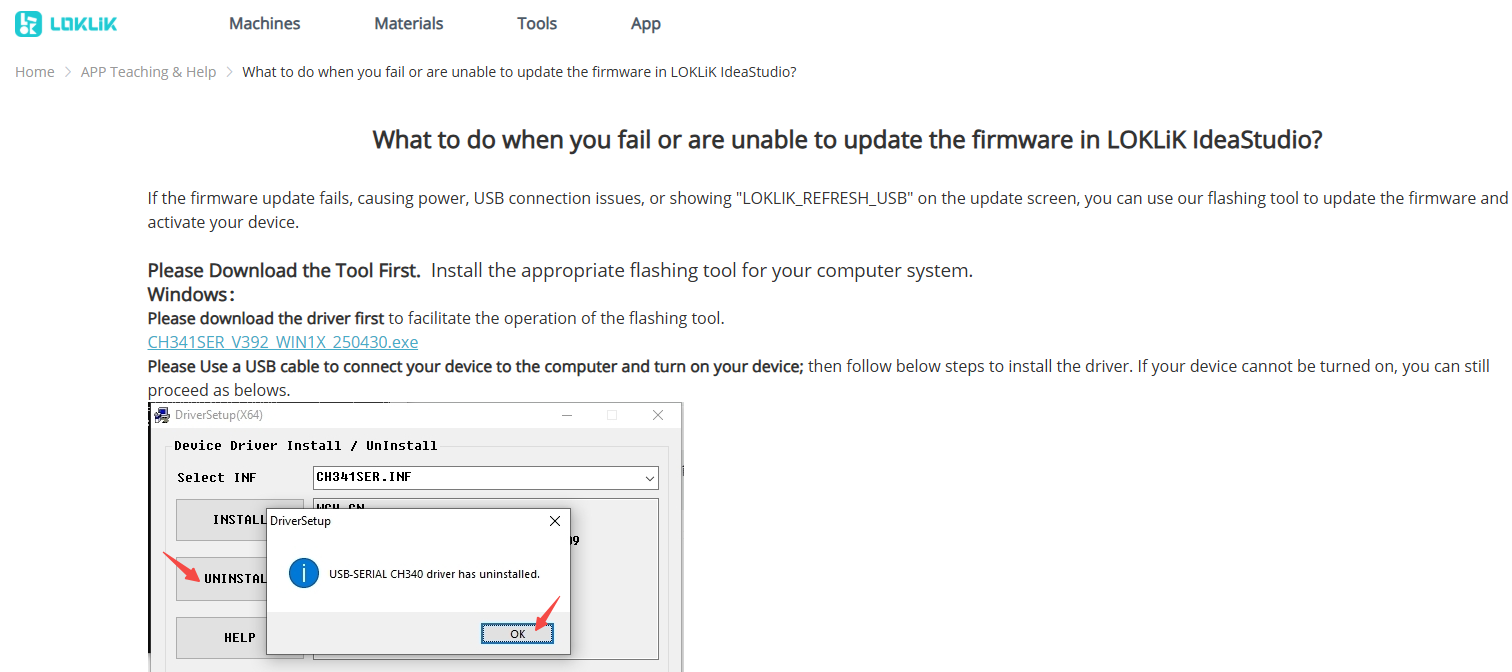
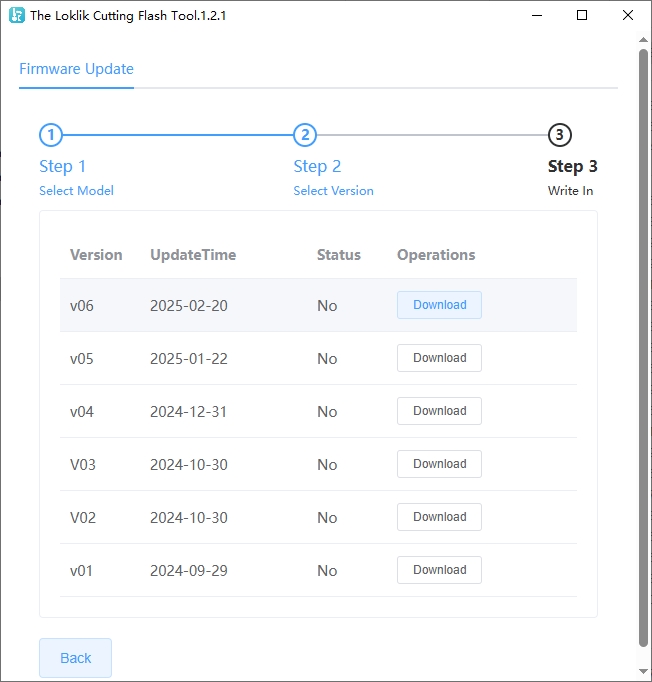
For USB troubleshooting: I tried updating the firmware, but this was not possible as well, since the Idea Studio cannot detect at all the device. I downloaded the correct drivers, as instructed on the official page, flashed the latest version via the Flash Tool - correct USB port was selected, but when going back to the IdeaStudio, I got the same error that the connected device information is incorrect. I tried different USB ports - same issue, and checked with other devices that the USB ports function properly. The Bluetooth was turned off while trying to connect via USB.
For Bluetooth troubleshooting: no other Bluetooth devices were turned on, besides the Loklik machine and my laptop. I downloaded the IdeaStudio app on my phone - it detects the device, but connection is unsuccessful after several attempts. Tried the same with my boyfriends phone - same again. The USB cable is NOT plugged in while I try to connect via Bluetooth
I uninstalled the IdeaStudio and re-installed it again - same issue, no USB or Bluetooth connection was possible.
All this was done along with several laptop and Loklik device restarts. I am using a laptop with Windows 10 Pro and following specifications:
|Processor| Intel(R) Core™ i5-6300U CPU @ 2.40GHz 2.50 GHz|
|Installed RAM| 8.00 GB
|Graphics Card| Intel(R) HD Graphics 520 (128 MB)|
|System Type|64-bit operating system, x64-based processor|
I submitted a ticket to the support and I am waiting on their reply. Please suggest what else can be done in order to make my device work, it is brand new and I cannot even start using it. Thank you.
8 Likes
Welcome @Bistra_Kalinova !!!
May seems a joke but, havebyou tried restarting? I understand you did.
Is it running on AMD?
I don’t know, I’m answering while reading you but don’t fully understand what you did with what.
It seems a problem with the firmware only, I would focus on that, the update. I would bet for a no AMD computer only (it’s more problematic in AMD), and start again performing restarts.
7 Likes
It is running on Intel, not AMD and I followed these exact steps to troubleshoot the firmware update issue:
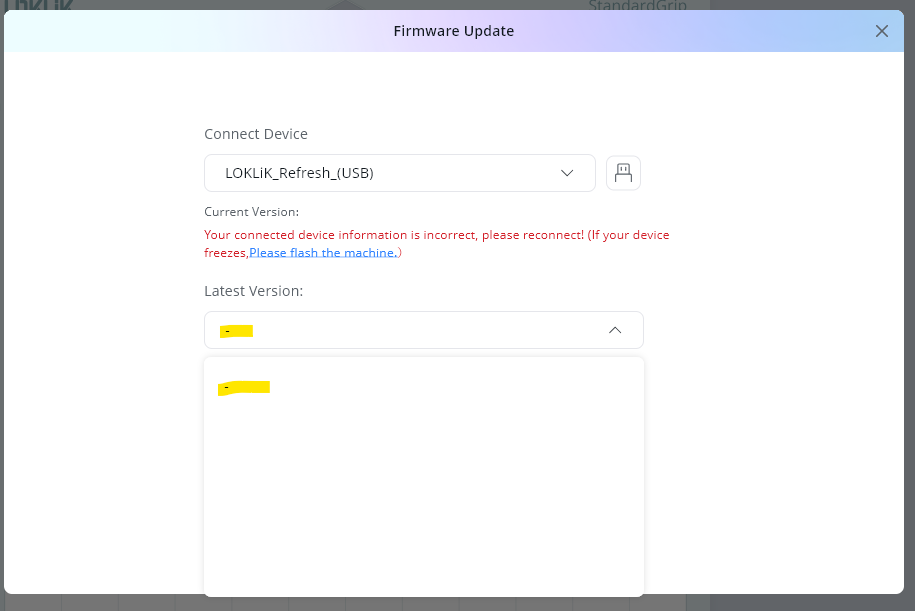
No matter what I do, I keep getting the error from this screenshot
The system cannot get my current version and therfore it does not let me update the Firmwhere.
6 Likes
What I see there is when that USB name appears (refresh) it doesn’t work. It should show your machine’s name.
What is the latest version of the iCraft (it’s 12 for my Crafter) that shows up in the deop down menu? Be shure you scroll to the bottom).
4 Likes
Oh and I remember you may need to update to a mid version before updating to the last one. Some of the firmware updates have solved updating problems but you need that particular version first.
So I would try to update one version at a time.
4 Likes
The drop down menu is blank, it does not load at all neither the device name, nor the versions 
5 Likes
I did this when I initially tired to resolve the Firmware update issue and repeated it again now after your advice. Starting from V01 to V06 I first downloaded, updated and flashed each of them, then restarted the laptop, but again I get the “connected device information is incorrect error”
5 Likes
I’m so sorry, I know how annoying is being willing to use it for the first time and facing those problems. Stored machines use to have old firmware versions as it is a new product so Loklik’s development launches patches quick.
But don´t worry, it usually has a simple solution, or the dev team launches a flash tool update, or worst scenario, you can return it and get another. Anyways you will soon enjoy it, I’m shure, it always happen.
I can’t come up with something else, hope someone can come up with something else to try and/ord admins connect directly with support for you.
6 Likes
This particularly is normal
if iIS finds it, it’s going to show its name like this
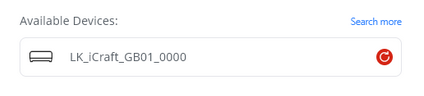
Nothing to do from IS as long as it doesn´t show the name.
6 Likes
Thank you so much, I really appreciate your efforts trying to help me. I created a ticket for the support, if they do not come up with a resolution in the next 1-2 days, I will have no other option, but to return the cutter, as it is currently unusable.
7 Likes
My pleasure. Just don´t panic, many of us have had updating problems and most of them are now solved now. The machines doesn´t have any problem usually, it’s a matter of software, so usually no need to return.
Software has been the wickest link for Loklik IMO, but they do their best to solve it and really listen to us, that’s also true.
5 Likes
I really hope this will be the case and somehow the issue will be fixed. I was super excited to get the machine and extremely disappointed that I cannot even get to start using it, as I have so many projects in line.
6 Likes
Have you tried a different port on your laptop or connecting a dongle to your laptop and plugging it in to that. I know some have had success with this.
Thats really all I can think, hopefully you hear from support soon and get it sorted out.
6 Likes
Have you tried updating your drivers? USB/bluetooth. This is usually the reason why your device can’t detect your machine.
7 Likes
When I updated my PC to Windows 11 (from Win10) my PC was able to detect my machine and now I’m able to connect all the time using my PC.
6 Likes
What you need to confirm is whether your machine starts up normally?
Under normal circumstances, when the machine is turned on, the knife seat will move to the left, make a clicking sound, and return to the center of the machine; at the same time, the roller of the machine will also rotate.
Please confirm this first, or contact after-sales customer service.
6 Likes
Yes, I tried all 3 USB ports on my laptop and even connected other devices through them to confirm that they work properly.
5 Likes
Yes, I uninstalled and reinstalled the USB drivers and I also installed the additional driver from the firmware update troubleshooting steps. I didn’t do that with the Bluetooth drivers, will try that as well, thanks!
6 Likes
I was thinking about trying that before returning the machine, thank you for sharing your positive outcome!
6 Likes