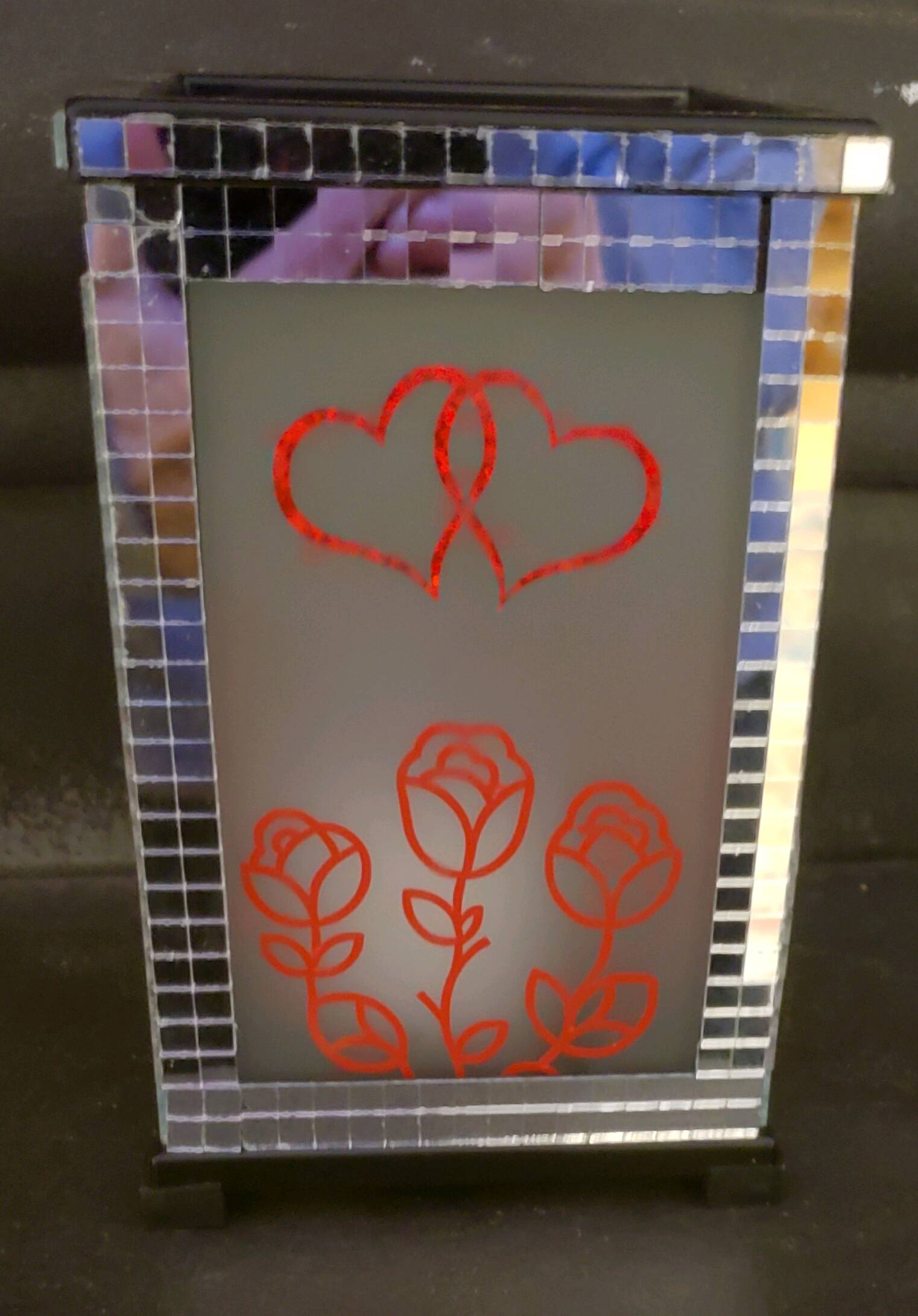
I’m an upcycler. I love to visit thrift stores & garage sales to purchase items no one needs any longer & make them desirable once again. This was a black metal flameless candle lantern. I added the vinyl cutouts to all 4 sides, then added the mirror tiles onto the frame. I wanted to have sellable items that were love oriented without the typical Valentines Day decor. I’m not big on holidays as they have become so commercialized that any true meaning is gone. I’m hoping this will light someone’s day up.


7 Likes
Hello @Nancy_Sierchio, this is such a beautiful Valentine’s-themed project! 
I love the upcycled lantern idea, the vinyl cutouts and mirror tile details look amazing.
If you’d like to join our current crafting event, please share your IdeaStudio project link in the event thread 
 Join the #CraftingLove Valentine’s Challenge! Win up to $100 Gift Card! - General - HTVRONT | LOKLiK Community. You’ll have a chance to win a $40 / $100 gift card
Can’t wait to see more of your creations! 
5 Likes
Wonderful! This is so beautiful! Now, you need to click the edit pencil on your post and enter the crafting-love tag in the tags box. Once you’ve done that, go to the event. Join the #CraftingLove Valentine’s Challenge! Win up to $100 Gift Card!
Start a reply.
Type in:
Here is my crafting-love week 2 entry 1
Theme: Love In Making
IdeaStudio Link: (See screenshots)
Story: [What inspired you]
[Add 1-3 photos of project]



Then you will have successfully entered your project into the event. 
4 Likes
That really cool.
4 Likes
This is beautiful
4 Likes
This is very pretty
3 Likes
WOW Thank you for the feedback/compliments. I will join as soon as I can figure out where I can find the project link… 
3 Likes
Samantha, I’m not understanding. I copied the link, but now what?
2 Likes
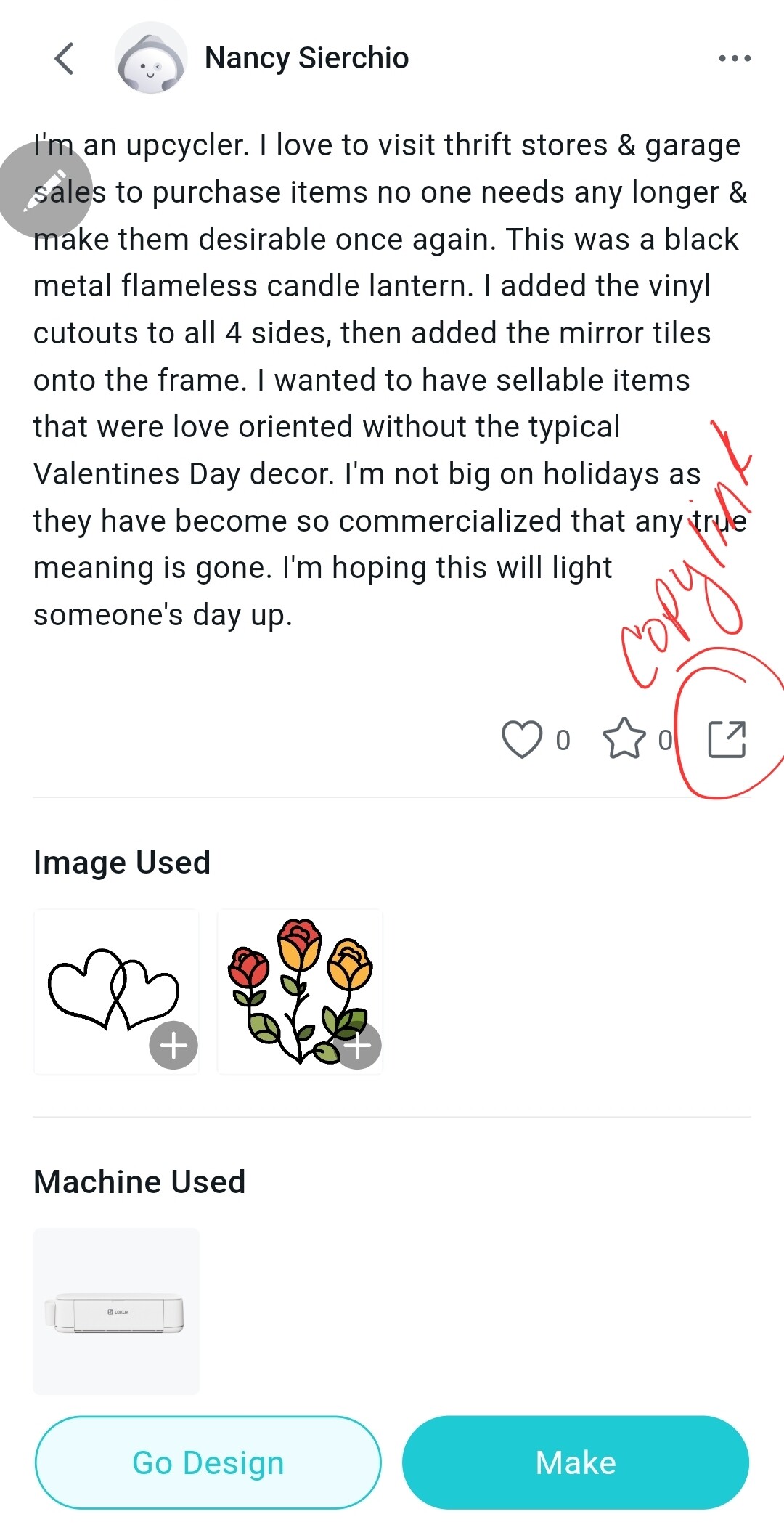
It’s in the screenshots I shared above. On the home page of the IdeaStudio, go to Projects. Find your project, click on it. Scroll down to the little box with an arrow, click that, then copy link will pop up, click that. It will copy the link. Then come over to the event and paste it in the format I also shared in my previous comment.
2 Likes
Thank you so much.
3 Likes
Thank you thank you
3 Likes
Thank you for the positive feedback.
2 Likes
You mentioned something about a tag before…
I just reply in the group and paste the link?
2 Likes
Yes, reply using this format:
To add the tag, click on the pencil icon under your post here. Then, you can edit the post. Click on the tags box and start entering crafting love, it will bring up the tag, click on it. Then, save edit.
3 Likes
Maybe we need to take this back to the beginning. I don’t know how to enter “crafting-love” or where to find it to post. I thought I had entered the event already. I’m very very lost on how to implement these steps.
3 Likes
I’ve posted the whole instructions in the comment above. It has the link to the post where you need to be. I edited your post here and added the tag. You need to go to the post:
 Join the #CraftingLove Valentine’s Challenge! Win up to $100 Gift Card!
Edit your reply where you just posted the IdeaStudio link using the pencil icon, and create the post to look like this: 
Here’s my crafting-love week 2 entry 1
Theme: Love in Making
IdeaStudio Link: ADD YOUR LINK
Story: write what inspired you or who your craft was made for.
Upload 1-3 photos of your project using the upload button in the reply box.

Wherever you see orange text, it’s a link you can click on and it will take you to where you need to be.
You can copy and paste the format from here and enter it into your reply on the crafting love post. Just fill it in with your link and story.
3 Likes