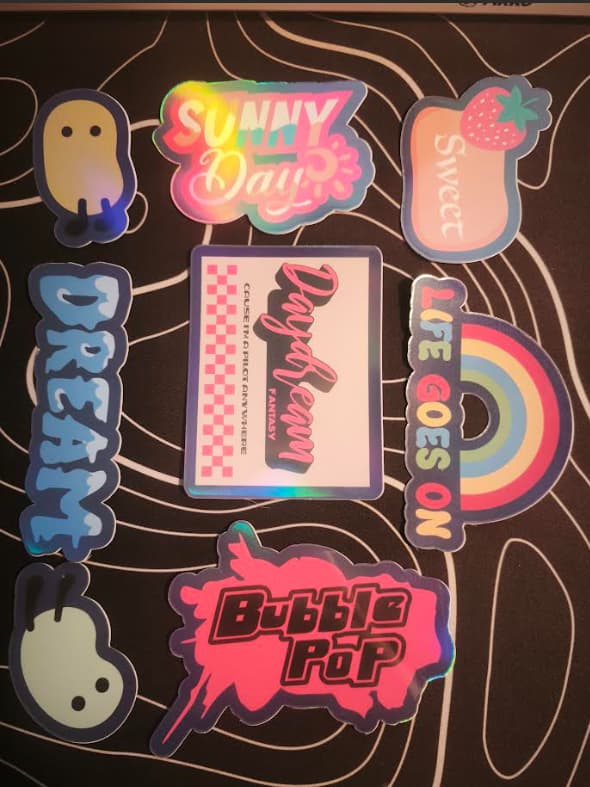
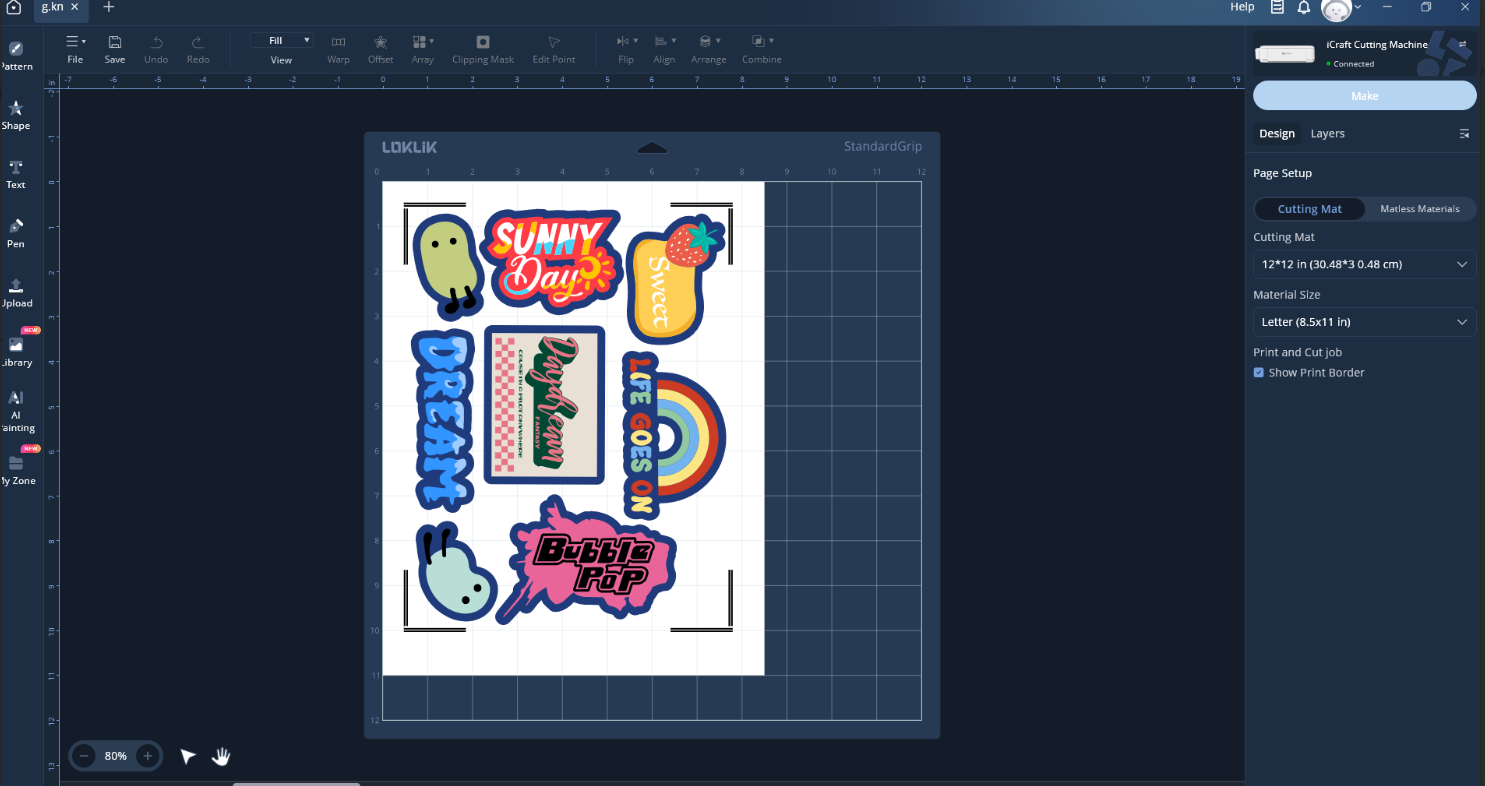
Misaligned cuts for stickers - help!

Hi, new iCraft owner here, tired and running out of hair on my head to pull. I desperately need so much help right now - I’ve wasted an entire stack of sticker paper and laminate and I still can’t figure it out.

I’ve recalibrated every time before I cut each sheet yet it always come out skewed. It seems to read the print border fine but it still comes out wrong! I’ve tried all different kinds of scenarios: under direct light vs out of direct light, adjusting the rubber tires, closing the lid (this nearly broke the machine so I will not be doing that again), recalibrating for different materials with vs without laminate… I think I might have gone a bit cross-eyed looking at recalibration lines by now.

So two full packs of proper good sticker printing materials, $30 down the drain and bald patches on my head, send help.

Also, the alignment always comes out different so I adjust them by recalibrating it every time before cutting another sheet. I’ve slowed down the cutting pace, I’ve quadruple checked the materials, parameters, printing source (always A4, always at 100%), but the cuts are always misaligned and in different spots despite making sure I’ve lined up to the corner of the mat.
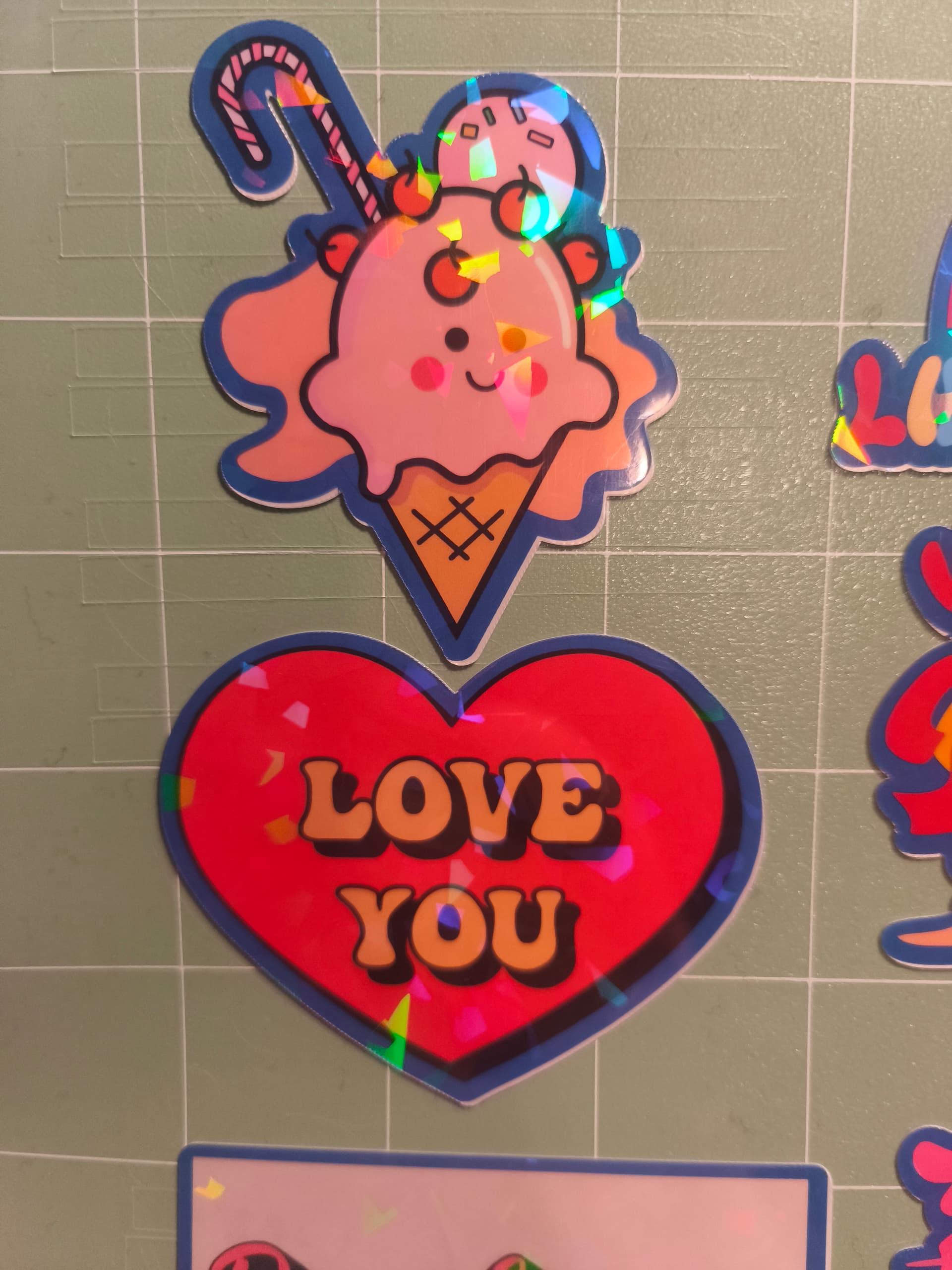
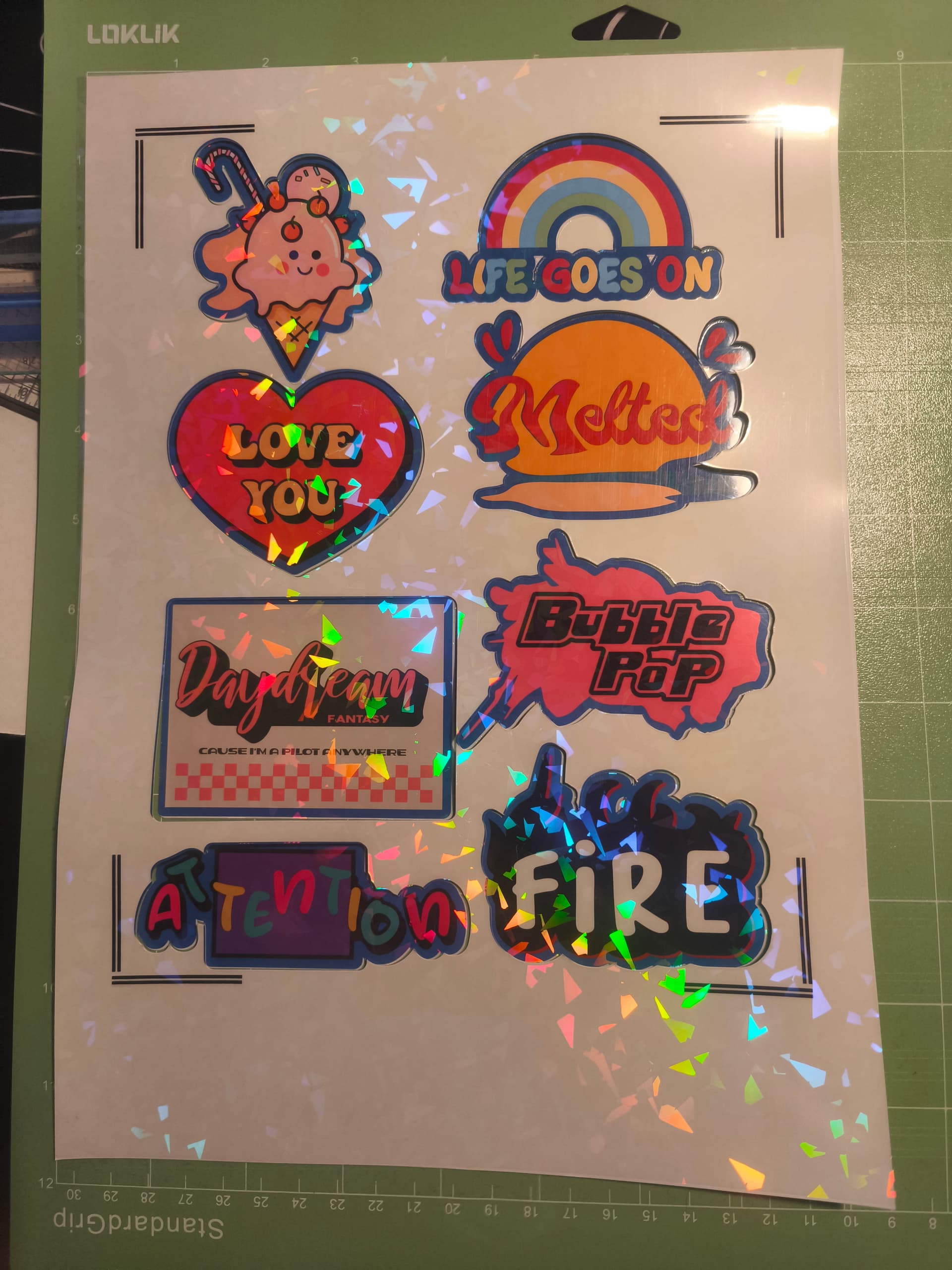

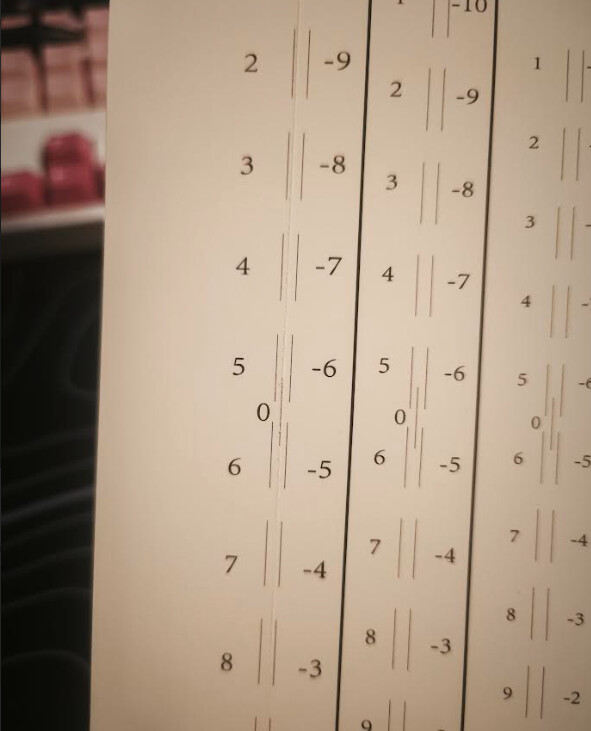
(Edit: second pic doesn’t show proper alignment to the corner of the mat because I had already ripped off the base to show the first pic - I assure you it was in the corner of the mat before this, I was just too damn pissed to properly document it atp)

Software + Firmware are both up to date, though when I tried different versions of the firmware, the transition back to ver8 actually broke the software and I ended up having to uninstall and reinstall the driver and flashing(?) it. Definitely won’t be doing that again. Oh, and I read somewhere in the forums, here are my computer specs alongside the printer I’m using:

  • Windows 11 Home
  • AMD Ryzen 7 5700X 8-Core Processor
  • Epson ET 2800

With all due respect, how is it statistically possible that the issues I’ve faced up till now is due to human error when it seems like the vast majority of iCraft users are basically pluggin’ ‘n playin’? I want to just burrow my face under my hair but I just remembered I pulled it all out. But on the other hand, if I had completely misjudged the reality of the situation and it appears everybody have been dragged under the bus after this recent update, then at least I get to perish with the crowd.

I also sent in a ticket, waiting on that to be addressed. If all they do is respond with the same tutorial videos on Youtube, I think I might implode.

3 Likes

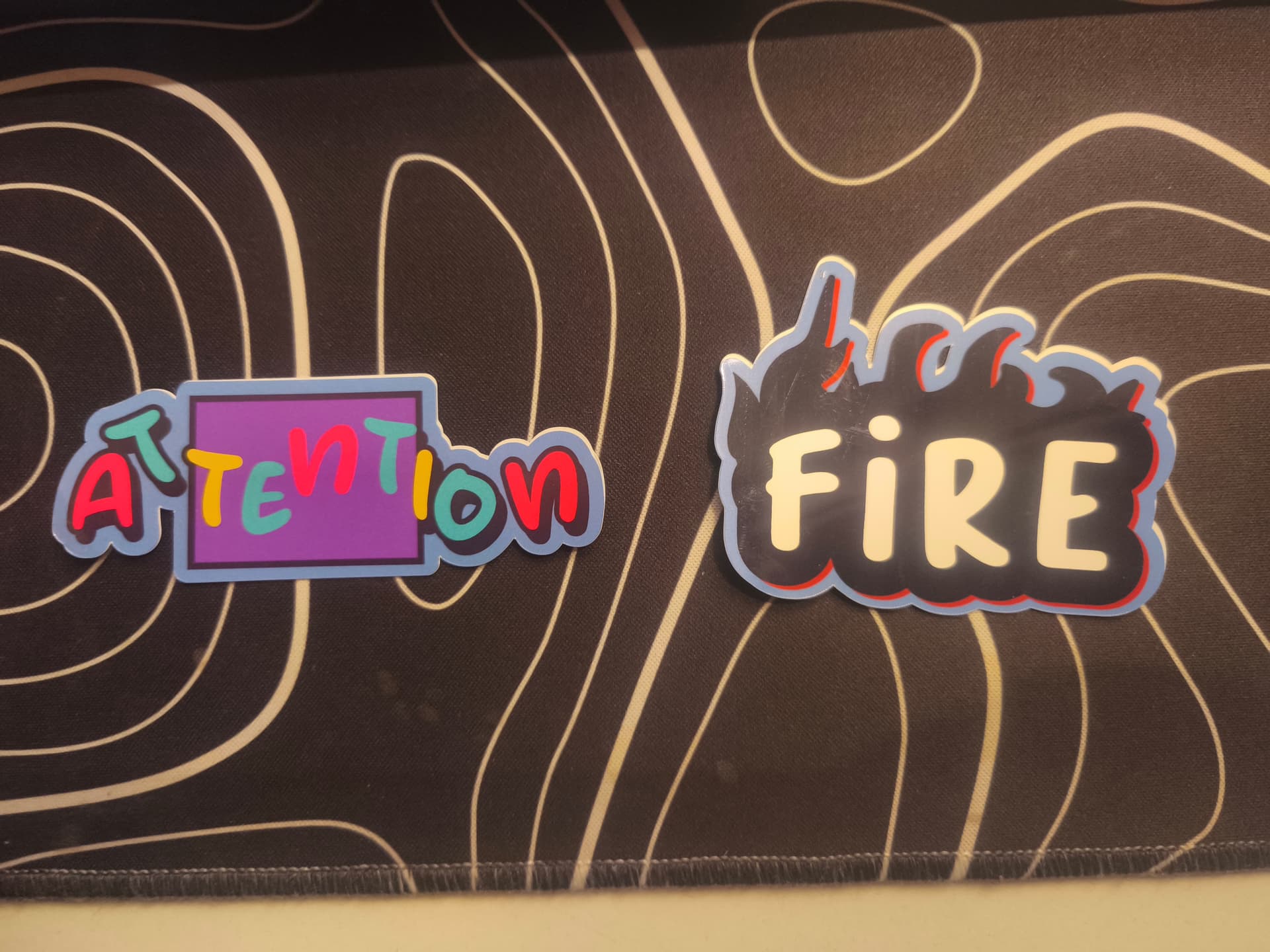
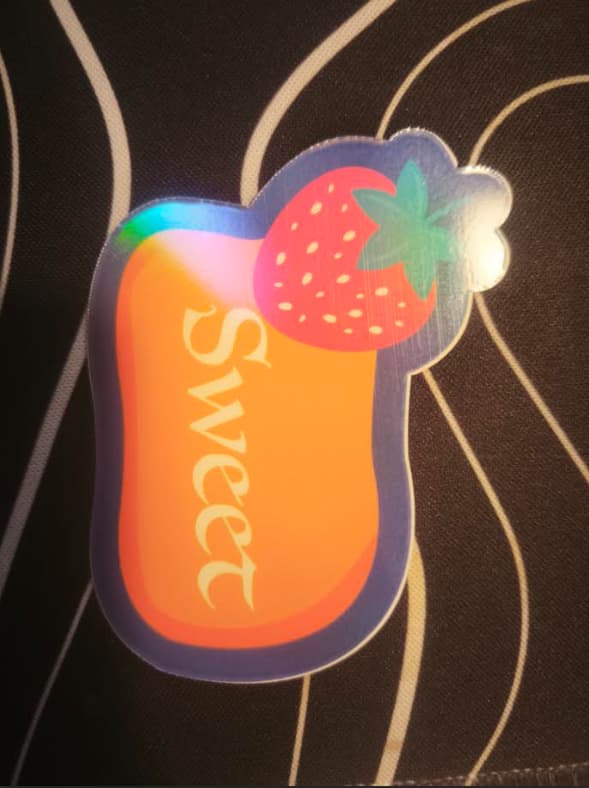
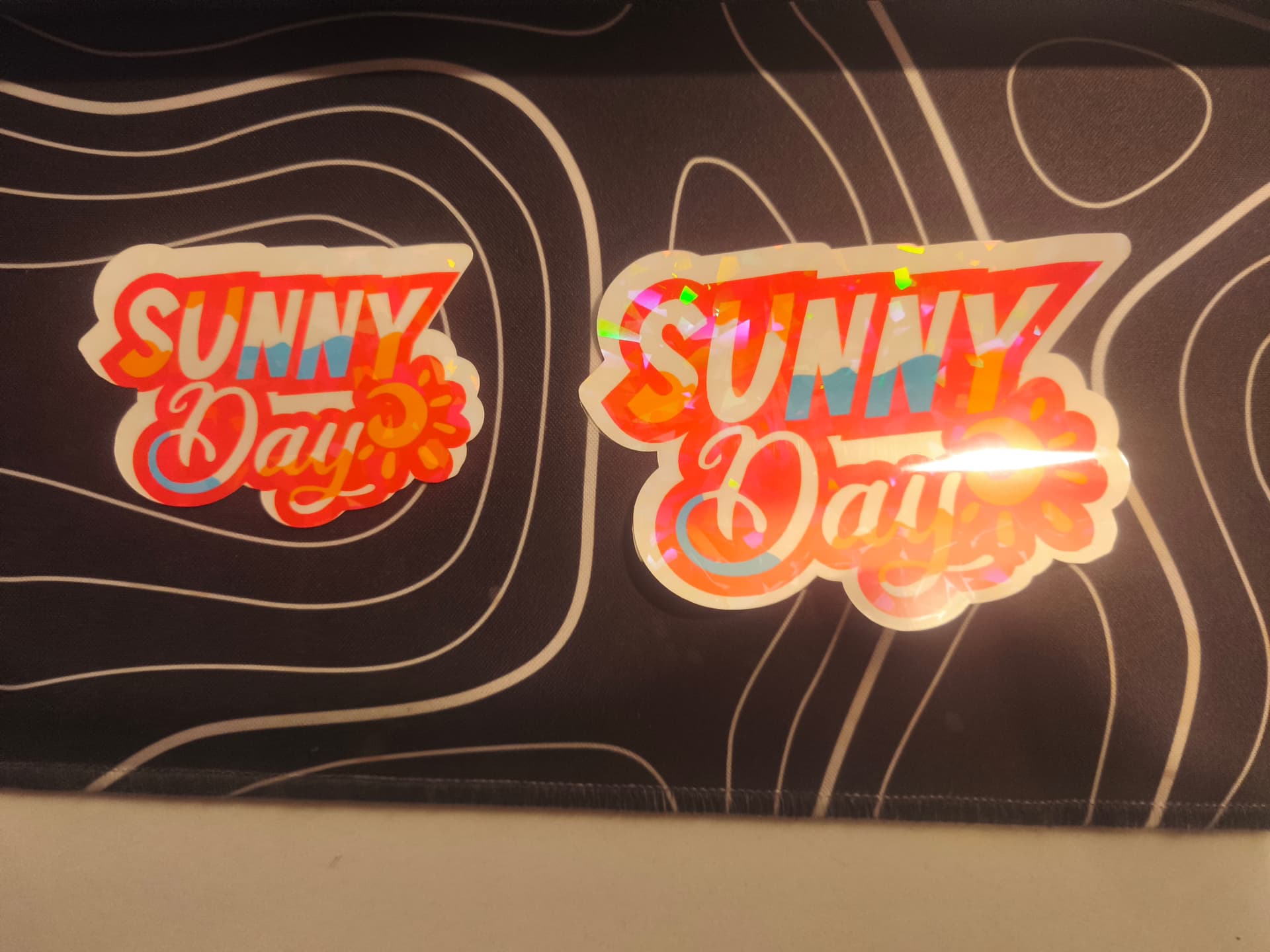
This is the first few passes, with holographic laminate before calibrating:

This is after learning to recalibrate, glossy vinyl printing paper without laminate:

Edit: basically the second pic is the vast majority of the other 15 or so tries with varying adjustments including with or without holographic laminate, pressure, pace, A4, in the dark, in the light, adjusting rubber tires, connected via USB or bluetooth, etc.

3 Likes

Not sure if this will help but @BellethehowtoGuru brought it up and addressed all issues here is a link to her post about it

3 Likes

Yeah, I’ve watched that, I’ve done exactly what she does (recalibrating whenever the machine doesn’t cut right), yet to no avail. Starting to think this is a hardware issue because I’ve noticed that despite my images being perfectly aligned to the crosshatching on the mat, the cuts are undoubtedly not despite recalibration prior to cutting.

3 Likes

Hello, @32.enjoythelittlethi, :wave::grinning: welcome to the community. This is a common issue here. Might I suggest taking a look at this thread and following the directions I gave. It helped this person to achieve perfect cuts, maybe it will help you. It could be happening due to the offset you’re using. Hope it helps. Let me know if it does. Have a great day.

P.S. Don’t be scared by the preview, the instructions I give are in English. :heart:

2 Likes

Sorry to hear that :confused:
I personally do one thing, I put a bigger offset around each sticker in a colour that fits the motive. Then I select the offset an make an inset ( a inwards facing offset) and make this my cutline so it leaves just a bit of the first offset on the sticker sheet when you peel it and no white awkwardness and it looks good.
Not sure if this is something you tried before, but I thought I share it. Never got a good print and cut otherwise

2 Likes

Ahhh, that would kind of be emulating Cricut’s bleed feature. :thinking: Good idea. I might have to try that, myself. I, personally, think it’s because there is no flatten option. That makes the offset and image act as one rather than 2, elements.
2 Likes

Never had a Cricut, but before I got my Icraft last year I was looking at one to see if it would be something I would like.
I got the idea from watching a YouTube video she made Die-cut stickers but with a Kiss-cut inset so you could peel them off easier. So I tried it and was way less annoying then having to calibrate over and over and never getting the results I wanted. I only make stickers for personal use but still want them to look nice :slightly_smiling_face:

2 Likes

Yeah, I never could get my Crafter to work properly, but I’ve been able to make perfect cuts with my iCraft using the method I shared above. The bleed feature just allows the ink to overflow on the sides of the image that’s to be cut, so there’s no white space in case there is an off-cut. I always set my offset color to white, but I may start changing it to the background color of the image I want to cut out. Thanks for the tips. :heart:

2 Likes

I’m so sorry, I didn’t see this post until now. How are you holding up? Have you heard from the support team yet?

1 Like

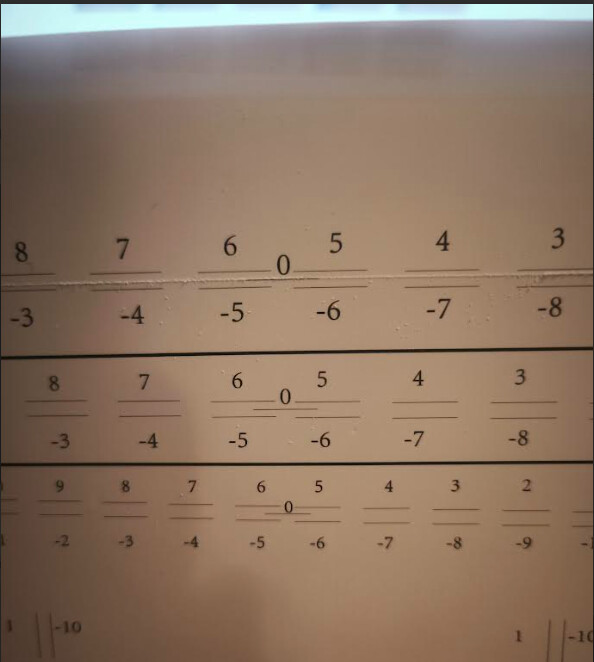
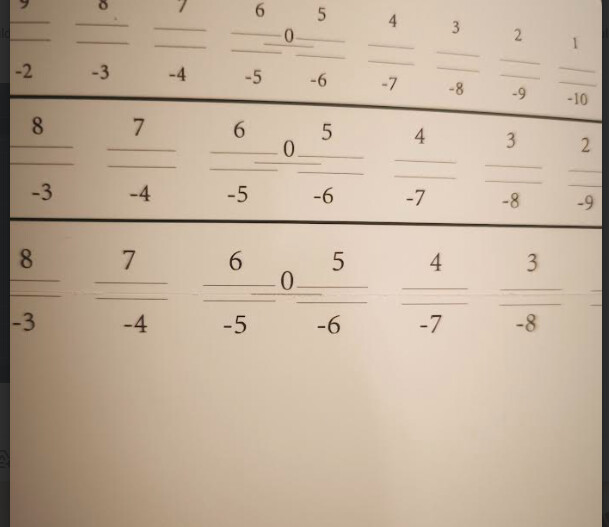
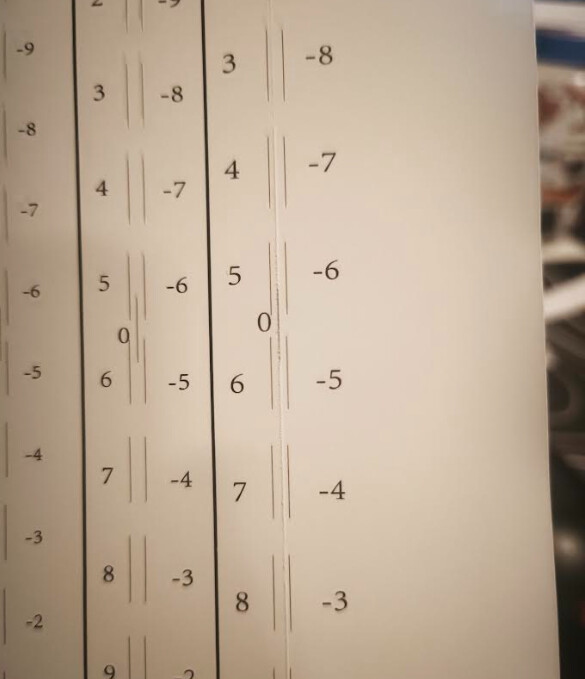
I ran multiple calibration tests and it’s quite literally zero’d out now and yet it is still misaligned; it’s leaning towards the right this time. Other tries are the same but some lean towards the top and some towards the left. Support asked me to recalibrate and send results and I did (results posted below). It’s been almost 12 hours and no response.

I’ve tried resetting the calibrations, making sure I click the correct materials but the end result is still the same shoddy job. I’m beyond frustrated, my hopes are already in the grave.

Forgive me for the terrible resolution but if you squint you can see that it’s been zero’d out.


I think it is time I move on. If this machine requires this much effort just to recalibrate, I can’t confidently invest any more time and money on this anymore. I was hoping this would be a good starter tool to build my small business on but perhaps I may be asking too much for its price point. Disappointing, but perhaps in the near future LokLik will be a bit more flushed out with their products. Their software is also kind of buggy as well, the print borders keep moving around for some reason and their UI downgraded to something quite impractical compared to the older version. Bluetooth keeps disconnecting too.

Thank you @Samantha_Bryant @Nat_Wen for your suggestions, though I’m afraid I will no longer be an iCraft owner anymore, I do appreciate your assist. I will give another 12 hours for support to get back to me before I reach out for a return.

3 Likes

I completely understand where you’re coming from. New machines and software always come with a few early teething issues, which can be really frustrating. And wanting results right away makes perfect sense.

2 Likes

I totally understand wanting perfection, but I don’t think that exists when it comes to technology. I mean, honestly, those cuts are better than the ones I’ve gotten. I think if you create another offset for your offset & change the color of the offsets to the same color of the background of your image layer, your cuts would be good. I would not be mad at all if I could get mine to cut like that. To me, that’s a successful cut. Even Cricut has a bleed feature for that exact reason. I have the Maker 4, and my print then cuts sometimes come out like yours are in the photos. So, if you’re thinking there aren’t problems with a more expensive machine, I can tell you that’s not the case. Design Space glitches at times, too. Technology isn’t perfect, it will always have bugs.

Yes, there are some bugs in this new update that causes the Bluetooth to disconnect, but it’s not enough to make me give up my iCraft, because I’m sure they’ll get that fixed in the next update. They’re usually pretty good at getting the bugs worked out. I know they’re working on a new update, so all I can say on that is have some patience.

I don’t know where you’re located, but support isn’t located in the US, so they may not respond until 3 or 4 in the morning.

Edit: I also recommend using regular printer paper for testing, so you don’t waste your sticker paper.

2 Likes