Oh, thank you so much 
Hi to all. After update the mashine It doesn’t work properly at print then cut.
It constantly leaves a margin of millimeters that is especially visible if the sticker is white. I’ve made thousands of calibration efforts. Especially when the photo is vectorized, there is a party where the outline constantly comes out of the photo and it takes hours to find the right dimensions so that it does not protrude from the photo, so it cuts it smaller and outside its design.
3 Likes
Hi @Maria_Syrpi, welcome to the community — we’re so excited to have you here! Since you’re new, you might enjoy exploring these helpful starter posts:
 Starter Village #1 | Let’s Start Your “Sprout’s Journey”! 🌱 Starter Village#1 | Let's Start Your "Sprout's Journey"!
 Starter Village #2 | Explore & Engage: Your Path to Crafting Mastery! 🌿 Starter Village#2 | Explore & Engage: Your Path to Crafting Mastery!
We also run regular community events you can jump into. Our latest is:  HomeDecor Challenge 🏡 Join #HomeDecor Weekly Challenge! Chance to win a $100 Gift Card!
If you ever need help or have questions, just ask — this is a warm, supportive space, and we’re all happy to help.
Now with your print then cut problem which machine are you using? After the new update have you also updated your firmware? I have an updated Calibration Tutorial that may help you as well. Let me know, and we will try and get your print then cut working.
6 Likes
Hi and thank you for fast reply. I have the icraft machine and I followed the new method of calibration as I see your video and again I choosed later day the old method because with the new calibration always I had this gups between design and white part of the sticker. The resurts with the old calibration method is that I still have problems with the software operation about the print then cut. I updated the software as well
4 Likes
So, with the older calibration sheet, are you able to get a better calibration? I had to do 5 calibrations in a row to get mine to cut properly.
My iCraft is on v8 for firmware. I go into detail about updating and seeing what version you are on. I do recommend being above v6 at least that’s when I noticed print then cut was way better than it had been before. You can skip to the 1hour 35min mark to see the firmware process.
What software operations do you have problems with?
4 Likes
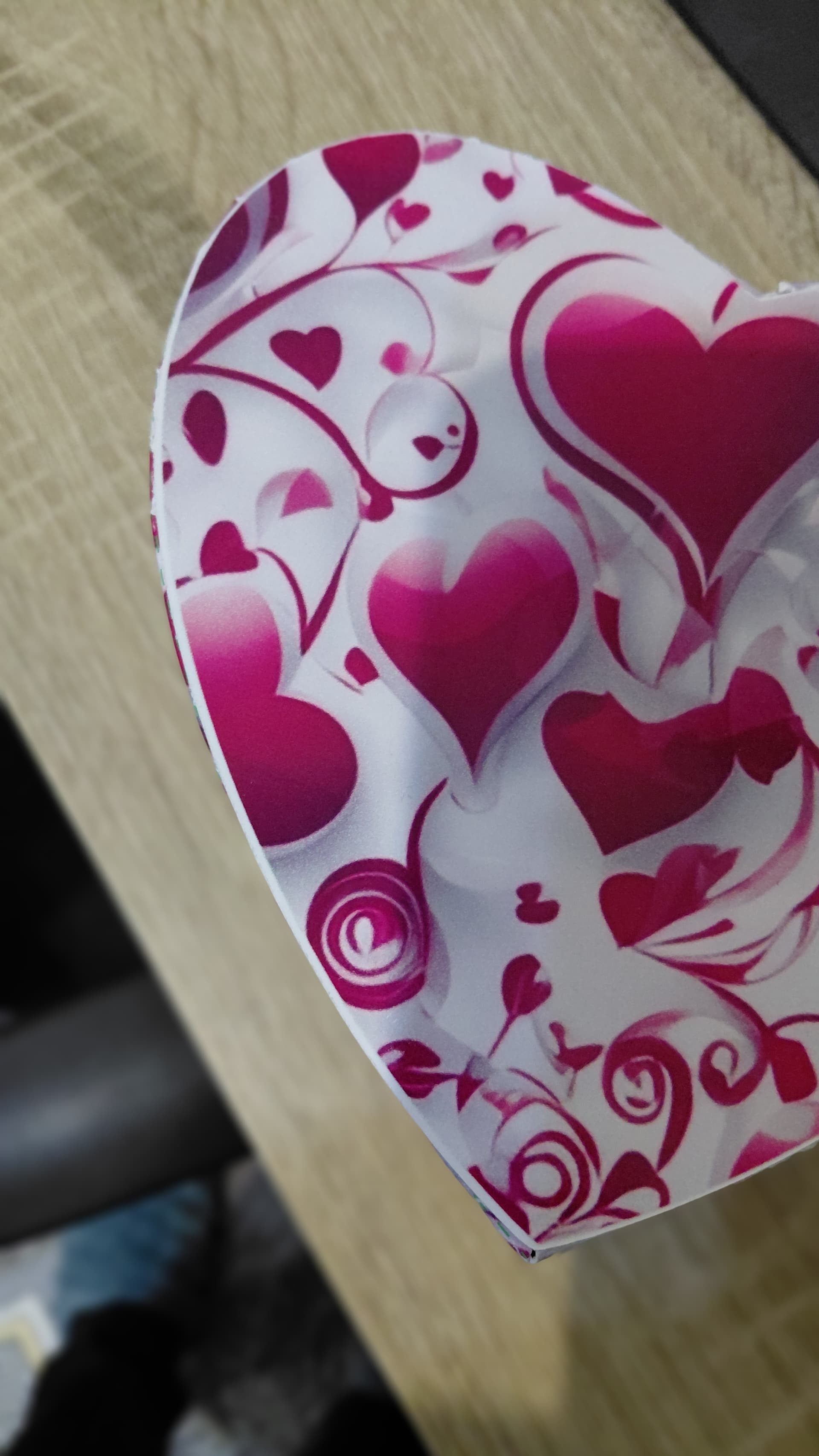
I have v8 software and yes with the old calibration is better than the new one. Better results at cutting in general, but not perfect. At print then cut it is the biggest problem here is a photo to see at the left side of the design
5 Likes
Yeah that’s where I got mine to as well and found swapping materials can throw off your print then cut. So say you calibrated with matte paper but then use that calibration to then cut glossy paper. I got these same results. I used glossy paper to then calibrate the glossy paper setting and now my glossy paper is cutting better. This may be the same problem you are seeing?
5 Likes
Yeah I think it’s a similar problem… The design of the photo is a clipping mask on a heart then I vectorized as I choose the print then cut the results are above and I used glossy material at the setting and glossy again underneath the material again. I thing the problem is with the vector layer if you notice and check the dimensions…
4 Likes
Thank you so much for the tutorial, it came in very helpful!!! Would you know if there is a way to add a “print bleed” to help with the small margin of error when doing print then cut?
5 Likes
At the moment no, the only thing I can suggest is using a thin offset with a colour from your design to help with this.
6 Likes
Excellent suggestion  , thank you so much. Maybe our amazing leaders @Elena @OliviaZzz can make that suggestion to the designers.
7 Likes
Wow is this the new update? I havent seen it for a while and now i just open it very improved nice one loklik
2 Likes
Yeah the new update improved so much, everything looks better. Things are in different places but are easy to find. Loving the new update
3 Likes
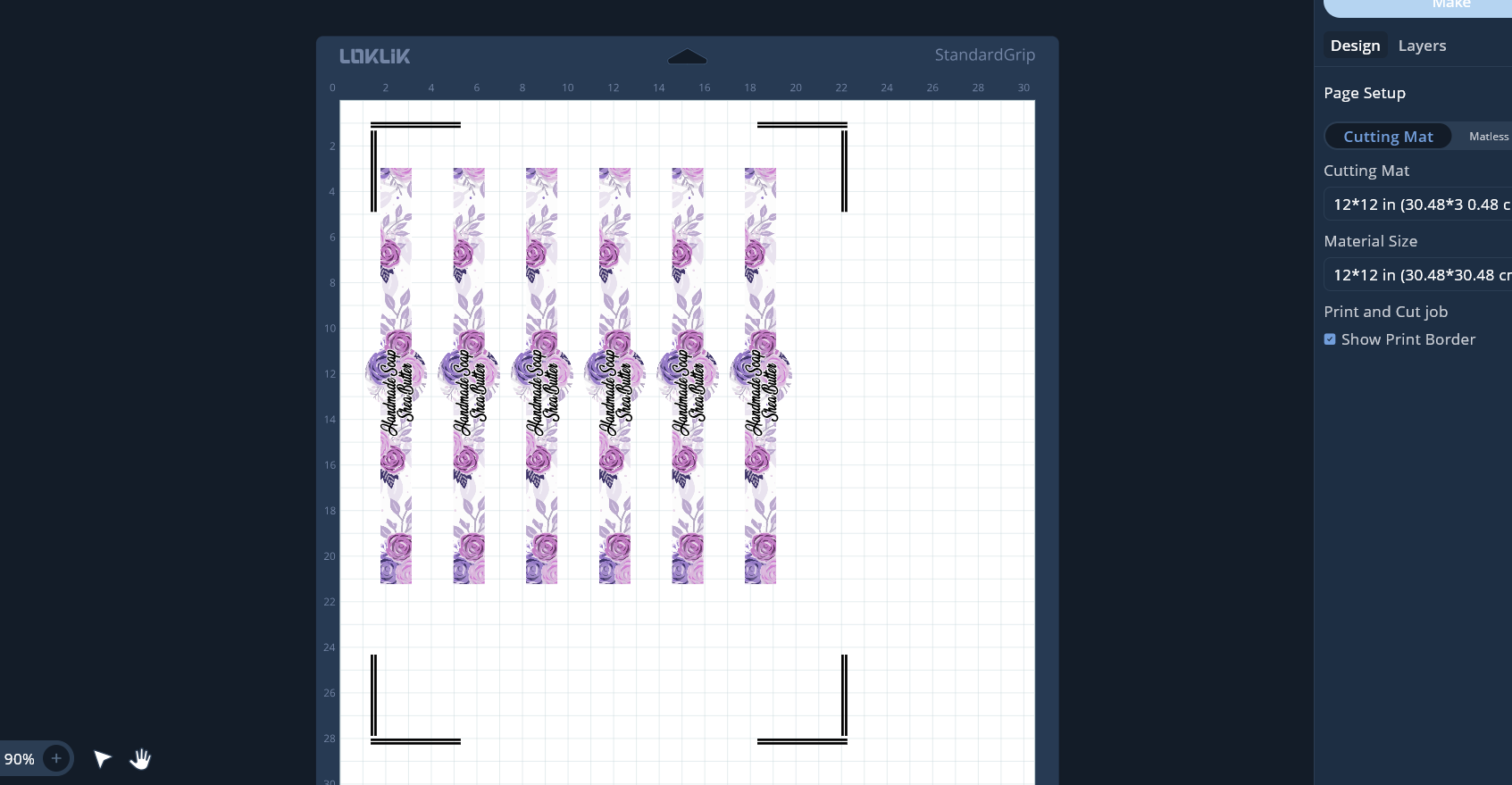
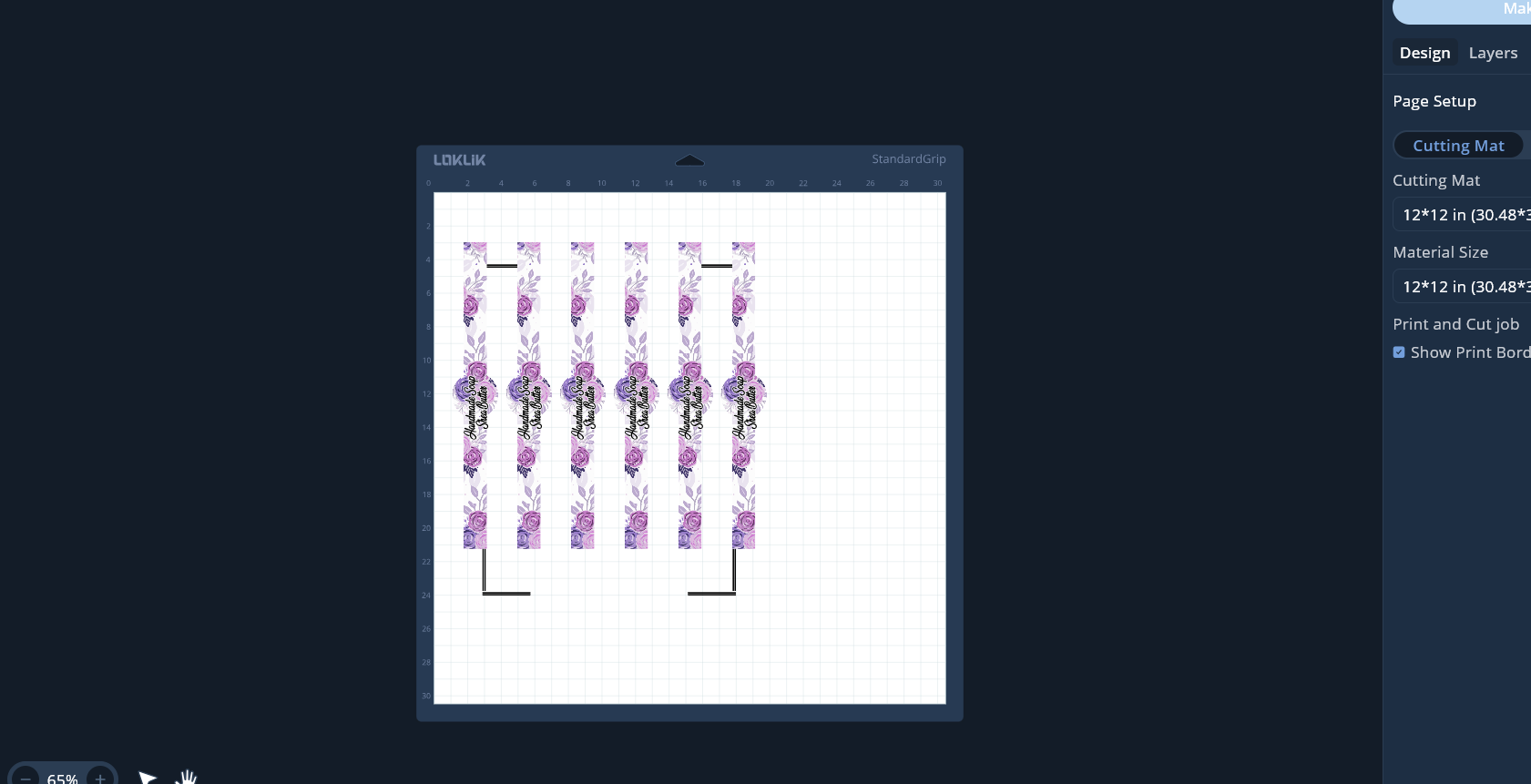
Hi to all, i wish you be fine… Did you noticed a problem with “printing border” when you zoom in or zoom out in the working area at an older project?
3 Likes
Is the second image after you reopened the project? You may need to select your material size to A4 or letter depending what you are using. This might fix the problem
3 Likes
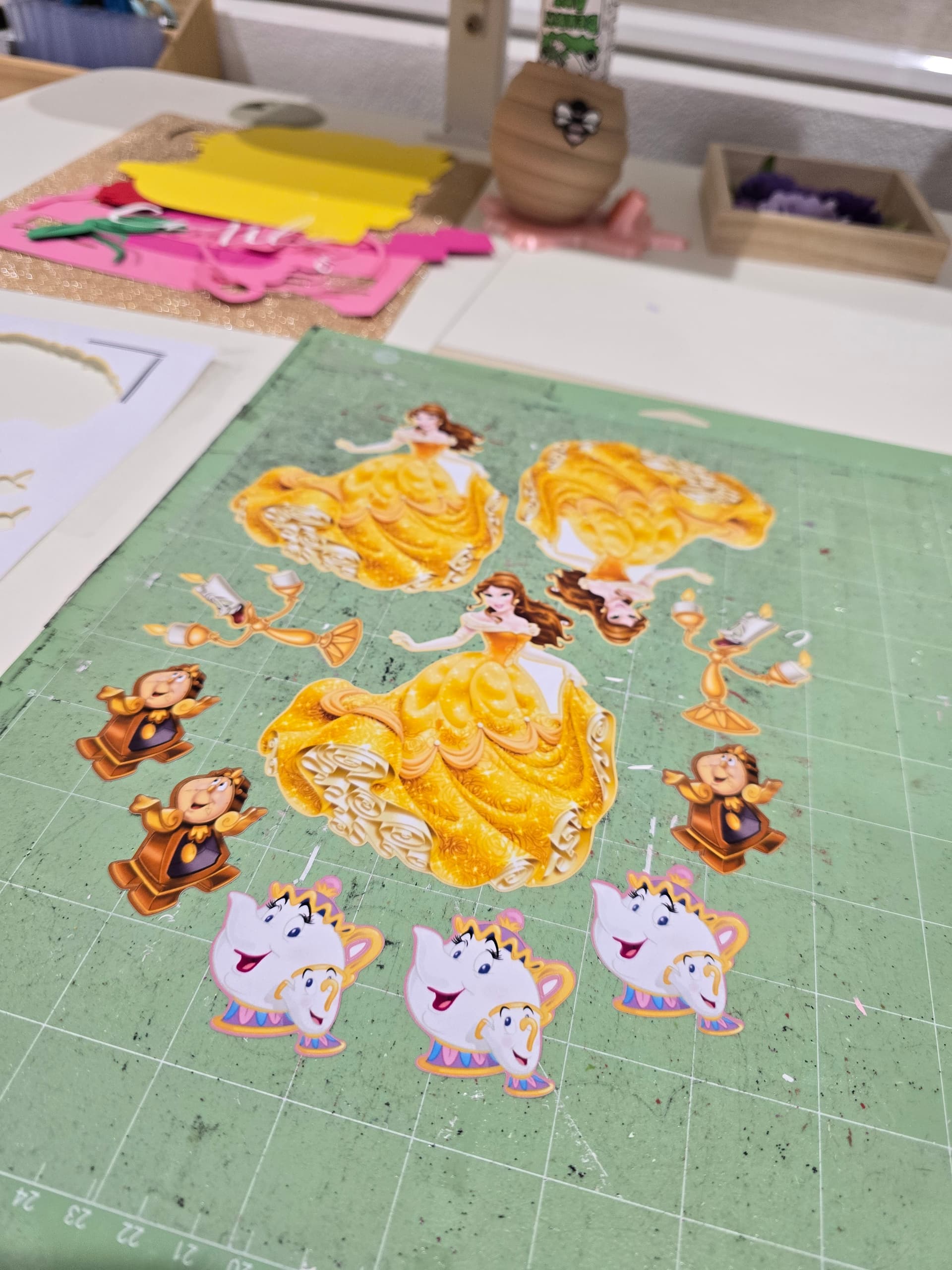
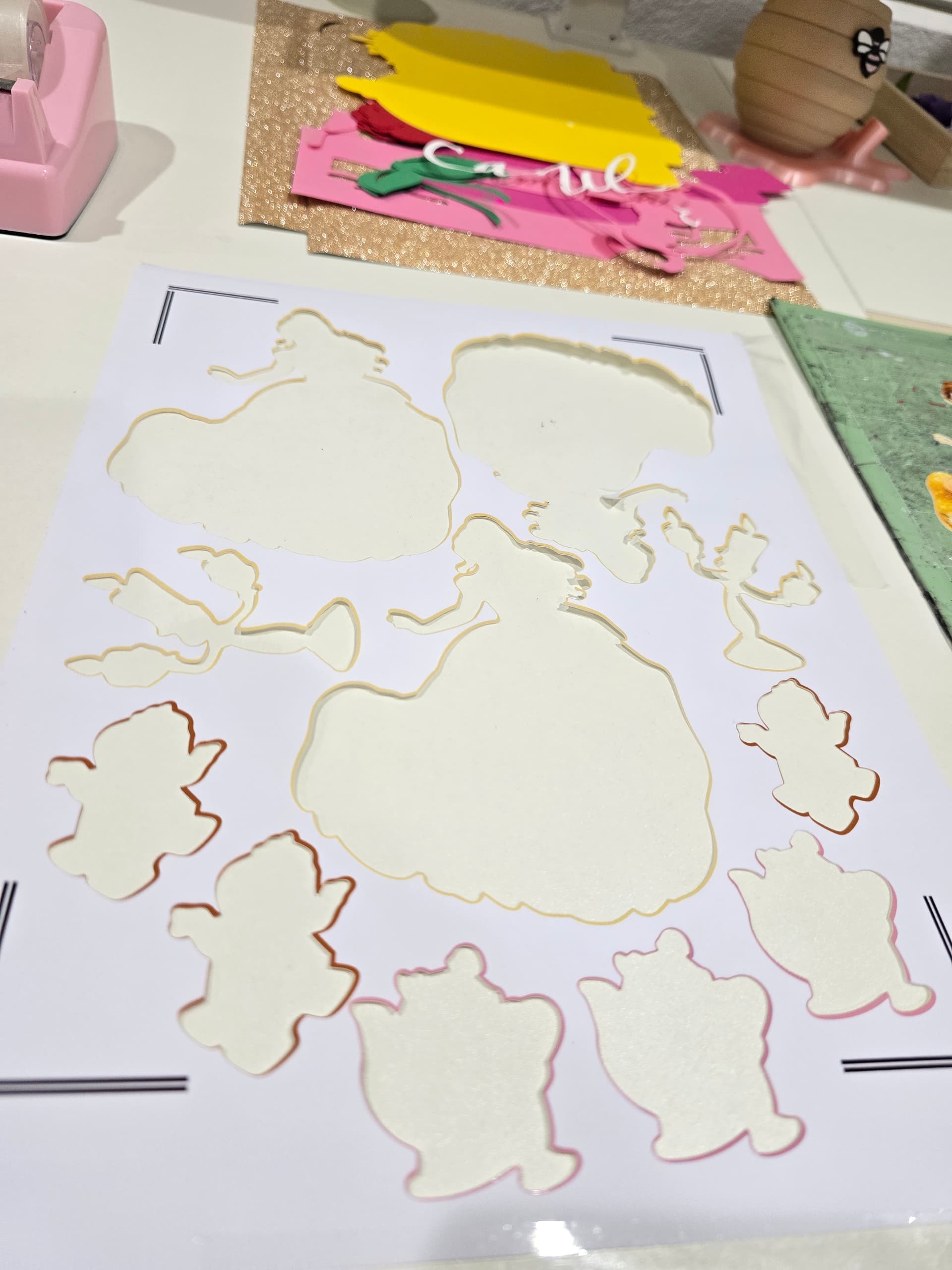
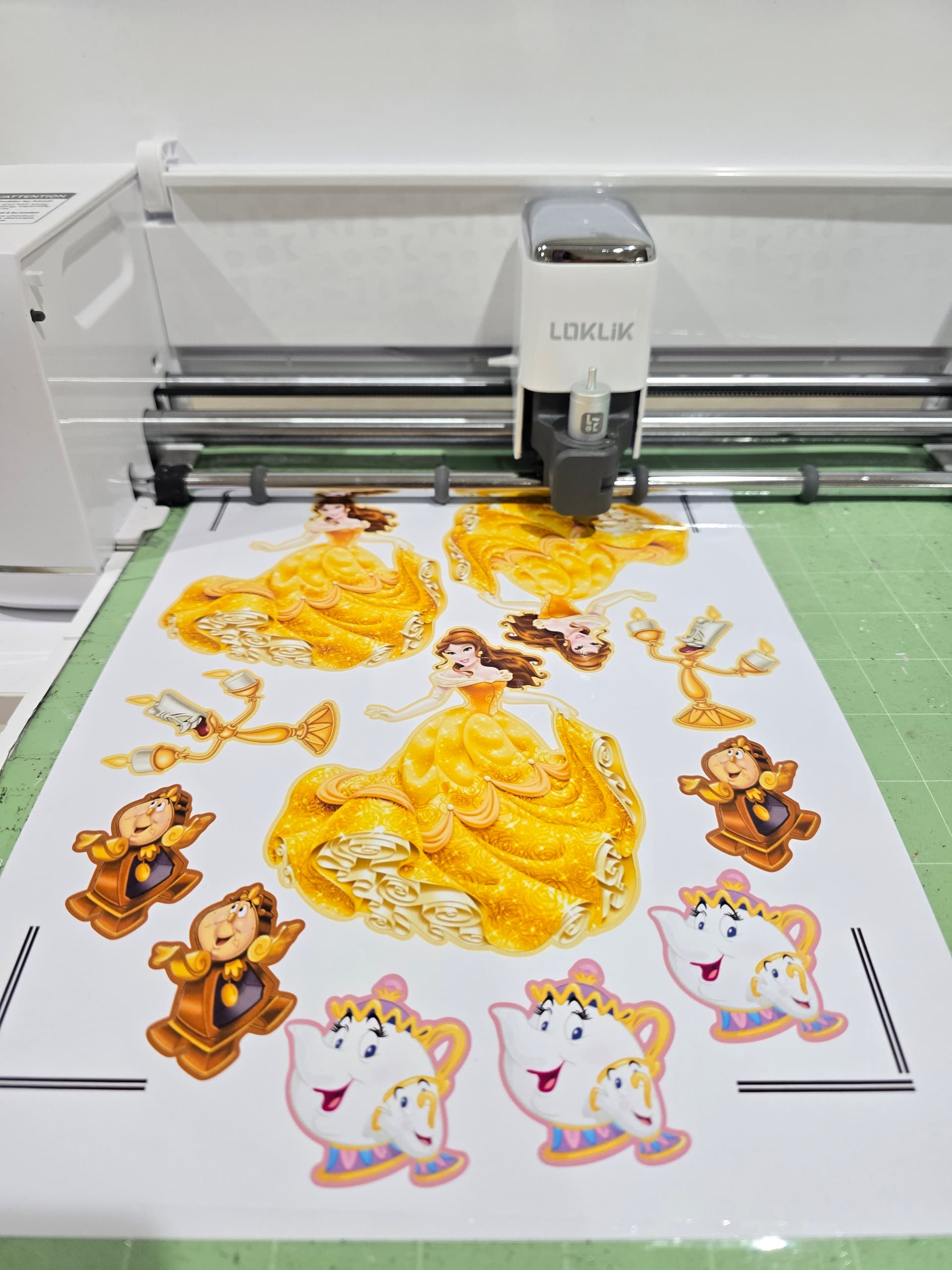
Thank you for the suggestion. I added an offset with a color similar to the image sent it to print and made that layer invisible to send the correct line to cut. Worked great!
4 Likes
Yes that’s right my fault then… Thank you for your help!!!
3 Likes
Stickers look great
3 Likes
Did that fix your registration mark issue?
2 Likes
Yes i noticed somenting like a gup at the software i think… When you zoom in or out the canvas the ptical the software looses the right position of reg marks. If you choose A4 at the settings on the right and if i uncheck and check again the box of reg marks fixes this bug. Thank you !!!
3 Likes